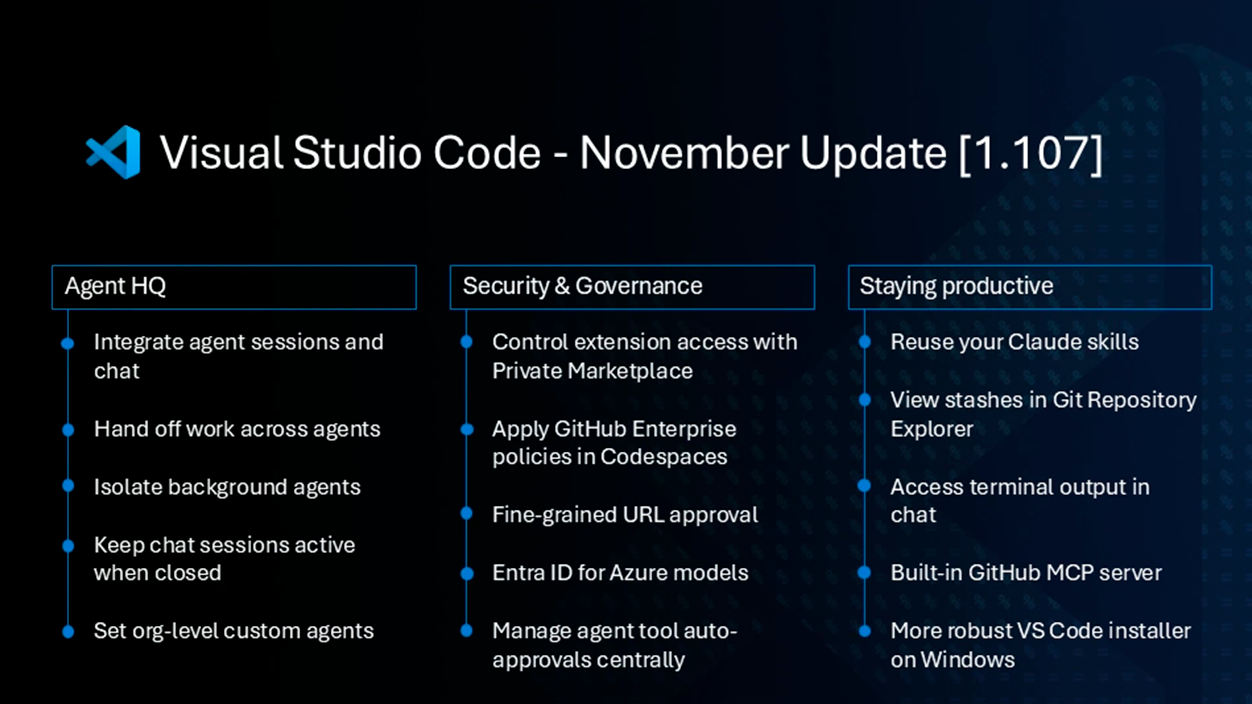
- Visual Studio Code 1.107 strengthens the work with AI agents and centralizes their management in Agent HQ.
- The integrated terminal gains contextual suggestions for commands and parameters to streamline console use.
- The TypeScript 7 preview arrives with improvements to autocompletion, renaming, and references.
- Experimental support for Git Stash is introduced from source control without leaving the editor.

Version 1.107 of Visual Studio Code It's now available as a November update and comes packed with changes focused on the productivity of developers and technical teams. Microsoft reinforces its commitment to integration artificial intelligence agents, The integrated terminal is significantly improved. and takes it a step further with the TypeScript 7 preliminary compatibility.
This installment maintains the usual multiplatform approach of US Code y It can be installed on Windows, macOS, and Linux.This makes it especially relevant for the European ecosystem where different operating systems coexist in professional and academic environments. With this version, the company continues Refining the development experience without straying too far from the lightweight editor that many teams use daily.
A more powerful terminal with contextual suggestions
One of the most noticeable new features of the update is the improvement of integrated terminalwhich now includes automatic suggestions as commands are typed. The Terminal Suggest feature is now enabled by default in the stable channel, simplifying console use for those who don't want to rely on external extensions or advanced shell configurations.
As commands, command-line arguments, and file paths are typed, a list of suggestions just above the prompt. These recommendations can be navigated using the arrow keys and accepted with the Tab key, speeding up repetitive tasks and reducing typos in long commands.
For example, when entering "ls" on macOS or Linux Followed by a hyphen, the terminal immediately displays all available parameters for that command. This makes it easier to access options that are often forgotten or that previously required constantly consulting the system's built-in help or external documentation.
Even so, the terminal's suggestions are not intended to replace traditional documentation, as they merely display possible arguments and do not explain in detail what each one does. The goal is to offer a light and quick assistance in day-to-day use without turning the VS Code console into a full-fledged help system, something many advanced users prefer to keep out of the editor.
More integrated AI agents and centralized management with Agent HQ
Another key block of version 1.107 is dedicated to the artificial intelligence agents, an area where VS Code competes directly with recent editors that have focused on the assisted programming, such as the specialized AI derivatives that have emerged in recent months.
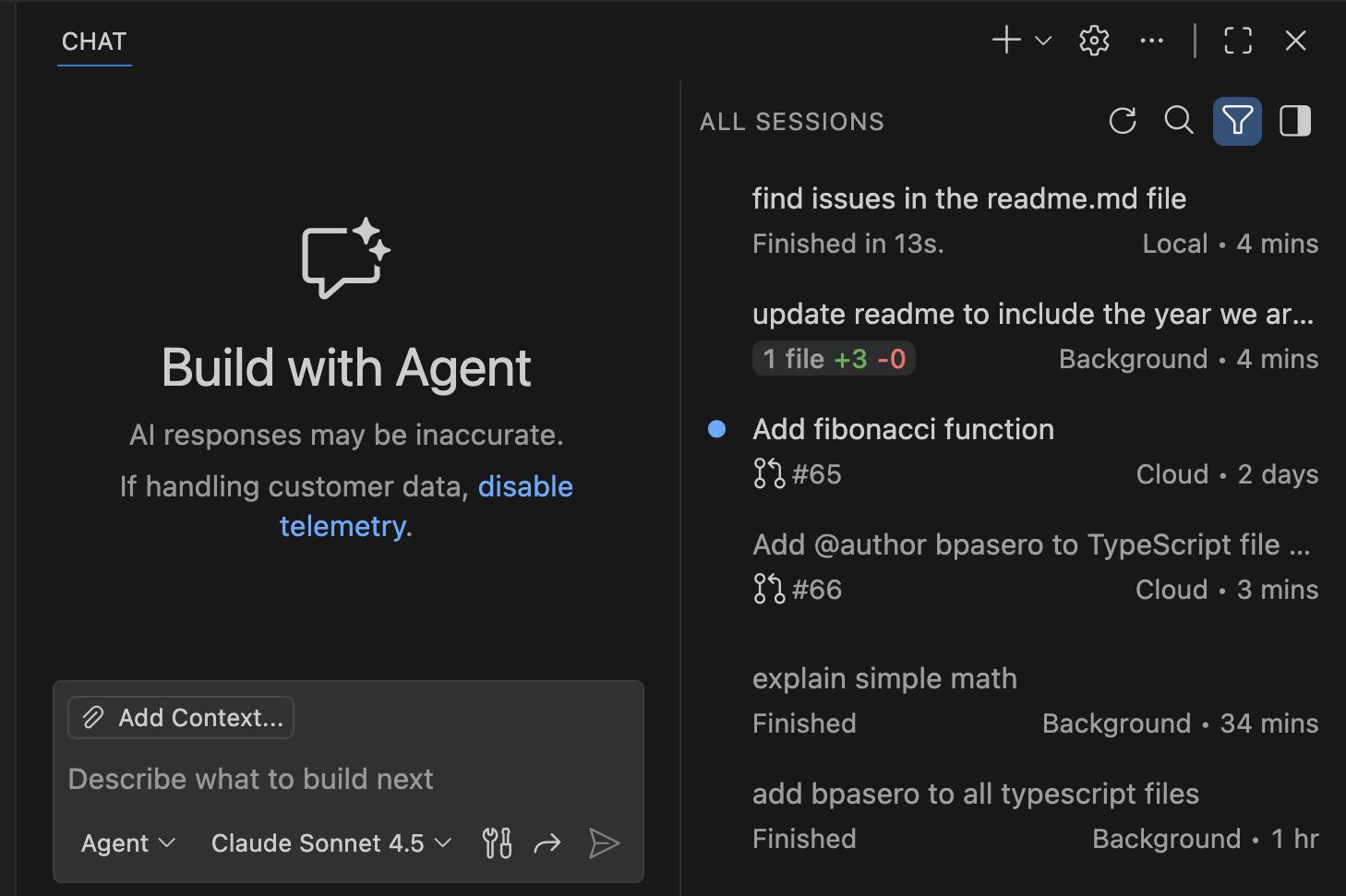
Microsoft introduces Agent HQ, a kind of central panel From here, you can view and manage all the trusted agents configured in the editor. You can check which agents are active, which are inactive, and which tasks require attention, making it easy to implement a workflow with multiple agents working in parallel without losing control.
Furthermore, Copilot and the personalized agents no longer live in completely separate sections and begin to operate together. side by side within the same user experience. The company is guiding Visual Studio Code towards a scenario in which different agents share the work, run simultaneously, and collaborate on complex tasks such as refactoring, code generation, or change review.
Agent sessions also change their presentation: the individual view is disabled by default and now everything is displayed within the chat viewFrom that single window, it is possible to review current sessions, check the progress of each agent, view background tasks, and consult file change statistics without jumping between panels.
For those working with local agents on their own team, there's another practical improvement: tasks are no longer automatically canceled when the chat window is closed. Instead, the local agent keeps running pending operations, which is useful when launching long processes that should not be interrupted, such as extensive repository analysis or large code rewrites.
The update also adds a new "Continue" button to conversations, allowing you to decide whether a specific task—for example, drafting a particularly long file—should be sent to a background agent or a AI tool Specifically, this small change helps to better distribute the workload and leverage the agent infrastructure more flexibly.
Isolation via Git worktree and fine-grained permission control
Developers who manage multiple work contexts within the same project will find the new support for Git worktree for background agents. It is now possible to specify precisely which working tree each agent should operate in, thus reducing the risk of conflicts between different branches or directories.
This isolation capacity allows an agent to be limited to a specific workspacewhile another operates in a separate worktree, which This can be useful for teams testing experimental features or maintaining maintenance branches in parallel.On a practical level, it helps to maintain order when there are several automated processes accessing the repository.
In addition, version 1.107 introduces an option to authorize all commands in a specific terminal session with a single click. Instead of approving each command an agent wants to execute individually, global permission can be granted for that terminal, reducing friction when there is full confidence in the ongoing task.
The option to configure is also enabled. different keyboard shortcuts For different agents, this feature is designed for those who use multiple AI assistants simultaneously and need to invoke them quickly without confusion. In environments where internal agents, third-party tools, and Copilot are mixed, having custom shortcuts makes a significant difference in speed of use.
TypeScript 7 preview and editor improvements
In the area of language, the November update activates a updated preview of TypeScript 7Designed for those who want to stay ahead of the curve in the JavaScript ecosystem, this preview version includes improvements to type checking performance and a series of features aimed at speeding up code writing and maintenance.
Among the new features, the new behaviors of import autocompleteThis makes it easier to locate and add modules without having to remember the exact name of each route. It also optimizes the symbol renaming experience, allowing for cleaner and more consistent renaming of variables, functions, or classes throughout the entire project.
Another interesting improvement comes to the references with CodeLens, which now offer more useful information about where and how elements are used within the code. To take advantage of these features, you need to have the TypeScript preview extension installed and run the command "TypeScript (Native Preview): Enable (Experimental)" in a JavaScript or TypeScript file.
When TypeScript 7 is ready for widespread use, Visual Studio Code plans to adopt it as a basis for IntelliSense in JavaScript and TypeScript. This could translate into a smoother autocomplete experience, especially in large projects typical of European companies and organizations that maintain extensive codebases.
Source code control: Git Stash and more convenient workflows
Visual Studio Code 1.107 also incorporates advancements in version control, where Git remains the de facto standard. The most striking new feature is the Experimental support for managing Git Stash directly from the editor's source control interfacewithout relying solely on the console.
Thanks to this integration, it is possible see, apply or discard reservations (stashes) from within VS Code itselfThis is an advantage for those who don't want to leave the editor's graphical interface mid-task. This convenience can help teams that frequently use Git Stash to park quick changes while they switch branches to review urgent issues.
With these steps, Microsoft seeks to further align the graphical environment with the advanced workflows Git, something especially valued in organizations where fine control of modifications is required and frequent code reviews are used.
Availability and update methods on each platform
The November update for Visual Studio Code is being distributed, as usual, free of charge through official channels. Those who already have VS Code installed on Windows or Linux can Go to the Help menu > Check for updates (Help > Check for Updates) to Download and install version 1.107.
In the case of macOS, the process is similar but is done from the menu Code > Check for UpdatesMaintaining the same logic of direct updates from within the application. For new installations or mass deployments in European companies, installers are still available on the official Visual Studio Code website.
Microsoft maintains its usual distribution formats, with Windows packages in x64 and ARM architectures, versions for macOS on both Intel and Apple Silicon systems, and various packages for Linux —deb, rpm, tarball or builds for ARM— facilitating its adoption in different distributions and professional environments.
With the release of version 1.107, Visual Studio Code reinforces its strategy of combining a lightweight editor with increasingly sophisticated features around AI agents, version control system integration, and continuous terminal improvements. Without altering its cross-platform essence, the editor continues to evolve into an environment where developers can centralize much of their daily work, both in personal projects and in teams distributed throughout Spain and the rest of Europe.


I am a technology enthusiast who has turned his "geek" interests into a profession. I have spent more than 10 years of my life using cutting-edge technology and tinkering with all kinds of programs out of pure curiosity. Now I have specialized in computer technology and video games. This is because for more than 5 years I have been writing for various websites on technology and video games, creating articles that seek to give you the information you need in a language that is understandable to everyone.
If you have any questions, my knowledge ranges from everything related to the Windows operating system as well as Android for mobile phones. And my commitment is to you, I am always willing to spend a few minutes and help you resolve any questions you may have in this internet world.