- 1.1.1.1 accelerates and protects DNS resolution with leading latencies and audited privacy policies.
- The 1.1.1.1 app adds DoH/DoT and WARP, encrypting all traffic and improving stability on mobile networks.
- Easy configuration on router and devices, variants with filters (1.1.1.2/1.1.1.3) and verification at 1.1.1.1/help.
- WARP+ and Argo offer higher performance; the model prioritizes privacy without selling data.

Do you want your connection to be fast, free, and also take care of your privacyWith 1.1.1.1 and WARP you have just that on your mobile and computer. Cloudflare offers ultra-fast public DNS and a VPN (WARP) feature that adds encryption and stability. to all traffic, and the best part is you can activate it in seconds. We'll tell you how to use Cloudflare WARP and DNS 1.1.1.1 to speed up your internet.
A common question is whether it's advisable to use the official 1.1.1.1 app or if it's enough to manually enter the DNS settings in the system. The application simplifies use, adds modern protocols (DoH/DoT), manages network changes, and allows you to activate WARP whenever you want.If you just want to resolve via 1.1.1.1 without further ado, configuring it manually works, but you lose those advantages of convenience and extra protection on public networks.
Speed, zero cost, and real privacy
Cloudflare launched 1.1.1.1 with a clear idea: To provide the fastest, most private, and secure DNS resolution service. It was possible, without charging the user, and with external audits to back up its promises. Later, the mobile app brought that improvement to anyone with a tap.
If you've ever noticed that a website won't open over Wi-Fi but will open with mobile data (or vice versa), it was probably the operator's DNS acting as a bottleneck. By choosing a fast and stable resolver like 1.1.1.1, name queries respond soonerAnd that translates into pages that start loading faster.
In addition to performance, Cloudflare designed its service so that privacy is not just for show. It does not log your IP address for advertising, minimizes the information in each query, and limits technical logs to 24 hours. which it uses only to debug errors, with KPMG auditing compliance.
If you're wondering whether using DNS 1.1.1.1 to speed up your internet lowers ping in games, the realistic answer is: It can improve name resolution latency and connection stability.However, in-game ping depends on more factors (route to the game server, congestion, peering). Even so, many notice a more consistent experience.
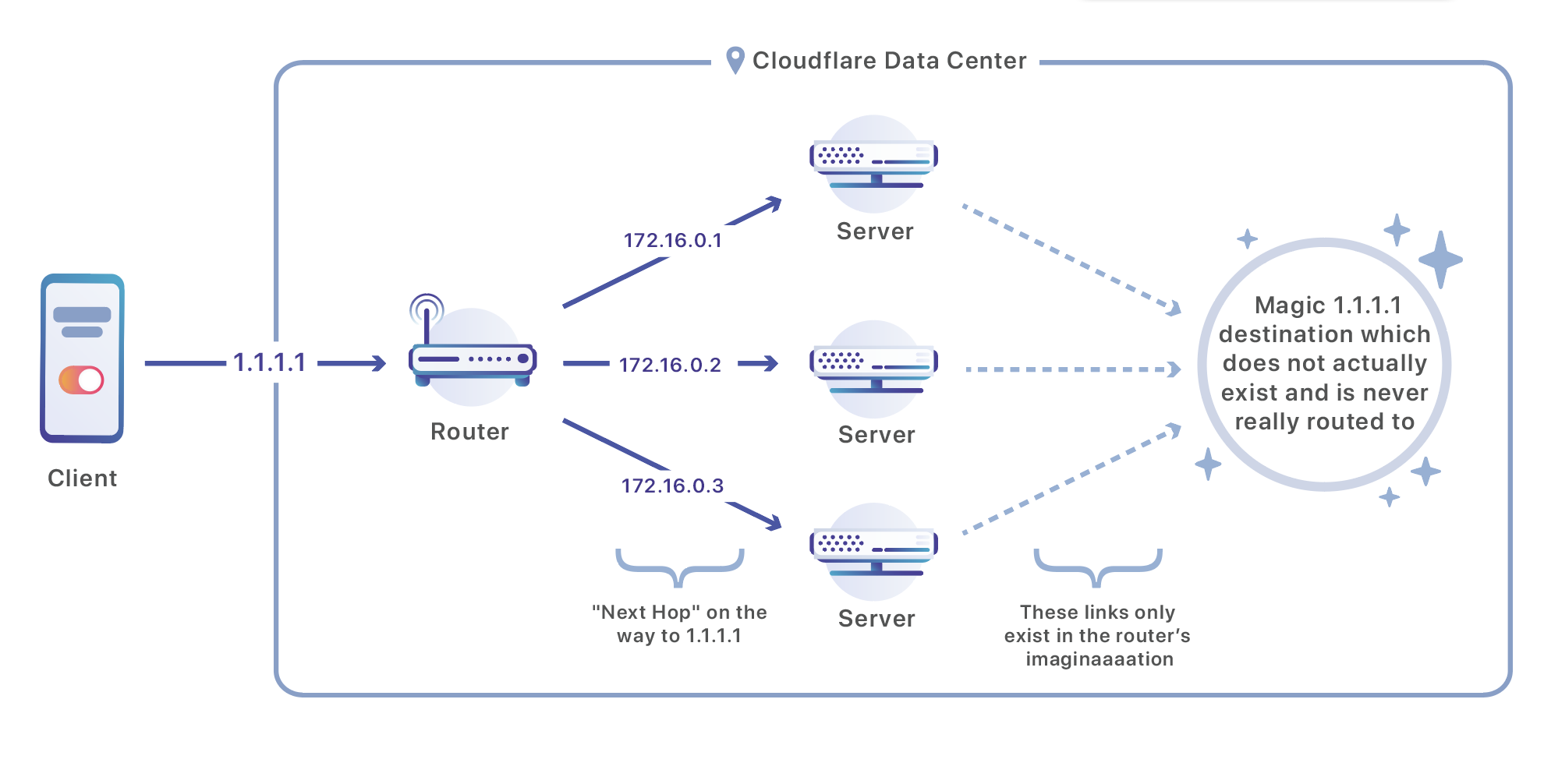
What is 1.1.1.1 and why is it so fast?
1.1.1.1 is a recursive public DNS service Operated by Cloudflare in partnership with APNIC, it was announced in April 2018 and quickly became a benchmark for its performance and focus on privacy for both desktop and mobile devices.
DNSPerf tests, which compare providers from more than 200 locations, place 1.1.1.1 at the top. In Europe, responses in the 5-7 ms range have been measured.ahead of alternatives like Google DNS (more than 11 ms) or Quad9 (around 13-20 ms). These are small differences in numbers, but noticeable in experience.
These figures vary over time and by region. At the end of 2024, the average of 1.1.1.1 was around 18,24 msWhile DNSFilter data placed Google at 23,46 ms. In 2019 tests, Cloudflare showed 14,96 ms compared to 20,17 ms for OpenDNS and 35,29 ms for Google, illustrating its historical evolution.
Cloudflare's global network, just milliseconds away from most users, It is the basis of the resolver's performanceIt has also promoted standards such as DNS over TLS (DoT) and DNS over HTTPS (DoH) to protect queries, integrating with browsers like Firefox thanks to collaborations with Mozilla.
Reasons to use 1.1.1.1 on your computers
Is DNS 1.1.1.1 really effective at speeding up your internet? Every time you open a website or app, it needs to translate names into IP addresses. If that "list" (DNS) responds faster and more reliably, everything else starts off better.It's the kind of adjustment that saves you trouble and micro-waiting in your daily life.
With 1.1.1.1, Cloudflare minimizes data in each query and does not use your IP to track you. The retention policy is strict: ephemeral technical records (24 hours) and independent audits who check that what was promised is fulfilled.
In security, the resolver applies practices that make it difficult for information to leak during resolution (for example, name minimization). It's not an antivirus or a firewall, but it does put your "DNS layer" at a more robust level. than the one offered by many operators.
How to set up 1.1.1.1 on your devices
You can apply the change to the router (affecting your entire network) or to each device. Doing it on your own router is the most convenient so that everything that connects uses 1.1.1.1 without repeating the operation device by device.
Configure it on the router
The exact route depends on the manufacturer, but the idea is the same. Access the gateway (e.g., 192.168.1.1), log in, and locate the DNS section. to replace the current servers with Cloudflare's.
- For IPv4: 1.1.1.1 y 1.0.0.1
- For IPv6: 2606: 4700: 4700 :: 1111 y 2606: 4700: 4700 :: 1001
On models from certain operators you will find the option in “Advanced Setup” (Advanced Setup > DNS). Save the changes and restart your browser if you don't see an immediate effect.
Windows
From the Control Panel you can change the DNS settings of the adapter. Go to Network and Internet > Change adapter settings, open Properties of your Wi-Fi or Ethernet and edit IPv4/IPv6.
- Select “Use the following DNS server addresses”. Enter 1.1.1.1 and 1.0.0.1 in IPv4For IPv6 use 2606: 4700: 4700 :: 1111 y :: 1001.
- Apply by clicking Accept and Close. If it doesn't respond the first time, try restarting your browser..
MacOS
Go to System Preferences > Network, select your connection, and click Advanced. In the DNS tab, add 1.1.1.1 and 1.0.0.1 (IPv4), and the IPv6 equivalents.
- Add using the “+” button: 1.1.1.1, 1.0.0.1, 2606: 4700: 4700 :: 1111 y 2606: 4700: 4700 :: 1001.
- It ends with Accept and Apply. If that doesn't work, restart your computer..
Linux (example in Ubuntu)
From Settings > Networks, open the gear icon in your interface and enter IPv4/IPv6. Disable automatic DNS and enter the Cloudflare addresses..
- IPv4: 1.1.1.1 y 1.0.0.1
- IPv6: 2606:4700:4700::1111,2606:4700:4700::1001
- Apply the changes and test. Restarting your browser helps force the update.
iOS
Open Settings > Wi-Fi, enter the "i" of your network and tap DNS Settings. Change Automatic to Manual and add 1.1.1.1 as the server, in addition to the secondary one.
- Add: 1.1.1.1 and the corresponding secondary one.
- Guard. With that, your iPhone/iPad will use 1.1.1.1 on that Wi-Fi network.
Android
In Settings > Wi-Fi, press and hold your network and enter Edit. In Advanced Options, change IP Settings to Static and fill in the DNS fields.
- DNS 1: 1.1.1.1DNS 2: 1.0.0.1.
- Guard. Upon reconnecting, the phone will query Cloudflare.
Alternatives with filters: 1.1.1.2 and 1.1.1.3
If you want to block threats or adult content at the DNS level, Cloudflare offers options. 1.1.1.2 focuses on stop malware domains, useful for adding a simple preventative layer.
To control access to adult content, 1.1.1.3 applies a filter that blocks those types of sites (including inappropriate advertising). The "normal" 1.1.1.1 doesn't filter anything.
Remember to also configure the secondary server for each option: 1.0.0.1 (for 1.1.1.1), 1.0.0.2 (for 1.1.1.2) and 1.0.0.3 (for 1.1.1.3)This way you maintain redundancy if one fails.
Common problems and solutions
If you receive messages like “Cannot connect to this site”, “err_name_not_resolved” or “Error 1001: DNS resolution error” while browsing, proceed systematically and consult the appropriate resources. What to do after a hack. First, check that the URL is spelled correctly. and that the service you are accessing works.
If you manage a domain with Cloudflare, Check that you have the correct DNS records in your control panel and that DNSSEC isn't interfering if you changed providers.
Also check if the domain's nameservers are still pointing to Cloudflare. If they no longer point there but you manage the records in their panel, the resolution will fail. until you correct the DNS delegate.
If "IP address not resolved" appears, it may be a temporary failure of the client resolver. Wait a few minutes and try to recharge.; sometimes it is not related to Cloudflare.
And when everything points to a larger incident, Check out sites like Downdetector or Estafallando to check if there is a general outage reported by users.
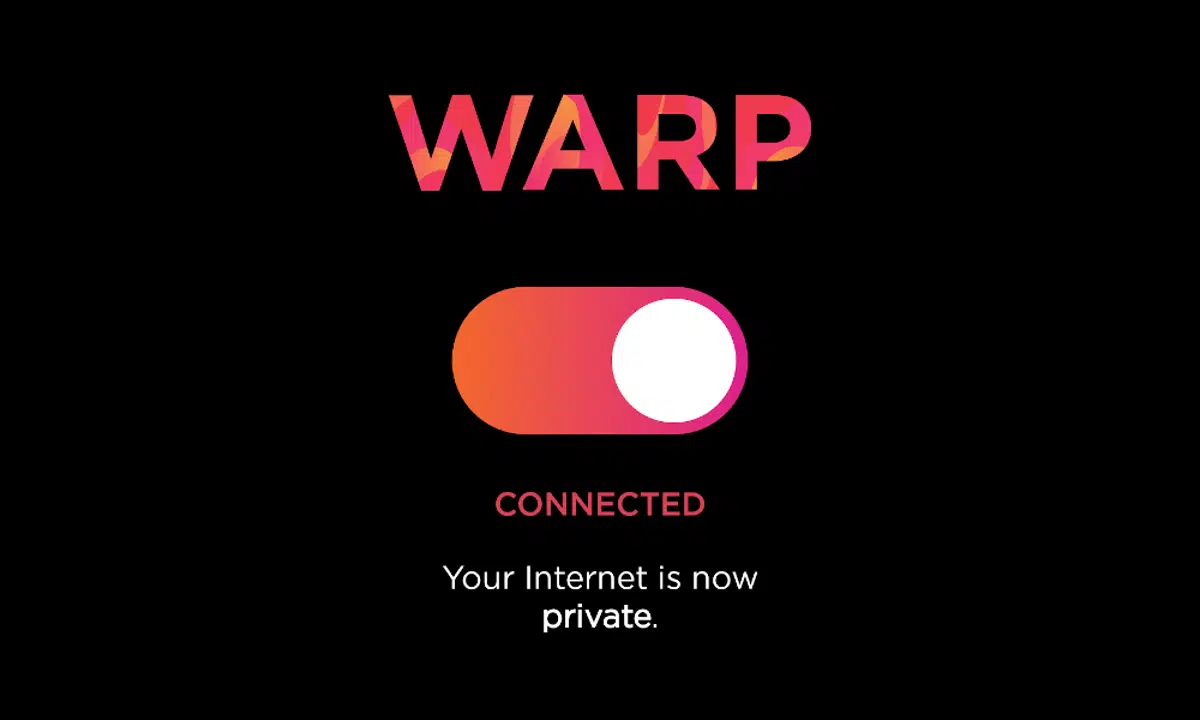
WARP: the encryption and stability layer for all traffic
In 2019, the app 1.1.1.1 incorporated WARP, a VPN focused on security and reliability on mobile devices. It's not your typical VPN for "changing countries": it doesn't hide your IP address or unlock catalogsTheir focus is on protecting and optimizing daily connectivity.
WARP encrypts all traffic from your device to the Cloudflare network. Closing the door to intruders on public Wi-Fi and improving resilience on unstable networksFor those who want extra speed, there's WARP+, which uses the Argo backbone network.
The paid version, WARP+ Unlimited, Removes entry-level data limits and prioritizes routes across the Cloudflare private networkIf you don't want to pay, you can use Warp for free with no time restrictions.
The app is designed to be activated and done: You tap “Enable”, accept to create the VPN profile and it's workingIf a specific app is causing problems, you can exclude it from More settings > Connection options > Disable for selected apps.
From idea to millions of users: the journey of 1.1.1.1 and Warp
Cloudflare isn't one for "April 1st jokes," but on that day in 2018 they released 1.1.1.1 and made it clear that it wasn't a joke. Usage grew 700% month over month, and the service came close to becoming the second largest public DNS., with the ambition to surpass even Google in latency.
In November (11/11) the first mobile app arrived, with the promise of a Faster, more secure and private internet with one touchBehind it all was a plan: to take the benefit beyond DNS and solve the typical problems of VPNs on the go.
Why was it necessary to rethink mobile VPNs? TCP wasn't designed for mobile environments, and many traditional VPNs add latency, drain battery, and rely on opaque business models.Cloudflare opted for WireGuard and a UDP-based design optimized for mobility.
The acquisition of Neumob in 2017 brought experience in accelerating mobile apps. With Cloudflare's global network, WARP connects in milliseconds and takes advantage of uncongested routes, with more noticeable improvements the worse the starting network.
In terms of reliability, the WARP protocol It recovers quickly from packet loss.It mitigates interruptions when you switch from Wi-Fi to data or cross dead zones, and is designed not to spike battery usage at the slightest coverage problem.
Privacy: written promises and audits
Cloudflare assumes that the VPN market has some less-than-exemplary examples, so it formalized clear commitments for 1.1.1.1 with WARP. These are points that reinforce trust and are regularly audited.:
- No records containing user identification data are written to disk.
- Browsing data is not sold or used for targeted advertising.
- No personal information is required (name, phone number or email) to use the app.
- Periodic external audits to verify compliance.
The objective is clear: Improve the Internet without turning the user into the product.This philosophy fits with the rest of the company's initiatives (push of HTTPS, IPv6, DNSSEC, HTTP/2, etc.).
How to get started and what to expect from the app
Activating 1.1.1.1 or WARP takes only seconds on iOS and Android. The app creates a VPN profile to smoothly manage encryption and network switching.During the first few months after the announcement, Cloudflare used a waiting list to onboard users without overloading its network.
If you prefer DNS only, You can use the app in 1.1.1.1 mode without activating Warp.You can also configure the servers manually on the system if you don't want to install anything. Desktop versions were released later to cover all bases.
For those who don't want complications, The best thing about the app is that it centralizes everything: fast DNS, DoH/DoT, and the Warp option.For advanced profiles, configuring the router remains the most efficient method for the entire home network.
With all of the above, 1.1.1.1 and WARP have become a very practical combination: Fast, private recursive DNS that speeds up resolution, and a VPN layer made for the mobile world that encrypts and stabilizesIf your goal is to browse with less waiting and more peace of mind, few options offer so much for so little effort.


Editor specialized in technology and internet issues with more than ten years of experience in different digital media. I have worked as an editor and content creator for e-commerce, communication, online marketing and advertising companies. I have also written on economics, finance and other sectors websites. My work is also my passion. Now, through my articles in Tecnobits, I try to explore all the news and new opportunities that the world of technology offers us every day to improve our lives.