- Use Xiaomi Security Center and IMEI verification to find out if your Xiaomi is genuine and still has official support.
- Use MIUI's hidden CIT menu to check the hardware status before claiming a warranty or buying a used phone.
- Learn about Xiaomi's warranty limits, out-of-warranty repairs, and cross-EU support options.
- Properly manage your Mi account to avoid lockouts, protect a lost Xiaomi, and unlink the device when selling it.

If you own a Xiaomi, Redmi, or POCO phone and are worried about how long it will continue to receive updates and security patches, or if it's still under warranty, it's essential to know. How to check official Xiaomi support and device statusAlso, if you're thinking of buying a second-hand Xiaomi phone, it's a good idea to check a few key things to avoid unpleasant surprises.
Throughout this guide you will see How to check if your Xiaomi is still supported, how to test its hardware, how to manage the warranty, and what to check before buying a used deviceAll of this using official Xiaomi tools (such as the Security Center, IMEI check, or brand support), along with some practical tips and simple explanations so you won't have any doubts.
What does it mean when your Xiaomi has official support?

When we talk about official Xiaomi support, we mean system updates and security patches that the manufacturer releases for its mobile phonesNo phone is updated forever: after a while, the brand stops offering new versions and the device is considered unsupported.
The moment that happens, Your Xiaomi will no longer receive new versions of MIUI, HyperOS, or security updates.Except in very exceptional cases, you can continue using it, but over time it increases your exposure to potential vulnerabilities and you'll miss out on new features that are only available on newer models.
So you don't have to go model by model looking for information, Xiaomi maintains an official and public list of devices that have lost support.This information is accessible through a dedicated website that the company updates regularly. From there, you can confirm whether your phone is up to date or if it has already been added to the list of software-obsolete devices.
Xiaomi Security Center: the key website to check support

The easiest and most reliable way to find out if your Xiaomi is still receiving updates is to go to the Xiaomi Security Center, the official page where the brand publishes the support status of its devices.This page is updated over time as each model's lifespan increases.
At the Security Center you will find Information about Xiaomi, Redmi and POCO mobile phones, as well as IoT ecosystem products of the brand (For example, some smart devices also lose support after a certain period). It's a kind of official blacklist showing the models that will no longer receive updates.
Upon entering this website, you can check in a matter of seconds. Whether your specific model will continue to receive security patches in the future or if it has already been included in the list of unsupported devicesIt is especially useful before buying a second-hand device or if you notice that it hasn't received any updates for a long time.
Xiaomi models that no longer have official support

Among the models that Xiaomi has stopped updating are many from the brand's early generations. This list is extensive and illustrates the situation well. how older devices are gradually losing official support from Xiaomi.
Within the main Xiaomi/Mi range, The following models no longer have official support.:
- Xiaomi Mi 1
- Xiaomi Mi 2
- Xiaomi Mi 2A
- Xiaomi Mi 3
- Xiaomi Mi 4
- Xiaomi Mi 4S
- Xiaomi Mi 4c
- Xiaomi Mi 5
- Xiaomi Mi 5s
- Xiaomi Mi 5s Plus
- Xiaomi Mi 5c
- Xiaomi Mi 5X
- Xiaomi Mi 6
- Xiaomi Mi 6X
- Xiaomi Mi 8 SE
- Xiaomi Mi Note
- Xiaomi Mi Note 2
- Xiaomi Mi Note 3
- Xiaomi Mi Note Pro
- Xiaomi MIX
- Xiaomi MIX 2
- Xiaomi Mi MAX
- Xiaomi Mi MAX 2
- Xiaomi Mi A1
- Xiaomi Mi A2
- Xiaomi Mi A2 Lite
- Xiaomi Mi Pad
- Xiaomi Mi Pad 2
- Xiaomi Mi Pad 3
- Xiaomi Mi Pad 4
- Xiaomi Mi Pad 4 Plus
- Xiaomi Mi MAX 3
- Xiaomi Mi 8 Lite
- Xiaomi MIX 2S
- Xiaomi Mi MIX 2S
- Xiaomi Mi 8 Explorer Edition
- Xiaomi MIX 3
- Xiaomi Mi MIX 3
- Xiaomi Mi 8 UD
- Xiaomi Mi 9 SE
- Xiaomi Mi PLAY
- Xiaomi Mi 8
- Xiaomi Mi 9
- Xiaomi Mi CC 9e
- Xiaomi Mi A3 (Android One)
- Xiaomi Mi Note 10
- Xiaomi Mi CC 9 Pro
If your device appears on this list, it means that It will no longer receive new software versions or official security patches from Xiaomi.Even so, you will still be able to use it normally, but it is advisable to be extra cautious with apps, permissions, and sensitive data.
Redmi phones without official support
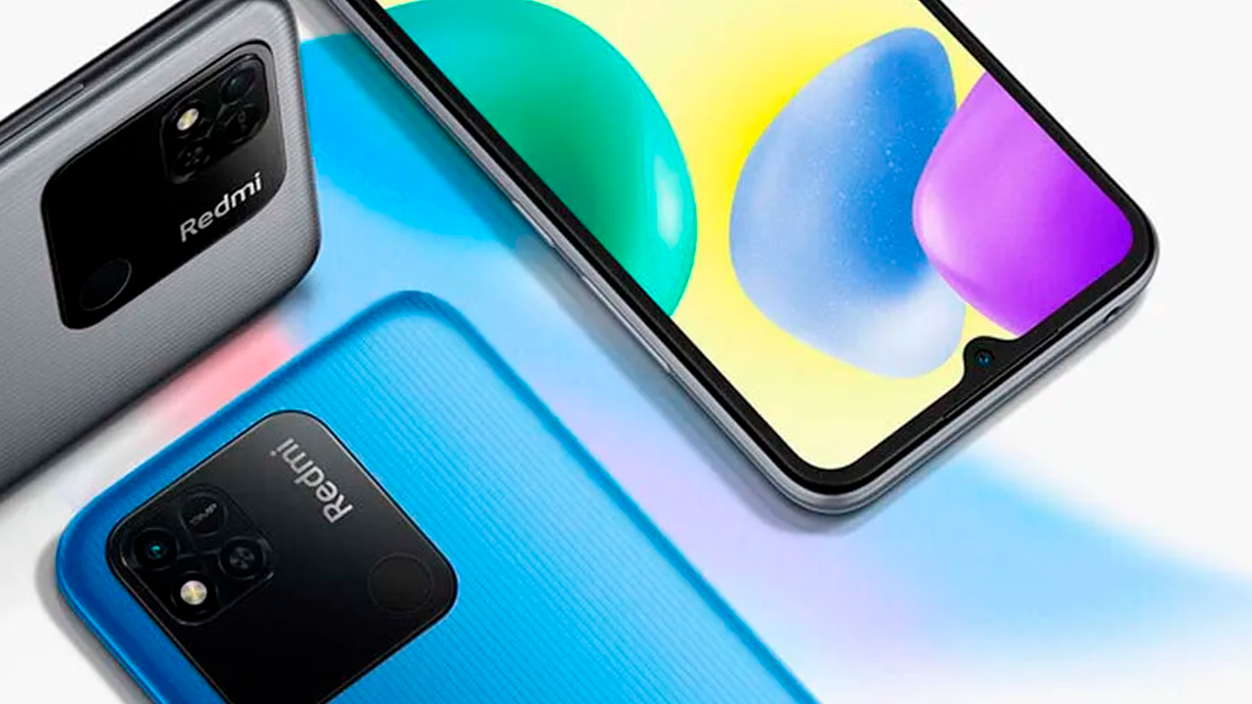
Even older Redmi models have been left out of the update policy. Xiaomi clearly indicates which devices in this family have stopped receiving software maintenance, which is very useful if you're someone who keeps using their phone until the very end.
In the Redmi range, The models that the brand no longer supports officially are the following::
- Redmi 1
- Redmi 1S
- Redmi 2
- Redmi 2A
- Redmi 3
- Redmi 3S
- Redmi 3X
- Redmi 4
- Redmi 4X
- Redmi 4A
- Redmi 5
- Redmi 5 Plus
- Redmi 5A
- Redmi Note 1
- Redmi Note 1S
- Redmi Note 2
- Redmi Note 2 Pro
- Redmi Note 3
- Redmi Note 4
- Redmi Note 4X
- Redmi Note 5
- Redmi Note 5A
- Redmi Pro
- Redmi 6
- Redmi 6 Pro
- Redmi 6A
- Redmi S2
- Redmi Y2
- Redmi Note 6 Pro
- Redmi go
- Redmi Note 7
- Redmi Note 7S
- Redmi Note 7 Pro
- Redmi K20
- Redmi 7
- Redmi Y3
- Redmi K20 Pro
- Redmi 7A
- Redmi Note 8 Pro
All of these devices have reached the end of their support lifecycle. If you have one in use or are thinking of getting one for a very low price, Please note that they will not receive new security patches or system updates.In many cases, due to age and safety concerns, it may be worth considering a newer model.
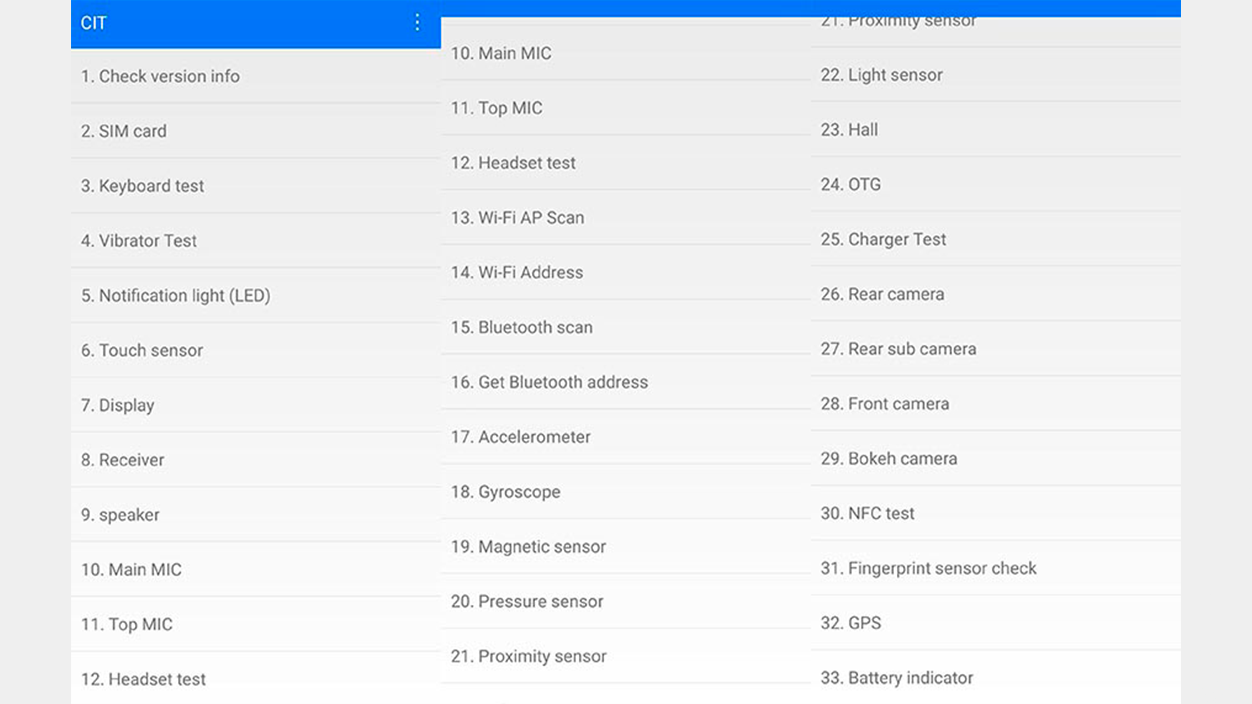
Besides knowing if your phone is still supported, it can be very useful to verify that All physical components of the device are functioning correctly.: screen, sensors, microphones, vibration, connectivity, etc. Xiaomi offers a hidden menu in MIUI designed precisely for this type of testing.
This is the so-called CIT menu, a menu of hardware tests integrated into Xiaomi's own ROMThis feature is present on most Xiaomi, Redmi, and POCO phones, and even models like Black Shark that use MIUI or its derivatives. It's a hidden but safe menu: you can access it without fear because it doesn't alter the system settings if you only run the tests.
The CIT menu offers different types of tests, which may vary from model to model. In all cases, It will allow you to quickly check if each component passes the test correctly.You will see instructions in English and, depending on the result, you will have to mark whether the test is correct (pass) or if it has failed (fail).
Accessing the hardware check menu on your Xiaomi is relatively simple, although it's somewhat hidden. You can access it from the system settings by selecting a hidden option in the device information section.
To open the CIT on most mobiles with MIUI, Follow this basic process from your Xiaomi settings:
- Open the Settings app on your Xiaomi device. y go to the "My Device" section, which usually appears at the beginning of the menu.
- After Tap on "All specifications" to see the complete technical specifications of the phone.
- Within that screen, locate the line called "Kernel Version" and Tap it five times quickly and in succession..
After doing those pulses, The CIT menu, the secret hardware testing panel, will open automatically.From there you will see a list of components (screen, sensors, cameras, vibration, etc.) or, in some models, an automatic test button that runs several checks in sequence.
Once inside the menu, You can start the tests manually by tapping on each component and following the on-screen instructions, or using the automatic mode if your CIT includes it. During the tests, the phone will ask you to interact with the screen, press physical buttons, speak into the microphone, or move the device to verify sensors.
If you see a "pass" result at the end of the test, it means that That component responded correctly in the testIf a "fail" appears, there is likely a hardware failure or abnormal behavior that should be checked at an authorized service center, especially if the phone is still under warranty.
How to check if a used Xiaomi is unlocked

If you're considering buying a used Xiaomi, in addition to support and the condition of the hardware, there's one important detail: Check if the phone has an unlocked bootloader and confirm that it is not locked by a Mi account.This can save you a lot of trouble later on.
In MIUI's developer settings, you'll see an option called "OEM unlocking," which allows the bootloader to be unlocked, but The mere fact that that box is checked or not does not in itself confirm the actual state of the bootloader.It's more of a prerequisite than a definitive indicator.
The most reliable way for the average user, directly from their phone, is Go to Settings > Additional settings > Developer options and look for the section related to the Mi unlock status or bootloader status.In many models, it is clearly indicated whether the device is locked or unlocked when linking the Mi account for the unlocking process.
Another technical method, if you are familiar with ADB and fastboot tools, involves Boot the phone into fastboot mode and use the fastboot command to check the lock status.This requires a computer, drivers, and some experience, but it's the standard method used by advanced users.
What is neither practical nor advisable as a first step is to perform a factory reset just to see if After formatting, the phone asks for the password of the previous My account.This also involves deleting all data, so it should only be done if you have already verified with the seller that there is no account block and that they will provide you with their credentials or log you out correctly.
What to check when buying a used Xiaomi
When buying a used Xiaomi, it's a good idea to give the phone a quick "MOT" check to avoid any surprises. Beyond aesthetics or battery life, There are several key points related to device support, authenticity, and security.
On the one hand, you should check in the Xiaomi Security Center whether the model is still within the support period and that Check using the CIT menu that all hardware components are responding correctlyThis helps you detect screen, connectivity, or sensor problems that might not be visible to the naked eye in just a few minutes.
It's also important to verify that the seller has unlinked the phone from their Mi account. To do this, Ask him to show you the phone without it being linked to any Xiaomi account. (in Settings > My Account) and, if possible, have them log out in front of you. If you buy the device already reset, it shouldn't ask for someone else's credentials when you turn it on.
Additionally, whenever possible, do a quick IMEI check on the Xiaomi website to verify. that the device is authentic and that it is not an unofficial product or imported through dubious channelsThat gives you more guarantees when using technical support in case of problems.
Xiaomi's official warranty: what it covers and how long it lasts
Another key aspect of Xiaomi's support is the official warranty. The brand offers a contractual warranty for the hardware of its products, independent of the minimum legal warranties required by the law of each countryIn other words, you have the protection required by law, plus the additional coverage that Xiaomi provides voluntarily.
For many products sold through official channels, Xiaomi offers a warranty of three years from January 1, 2022 for devices purchased from that dateUnless local law mandates a different or longer period, this voluntary warranty covers defects in materials and workmanship under normal use of the product.
The company makes it clear that It cannot guarantee that the use of the product will always be uninterrupted or error-free.However, it does commit to repairing, replacing, or refunding the price of the device if a hardware defect is detected within the warranty period and a valid claim is submitted.

Index
- 1 What does it mean when your Xiaomi has official support?
- 2 Xiaomi Security Center: the key website to check support
- 3 Xiaomi models that no longer have official support
- 4 Redmi phones without official support
- 5 How to check if your Xiaomi hardware is working properly (CIT menu)
- 6 How to access the CIT menu step by step
- 7 How to check if a used Xiaomi is unlocked
- 8 What to check when buying a used Xiaomi
- 9 Xiaomi's official warranty: what it covers and how long it lasts

I am a technology enthusiast who has turned his "geek" interests into a profession. I have spent more than 10 years of my life using cutting-edge technology and tinkering with all kinds of programs out of pure curiosity. Now I have specialized in computer technology and video games. This is because for more than 5 years I have been writing for various websites on technology and video games, creating articles that seek to give you the information you need in a language that is understandable to everyone.
If you have any questions, my knowledge ranges from everything related to the Windows operating system as well as Android for mobile phones. And my commitment is to you, I am always willing to spend a few minutes and help you resolve any questions you may have in this internet world.