
Do you find it complicated to manage multiple audiences, channels, and tools separately in Telegram? We've all been there: looking for a specific message within a group and getting lost in the process. In this guide, we'll show you how. How to create a Telegram community by integrating themed sub-chatsInformation channels and automated bots. This way, your audience will be more organized and you can manage everything more efficiently.
How to create a Telegram Community to unite multiple groups, channels, and bots
First, is it possible to create a community on Telegram to unite several groups? Unlike other platforms such as WhatsApp, Telegram It does not have a native feature called "Community" to group separate chats into a single general folder. Instead, it has an official format to achieve something similar to a supergroup with Topics, to which you can link a main channel and integrate the bots you need.
This means that, to create a community on Telegram and connect various groups, channels, and bots, you need to use a core group as the central nucleus of the community and link the other spaces. Next, let's see step by step how to create the main group and link channels and groups by topic.
Steps to create a Telegram Community to unite several groups, channels, and bots
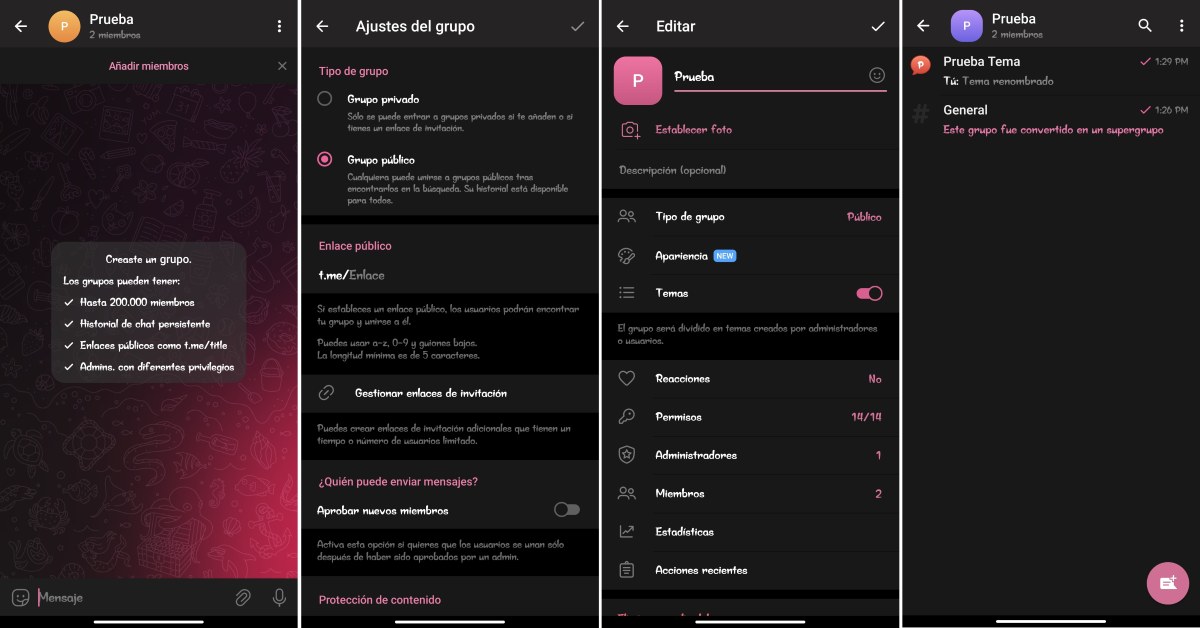
- Create the main group (which will be the basis of the Community):
- Open Telegram and tap the pencil icon to start a new chat (or the three lines on the side to access the menu).
- Tap New group and invite at least one initial member.
- In order for the Topics feature to be supported, the group must be public or have advanced permissions.
- Now activate the Themes feature: Go to the group's profile – Edit – select Topics and turn on the switch. This will transform the group into a structure divided into separate, themed chats (for example, one for discussions, another for announcements, and another for specific areas).
- Link to an information channel:
- Create a Telegram channel for official announcements (Start a new chat – New channel).
- Once created, go to the channel settings – navigate to Discussion – and select the topic group you just set up. This way, every post in the channel will automatically create a discussion thread in your community.
- Add and integrate the bots: You can add moderation bots (such as Rose Bot or GroupHelp) and utility bots as group admins. Tap the three dots or the bot's profile button and select Add to group. You can assign a specific topic dedicated exclusively to interacting with bots to avoid cluttering the general chat rooms.
Complementary alternative: You can pin topics within the group to keep things organized. Additionally, you can switch views to see the group divided into topics or view the entire chat in a general way. And if you want to improve member navigation, create a pinned topic called Home or Directory within the group. From there you can list:
- Direct links to each topic or room in the group.
- Links to secondary channels or external support bots.
- Community rules and conditions.
Advantages of creating a "Community" on Telegram
Creating a community on Telegram, or rather, organizing a group using Topics, allows transform a massive and chaotic chat room into a structured and easy-to-follow community hubWe could summarize the advantages as follows:
- Personalized user experience: Each member can mute or adjust notifications for specific threads that don't concern them. This way, they only pay attention to the sub-chats that truly interest them.
- Optimal search and history: It is much easier to find old documents, links, or messages, since the information is organized within the corresponding category, instead of getting lost in an endless stream of messages.
- Centralized moderation and fine-grained permissions: When creating a Telegram community or organizing groups into Topics, it's easier to apply specific rules or restrict permissions. Additionally, you can assign moderators to manage particular threads.
- Clean Bot Integration: Since it's possible to isolate interactions with bots in a specific thread, you prevent automated alerts or mass responses from clogging up the main chat.
- Direct access via links: Each topic generates a unique link. This makes it easy to redirect users directly to a section of the group that addresses their specific needs.
Creating a Community on Telegram: Additional Considerations
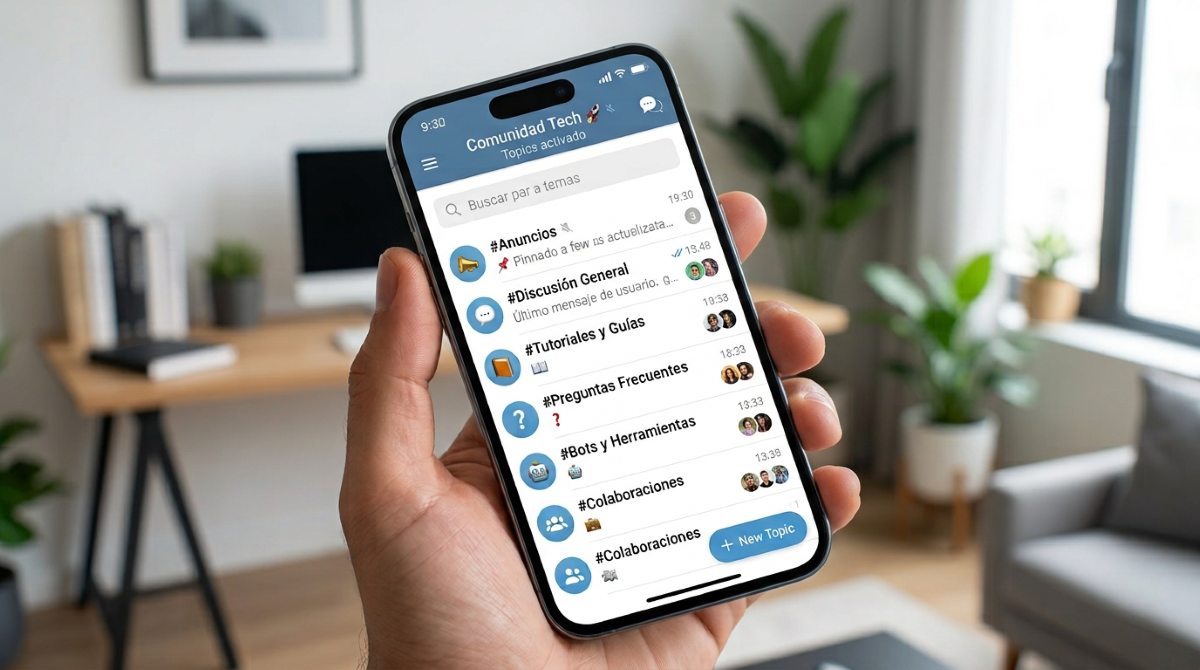
When creating a community on Telegram, it's good to keep in mind some details and practical tips. For example, a good idea is Rename the created theme depending on its purpose.You can call it "Important Announcements" to prevent the chat from becoming a mess. Also, keep in mind that when a group you've created exceeds 200 members, it automatically becomes a supergroup.
Another thing you can also do is Link specific messages or topics in the community welcome messageFor example, instead of inviting someone to the general group, you can share a direct link that takes them exactly to the thread you want (#Tutorials or #Frequently-Asked-Questions).
When creating a Telegram community to add bots, you can use a very effective security strategy: Create a unique theme for verifying new membersThis is achieved with the help of bots that are activated before granting access to other chats, keeping chat rooms free of fake accounts and suspicious links.
Lastly, don't forget that you can mute busy rooms separately instead of muting the entire groupThis keeps alerts active only for topics that are truly relevant to you. As a result, community members will stay as long as they need instead of leaving due to excessive notifications.
In conclusion, unifying your groups, channels, and bots on Telegram is a good strategy for transform a chaotic chat room into an organized and safe communityWhen you structure your chats using topics and automations, you offer a seamless experience to your members while optimizing your daily management.

From a young age, I've been fascinated by all things scientific and technological, especially those advancements that make our lives easier and more enjoyable. I love staying up-to-date on the latest news and trends, and sharing my experiences, opinions, and tips about the devices and gadgets I use. This led me to become a web writer a little over five years ago, focusing primarily on Android devices and Windows operating systems. I've learned to explain complex concepts in simple terms so my readers can easily understand them.