- WMIC is being phased out by Microsoft to improve system security.
- It is currently possible to reinstall it as a feature on demand (FoD) in most versions of Windows 11.
- PowerShell and CIM cmdlets are positioned as the official and most powerful alternative for WMI management.
- It is possible to recover the executable using manual methods if the official option is no longer available.

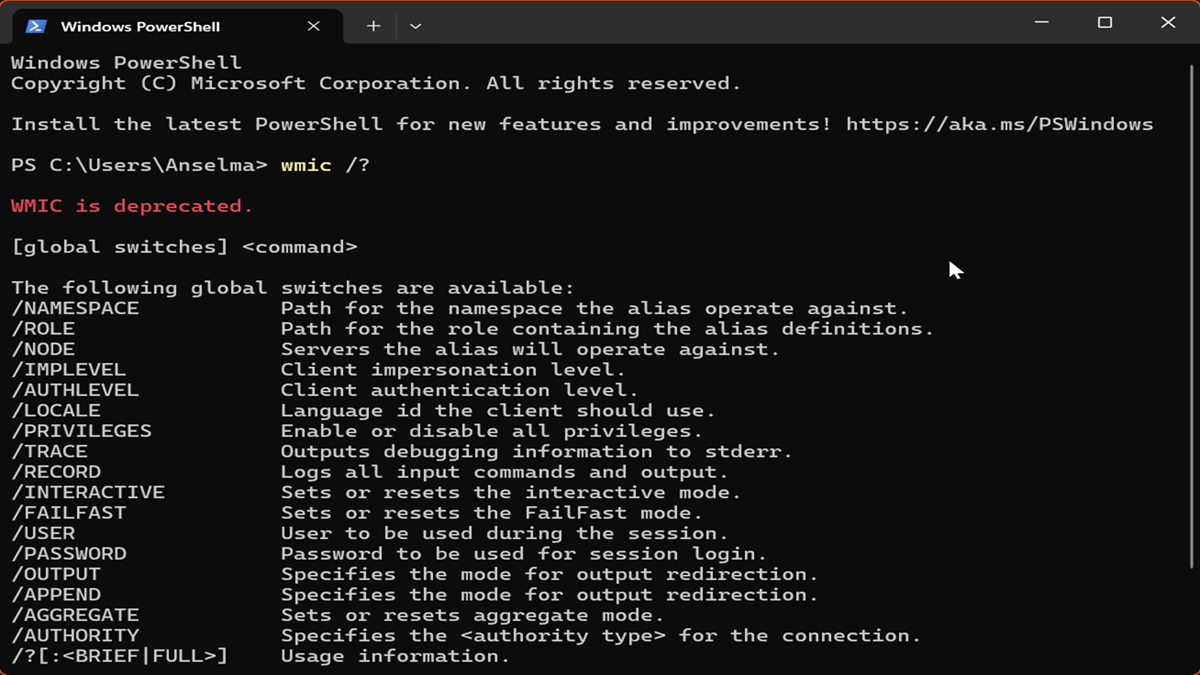
The error message that tells us that 'wmic' is not recognized as an internal commandThis is far more common than many people think. Simply put, Microsoft has decided that the Windows Management Instrumentation command-line interface has reached the end of its lifespan and has begun phasing it out in favor of more modern and secure tools. The solution is simple: Install WMIC on Windows 11.
Even though this tool is now considered obsolete, we know there are plenty of legacy scripts and critical applications that depend entirely on WMIC to function. Therefore, although the official path is to migrate, we're going to see how you can give your system a break and regain control of these queries.
WMIC's disappearance timeline
WMIC (Windows Management Instrumentation Command-line) It is a Windows command-line tool that allows you to query and manage operating system, hardware, and software information from the terminal.
For years it was widely used by administrators to obtain data. However, Microsoft declared it obsolete years ago in favor of PowerShellIn fact, in some recent versions of Windows 11, it's no longer enabled by default. However, it's still available as an optional feature that can be easily installed. In other words, you can install WMIC on Windows 11. The question is: is it worth it?
Some people think so. Especially for handling legacy scripts, taking inventory of equipment, performing quick hardware queries, or simply working with legacy automation. Others, however, consider it wiser to follow Microsoft's advice, which recommends using PowerShell commands.
To understand what's happening, we need to look at the timeline. It all started back in 2016 with Windows Server 2012, but it wasn't until 2021 that Windows 10 began to overtake it. In the most recent versions of Windows 11, such as 23H2 and 24H2, the tool already... It is disabled by defaultAlthough you can still add more if you know where to look.
Things get serious in 2025, because when you upgrade to version 25H2, it's very likely that any trace is eliminated of the installed utility. And if you don't want to be caught off guard, keep in mind that by 2026 it is expected to disappear completely, even as an on-demand feature, becoming entirely outside the Windows 11 ecosystem.


How to install WMIC using Features on Demand (FoD)
If you're still on a version that allows it, the easiest way is to use the calls Features on Demand (FoD)Basically, these are pieces of software that Microsoft stores on its servers and that you can download only if you really need them, so as not to overload the operating system.
To find this option, you can type directly "Optional features" in the taskbar search bar. If you prefer the longer route, go to the Start menu, open the Settings app, go to the System tab, and look at the bottom for the section on Optional features.
Once there, check if WMIC already appears in the list of installed programs. If not, click the button. View features At the top, type "WMIC" in the search box, check the corresponding box, and click Next. In a few moments, the tool will open. will be available again in your command console.
Tricks to recover WMIC manually (Unofficial methods)
Now, if you find yourself in a situation where the FoD option doesn't work or you need to deploy this to many machines at once using OSD, there's a plan B. Since the WMI engine is still alive in Windows 11, we only need the wmic.exe executable and its language files so that everything can work again.
An effective alternative to installing WMIC on Windows 11 is to obtain a Windows 10 ISO (version 21H1 or earlier) and extract the wmic.exe and wmic.exe.mui files from the Windows\System32\wbem directory. For a clean, custom installation, you can mount the Windows 11 image using DISM and copy these files to the same directory before installing the system.
If you already have Windows installed and want to avoid complications, simply copy the executable to C:\Windows\System32\wbem\ and place the language file in the corresponding folder. While this isn't Microsoft's recommended method since you won't receive security updates, it works perfectly in a pinch.
The modern alternative: Migrate to PowerShell
Let's be honest: Yes, installing WMIC on Windows 11 is possible, but clinging to it is like trying to use a phone headset in the smartphone era. The real power now lies in PowerShell, specifically using the CIM and WMI cmdletswhich do exactly the same thing as WMIC but in a much more efficient and readable way.
For example, if you previously used the `wmic win32_process get Name` command to view processes, you can now do the same with `Get-CimInstance Win32_Process | Select-Object Name`. It's a simple change that will save you a lot of headaches in the near future, especially if you need to... analyze which processes run before the desktop.
For those with very old batch scripts (.bat files), there's no need to delete them all. You can invoke PowerShell directly from the command line using the syntax `powershell -c "command"`. This way, even in a CMD environment, you can leverage modern Windows infrastructure without disrupting your company's automation.
It is crucial that organizations review their monitoring tools and update their internal documentation. Changing support guides to point to Get-CimInstance or Get-WmiObject will ensure that nothing stops working when Microsoft finally turns off the WMIC switch for good.
In short, although it's on its way out, we still have ways to install WMI on Windows 11. This means retrieving it using optional Windows features or manually copying files from previous versions. However, the smartest move is to use this time to adapt our scripts to PowerShell and utilize the .NET libraries or the WMI COM API if we need more advanced control, thus ensuring that our computer management is stable and compatible with future versions of the system.

Editor specialized in technology and internet issues with more than ten years of experience in different digital media. I have worked as an editor and content creator for e-commerce, communication, online marketing and advertising companies. I have also written on economics, finance and other sectors websites. My work is also my passion. Now, through my articles in Tecnobits, I try to explore all the news and new opportunities that the world of technology offers us every day to improve our lives.