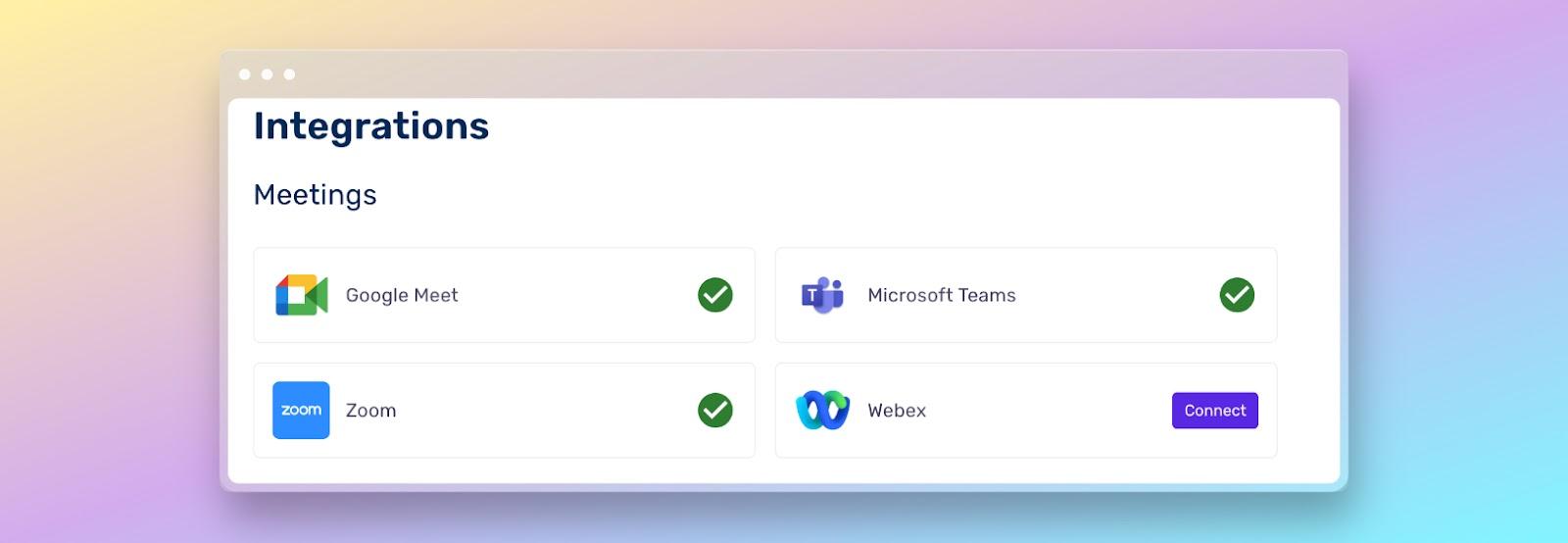
- Airgram allows you to record, transcribe, and summarize meetings in Zoom, Teams, and Google Meet automatically and collaboratively.
- There are multiple alternatives such as Bluedot, Fireflies, Otter.ai, Notta, or Fellow that offer advanced AI features and multilingual support.
- Most of these tools comply with security and privacy requirements like GDPR and offer free versions to start testing.
¿How to use Airgram to transcribe and summarize Zoom, Teams, or Google Meet meetings? Virtual meetings have changed the way we collaborate, but keeping up, taking notes, and getting the most out of each conversation remains a challenging task.. In the era of Zoom, Teams, and Google Meet, smart transcription and summary tools have become essential for capturing details and optimizing our time. Airgram stands out as one of the most popular solutions, but how can we make the most of it? And what alternatives are there if we need to go even further?
In this article, you'll find a detailed guide on how to use Airgram to record, transcribe, and summarize Zoom, Teams, or Google Meet meetings, as well as a comparison with the best alternatives on the market. We'll analyze key features, pricing, advantages, disadvantages, and real-world use cases so you can make an informed decision about which tool best fits your workflow.
What is Airgram and what is it used for?
Airgram is an AI-powered app designed to record, transcribe, and summarize online and in-person meetings. It integrates easily with platforms such as Zoom, Google Meet and Microsoft Teams, facilitating the collection of notes, the creation of collaborative agendas, the generation of minutes, and the extraction of key points with just a click.
Its main functions include:
- High-quality video and audio recording with later access to timestamps and highlighted clips.
- Automatic real-time transcription, editable and exportable in different formats, so you never lose crucial information.
- Generation of video clips and minutes that allow you to share only the relevant snippets with other team members or clients.
- Collaboration before, during and after the meeting thanks to agendas, transcription comments, assigned tasks, and a centralized notes repository.
- AI-based smart summarizer which extracts the main themes, keywords, agreements and next steps.
Airgram makes it easy to integrate with Notion, Slack, and other productivity platforms., allowing all information to flow to where it is most needed.
The company has now been acquired by Notta.ai and its service will be discontinued as of March 8, 2025., something to keep in mind when investing in this tool for your medium- and long-term processes. If you'd like to learn more about these types of apps that can help you with AI, here's another guide for you: The best artificial intelligence tools for creating songs for free.
Advantages and limitations of Airgram
Airgram stands out for its ease of use, the quality of its transcriptions and the ability to organize information collaboratively.It's a highly valued option for sales, marketing, consulting, and training teams thanks to its multilingual support and the ability to create quick video clips to share essential details.
However, it is not a perfect tool. Among its main limitations we find:
- It is limited to the main meeting platforms (Zoom, Teams, Google Meet), which may leave out other less popular applications.
- The free version offers restricted features and limited storage.
- Its life cycle is limited due to the announced acquisition and closure.
- It lacks some more advanced features found in other solutions, such as comprehensive project management or advanced sentiment analysis.
Airgram Alternatives: Top-Rated Options
The popularity of Airgram has driven the development of a large number of Rival tools for transcribing and summarizing meetings in Zoom, Teams, and Google MeetBelow, we review the top-ranked and most user-rated options, along with their distinctive features and most relevant use cases.
bluedot
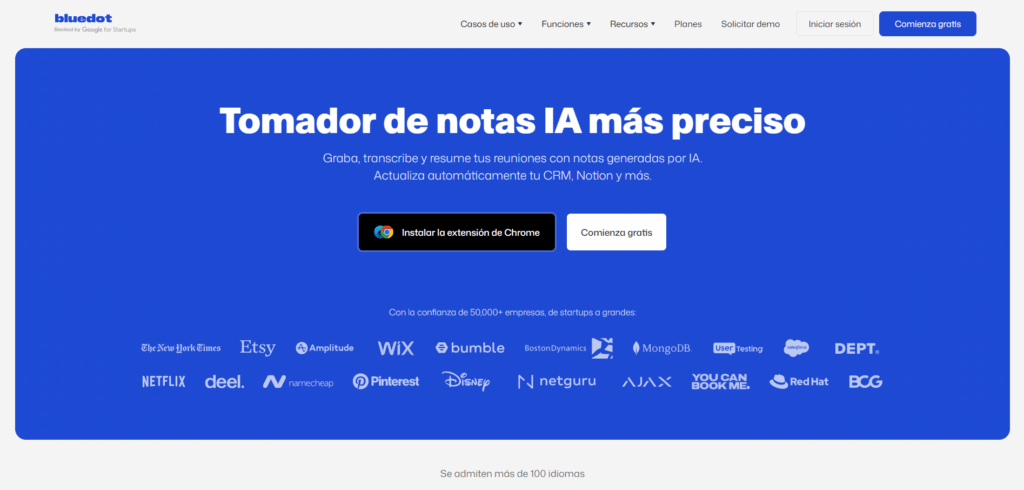
bluedot It is one of the most direct alternatives to Airgram, focused on automatically transcribing and recording meetings, without the need for bots or additional steps. It offers a Chrome extension that simplifies integration with Google Meet and stands out for its ability to create summaries, clips, and a smart library of important momentsIt's specifically geared toward teams looking for an intuitive and collaborative experience, with features like:
- AI-powered automated notes and clip collections ready to share.
- Indexed meeting repository with advanced search.
- Artificial intelligence-assisted video editing.
- Flexible plans and a good balance of price and functionality.
otter.ai
Otter.ai has become one of the most recognized transcription platforms globally.Its power lies in its accurate, real-time transcription capabilities, as well as its integration with Zoom, Teams, and Meet. Its key advantages include:
- Speaker identification and automatic management of agendas and key points.
- Instant recaps after every meeting to keep the entire team aligned.
- Bots that join your meetings to take notes without manual intervention.
However, Some users point out inaccuracies with strong accents and certain limitations in editing or customization. Their free plan is quite functional for testing, but for larger teams, it's a good idea to check out their paid options.
Fireflies.ai
Fireflies.ai stands out for offering an all-in-one solution for recording, transcribing, summarizing, and analyzing meetings in more than 30 languages. Its AI allows it to detect action items, analyze each speaker's participation, and improve the quality of interactions. It's a popular option for sales, human resources, and training teams. Its strengths include:
- Automatic recording and live transcription.
- Advanced sentiment analysis and smart search in past files.
- Easy integration with Zoom, Teams, Meet, and the ability to upload external audio.
As a point for improvement, Some users report a certain aggressiveness in marketing the higher plans and some difficulty in correctly identifying all the speakers in large meetings..
tl; dv
tl;dv focuses its offering on efficiently recording and documenting Google Meet and Zoom meetings., enabling you to highlight and share relevant snippets, transcribe in over 30 languages, and generate AI-powered structured summaries. This approach is particularly useful for:
- Marketing and sales departments that need to capture key points from interviews or demos.
- International teams that need multilingual support.
- Teams looking for integration with tools like Slack to share minutes in real time.
Some users point out that the Spanish version is not as accurate as possible and that access to older recordings is limited in the free version..
Avoma
Avoma is geared towards optimizing productivity and meeting follow-up.: facilitates the creation of personalized agendas, collaborative note-taking, real-time transcription, and direct synchronization of actions with your company's CRM. It's the preferred choice for customer service and sales teams due to its ability to:
- Generate automatic summaries by speaker and topic.
- Perform intelligent searches across all historical transcripts.
- Get engagement metrics and conversation analytics.
However, The best features are available in paid plans, and participants must speak English to take full advantage.
note
Notta offers a cross-platform experience for transcribing speech to text in over 100 languages., both in online meetings and with manually uploaded recordings. Its most valued features include:
- Fast and accurate transcription, with excellent support for different file formats.
- Integration with Zoom, Meet, and the ability to share generated notes.
- Competitive free and paid plans, advanced security, and GDPR and CCPA compliance.
Some users believe that the internal organization could be improved and that the option to obtain educational discounts is somewhat complex.
Fellow
Fellow has positioned itself as the ideal tool for managing meeting agendas, minutes and tasks.With integration with Slack, Zoom, and Google Calendar, plus an AI copilot that automatically records and transcribes, it's perfect for teams looking to:
- Collaborate on agendas and topics suggested by artificial intelligence.
- Automatically sync meeting notes with other project management platforms.
- Generate and assign action items in real time.
Among its weaknesses, its mobile app stands out as being in need of improvement, and its notes structure is limited if you're looking for advanced customization.
Other featured tools
In addition to those mentioned above, there are many other applications and platforms, each with specific approaches and features for specific niches:
- Rewatch: Centralize videos and meeting notes in a single hub, perfect for teams that prioritize audiovisual content.
- Fathom: Automatically synchronizes summaries and tasks with CRM, targeting sales and commercial teams.
- Gong: It stands out for its advanced conversation analysis and focus on sales intelligence, although its price is high.
- Wudpecker, Sembly and Superpowered: They allow deep customizations, multilingual transcription, and advanced privacy options.
- Rewind.ai: Privacy-focused, stores recordings and transcripts locally on the device.
- super normal: Automatically take notes, track action items, and generate tailored templates for every type of meeting.
Comparison of prices and free plans of the main tools
One of the great advantages of the ecosystem of tools for transcribing and summarizing meetings is the availability of free or trial plans.This allows you to test the features before deciding on a professional option. In general terms:
- Airgram, Otter, Fireflies, Notta, Fellow, tl;dv, Sembly, and Superpowered all offer free versions with limited recording/transcription time and restricted access to advanced features.
- Bluedot and Avoma offer scalable plans, ideal for growing with the team's needs.
- Prices per user usually range between €7 and €30 per month., although in cases like Gong, the investment is higher and oriented towards large companies.
- CRM integration, security, and customization are often exclusive features of higher-end plans.
Key aspects to consider before choosing a tool
Selecting the ideal application to transcribe and summarize meetings does not depend only on the price or the available language.There are several determining factors depending on the needs of your team or company:
- Speech recognition accuracy: Essential if the meetings involve speakers with different accents or languages.
- Real-time transcription and summary capabilities: Ensures rapid decision-making and distribution of key information during or after the meeting.
- Privacy and regulatory compliance: Essential if handling sensitive data or if the tool must comply with GDPR, SOC2 or HIPAA.
- Integration with other work toolsFor smooth workflows, check that it's compatible with CRMs, messaging apps, calendars, and storage platforms.
- Ease of use and implementationAn intuitive interface and simple onboarding process increase internal adoption and return on investment.
- Customization and post-editing options: Allows you to adjust summaries, edit transcripts, and adapt to company culture.
Main uses and practical cases
Transcription and summary tools aren't just for taking notes during a virtual meeting. Some of the most common scenarios where they provide great value are:
- Follow-up on business meetings and gathering customer needs.
- Creation of collaborative agendas and subsequent distribution of internal tasks and minutes.
- Onboarding new employees or team building, facilitating documentation and access to previous recordings.
- User research, interviews, focus groups, and executive coaching.
- Support in selection, recruitment and human resources processes.
- Project management and progress monitoring in multidisciplinary teams.
Is it safe to use these tools for confidential meetings?
Most leading applications comply with European and American regulations such as GDPR, CCPA, HIPAA and SOC2This level of compliance involves strict encryption, anonymization, and secure data storage policies. Additionally:
- Tools like Rewind.ai store all information locally, giving the user complete control.
- Airgram, Fireflies, Otter, Notta, and Wudpecker detail their privacy policies and allow secure deletion of recordings and transcripts.
- It's always a good idea to review the terms of use, especially if you're transcribing sensitive or confidential information.
Is it worth using a paid tool over a free one?
It depends on the volume of meetings, the level of customization and the type of integration you need.For occasional use, the free versions of Notta, Fireflies, tl;dv, Airgram, or Fellow may be sufficient. However, if your work depends on capturing every detail, organizing documentation, and generating professional-quality summaries, Investing in a premium version is usually more than justified.
Advanced features such as automatic speaker identification, editable clip and summary creation, integration with CRMs or task management platforms, and priority support are unique advantages of paid plans.
The final choice should be based on practicality for your workflow, security, and the tool's ability to scale with your team's needs. The wide range of current offerings allows you to experiment without obligation until you find the perfect balance between functionality and cost.
Virtual meetings no longer have to become information black holes. Tools like Airgram and its best alternatives help you focus fully on the conversation, ensuring that no important data or agreement falls through the cracks. From startups to large multinationals, the leap toward smart productivity today involves opting for AI-based transcription and summarization solutions that are completely secure and adaptable to any professional environment.

Passionate about technology since he was little. I love being up to date in the sector and, above all, communicating it. That is why I have been dedicated to communication on technology and video game websites for many years. You can find me writing about Android, Windows, MacOS, iOS, Nintendo or any other related topic that comes to mind.