- WhatsApp allows you to generate native digital avatars that become custom sticker packs.
- There are external tools such as Gboard, Bitmoji, and Zepeto for designing emoticons based on the user's real appearance.
- The Unicode standard regulates the creation and compatibility of global emojis across different devices.

I'm sure it's happened to you before that you want to express something very specific in a chat and you can't find the perfect emoticon among the hundreds that come pre-installed. Emojis have become a fundamental part of how we communicate, allowing us to convey emotions, gestures, and moods that plain text sometimes fails to fully capture, making communication much more dynamic and fun. For this, it is useful Understanding emojis on WhatsApp and how it works.
If you're curious about how to add a more personal touch to your conversations, you've come to the right place. We'll not only see how to take advantage of the emojis already included in WhatsApp, but we'll also delve deeper into... creation of own avatars and use of external tools so that your messages don't go unnoticed and have a totally unique touch.
Creating native avatars in WhatsApp
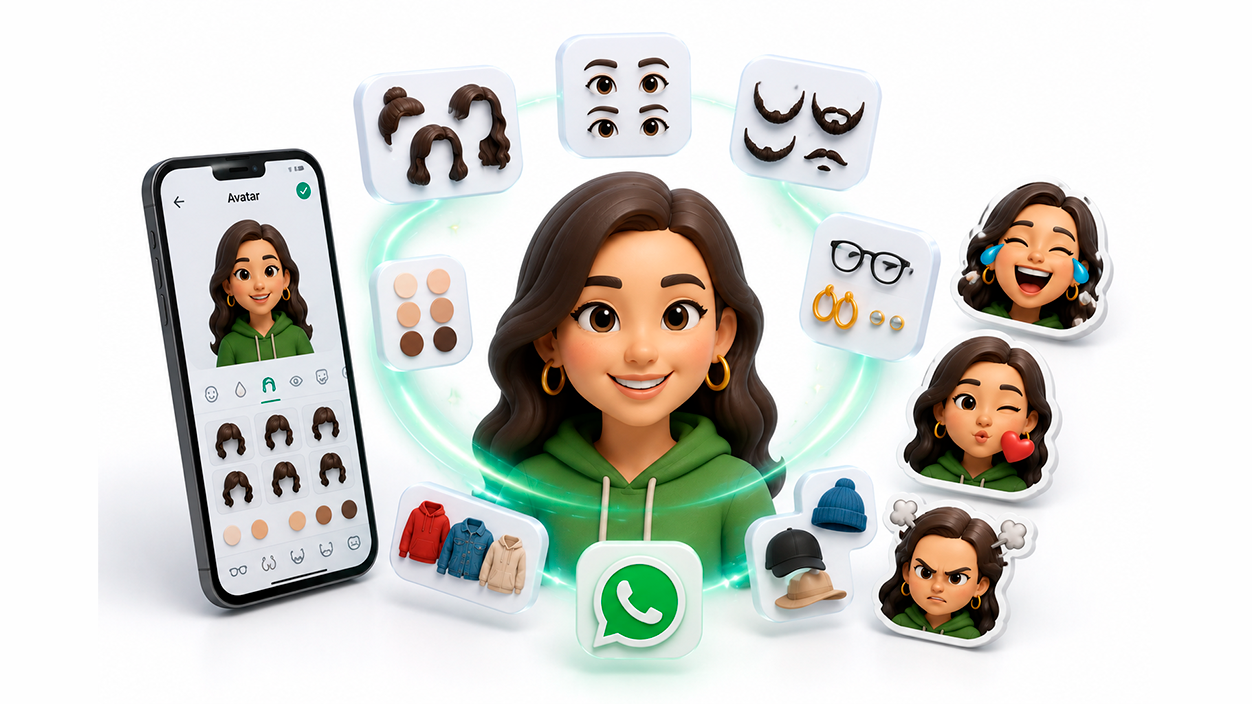
For some time now, the application has integrated a great feature that allows you to design personalized digital avatarsThese avatars are customizable digital representations of your appearance which you can use as a profile picture or automatically convert into stickers to share in your conversations, similar to the avatars available on other Meta platforms.
To get started, the first thing to do is go to the section of Settings and look for the Avatar optionOnce there, you'll see the button to create your own. The level of detail is amazing: you can adjust everything from skin tone and eye shape to facial hair, earrings, and hairstyle. When you've finished customizing it, Save the changes so that the avatar is associated with your account. and you can use it immediately.
To use them in your chats, simply open any conversation and tap the sticker icon (on iPhone) or the emoji icon (on Android). You'll see a sticker appear. new Avatar icon Alongside the GIFs. Tapping it will display a range of stickers based on various emotions, such as joy or anger, so you can choose the one that best suits the moment.
External tools and smart keyboards
If the native avatars aren't enough for you, there are third-party apps that take customization to another level. One of the oldest and most effective is... Bitmoji, which allows you to create characters based on your face with a huge variety of outfits and situations, being fully compatible with WhatsApp and other social networks.
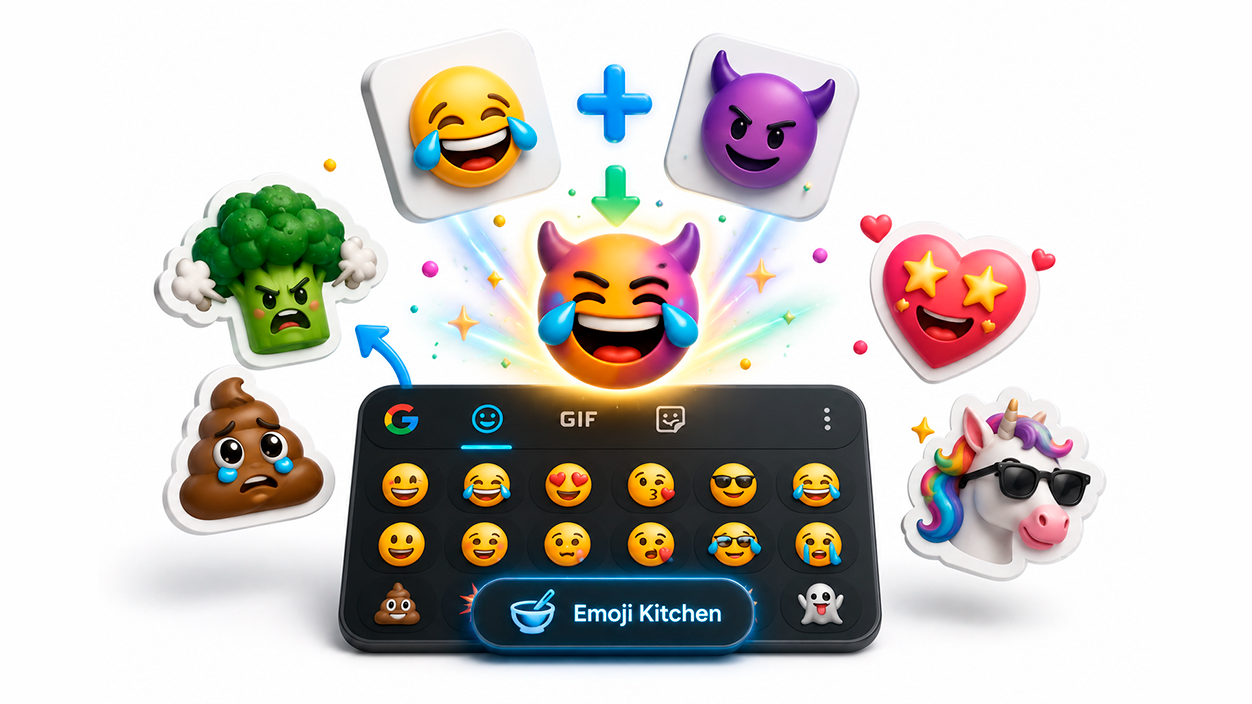
On the other hand, we have the Google keyboard, Gboard, which is a true Swiss Army knifeNot only does it allow you to create stickers from a photo of yourself using the front camera, but it also includes a gem called Emoji KitchenThis function allows Merge emojis on Android to create a non-existent combination, like an angry broccoli or a crying poop, although remember that not all combinations are compatible.
For those looking for something more artistic or specific, apps like Emojily or Emoji Maker They offer templates for designing emoticons from scratch, adjusting the size and angle of each element. There is also Zepeto, who creates a virtual world where your avatar can interact with other users before being exported as a sticker for your chats.
Exclusive options for Apple users
If you have an iPhone, you have the advantage of... Native Memojis and AnimojisThese are especially powerful because they use the front camera to record your facial expressions in real time, turning them into an animated version of yourself. To create them, simply go to the Messages app, select the Animoji icon, and choose "Add new Memoji"a process similar to How to make WhatsApp Memojis.
Once designed, the Memoji is integrated into your WhatsApp keyboard. Simply swipe left in the emoji library to access it. send your creations as stickersAdditionally, you can assign them as profile pictures to your contacts from the system's Contacts application, giving your address book a more visual touch.
Apps for designing stickers with real photos
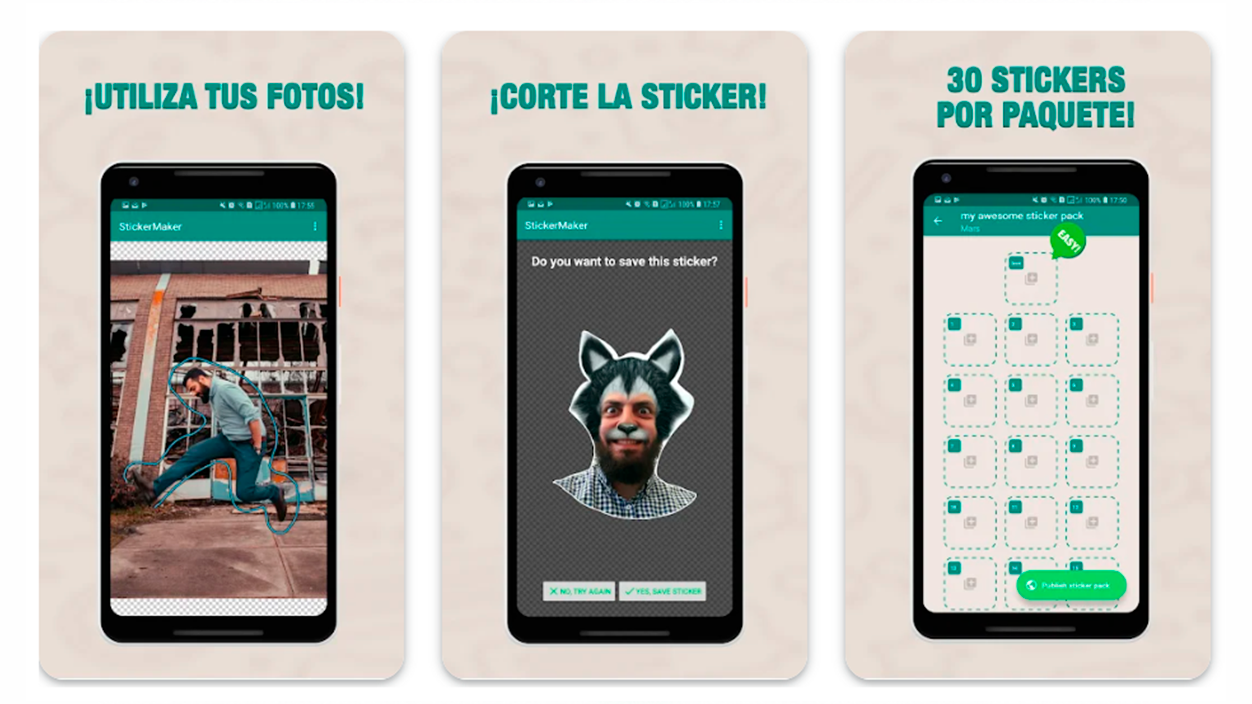
Sometimes we don't want a drawing, but rather to use a real photo of ourselves or our pet. For this, Sticker Maker is one of the most popular apps to create custom stickers on Android, as it allows you to crop images with your finger and create packs of up to 30 stickers. Similarly, Wemoji offers cropping tools more precise and the ability to add text or tags to the images.
There are also options such as Mirror Creator for iOSwhich transforms a selfie into an animated emoji that you can personalize with accessories like glasses or hearts through a subscription. If you prefer not to install apps, There are also web editors that allow you to create custom stickers directly from your browser..
Global management and problem solving
It's important to know that emojis aren't invented randomly; everything is regulated by the Unicode standardThis organization approves the new icons each year to ensure that, although the design may vary between a Samsung and an iPhone, the meaning is the same worldwide.
If you ever notice that a contact sends you an emoji that you can't see (a box or a strange symbol appears), it's most likely that your WhatsApp application is outdatedThe quickest solution is to visit the Play Store or App Store to install the latest version. If the problem persists, restarting your phone or, in extreme cases, reinstalling the app usually resolves the issue.
For those who want to go a step further, there is the WhatsApp Beta versionThis allows you to try out new emojis before they're released to the general public. Just keep in mind that, being beta versions, they might have some occasional stability issues.
Having total control over how we express ourselves on WhatsApp is possible thanks to the ability to combine native avatars, the power of Gboard, and the creativity of apps like Bitmoji or Sticker Maker, always relying on Unicode standards so that our messages are understood on any device.

I am a technology enthusiast who has turned his "geek" interests into a profession. I have spent more than 10 years of my life using cutting-edge technology and tinkering with all kinds of programs out of pure curiosity. Now I have specialized in computer technology and video games. This is because for more than 5 years I have been writing for various websites on technology and video games, creating articles that seek to give you the information you need in a language that is understandable to everyone.
If you have any questions, my knowledge ranges from everything related to the Windows operating system as well as Android for mobile phones. And my commitment is to you, I am always willing to spend a few minutes and help you resolve any questions you may have in this internet world.