- Proton Calendar and Google Calendar use ICS, but they apply their own limits and formats that can break imports.
- Easy Switch makes it easy to bring Google calendars into Proton, but it imposes restrictions on size, number of events, and data type.
- URL subscriptions in Proton are always read-only and depend on public or secret iCal links from the originating provider.
- Proton prioritizes privacy and encryption over full integration, which reduces compatibility with corporate environments.

Switching from Google Calendar to Proton Calendar It sounds like a logical move if you're concerned about privacy, but in practice many people run into strange errors when import or synchronize calendarsOne of the most common errors is precisely that Google message that it cannot process the iCal/CSV file or that "0 of 0 events" have been imported, leaving the user baffled and not knowing exactly what happened. What to do when Proton Calendar doesn't import events from Google Calendar?
Meanwhile, others encounter the opposite problem: they're already using Proton Calendar and want to integrate it with Google, their mobile device, or their work calendar… only to discover that between the limitations of ICS files, Proton's encryption method, and Google's policies, it's not as simple as just pressing a button. This article will explain how. We're going to analyze the origin of this error and what can be done to fix it.
Why Proton Calendar and Google Calendar don't always get along.
Although both services speak the standard iCalendar language (.ics)Each adds its own unique features, extensions, and restrictions. Google Calendar is very flexible with formats and event types, while Proton Calendar prioritizes privacy and limits certain functions to enable end-to-end data encryption. This is the source of many problems when trying to import or sync calendars.
When you export a Proton calendar in format .ics And then you try to upload it to Google Calendar, sometimes you get the error message “0 of 0 imported events. Cannot process iCal/CSV file.”. This warning usually indicates that the ICS file contains something that Google doesn't know or doesn't want to interpret.This could be due to a specific event repetition format, date limits, or specific details of the generated ICS.
Conversely, Proton Calendar also filters out a lot of information when importing. If the ICS file contains data types that Proton does not support (such as tasks, certain types of recurrence, or non-Gregorian calendars), it simply ignores them or may reject the file if it exceeds its technical limits (size, number of events, minimum and maximum date, etc.).
All of this becomes even more complicated when what you want is not just to import once, but Sync Proton Calendar with Google, iOS, or your work calendarbecause public/private links, editing permissions, and the "read-only" philosophy that dominates cross-platform calendar sharing all come into play.
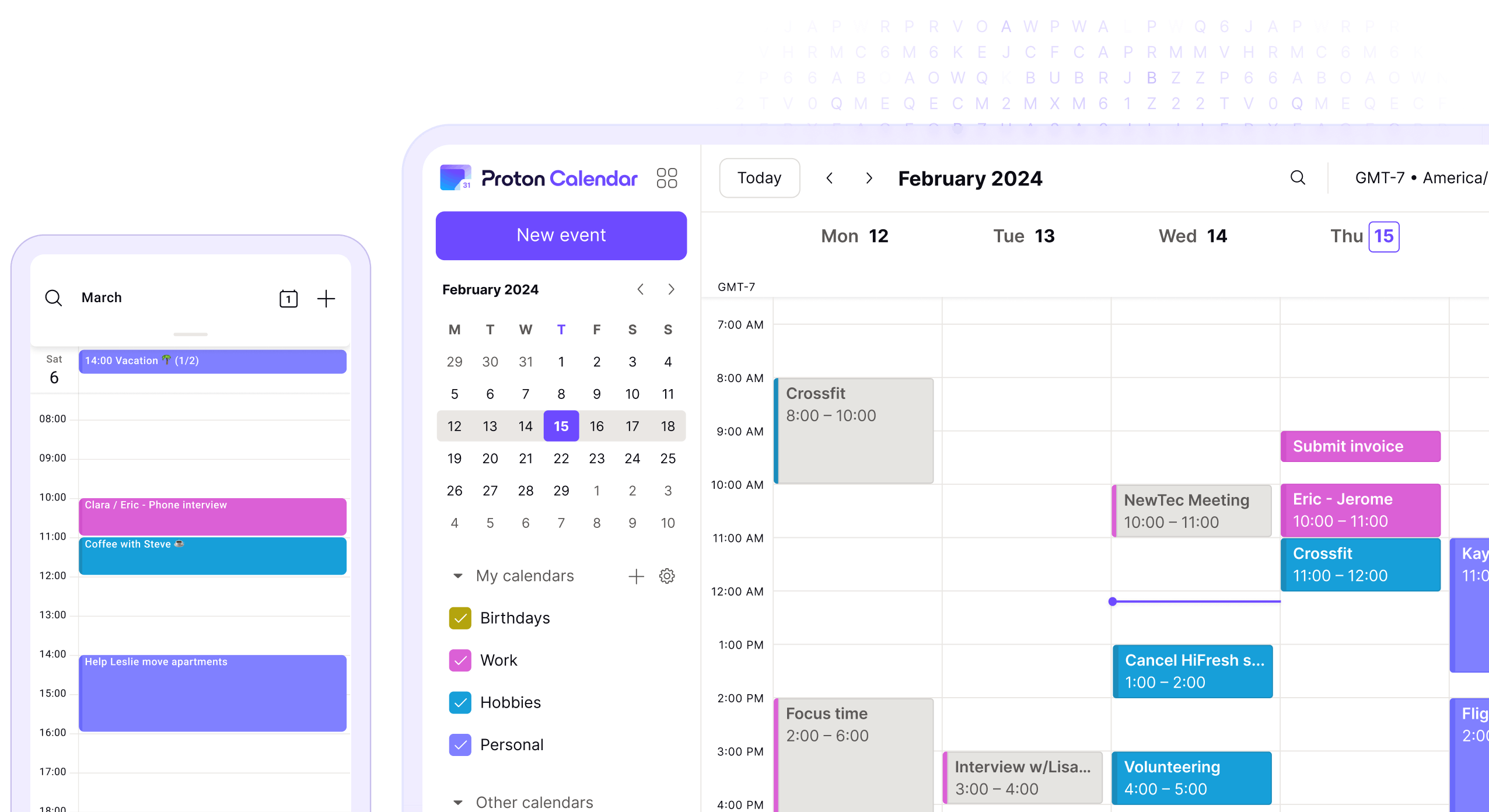
Typical error: “0 of 0 imported events” when switching from Proton to Google Calendar
One of the most striking real-life cases is that of someone who tries export your Proton calendar From the import/export page, it takes you to Google Calendar using the file import option. Everything seems fine, the .ics file is created without problems… until Google responds with the dreaded message: “0 of 0 imported events. Unable to process iCal/CSV file.”
When that fault appears, the first thing to understand is that The problem is not usually in the download processbut rather in how Google interprets the ICS content. The file may contain events outside the date range tolerated by some services, complex recurrence rules, or elements that deviate from the standard in ways that Google does not accept. While Google Calendar is quite robust, it is not infallible when faced with all the nuances of a file generated by another provider.
From Proton's side, it's important to keep in mind that The exported file is primarily intended to be re-imported into Proton or other services compatible with the iCalendar standard.However, there's no guarantee that all metadata and internal structures will be compatible with Google. If ICS includes unrecognized elements or elements in formats that Google considers invalid, it simply ignores them.
Another source of confusion is internal boundaries: If the file is too large, contains too many events, or combines unsupported data typesGoogle may also refuse to process it. In these cases, splitting the calendar into multiple ICS files or cleaning up extraneous elements with an intermediary tool sometimes helps, although it's not always practical for all users.
Otherwise: Import Google Calendar into Proton using Easy Switch
When the movement is reversed, that is, Bring your events from Google Calendar to Proton CalendarProton has created a specific feature designed to simplify the user's life: Easy Switch. This tool aims to automate the process, whether from the web or the Android app.
In the web version, the flow is quite straightforward: Go to calendar.proton.me, then to Settings → All settings Then, in the sidebar, choose the option to import via Easy Switch. There, select Google as the provider and authorize access. After that, the system launches the migration of your calendars in the background, without you having to manually export and import ICS.
The Proton Calendar app for Android also has a similar option that helps you Sync your events across devices. From the side menu (the three-line icon) You can go to Settings and choose “Import from Google”. There you start a “New import”, sign in with your Google account and give Easy Switch permission to access your calendar; the process runs in the background while you continue using your phone.
There is one important condition: Proton's free accounts only allow one calendarIf you're coming from Google with multiple calendars (personal, work, leisure, etc.), using Easy Switch on a free account will prompt you to merge that data into your single existing Proton calendar. If you want to keep them separate, you'll need a paid account with more calendars available.
For providers other than Google (like Outlook, for example), Easy Switch isn't used in the same way: you have to manually export the ICS file from the original service and then upload it to the Proton website using the ICS file import option. This is where the size and format limitations, which we'll discuss in the next section, come into play.
Limits and restrictions when importing ICS files into Proton Calendar
If you're not using Easy Switch and what you have is an .ics file downloaded from Google or another provider, The way forward is by importing local filesOn the Proton Calendar website, after logging in, go to Settings → All settings → Import/export and select “Import from ICS”. From there, choose the file and the destination calendar.
The first barrier is purely technical: The ICS file cannot be larger than 10 MBIf your calendar is very old or contains a huge number of events, exporting from Google or any other service can easily exceed the size limit, and Proton will then display a formatting or incorrect size error. In that case, the trick is to split the calendar into several partial exports, usually by filtering by date range.
The second important limit is the number of events: Proton Calendar supports a maximum of 15.000 events per importAgain, if you've been using the same calendar for many years and have recurring meetings, reminders, and appointments, you may hit that ceiling, which forces you to break up the file to respect the maximum.
In addition to these quantitative limits, Proton Calendar also has content restrictions on the data it is able to importFor example, it only supports the Gregorian calendar, so Hebrew, Arabic, Chinese, and other calendar types are not supported. Components such as Tasks, To-dos, and Journals, which some services integrate into ICS, are also not supported.
Regarding the time frame, Proton only supports events between 1970 and 2037Any event outside of those dates is ignored. Therefore, if your calendar includes very old events, anniversaries set with historical dates, or items projected far into the future, don't expect to see them reflected after importing.
It is also important to keep in mind that Not all types of recurrence are compatibleThere are advanced repetition rules (for example, very complex monthly or annual repeating patterns) that Proton doesn't interpret. In those cases, the system can inform you how many elements won't be importable and let you decide whether to proceed or not.
Finally, Event participants are not retained upon importIn other words, if you had meetings with guests in Google Calendar, migrating them to Proton will remove the participant list and make those events "your" appointments, without that collaborative aspect. This is part of Proton's design choices to keep sensitive information encrypted and under control.
How subscription calendars work and why they are read-only
Another key issue in understanding why Proton Calendar doesn't always meet all needs is the management of subscribed calendars (imported via URL)Proton allows you to view other people's or other services' calendars via a shared link in iCal/ICS format, but these calendars are always added as "Other calendars" and, by design, are read-only.
To subscribe to one of these calendars, the owner has to generate a public link or an iCal address that you can paste into Proton. Many services (including Google) offer two types of addresses: a public one, which makes the calendar visible to anyone with the link, and a "secret" one for private access without publishing it. The owner can even define whether you see only the busy/free status or all the event details.
Once you have that link, on the Proton Calendar website you must go to Settings → All settings → Calendars and, within the “Other calendars” section, choose “Add calendar from URL" You paste the iCal link, save it, and Proton starts syncing the content in the background.You'll soon see the events in your main view, mixed in with your own calendars if you configure it that way.
The biggest problem with this system is that You can't edit anything in that subscribed calendarEvents cannot be modified or deleted, set as the default calendar, shared again or exported, or new events cannot be imported into it. It is a mirror image of the original, with no editing capabilities.
Synchronization is not instantaneous either: Third-party calendars are updated every 8-16 hours According to the provider, if you expect real-time updates, you'll be disappointed. Proton displays warnings like "not synchronized" if it detects problems with the format, accessing the link, or if the file is too large, including messages such as "Calendar format not supported," "Calendar link not accessible," or "Calendar too large."
In the case of Google Calendar, there's a trick to reduce the size of the subscribed calendar and minimize problems: You can limit the start of events by adding a parameter to the URL of the type ?start-min=YYYY-MM-DDT00:00:00ZFor example, if you add ?start-min=2022-01-01T00:00:00ZEverything prior to January 1, 2022, stops synchronizing, which significantly reduces the volume of data that Proton has to handle.
The clash with work schedules and the Apple ecosystem
Beyond a simple import, many users want something more ambitious: Use Proton Calendar as your personal calendar while still being able to view and edit your work calendarwhich in many companies is still stored in Google Workspace, Outlook, or similar systems. And, to make matters worse, they want to view all of this through the native iOS calendar or specific widgets like iCalendar on iPhone.
An illustrative case is that of someone trying to set up a configuration where your personal calendar (already migrated to Proton) and your work schedule coexist and sync with both the native iOS app and Proton. Proton Calendar allows you to generate public links to export a calendar and view it in other applications, but this only works in read-only mode unless the other party is also using Proton.
This means that, although you can subscribe to your Proton calendar on iOS or another third-party app, You won't be able to modify Proton events from outside.You won't be able to edit encrypted events from another app because only the official Proton Calendar app allows full creation and editing; interaction from outside is limited.
Things get even more complicated when the work calendar is private and cannot be publicly exported. Some corporate Google Calendar dashboards They allow you to extract a secret link in iCal format. This allows users to view their events on other services without making their calendar public. However, this option is not enabled for all corporate accounts; it depends on the administrator's settings.
In the scenario where the company does not allow you to generate that secret link for your main calendar, You simply have no way to subscribe to it from ProtonYou could, in theory, make it public, but that's usually unthinkable in professional settings. And if that's the only viable option, the user is left without any real integration between their work calendar and Proton.
All of this leads to a complicated dead end: Proton Calendar does not yet offer direct integration with Google accounts (Beyond one-off imports or ICS links), there's no universal bridge like Proton Mail has for email clients. So, if you need to be able to edit both your personal and work calendars from the same app on iOS or desktop, the Proton solution falls short at present.
What data will you not be able to migrate or synchronize (and why)
Given all of the above, it becomes clearer why sometimes, no matter how much you insist, Certain elements simply won't travel well between Google Calendar and Proton CalendarIt's not so much a question of user clumsiness as it is of technical limitations and conscious design of each platform.
We have already mentioned that No assignments, to-dos, or journals are imported These are embedded in ICS, and non-Gregorian calendars, events outside the 1970-2037 range, and some advanced recurrence rules are ignored. When this type of content makes up the majority of your calendar, the import result can be quite poor, with fewer records than you expected.
It is also worth emphasizing that Event participants get lost when bringing data to ProtonThis means that a calendar full of collaborative meetings ends up being reduced to a mere list of personal appointments, and you lose all the coordination of attendees and invitations. If your work revolves around team meetings, this is a very significant limitation.
In terms of URL synchronization, the "read-only" philosophy means that No iCal subscription will allow you to edit what's on Google from within Proton or on another service, nor vice versa. Every time you edit something, you'll have to do it in the "original" calendar and wait for it to be replicated in the subscribed one. And if the original provider doesn't provide a compatible link or decides to cut it off, you'll lose your subscribed calendar in Proton.
All of this leads to one practical conclusion: Proton Calendar is designed to function as the core of your personal life.especially if you prioritize encryption and privacy, but it's still not the perfect tool to fully integrate with corporate environments or to serve as a universal "hub" for all your editable calendars.
Ultimately, if you decide to go all in on Proton Calendar and migrate from Google, It is reasonable to assume that there will be friction.Some ICS files might encounter errors when importing into Google, certain events might not transfer to Proton, you might not be able to edit work calendars from the Proton app, or notifications might require some effort to configure with Android. In return, you gain much greater control over your data and an end-to-end encrypted calendar, but the transition isn't as seamless or magical as everyone might like.

Editor specialized in technology and internet issues with more than ten years of experience in different digital media. I have worked as an editor and content creator for e-commerce, communication, online marketing and advertising companies. I have also written on economics, finance and other sectors websites. My work is also my passion. Now, through my articles in Tecnobits, I try to explore all the news and new opportunities that the world of technology offers us every day to improve our lives.