- Telegram offers virtually unlimited cloud storage, with a 2GB file limit (4GB in Premium) and multi-device access.
- Privacy is not extreme: normal chats use client-server encryption and Telegram can technically access your content.
- The organization is based on saved messages, private groups or channels, tags, search, and pinned messages, not on classic folders.
- It is a very practical and free alternative for personal use to Google Drive or iCloud, but it does not replace a professional cloud service.

Using Telegram as if it were a Free cloud storage, available on all your devices It has become a favorite trick for many people. The app started as a messaging platform, but its features have transformed it into a very serious option for store photos and videos, documents, APKs and even movie copies, without paying monthly subscriptions.
Now, before you start uploading gigabytes and gigabytes, it's important to understand properly What does Telegram really offer as a cloud service, what are its limitations, and what dangers are there to your privacy? y how to get organized So that it doesn't end up being chaos. Let's look at everything calmly and with very practical examples that you can copy exactly.
Does Telegram really work as an unlimited personal cloud service?

Telegram is not, strictly speaking, a storage service like Google Drive or Dropbox, but its cloud-based architecture allows you to save virtually everything you send and receive and have it available from any device where you log in with your account.
The big difference compared to other messaging apps is that Telegram stores your content on its servers and lets you Access it from mobile, tablet, PC and web version without the need for manual backups or dependence on a single device. Your account is the key to accessing all that data.
This makes it very tempting to use it as a “infinite” personal cloud to upload photos, videos, important documents, installers, small backups, etc. Especially if you're coming from services like Google Photos or Google Drive, where free space has been reduced or is shared with other products on the same account.
However, it's important to understand that Telegram is not designed as professional storage platformThere is no native folder system, no advanced recovery tools for deleted files, and organization depends largely on how you set up your groups, channels, tags, and pinned messages.
Privacy and encryption: the most sensitive aspect of using Telegram as a cloud service
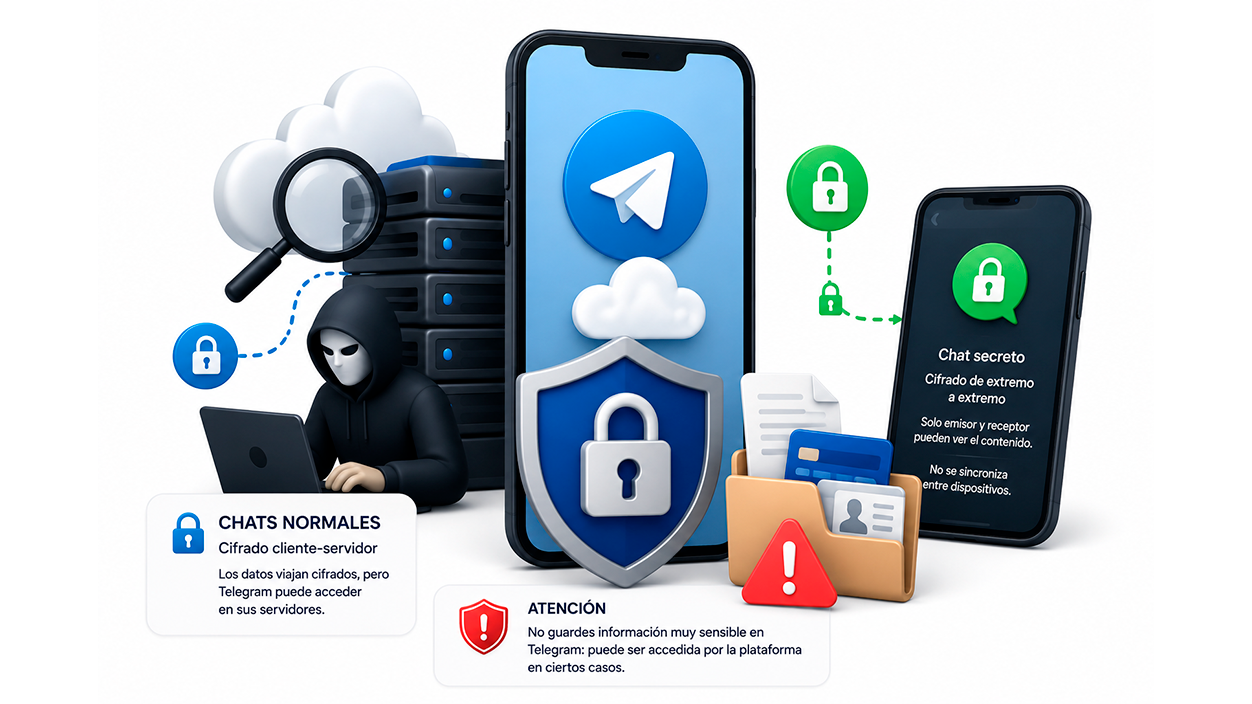
Telegram's biggest Achilles' heel when used as a personal cloud is... real privacy of what you uploadThere is a lot of confusion surrounding the topic of encryption, and it is important to separate marketing from technical aspects.
In regular chats (including messages you send to yourself, groups, and channels), Telegram uses client-server encryptionThis means that the data travels encrypted from your device to Telegram's servers, but once there can be deciphered by the platform itselfbecause it is precisely their servers that manage the keys.
Only the secret chats They are protected with end-to-end encryption, where only the sender and recipient can see the content. The problem is that these secret chats don't sync across devices and They don't work as a cloudAnything you upload to a secret chat stays only on the device where you started it.
This means that if you use Telegram as a cloud service with saved messages, private groups, or channels, Telegram has the technical capacity to access the contentIt doesn't mean someone is reading your things for fun, but in the event of legal requirements, internal investigations, or policy changes, they could inspect your files.
Therefore, it is sensible to consider Telegram as one of the options less private for storing truly sensitive information (highly confidential documents, financial data, passwords, copies of ID cards, etc.). For this type of content, it is best to use end-to-end encrypted cloud services or specialized password managers.
Real storage limits on Telegram

One of the most powerful things about Telegram is that, for all practical purposes, It has no total space limit For what you upload. You can store thousands of photos, videos, ZIP, ISO, APK files… and the system won't show you a full storage bar like it does in Drive, iCloud, or Dropbox.
The major limitation lies in the maximum size of each individual fileWith free accounts, you can upload files up to 2 GB. If you have Telegram Premium, that limit increases to 4 GB per file. Uploading 100 files of 2 GB each is fine; however, you cannot upload a single 10 GB file at once.
In addition to the maximum file size, you'll notice restrictions on the upload and download speedFree users may experience slightly slower uploads, especially during peak hours or with large files, while paid users enjoy priority and generally faster downloads.
Another detail to keep in mind is that You cannot upload folders directly.If you want to save many files in an organized way, you will have to compress them into ZIP or RAR and upload them as a single file, or drag many files at once but always as loose files, not as a structured folder.
Regarding storage on your mobile device, Telegram allows you to delete the downloaded files from the device while they remain in the cloud. This frees up local space without losing your files: later you can download what you need again from any device.
How to save files to your personal Telegram cloud

The easiest way to use Telegram as a private cloud is to take advantage of the chat called “Saved messages”, which works like a conversation with yourself accessible only to you, but visible from all devices where you log in.
On mobile, simply open Telegram and search for the Saved Messages chat in the conversation list. If you don't see it, you can use the search bar's magnifying glass and type "Saved Messages" or your own username. Once inside, it works just like any other chat: you send photos, videos, documents, voice notes, links... and everything is saved.
To upload files, click on the clip icon within Saved Messages. From there you choose whether to attach images from the gallery, documents from the file explorer, location, contacts, etc. If you select “File” instead of “Gallery”, the photos are sent with their original quality, without compression, ideal for backing up photos or for editing them later on the computer.
On a PC, the process is even easier. Open Telegram on your desktop, go to Saved Messages, and simply... drag the files from your browser all the way to the chat window. You can select multiple items at once and drop them there. You can also use the paperclip icon next to the text bar to select them manually.
Keep in mind that You can't drag entire foldersIf you need to save a folder structure (for example, grouped photos from a trip), you can compress that folder with 7-Zip, WinRAR or similar and upload one or more compressed files, always respecting the limit of 2 GB or 4 GB per file depending on your account type.
Search, label, and pin: how not to die with clutter
If you start using Telegram intensively as a cloud service, you will soon find that You upload something and weeks later you can't remember where it is.Fortunately, the app has several tools to find and organize your content without the need for traditional folders.
In any chat, group, or channel, you can tap on the chat name at the top to access a kind of chat tab. There you'll see tabs like "Multimedia", "Files", "Links" or "GIFs", which group all the items that have been shared in that conversation by content type.
This view is ideal when you know you uploaded something to a specific chat and need to filter it by type: Photos and videos in Multimedia, PDFs and ZIP files in ArchivesImportant links in the links tab, etc. It's much faster than endlessly scrolling through the chat history.
Another key function is the ability to pin important messagesIn a chat or group, tap and hold the message or file you want to highlight and select "Pin." A pinned message indicator will then appear at the top of the chat, and you can tap it to jump directly to those key messages.
You can have multiple pinned messages in the same chat and switch between them using that indicator. This is very useful if you save, for example, important documentation, copies of public keys, project summaries or anything you need to find in two taps.
In addition to pinning, Telegram allows Label messages with emojis that function as categoriesWhen you press and hold a message, you can add a sticker (a special emoji reaction) and then, using the chat search, filter by those stickers to see only the messages marked in a certain way.
Organize your cloud with private groups and channels (even if you're alone)
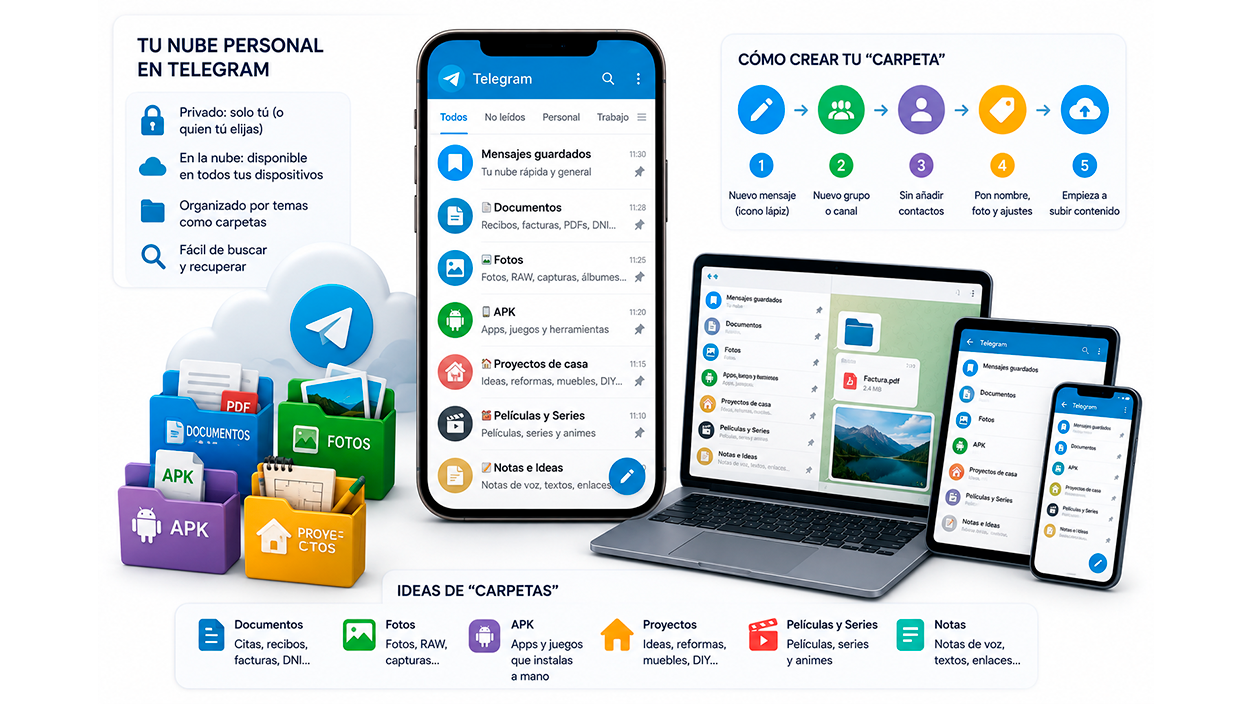
Limiting yourself to Saved Messages is fine for basic use, but if you use Telegram intensively as a cloud service, what's really powerful is create groups or channels where only you areeach with its own theme. It's like creating simulated "folders" within the app itself.
The idea is very simple: you create a group or channel, don't add anyone (or only those you want to share it with), and use it as... specialized containerFor example, one group for personal documents, another for photos, another for APKs, another for home projects, etc.
To create these spaces, click on the button New message (the pencil icon) and choose “New group” or “New channel”. The wizard will show you contacts to invite: you can directly click “Next” without selecting anyone, give the group a name and image, enable or disable message self-destruction, and you're done.
In a channel, during creation you must also decide if you want it to be public or privateTo use it as a personal cloud or one shared only with trusted people, it's best to keep it private. You can skip adding contacts and start uploading content later; when you're ready, you can always invite other people or give them publishing permissions.
From there you can replicate the structure you would use in a classic cloud: a group for “Documents” (medical appointments, administration receipts, important digitized invoices), another for “RAW Photos” If you take mobile photos and then edit them on a PC, another one for “Wallpapers” in high quality, another one for “APK” with the apps you always install manually, or even a shared channel of “House projects” like an impromptu Pinterest board with ideas for the renovation.
Real-world examples of using Telegram as a cloud hard drive
With this structure of groups and channels, many people have turned their Telegram into a kind of Free personal driveSome examples of configurations that work very well in everyday use:
A group called “Documents”With just your user account, you can upload PDFs of contracts, payment receipts, medical appointments, administrative fee receipts, etc. You can then download them from your PC in seconds if you need to print something or attach it to an email.
Another group for "Photos"This is where you upload the RAW or high-quality images you take with your phone and then want to edit on your computer. It's more convenient than dealing with cables, AirDrop, Nearby, or similar solutions, especially if you use multiple devices or different operating systems.
A cloud of “APK” This is where you store apps that aren't on Google Play or that you want to keep under control in a specific version. Every time you switch phones, you come to this group and reinstall your favorite apps in minutes without having to search for them online again.
Shared channels for lists and projects, such as a “Shopping List” channel with another person in the house, where you both add products, or a “Home Projects” channel with inspirational photos of furniture, kitchens, bathrooms, etc., which serves as a common idea board for renovations or changes in the home.
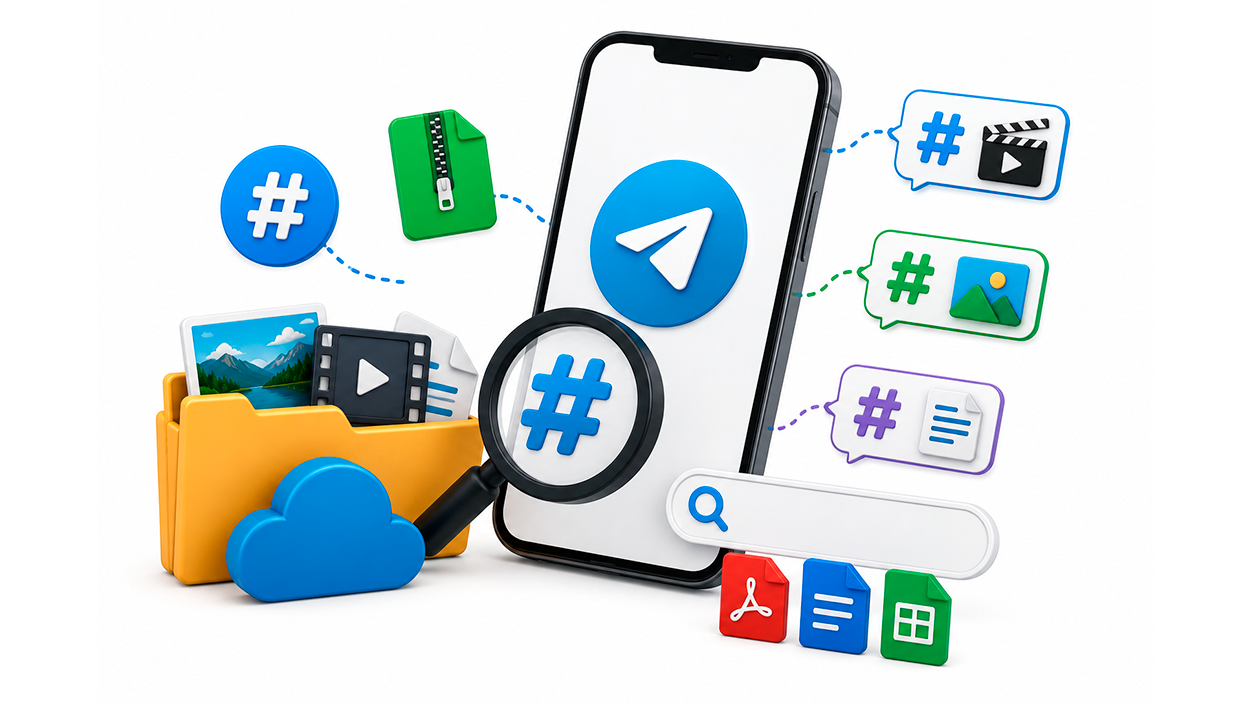
Since Telegram doesn't have a traditional folder system, one of the best ways to keep everything organized is Use hashtags (tags with #) in messagesIt's a simple but extremely effective trick when you've been accumulating files for a while.
The idea is that when you upload an important file to a chat, group, or channel, Add one or more descriptive hashtags to the message text.For example, if you upload a movie to watch over the weekend, you can write “#StarWars” in the message accompanying the video file.
After a few weeks, when that chat already has hundreds of messages, instead of scrolling, they simply You use the search engine and type “#StarWars”Telegram will return the specific message containing that hashtag, and you'll have the file ready to download without going crazy.
With photos it can be a little more work, but just as useful if you're consistent. For example, you can use tags like #Photos_Madrid_290317 o #Meetup_250217 and upload the photos from each event compressed into a ZIP file. Later, a hashtag search will take you directly to the archive with all those images.
If you combine hashtags with the function of pinned messages and content type tabs (Multimedia, Files, etc.), you have a pretty neat system for organizing your cloud without the need for folders, as long as you are somewhat organized and follow a consistent criterion with the labels you use.
Telegram vs Google Drive, Dropbox, iCloud and company
Comparing Telegram to Google Drive or iCloud might seem unfair because they're not exactly in the same league, but it's true that for many everyday uses Telegram can replace these servicesespecially if you don't handle individual files larger than 2 GB.
Telegram's great advantage is its virtually unlimited and free spaceThere's no storage quota that fills up and forces you to pay extra, nor is there an overall limit on gigabytes shared with other services like Photos or Gmail. You simply keep uploading things as long as you respect the maximum file size.
It's also very convenient to have, all in the same place, your storage system, your conversations, your AI bots, your news feeds, and your groupsYou don't have to jump between five different apps to talk, save things, and then access them later from your computer.
In contrast, specialized cloud storage services offer Fine-tuned folder synchronization, version control, deleted file recovery, advanced permissions, office suite integrations and many other features that Telegram lacks. If you collaborate or manage company documents, Drive, OneDrive, Dropbox, or similar services remain more suitable.
Another area where "pure" cloud services tend to win is in speed and stability of transferTelegram can be somewhat slower when uploading or downloading large files, especially on free accounts, while paid solutions like iCloud or Drive are usually better optimized for moving large volumes of data.
Can they delete your files or block you for what you upload?
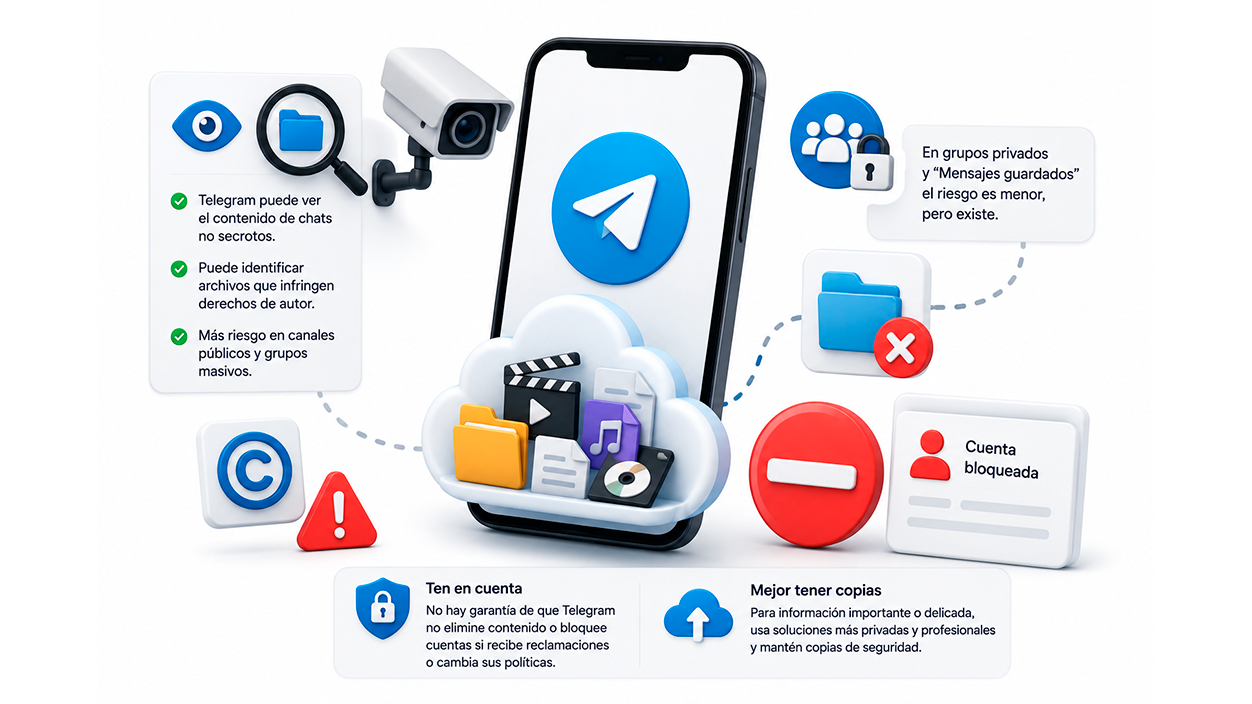
A very common question for those who use Telegram as a cloud service to store movies, series, music, or any copyrighted content is whether The platform may delete those files or block your account.even when they are only shared in private groups where you are the only member.
The first thing to understand is that, since Telegram has technical access to the content of non-secret chats, Yes, they can see what you upload. If you deem it necessary, identify files that infringe copyright, especially in public channels or massive groups where rights holders themselves often report content.
In private groups and in chats with yourself the risk is lower in practice, because there is no mass dissemination, but the possibility exists. There is no absolute guarantee that Telegram will not remove something If it receives a complaint or decides to tighten its policies, although nowadays many groups with dubious material survive for a long time.
As for copyright claims directed at you, they rarely reach users who only store material for strictly personal use in private groups. The focus is usually on those who distribute this content to thousands of people. Even so, it's important to be aware that this is still a borderline use of the service.
The most sensible thing to consider is that anything you upload to Telegram It's not 100% under your controlIt's not an end-to-end encrypted safe. If something is truly important or sensitive, it's best to keep backups on more privacy-oriented, professional storage solutions. In case of accidental deletion, it's helpful to know how Recover deleted files on Telegram or have additional backups.
Practical advantages of Telegram over memory cards
With the gradual disappearance of the microSD cards in many mobile phonesEspecially in high-end and mid-range devices, it has become increasingly necessary to use the cloud to expand our storage capacity. On iPhones, simply forgetting about expanding with external memory is practically mandatory.
Telegram fits very well into that gap because It does not depend on the device's physical storage.As long as you have an internet connection, you can upload and download files whenever you want. If you run out of internal storage, you can delete local copies from Telegram's storage settings and still access everything remotely.
Furthermore, unlike some cloud services tied to a specific ecosystem, Telegram works quite uniformly across Android, iOS, Windows, macOS and via webYou change your mobile phone, you change your computer... and your Telegram cloud remains the same, you just have to log in.
This independence of the device makes it a kind of Extended RAM memory for your digital life: something to temporarily park large files (videos, projects, app backups) so they are just a click away without overloading local storage.
However, it's important to always remember that, although it may seem unlimited and free, The cloud also has its practical limitations In terms of speed, potential removal of problematic content, and changes in service policies, it's a good idea not to entrust your entire digital life solely to Telegram.
If you make good use of search tools, tags, pinned messages, and minimal organization into groups or thematic channels, Telegram can become a very convenient personal cloud. For everyday use, ideal for those who frequently switch devices, work between mobile and PC, and don't want to worry about storage quotas or monthly subscriptions.

Index
- 1 Does Telegram really work as an unlimited personal cloud service?
- 2 Privacy and encryption: the most sensitive aspect of using Telegram as a cloud service
- 3 Real storage limits on Telegram
- 4 How to save files to your personal Telegram cloud
- 5 Search, label, and pin: how not to die with clutter
- 6 Organize your cloud with private groups and channels (even if you're alone)
- 7 Real-world examples of using Telegram as a cloud hard drive
- 8 Use hashtags and search to replace folders
- 9 Telegram vs Google Drive, Dropbox, iCloud and company
- 10 Can they delete your files or block you for what you upload?
- 11 Practical advantages of Telegram over memory cards

I am a technology enthusiast who has turned his "geek" interests into a profession. I have spent more than 10 years of my life using cutting-edge technology and tinkering with all kinds of programs out of pure curiosity. Now I have specialized in computer technology and video games. This is because for more than 5 years I have been writing for various websites on technology and video games, creating articles that seek to give you the information you need in a language that is understandable to everyone.
If you have any questions, my knowledge ranges from everything related to the Windows operating system as well as Android for mobile phones. And my commitment is to you, I am always willing to spend a few minutes and help you resolve any questions you may have in this internet world.