- Telegram allows you to change your number without losing chats or groups, as long as you do it from an active session.
- If your new number already had an account, you must log in or reset it and delete it before using it yourself.
- Losing access to your old SIM puts your account at risk; two-step verification is key.
- Managing active sessions and protecting the number greatly reduces the risk of unauthorized access.

If you're trying to change your phone number on Telegram and you've come across messages like "Telegram doesn't let you change your number without losing access" Or if you're getting conflicting notifications, don't worry: you're not alone. Between old accounts linked to your new SIM, two-step verification, SMS messages that don't arrive, and reminders that you need to delete another account first, it's easy to get confused.
The good news is that Telegram is designed to allow you to change your number without losing chats, groups, or files.Provided you follow the correct procedure and understand what's happening with each number, this is possible. In this article, we'll review all possible situations: from a normal number change when you still control your old SIM, to the worst-case scenario where you've lost access and your new number is already linked to someone else's account. Let's get started with everything you need to know about what happens if... Telegram doesn't let you change your number without losing access: how to do it right.
How a Telegram account works and what happens when you change your number
Before going into the step-by-step instructions, it's helpful to understand exactly what Telegram does with your account. Each Telegram account is linked to a phone numberHowever, the data (chats, groups, channels, files, settings, etc.) is saved in the Telegram cloud, not on the SIM or the mobile phone.
This means that Changing the number within the app itself does not delete anything.What Telegram does is migrate all your account information to the new number. Your individual conversations, groups, channels, and files will remain as if nothing happened.
The key is that the change must be made from an already started Telegram sessionIn other words, you need to be able to access your account with your old number, even if it's only on one device. If you can't, things get more complicated, and you'll need to take another approach, which we'll discuss later.
Another important point is that Telegram lets you use up to three different accounts on the same deviceeach with its own number. This is useful if you want to separate your personal life and work, or if you have a local number from another country, but it doesn't change the basic rule: each number is equivalent to a separate account.
Steps to change your number on Telegram without losing anything

Let's take the ideal case, the one Telegram had in mind when it created the number change feature: You still have access to the old number. (or at least you're in the Telegram session associated with that number on your mobile, tablet, or PC).
In this situation, the app offers a fairly clear wizard to move everything to the new number. The procedure, with slight interface variations depending on whether you're using Android, iOS, or desktop, is very similar:
1. Go to Settings from the main menu
Open Telegram and open the side menu (the three-line icon or your avatar, depending on the version). Tap on "Settings." On some devices, to see all your account details, you'll need to tap on your profile picture or name within Settings.
2. Access the account and phone number section
On your profile screen you will see your current phone number as first piece of information in the account sectionTap on the number. Depending on the version, you will either see the "Change number" option directly or an intermediate screen displaying your current number with a specific change button.
3. Tap on "Change number" and confirm that you want to do so.
Telegram will show you a notification explaining what will happen: All your contacts who already had your old number will automatically see your new number. in their Telegram contacts (if you haven't blocked them), and your account will retain all your data. Tap "Change" or "OK" to continue.
4. Enter the new number with the correct country code
Now you must write the new phone number in international format (For example, +34 for Spain, +52 for Mexico, etc.). Make sure it's the final number you're going to use and that you have real access to that mobile phone, because that's where you'll receive the verification code.
5. Verify the new number with the code you receive
Just like when you create a new account, Telegram will send you a code by SMS or call to the new number. In many cases, the app detects it automatically; if not, enter it yourself. Once validated, the account migration process to the new number will begin.
Once this wizard is completed, the app will internally change the number linked to your account and Everything will be as if you had always used that new numberYour groups will remain active, your private chats will retain their history, and your files will remain accessible from the cloud, without you having to export anything or make copies with third-party apps.
What data should be retained and what security reviews should you perform?
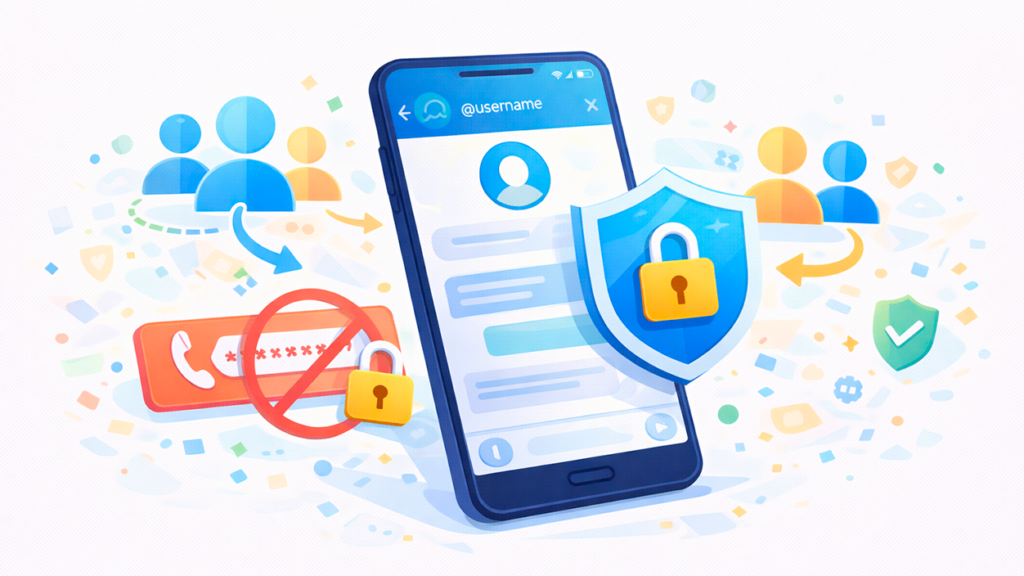
One of the great advantages of Telegram over alternatives like WhatsApp is that virtually all of your content lives in the cloudnot in the phone's local storage. That's why when you change the number from the account itself:
• All individual and group conversations are preserved., including old messages and those you've pinned to the top of the chat.
• You are still a member and/or administrator from the groups and channels you were already in, with the same permissions.
• All files, photos, videos, and documents are preserved. that you have in the cloud chats and in your "Personal Cloud" (saved messages).
• Your account settings are also carried overPrivacy, notifications, themes, chat folders, etc.
What you should do after changing your number is a small security review To close gaps and avoid surprises if someone gets hold of your old SIM or your new operator reassigns the number in the future:
1. Activate or review two-step verification (additional password)
Go to "Settings > Privacy and security > Two-step verification" and set up a password that will be required in addition to the SMS code when logging into Telegram. This way, Even if someone receives an SMS with a login code, they will not be able to access your account without that password.Also add a reliable and well-protected recovery email.
2. Check the active sessions and close any you don't recognize.
In "Settings > Devices" (or "Active Sessions") you will see which mobile phones, tablets and computers you have logged in on. If you see something strange or a device you no longer use, close it.This is key when you've changed your mobile phone or sold an old one.
3. Check who can see your number and how they can find you
In "Settings > Privacy and security > Phone number," decide whether you want your number to be visible only to your contacts, nobody, or everyone. You can also refine who can find you by phone number. If you've changed your number for privacy reasons or due to harassment, it's highly recommended to limit its use as much as possible..
4. Update your number on other services that rely on SMS.
Remember that many platforms (banks, social networks, two-factor verification…) may still send codes to your old number. If you're going to lose it or have already lost it, update that information. in each service before the operator reassigns it to another person.
When your new number already has a Telegram account

One of the most confusing scenarios is when you buy a new SIM card and, when trying to use it with Telegram, The app tells you that the number is already linked to another account.It's more common than it seems, because operators recycle numbers that are no longer used by other customers.
Two different things can happen, and Telegram indicates this with different messages:
• If you try to create a new account with that number, you might see something like: "The code was sent to another Telegram app"That means that There is already an active Telegram session with that number on some device. (from the previous owner or even yours, if you change your mobile phone).
• If you want to change your number to this new recycled number from your current account, you may see the following message: "The number +XXXXXXXXXX is already connected to a Telegram account. Please delete that account before using this number.".
In both cases, the idea behind Telegram is the same: That number has an old account that needs to be deleted or reset. So you can use it yourself. This isn't done by your carrier or mobile phone store; you have to do it yourself from the app, following an access and deletion process.
Why is it so complicated? Because if someone loses their number and the operator reassigns it, The new owner could end up on the previous owner's Telegram accountIt's a serious security issue, which is why Telegram requires users to go through several steps and, in some cases, applies a waiting period.
General steps to remove the old account from your new number
In summary, the task consists of Log in to the existing account associated with the new number and delete it completely. to free up that number. The process varies depending on how the previous account was configured, but the basic path is always this:
1. Try logging into Telegram with the new number
In the official app, sign out of your current account if necessary (carefully: remember you'll lose your secret chats on that device) or use a different installation. Enter the new issue you bought (the recycled one) on the login screen.
2. Request an authorization code via SMS or phone call if necessary
Telegram might tell you that the code It has been sent to another Telegram app on another deviceIn that case, look for the "Send code via SMS" or "Call me" option, which is usually found below. If you receive the SMS or call, enter the code and you'll be logged into your old account.
3. If your login is linked to an email address, reset it.
Some accounts have been configured to authorize via email instead of just SMS. If you see a message indicating that A code was sent to email address X. Or if you need to enter an email to receive codes, you have these options:
• Use the email address it asks for, if it happens to be yours (rare, but it could be).
• Reset the associated email Following the procedure offered by the app: in Telegram Premium accounts it can be done instantly; in normal accounts it usually requires waiting about 7 days to complete the email change and be able to receive the code in your own address.
4. Dealing with potential cloud-based passwords (Telegram's 2FA)
If after entering the SMS/email code, The app asks you for an additional password.This means the previous owner enabled two-step verification. In that case, you won't be able to directly access their messages, but Telegram allows you to... to fully reset the account after a certain waiting period, erasing everything that came before.
The process of restoring an account with a forgotten password involves wait a period (days) without being able to use it until Telegram cleans it up. It's a deliberate mechanism to protect legitimate users from SIM theft, but it's also the way for a new, legitimate owner of the number to start fresh.
5. Once inside, delete the old account from the website
If you have managed to log in to the old account (with or without a password in the cloud), you can permanently delete it as follows:
• Go to a browser https://telegram.org/delete.
• Enter the phone number you want to release (your new recycled number).
• Telegram will send a authorization code to the service account itself in Telegram (not by SMS), so you'll have to copy it from the app.
• Paste it on the website, confirm that you want to delete the account, and Telegram will delete it.
After this deletion, That number will be free for you to use with your own account. (either by creating a new account or changing your current number to that one).
What to do if you lost access to your old number
The most delicate situation is when You no longer control your old number. (due to SIM card loss, theft, line expiration, etc.), and you want to continue using your Telegram account or switch to a new number. This involves several significant risks.
Telegram makes it quite clear in its FAQ: If you lose access to the SIM card you used to create the account, you could end up losing your account.Because the new cardholder could reset it and create a new one in their name. That's why they strongly recommend not keeping active accounts linked to numbers you no longer have access to.
Depending on whether you still have any device with the session started In that account, you can take different actions:
1. You have Telegram active on at least one device
If you are still logged into your account on your mobile phone, computer, or tablet, do the following as soon as possible:
• Go to “Settings > Privacy and security” and Activate two-step verification If you haven't already done so. That way, the number alone won't be enough for anyone to access your account, even if they receive the SMS.
• In "Devices" or "Active Sessions", Close any sessions you don't recognize. and keep only your own.
• Contact your operator to block the old SIM and request a duplicate with the same number, or close that line.
• If you are going to change your number because you will not recover the old one, from that same session go to "Settings > your number" and Switch to the new one by following the wizard..
2. You no longer have any active sessions of Telegram
If your mobile phone has been stolen and you never set up two-step verification, or if you lost your phone and your number has been deactivated, things get much more complicated. Without access to the SIM and without an active session on any device, Telegram has no way of proving that you are the owner of that account.because it does not collect other identifying data.
In this case, your priority should be:
• Talk to your operator to retrieve the number (SIM duplicate) as soon as possible, so that you can receive SMS codes.
• Once you have it, log in to Telegram and Close active sessions on other devices from "Devices" if you suspect someone has accessed it.
• If it is no longer possible to recover the SIM and the number has been reassigned, you must assume that That account will be restored by the new owner sooner or later.The only thing you can do is be wary of messages from strangers trying to impersonate you by taking advantage of your old contacts.
Telegram tips and features for better managing multiple numbers
Beyond the specific problem of losing access or encountering recycled accounts, Telegram offers several features designed for those who They handle multiple numbers or travel frequently and they need to maintain different identities within the same app.
• Up to three simultaneous accounts on the same deviceYou can add three different numbers in the official app, switching between them from your avatar or the menu. Ideal for separating work, personal life, and side projects without having to carry two phones.
• Use with eSIM and temporary numbersNothing prevents one of your accounts from being linked to an eSIM or a temporary phone number. If it's for a short time (a trip, for example), you don't need to migrate the account; simply create a separate one if needed.
• Notification to contacts when changing numberWhen you change your number within the app, Telegram may Notify your contacts of your new number automaticallyprovided they already have the old one saved and you haven't blocked them. It saves you from having to write to everyone.
Furthermore, thanks to the fact that It does not depend on external backups Nor does it involve local files; Telegram avoids many of the classic complications that other apps face when you change phones or SIM cards. Simply log in with your number and password (if you have 2FA enabled) on the new device, and your history will appear complete without you having to restore anything.
Even so, it is worth remembering that Secret chats are not stored in the cloud And they're lost if you log out or switch devices without migrating them. When you change your number, the secret chats you had on that device will still be there as long as you stay logged in, but they won't appear on any new devices you log into afterward.
With all of the above in mind, changing your number on Telegram can go from a stressful situation to a relatively simple process if you maintain control of your SIM cards and take advantage of features like two-step verification, closing active sessions, and managing number privacy. When recycled numbers, old accounts, and total loss of access come into play, the platform still offers ways to recover or clean up the situation, but it's your speed and foresight that make the difference in not losing access to your account or exposing your data to third parties.

Passionate about technology since he was little. I love being up to date in the sector and, above all, communicating it. That is why I have been dedicated to communication on technology and video game websites for many years. You can find me writing about Android, Windows, MacOS, iOS, Nintendo or any other related topic that comes to mind.