- WhatsApp limits the size and duration of videos, forcing users to find alternatives to share long content without cropping.
- Compressing the file and splitting the video into parts allows you to send it complete while maintaining acceptable quality within the app.
- Cloud storage services and external links make it easy to share very large videos without relying on WhatsApp's limits.
- Choosing the right tools and ensuring the security of your files guarantees efficient and reliable delivery of long videos in personal and professional environments.
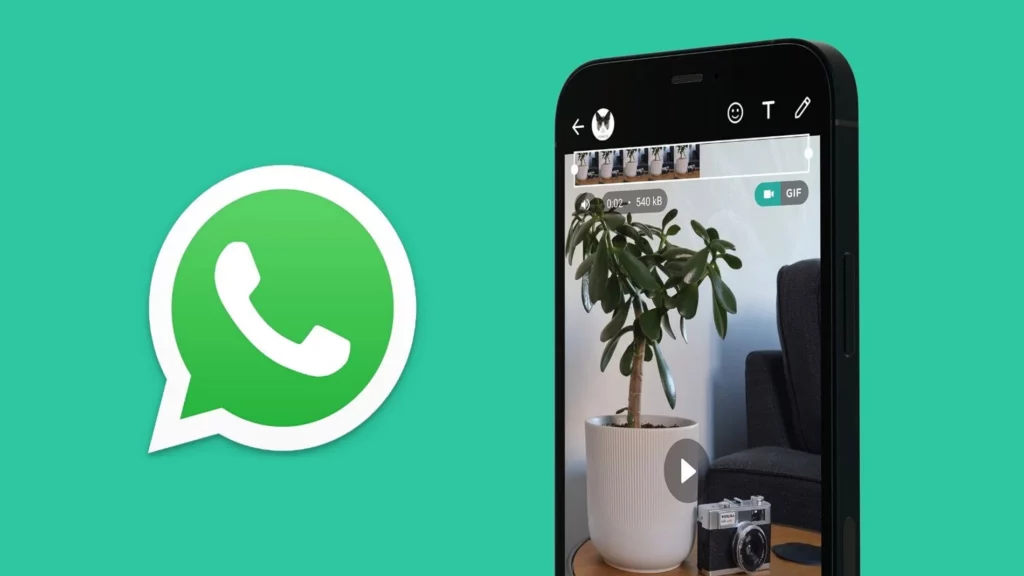
Does WhatsApp not allow sending long videos? It's annoying, but quite common. It's happened to almost all of us: you record a special moment, a video of an event, or some work content, all excited to share it… and then you hit a size or duration limit. The app cuts it off, won't let you attach the full file, or forces you to compress it so much that the quality suffers. And of course, you don't always want to be juggling the file every time you want to share it. send it.
The good news is that There are practical ways to share long videos via WhatsApp Without ending up with incomplete files and without driving yourself crazy. By combining compression tricks, file splitting, and using external services, you can send almost any video—personal, professional, or for marketing campaigns—maintaining reasonable quality and without struggling with platform restrictions.
Why WhatsApp won't let you send long videos
WhatsApp imposes limits on both size and duration to videos sent via chat. Although these limits may vary slightly between versions and operating systems, the basic idea is the same: to avoid excessively large files that overload the application's servers and users' connections, especially when using mobile data.
This limitation means that, if the video exceeds a certain size in megabytesThe app won't let you attach it directly or forces you to trim it. In some cases, the video can be sent, but WhatsApp suggests compressing it, resulting in a loss of quality. When the file is very long (for example, a multi-minute high-resolution video), you'll almost certainly hit that limit.
Besides, For statuses and certain internal functions, WhatsApp sets fairly strict time limits. This means that a very long video may require cutting into several sections if you want to post it in its entirety on your status or share it in workgroups where this format is widely used.
All of this means that, in everyday life, sending large videos via WhatsApp becomes a minor headache For those who frequently share content: creators, entrepreneurs, teachers, marketing professionals, or simply anyone who uses video as their primary form of communication.

Key tip: Compress the video before sending it
The first effective solution for sending long videos via WhatsApp involves reduce its size without having to cut itIn other words, compress the file. Compression allows the video to remain intact, but taking up less space, which fits better with the app's limitations.
When you compress, You adjust parameters such as resolution, bitrate, and codecBy slightly lowering the resolution (for example, from 4K to 1080p or from 1080p to 720p) and using a more efficient bit rate, you can greatly reduce the file size without the recipient noticing a dramatic loss of quality when viewing it on their mobile phone screen.
There are mobile applications specializing in video compression which makes this process almost automatic. You choose the file, select an output profile (for example, "for WhatsApp" or "small file"), and the app takes care of the rest. This option is ideal if you frequently send videos. from the phone itself and you want a quick solution without going through the computer.
You also have online video compression tools These work from your browser. They function very similarly: you upload the video, choose the compression level, and download the smaller file ready to share. They're good when you're working from your computer or when the original file is stored in the cloud and you don't want to install any more apps; if you'd rather avoid installing anything, check out guides on online tools.
For more advanced users, programs like Handbrake, Adobe Premiere Rush, or other lightweight editing solutions They allow for finer control over the final quality. You can select modern codecs, manually adjust bitrate and resolution, or even trim small, unnecessary parts of the video to save file size without losing important content.
Classic strategy: divide the video into several parts
If you prefer not to alter the original video qualityIf compression isn't enough for WhatsApp to accept the file, another common solution is to fragment it. Basically, this involves cutting the file into several shorter segments, each within the limit accepted by the app.
This solution works particularly well. when you want to share very long recordingsFor example, a lecture, a concert, an online class, or a family event lasting several minutes. By dividing it into chapters, you can send each segment as a separate video, which the recipient will play sequentially.
To achieve this, you can use Mobile editing apps that allow you to cut and export in partsThey're usually very intuitive: you upload the video, mark intervals (for example, every 2 or 3 minutes), and export each segment separately. Then you just have to attach each one to the chat, one after the other; a good guide on how divide the video into several parts This can be useful in these cases.
On computers, basic and free video editing programs usually include cutting functions by time or by sizeThis is useful when you want to maintain a certain consistency between the fragments, number them, or even add small transitions so that the viewer perceives that they are parts of the same video.
The main advantage of this method is that, by not compressing aggressivelyYou retain the original quality. The downside is that, for both the sender and the recipient, managing multiple files is a bit more cumbersome than managing just one, especially in very active chats where messages easily get mixed up.

Send long videos with cloud links
One of the most convenient and versatile tricks is to upload the video to a cloud storage service and share it via WhatsApp using a link. This way, the app doesn't have to handle the file directly, only the link, which is very small and not subject to the same limitations.
The most commonly used services for this are Google Drive, Dropbox, OneDrive, or file transfer platforms like WeTransferThe process is very simple: you upload the video to your chosen service, wait for it to finish uploading, and generate a shareable link. That's the link you paste and send in the WhatsApp chat.
The person who receives it can Watch the video streaming or download it to your device, depending on the platform and the access permissions you've set. This is fantastic for very large videos (for example, 4K recordings, professional footage, or work files), which would be impossible to send directly via WhatsApp.
Another advantage is that, If you need to share the same video with many people or groupsSimply forward the same link. There's no need to re-attach the file repeatedly, saving data, time, and space on both your phone and your contacts' phones.
In more professional settings, you can also take advantage of Options such as password-protected links, link expiration, or download limitsDepending on the service you use, you can maintain some control over who accesses the content and for how long, which is especially relevant in marketing, training, or internal company projects.
Other alternatives to bypass WhatsApp limits
Beyond compression, splitting, and cloud usage, there are Other alternatives when WhatsApp falls short for your videosSome solutions involve switching messaging apps, while others involve taking advantage of specific features in certain versions of WhatsApp.
One clear way is to resort to messaging platforms with more generous file limits, as Telegram o SignalTelegram, for example, allows the sending of much larger files than WhatsApp, making this app an ideal candidate when you often work with large videos; Messenger It offers similar alternatives in other ecosystems.
It is also interesting to consider the use of WhatsApp Business if you use it professionallyAlthough the video limitation is similar in terms of file size, this version incorporates tools such as catalogs, automated messages, and tags that can facilitate the organization and sending of multimedia content in your communication with clients.
Furthermore, in some digital marketing contexts, it can be smarter. use specific video platforms, such as YouTube or VimeoUpload the content there and share the link via WhatsApp. Similarly, when the format requires it, you can adapt the material for social media and upload it to Instagram.
Finally, we must not forget that You can combine several of these strategiesFor example, you could slightly compress the video and still include a cloud link in case someone wants to download the highest quality version. Or you could send a short summary via WhatsApp and offer access to the full video through another platform.
Practical recommendations for sending large videos without problems
If you frequently send videos, it's a good idea to have a short routine or “checklist” Before sharing anything via WhatsApp, check the file size. This will prevent errors, unnecessary loss of quality, and having to resend the file multiple times because it's corrupted.
- Check the size and duration of the video Before attaching it. Many mobile media players and galleries display this information at a glance. If you already see that it's a very large or very long file, decide beforehand whether it's more worthwhile to compress, split, or upload it to the cloud.
- Try out different compression and editing tools Keep trying until you find the ones that work best for you. Not all apps work equally well on all devices, and some offer a much better quality/size ratio than others, which is key if you want the video to look decent without taking up too much space.
- Standardize the quality of the videos you send.For example, decide that most videos for WhatsApp will be in 720p, with a moderate bitrate, except in very special cases. This way you avoid surprises and ensure that almost everything you record or create will be easily shareable.
- Test the shipment with a trusted contact or a test group When it's something important. This way, you verify that the video looks good, that it doesn't cut off in the middle, and that the link (if you're using the cloud) works correctly before sending it to the client, the team, or a large group.
Safety and reliability aspects when using external tools
When using cloud services, online compression apps, or external platforms, it is essential Pay attention to the security and privacy of your filesNot all tools manage data in the same way, nor are they all equally transparent about what they do with your videos.
Whenever possible, opt for well-known and reputable solutionsEspecially when the videos contain sensitive information, customer data, images of minors, or content you don't want circulating freely. Platforms like Google Drive or Dropbox have clear privacy policies and access controls, which adds an extra layer of peace of mind.
If you use online compression services, check if they delete the files after a whileThis includes whether they share them with third parties or keep copies on their servers. These kinds of details usually appear in privacy policies, although they aren't always easy to read; even so, it's worth taking a few minutes to look at them.
In professional settings, it may be advisable centralize the use of one or two official platforms to share videos, instead of each team member using different tools. This way you maintain greater control over how files are moved and reduce unnecessary risks.
This doesn't mean you can't experiment with new apps or services, but it is advisable to exercise caution before uploading any critical content to a tool you're unfamiliar with. Testing first with files containing no sensitive information is a good practice to minimize potential problems.
The role of long videos in current communication
Nowadays, Sharing long videos via WhatsApp has become almost a daily necessity.We're not just talking about leisure: many training sessions, product demonstrations, internal presentations, or marketing campaigns rely on video content that, simply due to its length, doesn't fit comfortably within the standard limits of the app.
WhatsApp, for its part, has become a fundamental channel of communication between companies and clients, teachers and students, creators and communities, friends and family. This means that any technical limitation, such as video size restrictions, has a direct impact on how we organize ourselves and how we transmit important information.
Mastering these tricks to circumvent restrictions is not just a technical matter, but also a competitive advantage in digital environmentsThose who know how to efficiently send long videos can share tutorials, presentations, or campaigns without relying so heavily on email or platforms unrelated to the main conversation.
At the same time, technology continues to advance and New tools and methods appear regularly. These features promise to make these kinds of tasks easier: better compression codecs, cloud services more integrated with messaging apps, automations that trim and optimize videos in the background, and so on. Keeping up to date with these options is key to not falling behind.
In short, Understanding why WhatsApp doesn't allow sending long videos and how to work around that limitation It has become part of the "basic kit" for anyone who is comfortable in modern digital communication, both personally and professionally.
When you combine moderate compression, intelligent file splitting, and strategic use of the cloud or other platforms, you achieve that WhatsApp should no longer be a barrier to sharing long videos and become simply the channel through which you deliver your content, without losing the quality or continuity of what you want to say.
Index
- 1 Why WhatsApp won't let you send long videos
- 2 Key tip: Compress the video before sending it
- 3 Classic strategy: divide the video into several parts
- 4 Send long videos with cloud links
- 5 Other alternatives to bypass WhatsApp limits
- 6 Practical recommendations for sending large videos without problems
- 7 Safety and reliability aspects when using external tools
- 8 The role of long videos in current communication

Editor specialized in technology and internet issues with more than ten years of experience in different digital media. I have worked as an editor and content creator for e-commerce, communication, online marketing and advertising companies. I have also written on economics, finance and other sectors websites. My work is also my passion. Now, through my articles in Tecnobits, I try to explore all the news and new opportunities that the world of technology offers us every day to improve our lives.