Windows 11 consumes more battery on tablets than Windows 10 due to several factors: a heavier interface, new background processes, and default settings that sometimes prioritize performance over battery life. Below, We'll explain what's happening and what you can do to improve the situation..
Why Windows 11 uses more battery on tablets than Windows 10
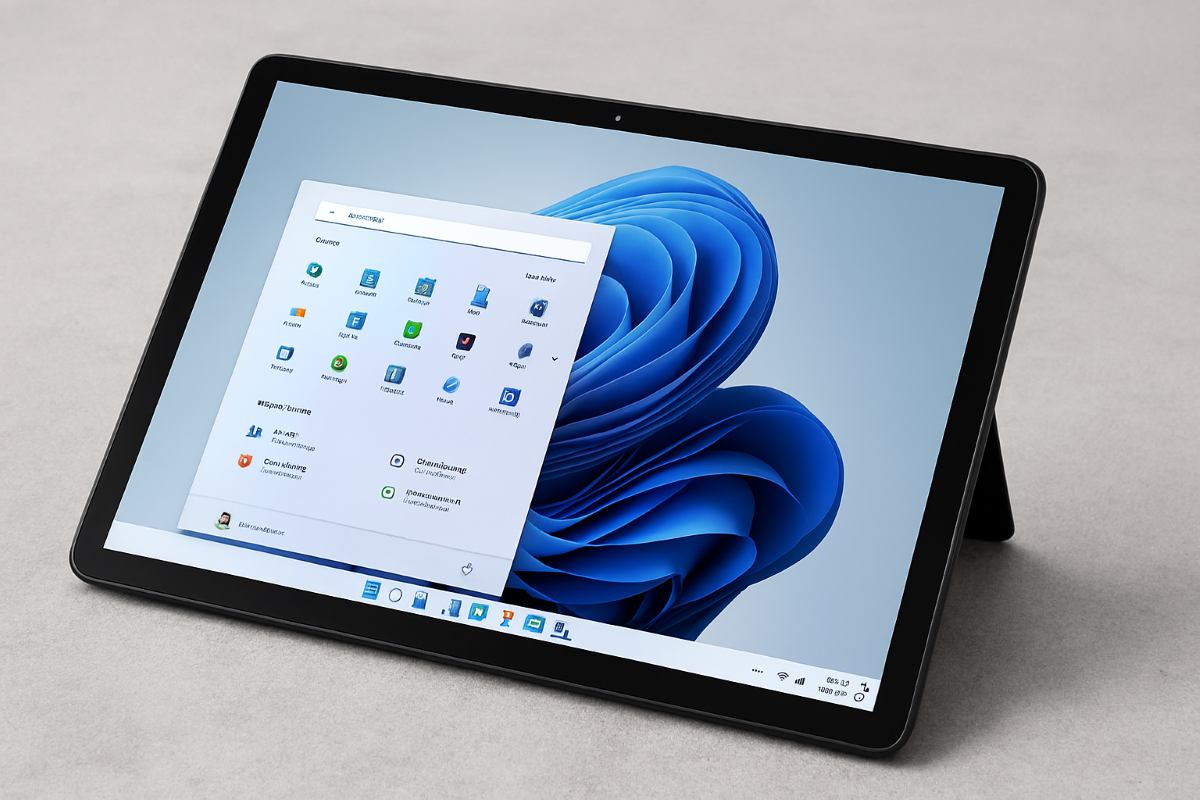
Although Microsoft has optimized the system for modern hardware, some users claim that Windows 11 consumes more battery on tablets than Windows 10. And it's not surprising. This operating system It includes more visual effects and runs a greater number of background processes..
Therefore, it's best to adjust your power settings and application management to match (or at least improve upon) your previous efficiency. Let's look at some of them. Most common causes of low battery life in Windows 11 tabletsNext, we'll talk about what you can do to improve your user experience.
More demanding visual interface
If you were used to using Windows 10 and now feel like your battery is running out faster, this article is for you. Windows 11 has introduced a significant visual redesign with transparency effects, smoother animations, and rounded corners. While this undoubtedly offers an improved, modern, and functional visual experience, it also translates into:
- Increased load on the GPUThese effects cause the graphics processor to work constantly, even when navigating basic menus. This results in increased battery consumption.
- WidgetsThe new widget panel runs permanently in the background to update news and weather, consuming CPU cycles and data.
Background processes and telemetry
Windows 11 is a more "connected" operating system. By default, It includes more telemetry and synchronization services (such as integration) OneDrive and Microsoft Teams), which can remain active even while you're using them. What's the most immediate result? That Windows 11 consumes more battery on tablets than Windows 10.
Change in “Tablet Mode”
In Windows 10, there was a feature called "Tablet Mode" that simplified the interface and limited certain processes to save power. However, Windows 11 now features a "Hybrid Mode," offering an adaptive interface. This means that The tablet is always running the “full” desktop experienceThis results in higher battery consumption compared to Windows 10's simplified mode.
Hardware and driver requirements
If your tablet-type device originally came with Windows 10, It is possible that you are using drivers that are not 100% optimized for the Windows 11 architecture.For example, if component drivers such as Wi-Fi or brightness sensors do not communicate properly with the Windows 11 system, then it will not correctly enter "low power" or "deep sleep" mode.
Screen settings
When Windows 11 consumes more battery on tablets, certain screen settings could be the culprit. For example, if A higher refresh rate or HDR is activeYour tablet may be using more energy than before.
Windows 11 consumes more battery on tablets: how to improve it
So, what can you do if you've started noticing that Windows 11 is using more battery on tablets than Windows 10? The first step is to identify the cause of the problem and make the necessary adjustments. On the other hand, there are Some steps you can take to reduce battery consumption and thereby increase your device's battery life. Let's see what they are.
Check battery usage and processes
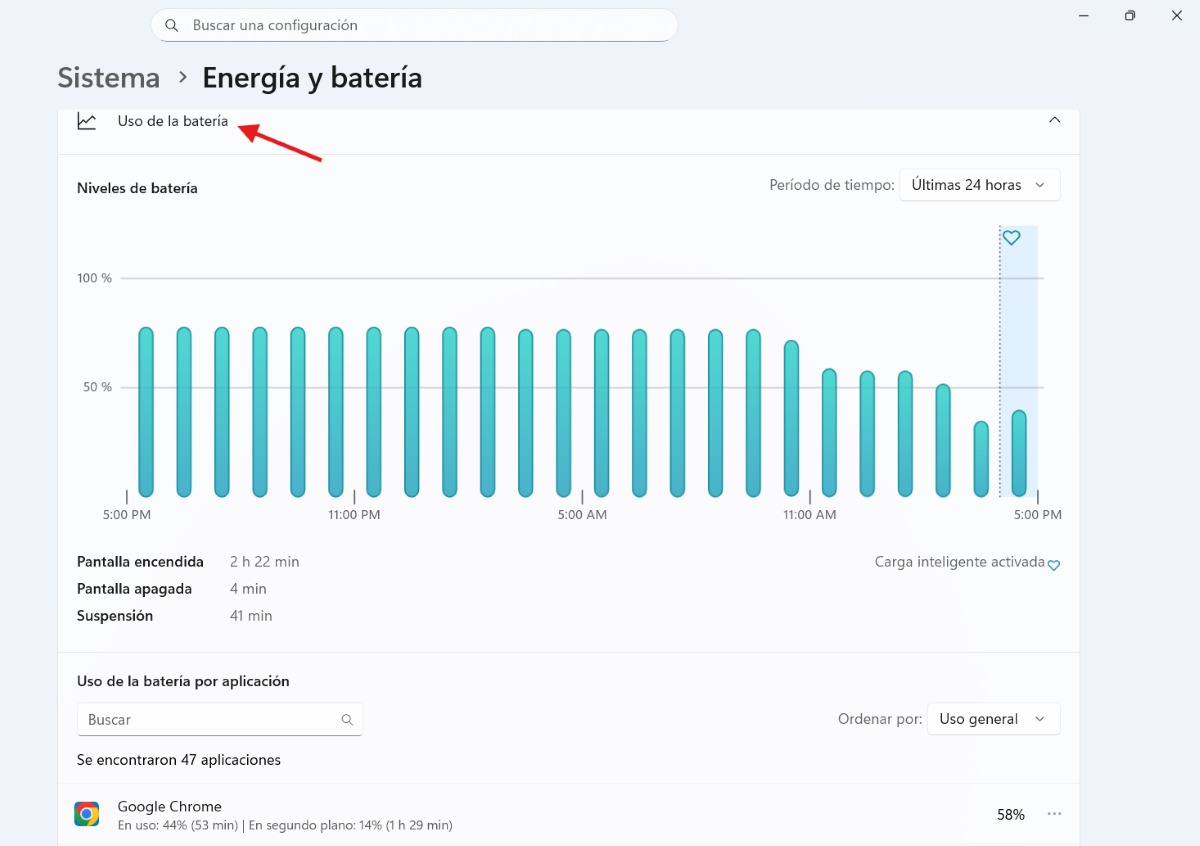
For find out which app is “using” your battery can review the usage it is receiving by the applications you have installed. To do this, follow these steps:
- Enter Configuration (Windows + I).
- Now go to System – Energy and battery.
- Select the option “Battery usage"
- Scroll down to see the list of apps that are using the most resources.
Additionally, you can see which processes are currently running by accessing the Task Manager. To do this, Right-click on the taskbar and select “Task Manager”Once there, go to the Processes section and close any unnecessary applications.
Adjust the brightness and refresh rate
To reduce your device's battery consumption you can also reduce screen brightnessBesides benefiting your eye health, it will allow your tablet's battery to last longer. It's also good Consider a lower refresh rate if possibleYou can do it from Settings – System – Display.
Windows 11 uses more battery on tablets than Windows 10: activate "Power Saving"
When Windows 11 is draining the battery on tablets, one thing that can help a lot is enabling Power Saving mode. This is a simple but very effective method for increasing the battery life of your devices. To do this, go to Configuration – System – Energy and battery and activate it manually or set it to activate at 30%.
Turn off transparency effects and apps that start automatically
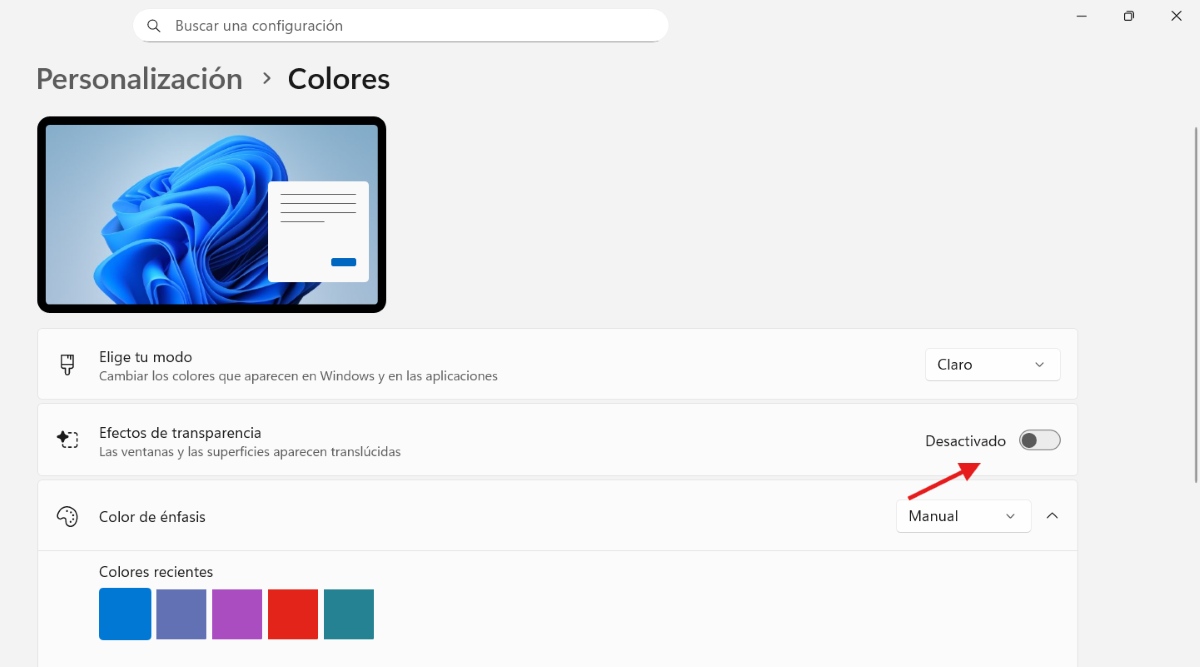
In Personalization – Colors, you can Turn off “Transparency Effects”If you think this is causing your battery to drain, disabling them is your best option. You can also disable apps that start automatically from the Task Manager, such as Teams or Spotify.
Keep your system and hardware drivers up to date
Finally, it's important to keep your system updated to its latest version. The same applies to hardware drivers. These updates may include energy efficiency improvementsSomething that will come in very handy if your Windows 11 device consumes a lot of battery.
Windows 11 consumes more battery on tablets than Windows 10: conclusion
In conclusion, Windows 11 consumes more battery power on tablets because it prioritizes aesthetics and fluidity over pure energy efficiency.Although its modern interface offers a superior touch experience, the use of visual effects, disabling tablet mode, and running background processes put more strain on the hardware. As a tablet user, you can adjust power settings to mitigate the impact on battery life.
Index
- 1 Why Windows 11 uses more battery on tablets than Windows 10
- 2 Windows 11 consumes more battery on tablets: how to improve it
- 2.1 Check battery usage and processes
- 2.2 Adjust the brightness and refresh rate
- 2.3 Windows 11 uses more battery on tablets than Windows 10: activate "Power Saving"
- 2.4 Turn off transparency effects and apps that start automatically
- 2.5 Keep your system and hardware drivers up to date
- 2.6 Windows 11 consumes more battery on tablets than Windows 10: conclusion

From a young age, I've been fascinated by all things scientific and technological, especially those advancements that make our lives easier and more enjoyable. I love staying up-to-date on the latest news and trends, and sharing my experiences, opinions, and tips about the devices and gadgets I use. This led me to become a web writer a little over five years ago, focusing primarily on Android devices and Windows operating systems. I've learned to explain complex concepts in simple terms so my readers can easily understand them.