- WireGuard offers high performance and low latency with modern cryptography and easy setup.
- It supports roaming, kill-switching and split-tunneling, ideal for mobility and secure network access.
- Homogeneous and multi-platform configuration with clear key management and NAT/Firewall rules.
- In enterprise environments, it integrates with NAC, IDS/IPS and directories for controlled access.

Are you looking for a VPN that's fast, secure, and won't frustrate you with endless setups? wire guard It's one of the best options. This modern protocol prioritizes simplicity and state-of-the-art cryptography, making it easy for anyone to set up a secure tunnel.
In addition to protecting you on public networks and allowing you to access your home or business network, A VPN helps bypass geo-blocks and censorshipWith WireGuard, that extra privacy and performance comes with a surprisingly simple setup process, both on computers and mobile devices.
WireGuard in a nutshell
WireGuard is a vpn software open source oriented to layer 3 (L3) that It uses UDP exclusively and modern cryptography by default.Its main advantage is a minimalist design with very few lines of code, which facilitates audits, reduces the attack surface, and improves performance.
Unlike what other VPNs offer, here you don't choose dozens of algorithms or phases; WireGuard defines a coherent cryptographic “package”If an algorithm is deprecated, a new version is released and clients/server negotiate the upgrade transparently.
This protocol always works in tunnel mode, and It supports IPv4 and IPv6 (encapsulating one within the other if necessary)To use it, you will need to open a UDP port (configurable) on your router to your server.
Compatibility and support
In the world of firewalls, OPNsense integrates WireGuard into the kernel to maximize speed. pfSense had its ups and downs: it appeared in version 2.5.0, was removed in 2.5.1 due to security findings, and Today it can be installed as a package managed from the web interface.
Cryptography used
WireGuard relies on a set of modern and highly audited algorithms: Noise Protocol Framework, Curve25519, ChaCha20, Poly1305, BLAKE2, SipHash and HKDFData encryption uses ChaCha20-Poly1305 (AEAD), with ECDH exchange on Curve25519 and key derivation with HKDF.
This approach avoids mixing disparate suites and reduces configuration errorsIt also simplifies troubleshooting, since all nodes speak the same cryptographic language.
Performance and latency
Minimalist implementation and low-level integration allow very high speeds and very low latenciesIn real-world comparisons against L2TP/IPsec and OpenVPN, WireGuard usually comes out on top, often doubling throughput on the same hardware.
On unstable or mobile networks, Session restoration is quick And reconnection after network changes (roaming) is barely noticeable. On devices with limited resources (routers, IoT devices), its low power consumption makes all the difference, saving CPU and battery power.

Quick installation on Linux
In modern distributions, WireGuard is already available in stable repositories. On Debian/Ubuntu, simply install it. update and install the official packageIn others, you may need to add repositories or activate the kernel module.
sudo apt update && sudo apt upgrade -y
sudo apt install wireguard -y
sudo modprobe wireguard
If you use a branch that doesn't have it in "stable", you could resort to "unstable/testing" repositories under priority control, although Ideally, you should pull it from the stable repo. of your distro when it becomes available.
Key generation
Each device (server and client) needs its own key pair. Keep the private room locked. and shares only the public one with the peer.
umask 077
wg genkey | tee privatekey | wg pubkey > publickey
You can repeat the process for each client and keep track by name. avoiding confusion between peers as your deployment grows.
Server configuration
The typical file is /etc/wireguard/wg0.confIn this section, you define the VPN IP address, private key, and UDP port. In each section, you add a client, allowing its public key and authorized IP addresses.
Address = 192.168.2.1/24
ListenPort = 51820
PrivateKey = <clave_privada_servidor>
# Ejemplo de NAT automátizado con PostUp/PostDown, si lo necesitas
#PostUp = iptables -A FORWARD -i %i -j ACCEPT; iptables -A FORWARD -o %i -j ACCEPT; iptables -t nat -A POSTROUTING -o eth0 -j MASQUERADE
#PostDown = iptables -D FORWARD -i %i -j ACCEPT; iptables -D FORWARD -o %i -j ACCEPT; iptables -t nat -D POSTROUTING -o eth0 -j MASQUERADE


PublicKey = <clave_publica_cliente1>
AllowedIPs = 192.168.2.2/32

# Añade más peers según necesites
#
#PublicKey = <clave_publica_cliente2>
#AllowedIPs = 192.168.2.3/32
If you prefer to allow any client IP and manage routes separately, you can use AllowedIPs = 0.0.0.0/0 In peer environments, but in controlled environments it is better to assign /32 per client for traceability.
Client configuration
La section It carries the private key and its IP in the VPN; the server's public key, its endpoint, and the routing policy.
PrivateKey = <clave_privada_cliente>
Address = 192.168.2.2/32
DNS = 1.1.1.1


PublicKey = <clave_publica_servidor>
Endpoint = <IP_publica_servidor>:51820
AllowedIPs = 0.0.0.0/0
PersistentKeepalive = 25
El PersistentKeepalive (25) This helps if the client is behind NAT/firewalls that block inactive mappings. AllowedIPs defines whether you route all traffic through the VPN (0.0.0.0/0) or only specific subnets.
NAT, forwarding and firewall
To allow clients to access the internet through the server, you must enable IP forwarding and apply NAT on the WAN interface.
echo "net.ipv4.ip_forward=1" | sudo tee -a /etc/sysctl.conf
echo "net.ipv6.conf.all.forwarding=1" | sudo tee -a /etc/sysctl.conf
sudo sysctl -p

sudo iptables -t nat -A POSTROUTING -s 192.168.2.0/24 -o eth0 -j MASQUERADE
If your firewall policy is restrictive, allows traffic on the wg0 interface and open the chosen UDP port on the firewall/NAT router.
sudo iptables -I INPUT 1 -i wg0 -j ACCEPT
To bring up the interface and enable the service at startup: wg-quick and systemd They leave it on autopilot for you.
sudo wg-quick up wg0
sudo systemctl enable wg-quick@wg0
Roaming, Kill-Switch and mobility
WireGuard is designed for everyday mobile use: If you switch from Wi-Fi to 4G/5G, the tunnel is re-established in a flash.You won't notice any serious interruptions when switching networks.
Additionally, you can enable a kill-switch (depending on the platform or app) so that, if the VPN goes down, the system blocks traffic until it is restored, preventing accidental leaks.
Split-tunneling
The split tunnel lets you decide What traffic travels through the VPN and what goes directly out?Useful for maintaining low latency in games or video calls while accessing internal resources through the tunnel.
Two typical configuration examples on the client, using the AllowedIPs directive:
# Redirección total por la VPN

PublicKey = <clave_publica_servidor>
AllowedIPs = 0.0.0.0/0
Endpoint = <IP_publica_servidor>:51820
# Solo la LAN remota (por ejemplo, 192.168.1.0/24) a través de la VPN

PublicKey = <clave_publica_servidor>
AllowedIPs = 192.168.1.0/24
Endpoint = <IP_publica_servidor>:51820
This reduces the impact on speed/latency and You optimize the experience for what you really need to protect.

Advantages and disadvantages of WireGuard
- FOR: speed, low latency, simplicity, modern cryptography, reduced resource consumption, and a small codebase that facilitates audits.
- AGAINST: Support in some legacy ecosystems is less mature than IPsec/OpenVPN, more limited advanced features (scripts and native obfuscation), and privacy considerations because public keys are associated with internal tunnel IPs.
Support for firewalls, NAS and QNAP
In firewall-type appliances, OPNsense integrates WireGuard with kernel acceleration. In pfSense, while awaiting stable integration, you can install the package and manage it conveniently from the GUI.
On QNAP NAS, via QVPN 2, You can set up L2TP/IPsec, OpenVPN, and WireGuard servers....and even virtualize Debian if you want to tweak OpenVPN with AES-GCM or measure with iperf3. In tests with powerful hardware (such as a QNAP with Ryzen 7 and 10GbE) and a 10GbE client, WireGuard doubled the performance versus L2TP/IPsec or OpenVPN in the same local environment.
WireGuard on mobile: strengths and weaknesses
On iOS and Android, the official app makes it easy to switch between networks seamlessly. A major advantage: Safe browsing on public Wi-Fi from hotels or airports and hide your traffic from your ISP. Furthermore, if you set up your own server, you can access your home or business as if you were actually there.
The logical counterpart is that Some latency is added and the speed drops slightlyespecially if you redirect all traffic. However, WireGuard is among the most battery-friendly and performance-friendly protocols. See also recommendations for Android if your case is mobile.
Install and use on other platforms
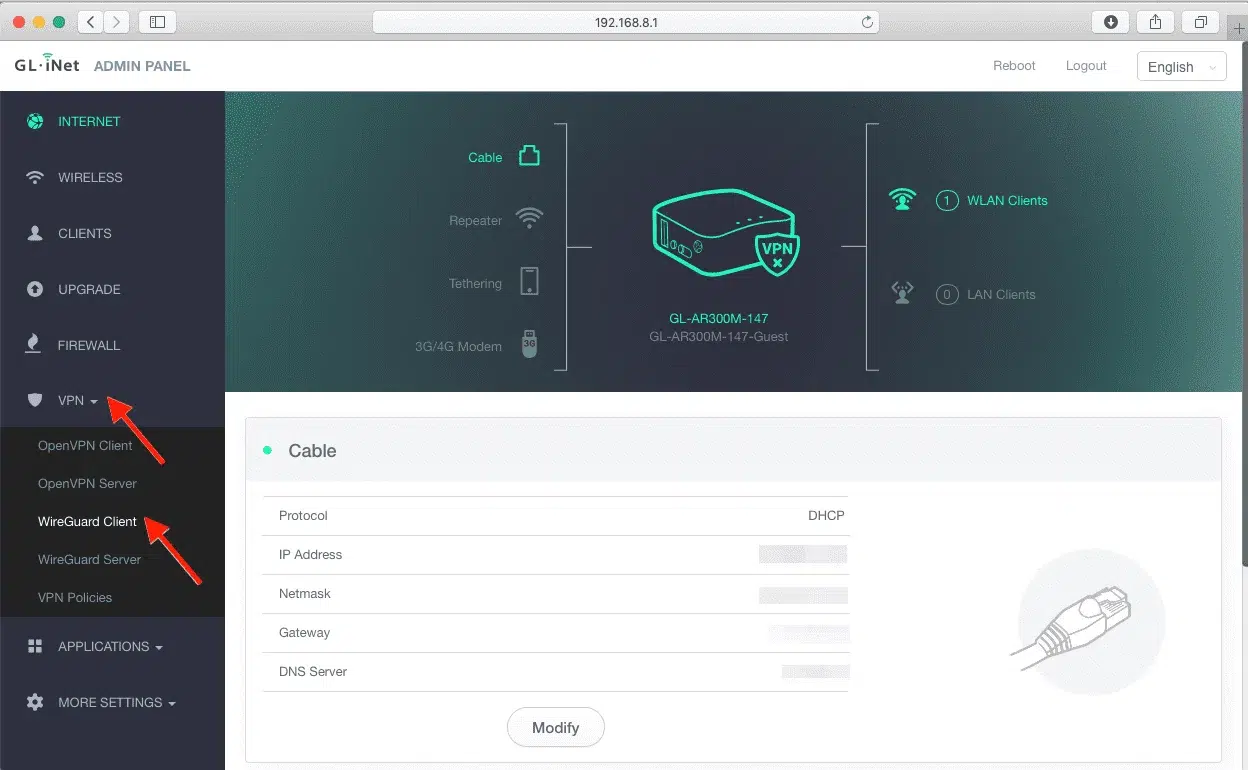
On macOS, Windows, Android, and iOS, you have official apps; all you need to do is import the .conf file or scan a QR code generated from your configuration manager. The process is virtually identical to that of Linux.
If you're going to set it up on a VPS, remember good practices: update system, enable firewallLimit the WireGuard UDP port to allowed IPs if feasible and rotate keys when required by your policy.
Verification and diagnosis
To confirm that everything is in order, lean on wg and wg-quickYou'll see handshakes, bytes transferred, and times since the last swap.
wg
wg show
If there is no connectivity, check: system routes, NAT, open UDP port on the router and that the Endpoint and keys for each peer are correct. A ping to the server's IP address on the VPN is usually the first useful test.
With a simple approach, modern cryptography, and noticeable performance, WireGuard has earned its place as the preferred VPN For home users and businesses. Installation is straightforward, management is convenient, and its range of uses (remote access, site-to-site, secure mobility, or split-tunneling) fits almost any scenario. Add good security practices, a well-tuned firewall, and basic monitoring, and you'll have a fast, stable, and very difficult-to-break tunnel.

Editor specialized in technology and internet issues with more than ten years of experience in different digital media. I have worked as an editor and content creator for e-commerce, communication, online marketing and advertising companies. I have also written on economics, finance and other sectors websites. My work is also my passion. Now, through my articles in Tecnobits, I try to explore all the news and new opportunities that the world of technology offers us every day to improve our lives.