- LocalSend is an open-source, cross-platform tool for transferring files over a local network.
- Detection failures are usually due to firewall restrictions, router configurations, or VPN interference.
- Communication requires that all devices are connected to the same WiFi network and have the server active.
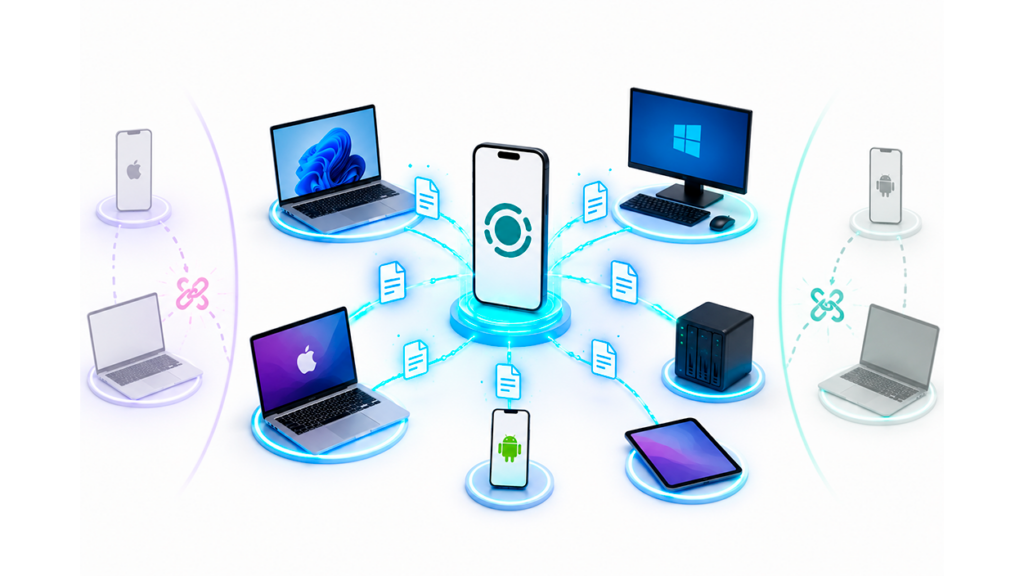
If you have ever struggling to transfer a large video or important document from mobile to computerYou'll know that this can be a real headache. Although there are proprietary solutions like Apple's AirDrop or Google's Quick Share, these often let you down if you mix operating systems. forcing you to resort to external clouds that take forever to upload and download files.
This is where it comes into play LocalSend, a gem of open-source code that promises to make our lives easier. By working exclusively through the local networkIt allows a Windows PC, a Mac, a Linux computer, or an Android or iOS smartphone to recognize each other without cables or an internet connection, thus guaranteeing a total privacy because the data doesn't leave your house.

Why doesn't LocalSend detect other devices?
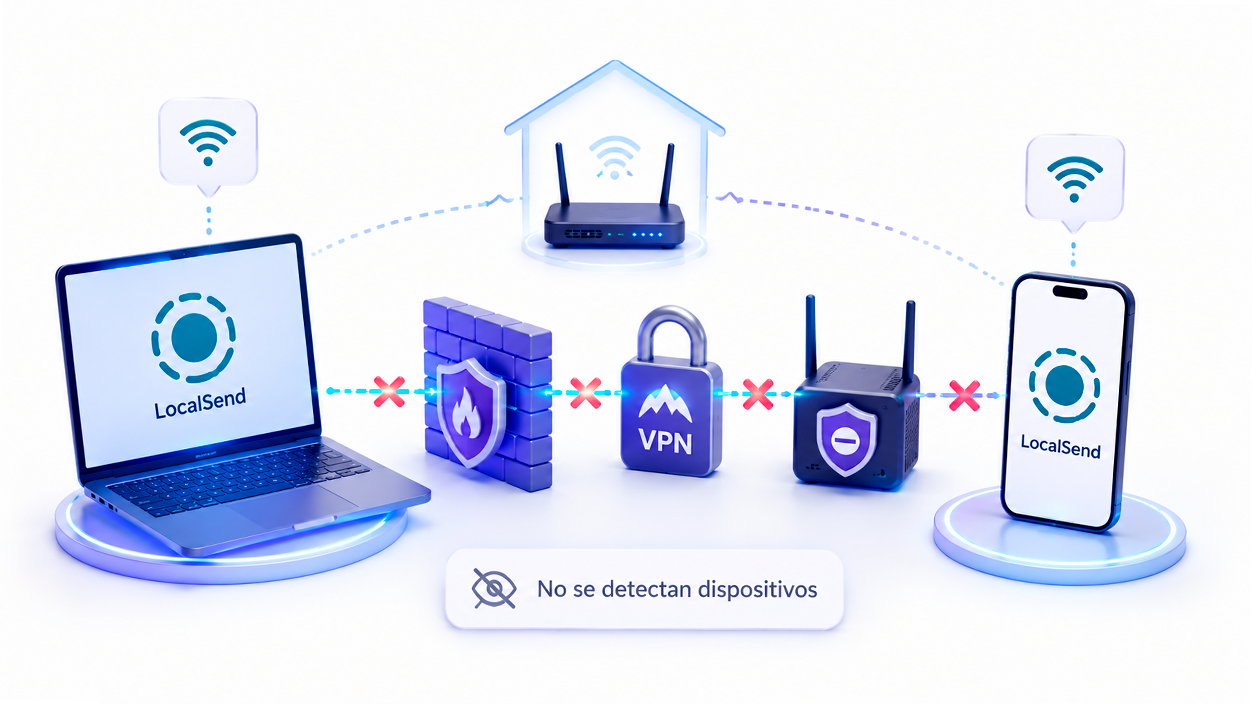
The application usually works the first time, but sometimes the submission screen remains empty and no team appears. This problem is usually caused by... security locks in the operating system or restrictive router settings that prevent devices from "talking" to each other.
In Windows, it is very common for the System Firewall Identify the application as a potential threat and cut off communication. On the other hand, if you use a Active VPNIt is likely that network traffic is being redirected away from your local network, making LocalSend unable to locate the computers that are right next to you.
LocalSend uses discovery mechanisms within the local network to automatically locate other compatible devices. For this to work, All devices must be on the same network and able to communicate freely with each other. If a firewall, VPN, or router configuration blocks this local traffic, the application will stop showing available devices even if both devices have an internet connection.
Detailed steps to fix the connection in Windows
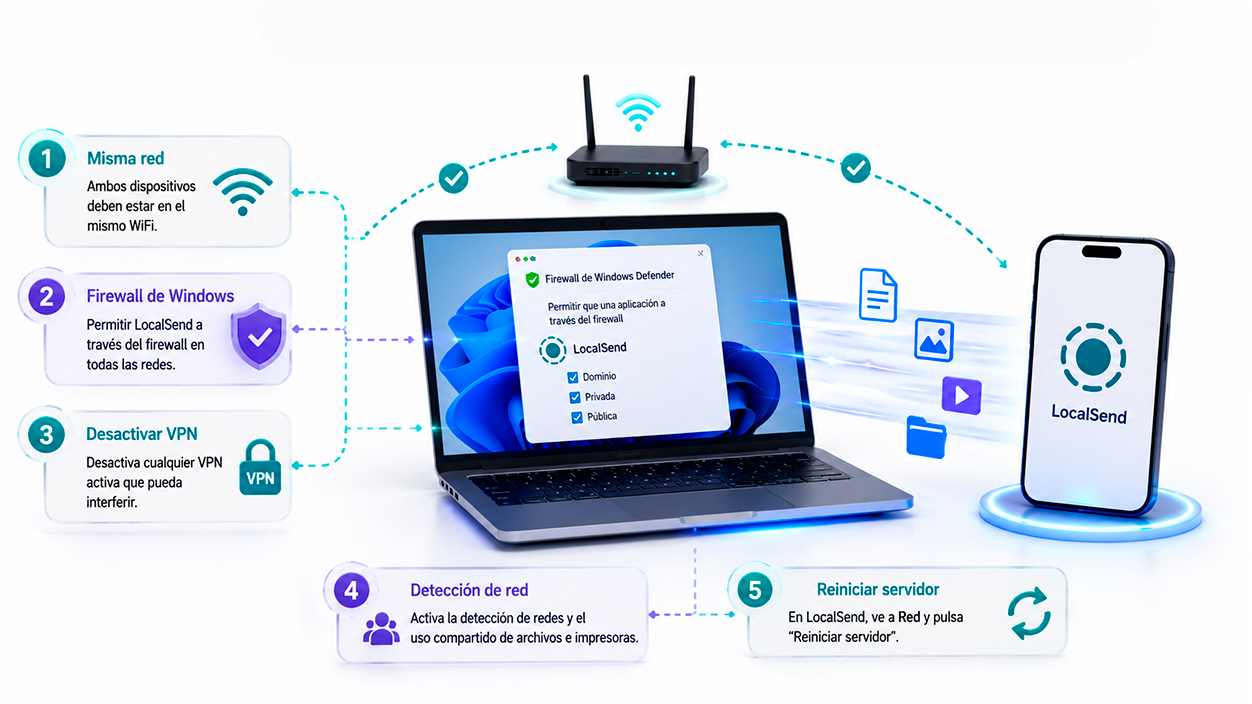
If you find that you can send files from your PC to your mobile phone, but not the other way aroundThe culprit is usually the PC. The first thing you should do is check that both devices are connected to the same WiFi access pointbecause if one is on the 2.4GHz network and the other on the 5GHz network (depending on the router), sometimes they cannot see each other.
To resolve the issues, go to the Control Panel and look for the section on Windows FirewallYou need to select the option to allow an application to pass through the firewall and ensure that LocalSend has all permissions checkedIf this doesn't work, try temporarily disabling any VPN you have installed to rule out that it's interfering with the traffic.

Another critical setting is the network configuration. Go to the advanced network settings and enable the network detection and file and printer sharing. If the problem persists, go into the app's settings, navigate to the Network section, and tap the button. restart the serverSometimes, simply turning it off and on solves the problem.
Advanced router settings and alternatives
If you're still having trouble after trying Windows, the problem might be with your network hardware. Some routers have a feature enabled called AP Isolation (access point isolation), which basically prevents devices connected to the Wi-Fi from communicating with each other for security reasons. To remove it, you need to access your router's administration IP address and disable wireless isolation.
In very extreme cases, where none of the above works (as happens with some Samsung S24 or S25 users), there is one way out: the sharing function via linkWithin the app, when selecting the files, you can generate a QR code or a link that the other device can scan to force the connection without the need for automatic discovery.
If LocalSend is stubborn and doesn't work on your computer, there are other powerful tools available. Syncthing It's a fantastic option for creating synchronized folders, while file explorers like Solid Explorer or MiXplorer They offer fast transfer methods that can serve as a reliable alternative.
Properly configuring your network and security permissions is key to a smooth file transfer ecosystem. By ensuring your server is active, your firewall isn't blocking ports, and your router allows internal communication, you'll get the most out of this free and secure tool for seamlessly moving your data between any platform.

I am a technology enthusiast who has turned his "geek" interests into a profession. I have spent more than 10 years of my life using cutting-edge technology and tinkering with all kinds of programs out of pure curiosity. Now I have specialized in computer technology and video games. This is because for more than 5 years I have been writing for various websites on technology and video games, creating articles that seek to give you the information you need in a language that is understandable to everyone.
If you have any questions, my knowledge ranges from everything related to the Windows operating system as well as Android for mobile phones. And my commitment is to you, I am always willing to spend a few minutes and help you resolve any questions you may have in this internet world.