- Ideogram AI allows you to generate images with integrated text of professional quality and a wide variety of styles.
- The style reference system and its massive preset base offer unique creative control to the user.
- Advanced technologies such as GANs and NLP ensure textual and visual accuracy in generated images.
The competition for tools capable of create custom images from text It's fierce, but there's one name that has stood out for its precision in integrating words into images: Ideogram AIIf you've ever been frustrated by the difficulty of getting an AI to draw legible, stylish text directly onto an image, you'll want to consider this next step.
In this article We thoroughly analyze this tool, explaining the keys that differentiate it from other options and highlighting its applications in the professional and creative fields. We will also teach you some Tricks to get the most out of it.
What is Ideogram AI and why is it revolutionizing creative AI?
Ideogram AI is a advanced image generation tool based on artificial intelligence whose star feature is the ability to integrate text within images in a coherent, legible and stylized way.
Although there are other options on the market, the truth is that few have managed to overcome the barrier of placing words within an image with the naturalness and precision achieved by Ideogram. It was born precisely in response to one of the biggest limitations in generative AI: ensuring that AI doesn't invent meaningless letters or "forget" parts of the requested text.
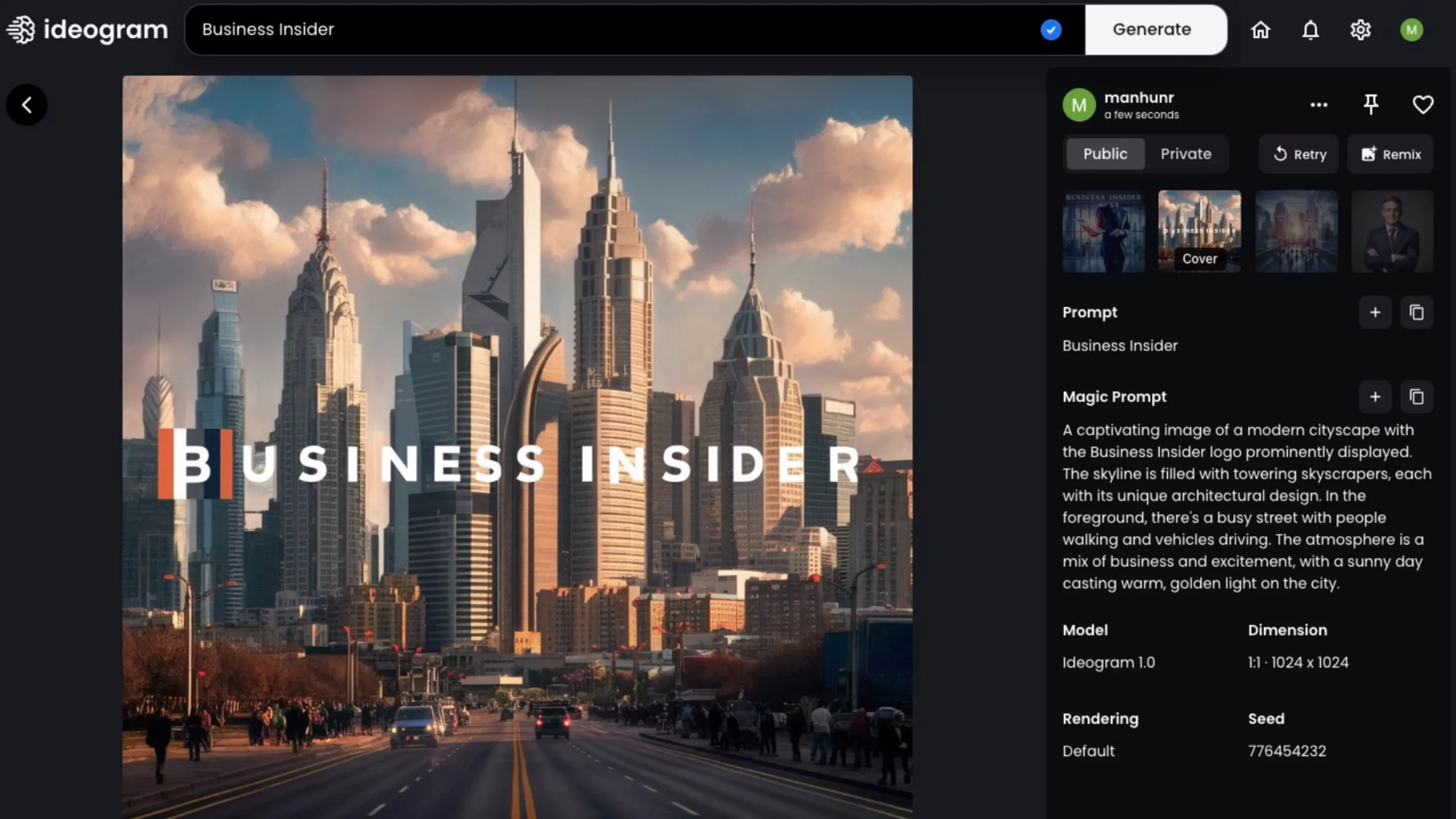
Ideogram allows Create images from textual descriptions (prompts) and, at the same time, add words, phrases or custom text at specific points in the result. Simply write a description and enter the text you want (usually in quotes or a specific field), and the platform generates several visual options in just seconds.
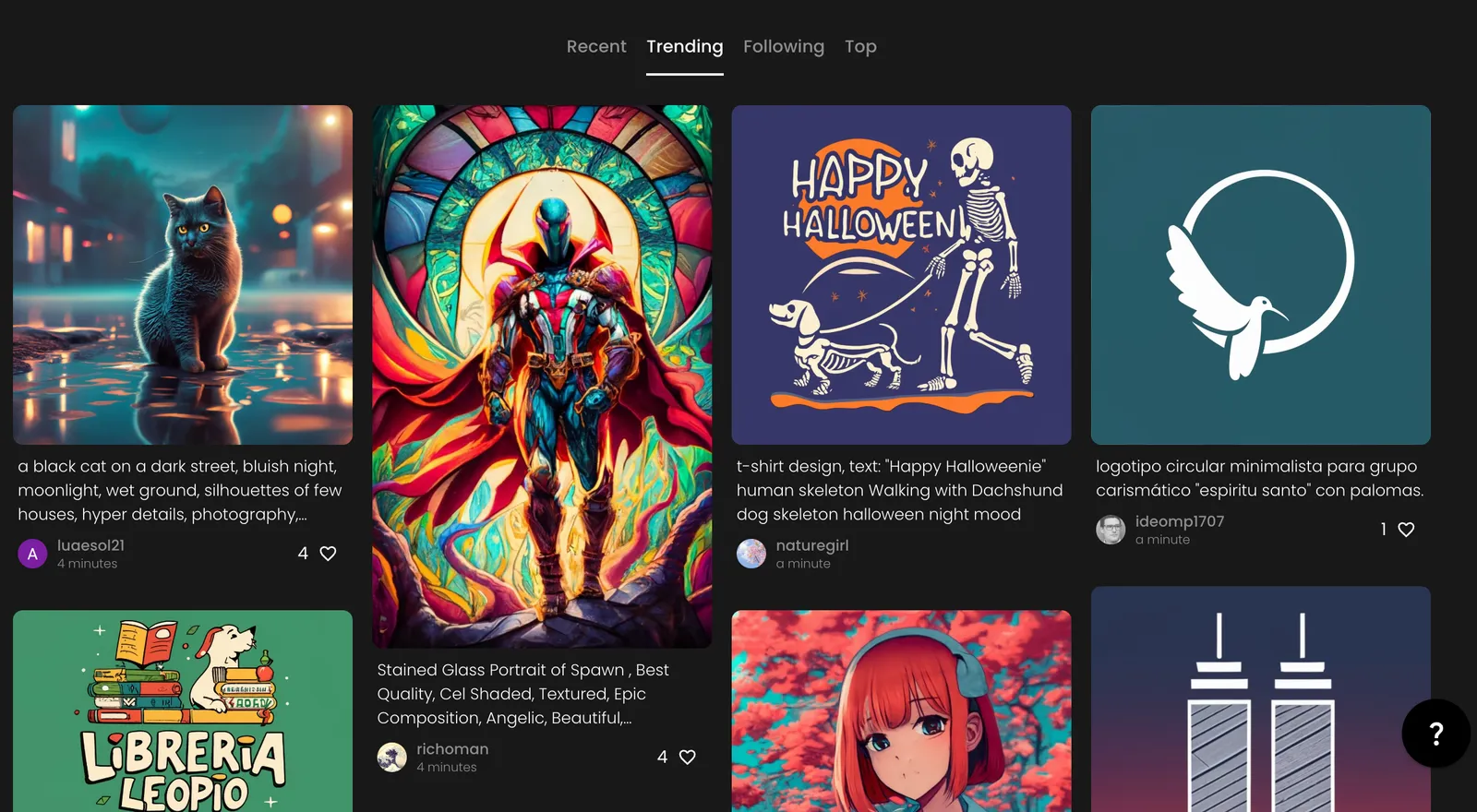
Highlighted Features of Ideogram AI
- Revolutionary textual precision: Its strongest point is the integration of perfectly legible, stylish text into the image, avoiding the typical chaos of crooked letters or confusing patterns found in other AIs. The words appear clean, coherent, and adapted to the visual context.
- Huge variety of visual styles: You can customize the image in styles as varied as photorealism, illustration, anime, artistic typography, 3D renderings, fashion, architecture, and virtually any current or past visual trend.
- Real creative control: One of its star features is its so-called "style reference system," which allows you to upload up to three of your own images as aesthetic inspiration for the AI to learn and adapt the result in the creative direction you desire. If you don't have any references, you can choose from more than 4.300 billion preconfigured styles, selecting codes (e.g., ::retro-anime, ::cyberpunk, ::oil-painting, etc.) that guide the AI toward a defined look.
- Fast, accessible and free: You don't need to install anything or have any prior knowledge of AI or image editing. The process is completely web-based, and in most versions, you only need a Google account or email to start generating images in seconds. Plus, many of its features are still accessible free of charge, unlike other competitors.
- Wide range of utilities: From creating marketing images, logos, posters, book covers, social media posts, and educational materials to experimental digital art and interface prototypes, it's a versatile tool designed for both the professional and the curious amateur.
How Ideogram AI Works: From Prompt to Visual Art
The workflow in Ideogram AI is simple, straightforward, and very flexible. After accessing the platform in ideogram.ai, just log in with Google or email, and choose a username to identify your creations.
- At the top you find the text field (prompt), where you describe the image you want to generate. You can write here in either English or Spanish, and it's recommended to be detailed to fine-tune the result.
- To add text to the image, simply type it literally into the prompt (for example: A scenic beach sunset, text: 'Unforgettable Summer') or use quotation marks to delimit the sentence. Ideogram understands and places the embedded text, adapting it to the selected visual style.
- Below the prompt field, you can choose predefined visual styles from an extensive codebase, or upload reference images if you're looking to maintain consistency with a specific palette, mood, or visual style.
- You have options to choose the image aspect ratio (square, landscape, or portrait) and adjust whether you want to prioritize text or artistic composition.
- Clicking GenerateThe AI processes your request and offers several images. You can preview, enlarge, download, remix, or favorite them. You can also check out prompts and styles used by other users for inspiration.
Reference Style System: Ideogram AI's Ace in the Hole
The ability to guide the AI using reference images is one of the biggest new features in version 3.0. You can upload up to three photos, illustrations, designs, or art fragments to define your desired visual tone. The AI uses these examples as a guide to replicate the color, stroke, lighting, texture, or composition in your new creations.
There's no other platform that offers such freedom and fidelity to your personal creative vision without getting into the technical complications. If you don't have any references, you can browse and apply any of the community's millions of preset styles, using codes to achieve specific effects: from pixel art, oil paintings, prints, anime, sci-fi, and retro to minimalism or vintage prints.
Technological advances behind images with integrated text
How does Ideogram AI achieve clear, aligned letters that appear to be a natural part of the image? The secret lies in the combination of several cutting-edge technologies:
- Generative Adversarial Networks (GANs): The system consists of two competing neural networks: the generator produces images (including text), while the discriminator evaluates whether they are realistic enough. Over thousands of iterations, the AI learns to create results indistinguishable from real photographs or illustrations, making the text look hand-drawn.
- Natural Language Processing (NLP): It allows AI to understand what the user is asking for, recognize the context, and generate all the requested words or phrases with semantic and visual coherence.
- Advanced visual integration techniques: The system not only overlays text, but also automatically adjusts size, color, perspective, and shadows to match the aesthetics and setting of the message, whether on a T-shirt, a poster, a wall, or a 3D object.
- Training with massive datasets: Using millions of real-world examples of images with text, the AI learns how letters and phrases are arranged in different styles, languages, and environments, perfecting the integration.
Comparison with other image generation AI
If you've tried other solutions like DALL·E, Midjourney 6, or Stable Diffusion, you'll know that generating legible embedded text can be a challenge. Malformed letters, made-up words, or floating messages in the image are common problems. Ideogram solves this handicap with great solidity., and also allows for greater artistic control.
- Midjourney 6 has just incorporated text integration but still has errors on long words or complex sentences.
- DALL E y Leonardo They offer quality visual results, but their accuracy in creating text still falls short of Ideogram.
- stable diffusion It is powerful and flexible, but requires more technical adjustments and the embedded text often feels less natural.
At Ideogram, the text isn't just read; it's a living, breathing part of the design. The user has control over the position, size (ideal for logos or cards), and can prioritize what the AI considers when generating them.
Practical applications of Ideogram AI with embedded text
The benefits of Ideogram AI are as broad as the imagination of its user. Here are some examples where it shines:
- Marketing and publicity: Automatic generation of promotional materials, ads, posters, banners, and mockups with integrated messages in an impactful, ready-to-use way.
- Social networks: Creating creative and viral images with phrases or quotes embedded directly, optimized to quickly connect with your audience and increase engagement.
- Graphic Design: Development of logos, business cards, posters, book or album covers, and custom layouts with the flexibility to experiment with dozens of visual styles.
- Education and outreach: Development of infographics, teaching materials, presentations, and visual learning resources where explanatory text blends with images, facilitating content retention and appeal.
- Digital art and experimentation: Creating works with an innovative blend of image and word, ideal for portfolios, digital exhibitions, or simply exploring new forms of artistic expression.
- Product customization: Design of merchandising, mugs, t-shirts, posters, and other objects where the precise integration of names, phrases, or slogans is key.
Quick Start Guide: How to Create Stunning Images with Ideogram AI
- Login and register: Visit ideogram.ai and create your free account using Google or email.
- Write the prompt: Describe the scene you imagine well and add the text in quotation marks or using the appropriate format (for example,
Ciudad futurista de noche con letreros luminosos, texto: "Neo Madrid"). - Choose visual style: Use style codes you like best (e.g., ::cyberpunk, ::handdrawn-sketch, ::oil-painting) or upload your own reference images to define the aesthetic.
- Adjust parameters: Decide whether you prioritize composition or text clarity and select your preferred proportions (square, vertical, horizontal).
- Generate and select: You'll get several images. Choose the one you like most, download it, remix it, or try out variations by adding new styles or modifying the prompt.
Tips to get the most out of ideogram.ai
- Combine narrative prompts with specific styles: The more context and emotion you put into your description, the richer and more elaborate the resulting image will be. Detail colors, settings, time periods, emotions, or action.
- Use your own visual references: If you want to achieve visual consistency for campaigns, brands, or image series, uploading your own samples is the best way to control the outcome.
- Save and reuse your favorite styles: You can experiment with styles, discover unique combinations, and save them for future projects.
- Explore the community: The database of images and prompts shared by other users on Ideogram is a treasure trove of inspiration and new tricks to learn.
- Play with the position and priority of the text: Especially in version 2.0 and above, you can specify exactly where the text should be placed and whether you want the AI to prioritize it relative to the visual background.
Costs, plans and how to get started for free
Ideogram AI remains free for most users, although some advanced features and professional generation via API may require a per-image fee or subscription, especially in business environments. For up-to-date details, it's always a good idea to check the official website or the pricing section, as terms may change as versions evolve and new features are added.

Editor specialized in technology and internet issues with more than ten years of experience in different digital media. I have worked as an editor and content creator for e-commerce, communication, online marketing and advertising companies. I have also written on economics, finance and other sectors websites. My work is also my passion. Now, through my articles in Tecnobits, I try to explore all the news and new opportunities that the world of technology offers us every day to improve our lives.