- Implementation of external libraries through correct volume mapping in Docker and configuration of paths in system administration.
- Optimization of facial recognition and metadata processing by adjusting machine learning and concurrency parameters.
- Managing file permissions in Linux to prevent read and write errors on external hard drives or NAS units.
- Efficient synchronization of mobile devices by setting up background backups and using VPN networks like Tailscale.

If you're tired of paying monthly fees for cloud storage and having large corporations snooping through your memories, setting up your own instance of Immich on a local server It is, quite simply, the best decision you can make. It is a powerful open-source alternative that almost perfectly mimics the functions of Google Photos, but with the fundamental difference that You have absolute control where your files reside and who has access to them. In fact, many users take advantage of this to perform a Complete guide to migrating from Google Photos to Immich and regain their privacy.
Although the application has reached incredible maturity with its stable version, it's normal to encounter one or two issues at first. technical wall or unexpected errorssuch as the system not detecting new images or errors appearing when loading thumbnails. Don't worry, most of these problems are usually minor. permission failures or misconfigured paths in Docker that can be solved with a couple of well-made adjustments.

How to fix the problem of photos not appearing
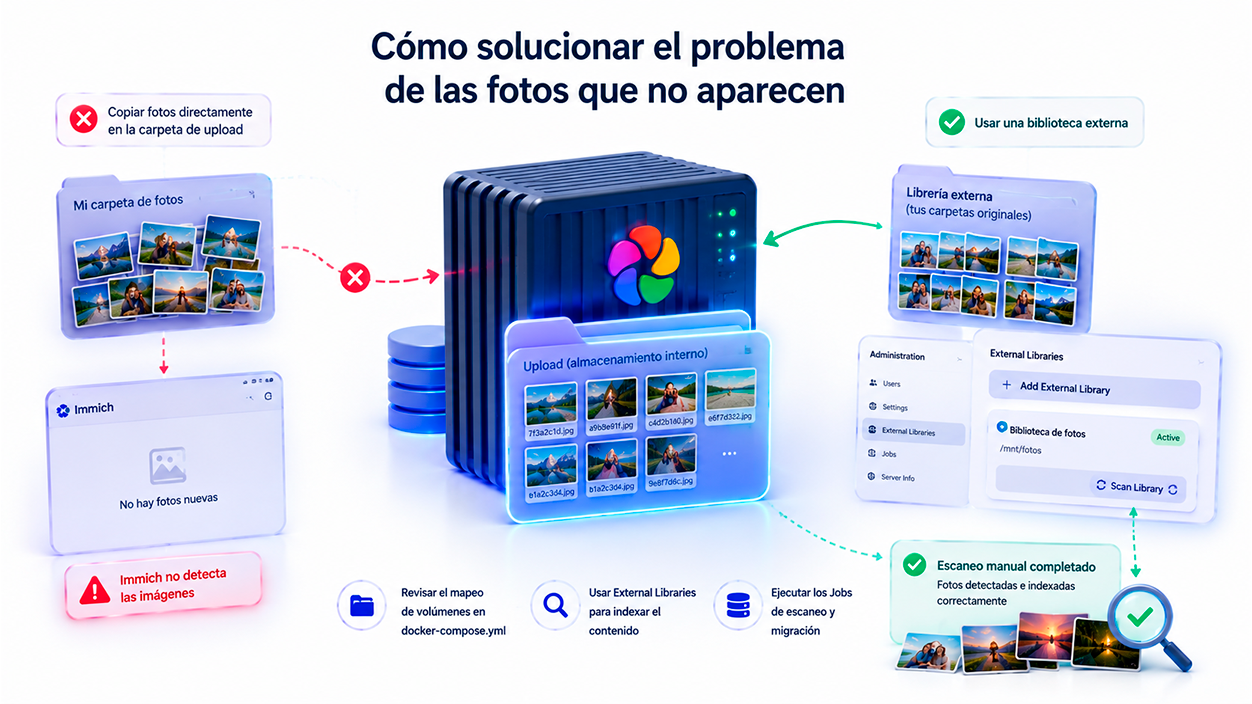
A very common mistake among users who are used to organizing their folders manually is copying photos directly into the Immich directory, expecting them to magically appear. You should know that Immich manages its own files in a random structure within the upload folder to avoid naming conflicts. If you want to maintain your own folder hierarchy, you shouldn't move the files to the upload path, but rather configure a specific folder structure. external library from the administration panel.
When the server doesn't "see" the images, the first thing to check is the volume mapping in the docker-compose.yml fileIf you've mounted an external hard drive or a folder on your NAS, you need to make sure the host path and container path match or are properly linked. If the files are there but Immich isn't showing them, you probably need to go to Administration > External LibrariesCreate a new library and launch the manual scan so that the system can index the content.
Another frustrating scenario is the error of "Failed to load image" or the absence of thumbnails. This usually happens after a reinstallation or migration where the PostgreSQL database metadata doesn't match the physical location of the files. To fix this, it's essential re-run the migration and scanning jobs From the Jobs menu, ensure that the server has the necessary resources to process the job queue.
Unlike Google Photos, Immich separates the physical storage of images from the information he uses to organize themThe photographs are stored in the file system, while the albums, identified people, tags, thumbnails, and metadata reside in PostgreSQL. Thanks to this architecture, the system can rebuild much of the library even after migrations or hardware changes, provided that both the original files and the database are preserved.
File permissions: Docker's Achilles' heel
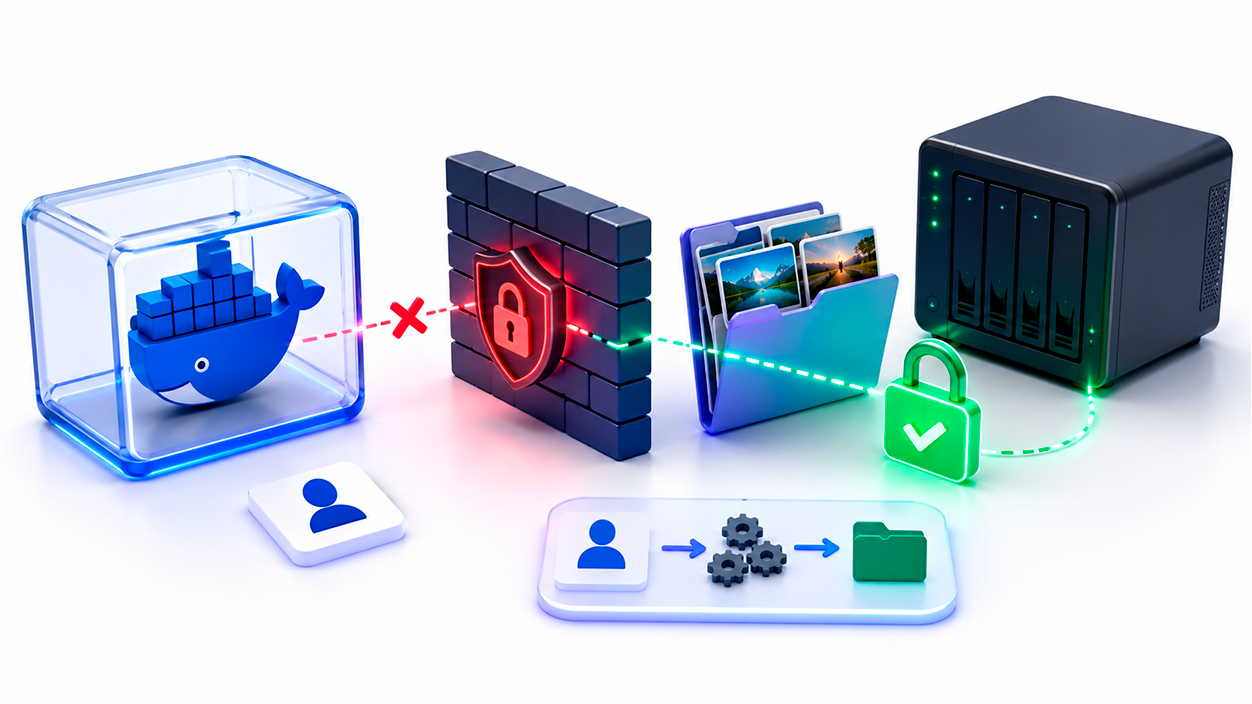
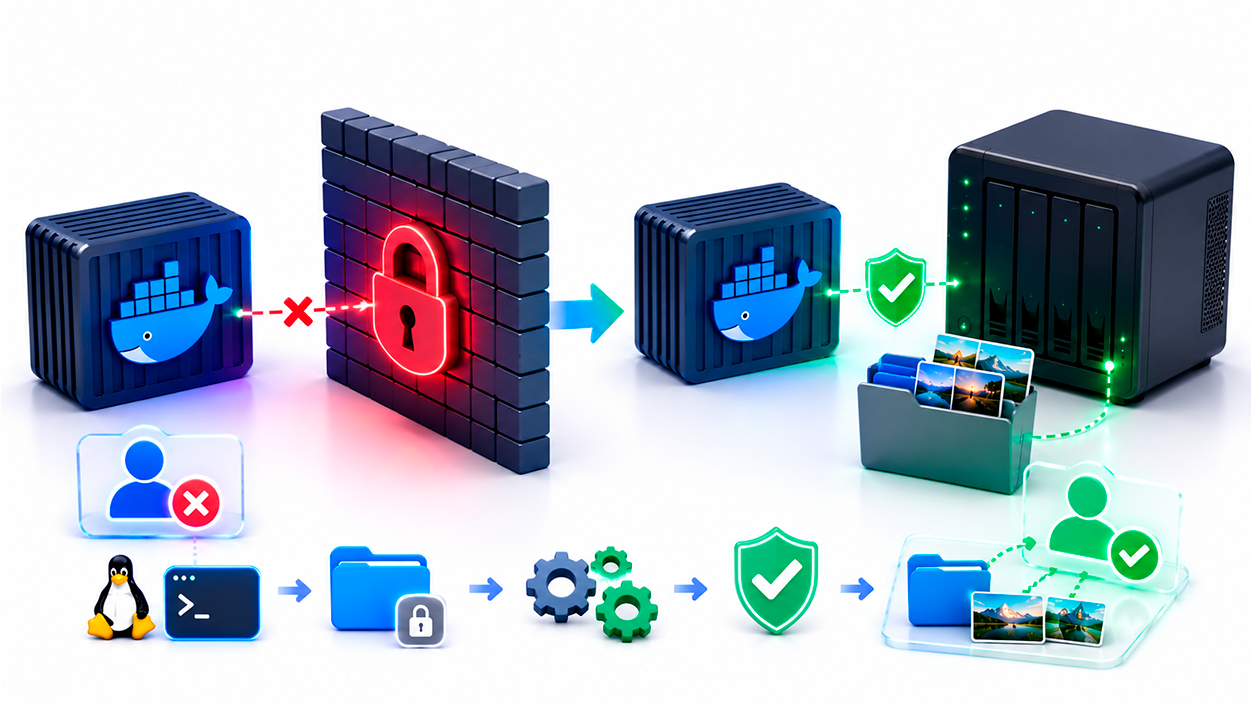
If everything seems to be set up correctly but you still can't see your photos, you most likely have a read and write permissions problemDocker typically runs containers with a specific user who may not have access to the folders on your external hard drive or your UGreen or Synology NAS. This prevents Immich from reading the files even if the path is correct.
To fix this permanently, you need to access your Linux server's terminal and change the ownership and permissions. Using the command sudo chown -R your_username:your_username /path/to/your/photos and later a sudo chmod -R 775 /path/to/your/photosYou ensure that the file system is accessible to the container. This is a critical step that many forget and is often the cause of 90% of file visibility failures.
Server installation and optimization
For Immich to run smoothly, it's ideal to install it on a Mini PC (like those based on the Intel N100) or a NAS with Docker. The architecture requires a server with at least two cores, and while it works with 4GB of RAM, for large libraries, it's recommended to use more. upgrade to 8GB or 16GBIt is vital that the PostgreSQL and Redis databases reside on a SSD or NVMe drive to avoid bottlenecks, leaving the HDDs only for the mass storage of images.
In the .env file, pay special attention to the variable UPLOAD_LOCATIONThis path should point to the location where direct uploads from the mobile app will be saved. An important tip is not to place this folder inside your external library, as this could create a problem. infinite scan loop which would overload your server's processor while still finding "new photos".
Boosting AI and Facial Recognition

One of Immich's strengths is its ability to group faces and search for objects using AI. If you have thousands of photos, the first scan can take days. To speed up this process, you can adjust the concurrency in Job settingsallowing the server to process more tasks simultaneously if your CPU can handle it. Additionally, if you have an NVIDIA graphics card, configuring the CUDA acceleration It will drastically reduce processing times.
If you notice that facial recognition is not accurate, you can play around with the maximum recognition distance in the Machine Learning settings. A value of 0.4 is usually a good balance. For massive libraries of more than 100.000 files, it is recommended to increase the amount of minimal recognized faces to prevent the system from creating thousands of small groups with errors, and then gradually lower the value to refine the search.
Mobile synchronization and remote access
The Immich app is excellent, but for truly automatic backups, especially on Android, you need to go to the app's battery settings and enable it. "Not restricted"Otherwise, the operating system will kill the background process, and your photos won't upload until you manually open the app. On iOS, the experience is similar, although the system is more restrictive with background processes.
To access your photos from outside your home without exposing your server to the dangers of the internet, the simplest and safest option is to use tailscaleThis tool creates a private VPN network between your devices, allowing you to access your server using a static IP address without needing to configure complex reverse proxies or SSL certificates. If you want to learn more, you can see How to share a NAS with friends using Tailscale to expand access. It's the fastest way to have your own "Google Photos" available anywhere in the world.
Keeping Immich up to date is as simple as running a docker compose pull and restart the containers. Don't forget to make regular backups not only of your photos, but especially of the PostgreSQL databaseBecause that's where all the organization, tags, and paths of your library reside. A 3-2-1 backup (three copies, two media, one external) is the only real guarantee against data loss.

I am a technology enthusiast who has turned his "geek" interests into a profession. I have spent more than 10 years of my life using cutting-edge technology and tinkering with all kinds of programs out of pure curiosity. Now I have specialized in computer technology and video games. This is because for more than 5 years I have been writing for various websites on technology and video games, creating articles that seek to give you the information you need in a language that is understandable to everyone.
If you have any questions, my knowledge ranges from everything related to the Windows operating system as well as Android for mobile phones. And my commitment is to you, I am always willing to spend a few minutes and help you resolve any questions you may have in this internet world.