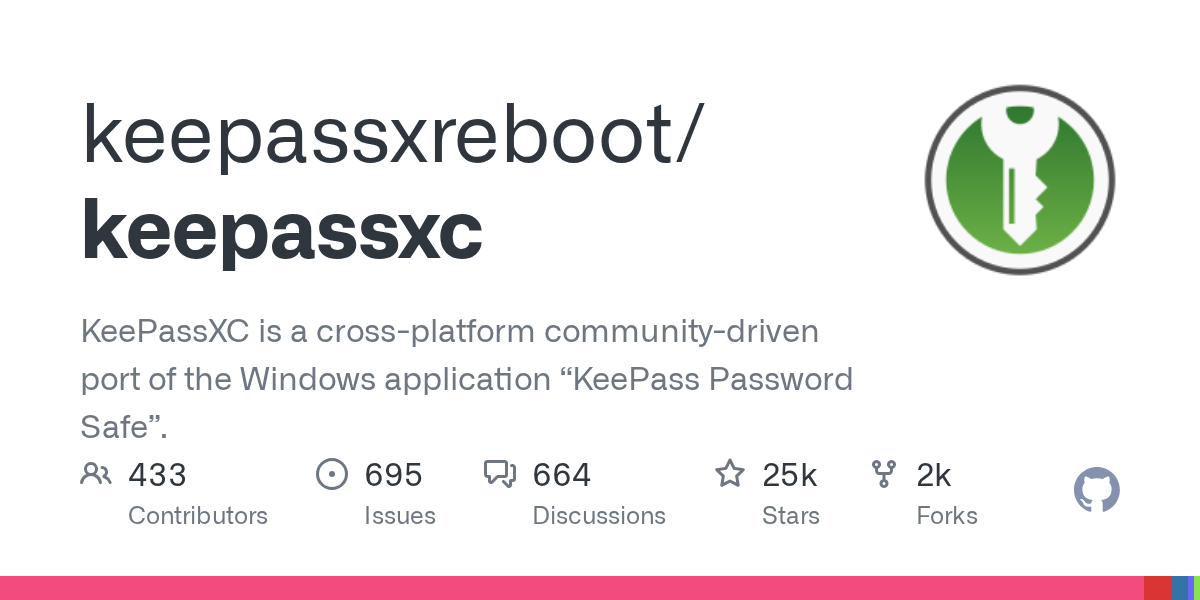
- KeePassXC yog tus pub dawb, tus neeg saib xyuas tus password hla lub platform nrog kev sib koom ua ke ntawm browser thiab kev txhawb nqa rau tus lej hla, TOTP, thiab SSH Agent.
- Version 2.7.10 ntxiv Proton Pass importer, qhov chaw hloov kho, lub tshuab hluav taws xob lub tshuab hluav taws xob thiab txo qis pib, nrog rau lwm yam kev txhim kho.
- Kev sib raug zoo nrog KDBX/KDB, cov ntaub ntawv qhia txog kev noj qab haus huv (HIBP thiab txheeb cais), CLI thiab KeeShare rau kev sib koom tes, tag nrho raws li GPL daim ntawv tso cai.
- Piv nrog rau KeePass classic, nws muaj UI niaj hnub, kev txhim kho ntau dua, thiab tsis tshua muaj kev vam khom rau plugins, thaum tswj hwm qib siab ntawm kev ruaj ntseg.

Puas yog koj tab tom nrhiav rau tus thawj tswj hwm tus password loj nrog lub zej zog qab nws? KeePassXC Nws yog ib qho kev xaiv zoo tshaj plaws. Ib txoj haujlwm niaj hnub, ruaj ntseg, thiab qhib qhov chaw uas khaws koj cov yuam sij thiab cov ntaub ntawv rhiab nyob rau hauv cov ntaub ntawv encrypted, tsis muaj kev cia siab rau huab los ntawm lub neej ntawd. Hauv lwm lo lus, koj cov secrets nyob rau hauv koj tswj thiab mus nrog koj. Lub tswv yim yog yooj yim: kev ruaj ntseg, pob tshab, thiab cov neeg siv autonomy - sau koj tus kheej cov khoom siv kev ruaj ntseg.
Hauv nws qhov tseeb version, KeePassXC 2.7.10, pab pawg tau kho ntau cov ntsiab lus thiab ntxiv cov kev txhim kho me me uas pom pom hauv kev siv txhua hnub. Cov kev hloov pauv uas txhim kho kev siv tau yam tsis muaj kev cuam tshuam kev ruaj ntseg. Peb piav qhia lawv hauv qab no:
KeePassXC yog dab tsi thiab nws ua haujlwm li cas nrog koj cov ntaub ntawv?
KeePassXC is a tus hla-platform tus password thawj tswj Nws ua haujlwm ntawm Windows, macOS, thiab Linux. Nws tsis cia siab rau cov kev pabcuam sab nraud: nws txuag txhua yam tseem ceeb (tus neeg siv lub npe, passwords, URLs, txuas, thiab sau ntawv) hauv cov ntaub ntawv encrypted uas koj tuaj yeem khaws txhua qhov chaw koj nyiam, hauv zos lossis synced nrog koj cov kev pabcuam huab nyiam. Cov ntaub ntawv yog nyob rau hauv KDBX hom (KeePass 2.x tshaj) thiab tuaj yeem xa mus rau txhua lub computer.
Lub koom haum yog hloov tau thiab meej. Koj tuaj yeem txhais cov npe kev cai, icons, thiab pab pawg los teeb tsa koj cov ntawv txawm li cas los xij koj nyiam, thiab txawm tias rub tawm cov cim rau cov ntawv los txheeb xyuas lawv ib pliag. Txhawm rau nrhiav qhov koj tab tom nrhiav, lub tshuab tshawb nrhiav built-in txhawb cov qauv siab, uas ua kom nrawm nrawm thaum koj cov ntaub ntawv loj hlob.Nyob nruab nrab ntawm lub koom haum thiab kev tshawb nrhiav nrawm, kev tswj ntau pua daim ntawv pov thawj tsis yog qhov mob ntxiv lawm.
Lwm qhov tseem ceeb yog nws tus lej password thiab tus lej cim npe. Koj tuaj yeem tsim cov passwords nyuaj los ntawm kev sib txuas cov cim hom lossis tsim cov kab lus yooj yim-rau-nco nrog cov tswv yim sib txawv.Hauv version 2.7.10 koj yuav pom cov cim lub sijhawm suav thiab cov ntaub ntawv sib xyaw tshiab ua ntej rau lub tshuab hluav taws xob kab lus, ntxiv rau ntau lub cim qhia kom pom lub zog.
Compatibility, hom thiab workflow
Lub hom phiaj ntawm KeePassXC yog KDBX (KeePass 2.x)thiab koj tuaj yeem nyeem databases KDB (KeePass 1) kom yooj yim tsiv teb tsaws chaw. Hauv kev xyaum, koj yuav ua haujlwm thiab hloov kho hauv KDBX, muaj peev xwm import thiab hloov cov ntaub ntawv qub yam tsis muaj teeb meem. Tsis tas li ntawd, muaj Export rau CSV, XML, thiab HTML tsim cov ntawv ceeb toom lossis thaub qab thaum koj xav tau.
Rau automate cov haujlwm thiab ua haujlwm ntawm lub davhlau ya nyob twg, Nws suav nrog Keepassxc-cli, ib qho kev hais kom ua kab sib txuas uas haum zoo rau cov ntawv sau thiab DevOps workflows. Thiab yog tias koj xav tau qhib cov ntaub ntawv nyob rau hauv qee yam xwm txheej, kuj tseem muaj Auto-Open feature.
Rau qhia nyob rau hauv ib txoj kev tswjKoj muaj KeeShare: ntshuam, xa tawm, thiab synchronize cov ntaub ntawv sib koom nrog lwm tus neeg lossis pab pawg, tuav tus qauv kev sib koom tes ruaj ntseg. Thiab ntawm Linux desktop, KeePassXC tuaj yeem ua raws li FreeDesktop.org Kev Pabcuam zais cia, hloov cov kev pabcuam zoo li Gnome keychain.
Kev ruaj ntseg, encryption, thiab ntxiv authentication
Kev ruaj ntseg tsis yog tham xwb. Ntxiv nrog rau lub hauv paus encryption muaj zog, koj tuaj yeem xaiv cov algorithms ntxiv xws li Twofish thiab ChaCha20.muab ib qho nyiaj ntxiv rau cov neeg nrhiav lwm txoj hauv kev rau tus qauv.
KeePassXC tso cai rau siv cov ntaub ntawv tseem ceeb ua ke nrog tus password tus tswv, thiab txhawb kev sib tw teb nrog YubiKey lossis OnlyKey. Cov txheej thib ob no ua rau lub neej nyuaj rau txhua tus uas sim yuam koj lub vault, tshwj xeeb tshaj yog tias cov cuab yeej kho vajtse yuav tsum tau qhib nws.
La aplicación Nws kuj tseem txuag thiab tsim TOTP (cov lej ib ntus) rau koj tus lej ob qhov kev lees paub tseebconsolidating tag nrho cov khoom koj xav tau txhua hnub nyob rau hauv ib qho chaw. Thiab txhawm rau saib xyuas kev noj qab haus huv ntawm koj lub tsev khaws puav pheej, muaj cov ntaub ntawv qhia txog kev nyab xeeb: lub zog ntawm tus password, HIBP kuaj xyuas (paub cov ntaub ntawv ua txhaum cai), thiab kev siv cov txheeb cais.

Kev tsim thiab kev tswj hwm: kev txhim kho uas pom tau
Tus password generator tau ua kom zoo nrog a nyob cim txeeQhov no yuav cawm koj los ntawm kev kwv yees cov kev xav tau rau txhua lub vev xaib lossis txoj cai koom tes. Thiab lub zog kem tam sim no nta cov cim kom pom tseeb, pab koj pom ntawm ib sab yog tias koj nyob ntawm txoj kev raug.
Rau cov neeg uas nyiam passphrases, Cov ntaub ntawv MIXED preset muaj qhov kev xaiv yooj yim uas hloov pauv ntawm cov ntawv loj thiab cov ntawv me.nce entropy yam tsis poob nco. Thiab yog tias koj nyiam kho qhov interface zoo, qhov kev xaiv tshiab los hloov lub app lub font loj yog qhov me me tab sis tseem ceeb kev txhim kho.
Hauv toolbar koj tam sim no yuav pom shortcuts rau koj qhov chaw database thiab txheeb caisNws yog ib qho nyem thiab koj nyob hauv, zoo tagnrho rau cov lus nug ceev lossis kev hloov kho tshwj xeeb.
Thaum kawg, peb yuav tsum tsis txhob hnov qab lub Auto-Type functionNrog nws, koj tuaj yeem nkag mus rau cov ntaub ntawv pov thawj rau hauv cov ntawv thov lossis cov vev xaib uas tsis siv qhov browser txuas ntxiv. Nws yog ib qho tseem ceeb heev rau cov tsoos desktop software lossis cov ntawv txawv txawv.
Browser kev koom ua ke thiab official extension
KeePassXC koom nrog cov browser nrov tshaj plaws: Google Chrome, Mozilla Firefox, Microsoft Edge, Chromium, Vivaldi, Siab tawv, thiab txawm tias Tor Browser. Tsuas yog nruab nws txoj haujlwm txuas ntxiv thiab txuas nws mus rau daim ntawv thov desktop. Kev sib txuas yog haiv neeg thiab seamless, tsis muaj kev ua haujlwm ntxiv..
La kev txuas ntxiv Nws tau yug los ntawm lub tswv yim yooj yim: khoos phis tawj yog qhov zoo ntawm kev khaws cov ntaub ntawv, yog li tsis txhob nkim sij hawm ntaus passwords ntau dua. Ib zaug txuas, lub plugin tuaj yeem ua tiav thiab tswj hwm kev sib tham, thiab tam sim no kuj txhawb nqa passkeys los ntawm kev sib koom ua ke ntawm browser.nkag mus yam tsis muaj tus password).
Cov ntawv ceeb toom thiab xa tawm kom nkag siab koj lub vault
Lub database qhia Lawv qhia koj txog kev noj qab haus huv ntawm koj lub tsev khaws puav pheej: tus password muaj zog, nrhiav pom cov teeb meem muaj peev xwm, thiab kev siv txheeb cais. Koj tuaj yeem xa tawm mus rau CSV, XML, lossis HTML rau kev tshuaj xyuas lossis cov ntawv ceeb toom sab hauv.
Nrog rau qhov no, lub nkag keeb kwm thiab rov kho cov ntaub ntawv Lawv muab kev nyab xeeb net: yog tias koj hloov qee yam thiab khuv xim nws, koj tuaj yeem thim rov qab yam tsis muaj teeb meem. Kuj tseem muaj cov cwj pwm kev cai thiab cov ntaub ntawv txuas rau ib qho kev nkag mus rau hauv nruab nrab cov ntaub ntawv cuam tshuam nrog txhua daim ntawv pov thawj.
Migration thiab importers: qhov twg koj tuaj, qhov twg koj mus
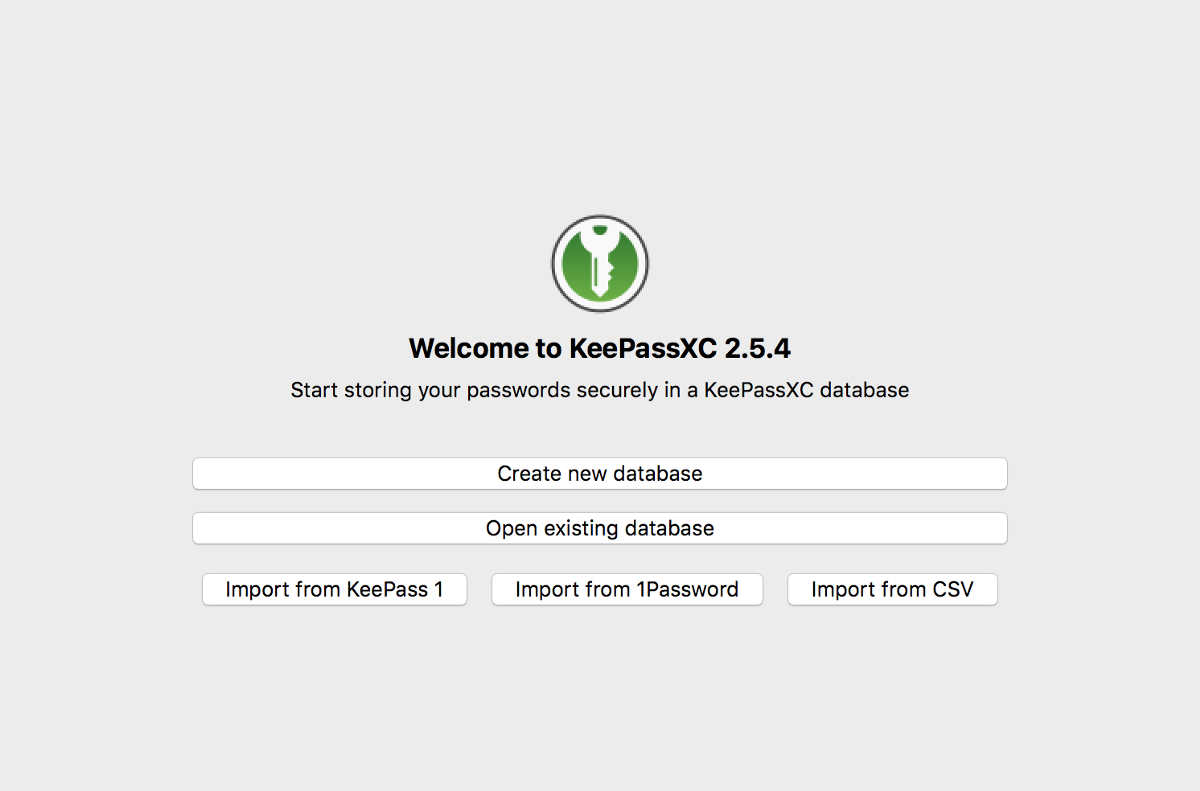
Yog tias koj los ntawm lwm tus thawj tswj hwm, cov txheej txheem ncaj qha: KeePassXC imports los ntawm CSV thiab los ntawm 1Password, Bitwarden, Proton Pass thiab KeePass 1 hom. Qhov zoo tshaj plaws tshiab feature hauv 2.7.10 yog haiv neeg Proton Pass importer, uas ua rau qhov dhia yooj yim dua.
Rau cov neeg tuaj ntawm KeePass classic, KDBX compatibility thiab KDB ntshuam / hloov dua siab tshiab pave txoj kev tsis poob ntaub ntawvThiab ua tsaug rau per-entry icon downloads, koj lub vault yuav txuas ntxiv saib kom paub tom qab kev tsiv teb tsaws chaw.
Installation, cov ntaub ntawv thiab shortcuts
Pib nrog, txoj kev ceev ceev yog Rub tawm binaries los ntawm nplooj ntawv rub tawm thiab ua raws li QuickStart Guide. Ntau Linux kev faib tawm tshaj tawm lawv tus kheej pob, yog li tshawb xyuas koj qhov chaw khaws cia distro. Cov lus qhia ntxaws ntxaws muaj nyob hauv Daim Ntawv Qhia Tus Neeg Siv, thiab yog tias koj xav sau lossis nkag siab txog cov txheej txheem, koj yuav pom cov lus qhia hauv Tsim thiab Nruab thiab cov ntaub ntawv hauv Wiki.
Txoj haujlwm tswj hwm qhov hloov pauv nrog txhua qhov kev hloov pauv, thiab a cov ntaub ntawv tshwj xeeb ntawm cov keyboard shortcuts (KeyboardShortcuts.adoc) kom ceev cov haujlwm txhua hnub. Yog tias koj yog ib tus neeg paub lub app nrog cov keyboard, qhov no yog kub dawb.
Muaj nyob rau ntawm official platforms thiab channels
KeePassXC khiav ntawm Windows, macOS, thiab Linux nrog kev txhawb nqa zoo ib yam.Hauv Windows ecosystem, ntxiv rau cov kab ke ib txwm muaj, koj yuav pom muaj nyob hauv Microsoft Store kom yooj yim rub tawm thiab teeb tsa hauv ib puag ncig no.
Yuav kom nyob twj ywm tshiab, koj tuaj yeem siv lub vev xaib raug cai, blog nrog cov xov xwm hloov tshiab, thiab qhib qhov chaw tso cai qhov chaw uas muaj ntau qhov kev sib tham thiab kev loj hlob. Peb tus ncej no tsim lub hauv paus ntawm qhov project thiab nws cov lus tshaj tawm.
Siv cov xwm txheej uas ci nrog KeePassXC
Cov neeg siv ib tus neeg uas xav txav mus deb ntawm huab tuaj yeem khaws lawv lub tsev khaws puav pheej hauv zos lossis sync nrog lawv cov kev pabcuam nyiam, yam tsis tau khi rau ib tus kws kho mob. Cov tswj hwm ntau tus account yuav txaus siab rau cov pab pawg uas tuaj yeem hloov kho, tshawb nrhiav qib siab, thiab rub tawm ib qho icon nkag. Lub koom haum ceev rau cov vaults nrog ntau pua cov ntaub ntawv.
Nyob rau hauv ib puag ncig kev, kev sib xyaw ntawm SSH Agent, keepassxc-cli, Auto-Type, thiab Lub luag haujlwm zais cia hauv Linux txo kev sib txhuam ntawm cov terminals, servers, thiab sib xyaw desktops. Ua ke nrog kev sib koom ua ke TOTP, nws txo qhov kev xav tau ntawm cov ntawv thov ntxiv thiab ua kom muaj kev ruaj ntseg, pab rau ... Tiv thaiv koj lub PC los ntawm kev soj ntsuam siab heev. Ib qho chaw ruaj ntseg rau cov ntawv pov thawj thiab ob qhov kev lees paub tseeb..
Rau cov pab pawg thiab cov lag luam me, cov ntaub ntawv qhia txog kev noj qab haus huv, kev txheeb cais, thiab KeeShare yooj yim siv cov cai tswj xyuas tus password tsawg tsawg yam tsis tau them nyiaj rau ib tus neeg siv. Exporting rau CSV/XML/HTML enables seamless internal audits. Kev pom thiab kev tswj xyuas yam tsis thaiv kev ua haujlwm.
Thiab yog tias koj tsiv teb tsaws los ntawm lwm tus neeg saib xyuas tus password zoo li 1Password, Bitwarden, lossis Proton Pass, cov neeg tsim khoom tsim tawm txuag koj cov sijhawm ua haujlwm. MIXED preset thiab lub tshuab hluav taws xob txee ua kom ua raws li cov cai ntawm cov tuam txhab ntawm qhov ntev thiab qhov nyuaj. Tsawg sij hawm tsiv teb tsaws, ntau lub sijhawm ua haujlwm.
Tag nrho cov no yog ua tiav los ntawm cov neeg siv me me cov ntsiab lus: kho qhov font loj los txhim kho kev nyeem ntawv, tso lub app txo qis thaum lub kaw lus pib, thiab muaj kev nkag tau sai rau cov chaw thiab ntsuas ntawm lub bar. Micro-kev txhim kho uas ntxiv rau hauv kev siv txhua hnub.
KeePassXC sawv tawm rau kev muab qhov sib npaug ntawm kev ruaj ntseg, cov yam ntxwv siab heev, thiab kev paub niaj hnub uas tsis tas yuav muaj kev sib tw nrog esoteric configurations. Nws nta kev sib koom ua ke ntawm tus browser ib txwm muaj, kev txhawb nqa passkey, TOTP, cov ntawv ceeb toom kev noj qab haus huv, KDBX / KDB kev sib raug zoo, thiab cov neeg xa khoom los ntawm 1Password, Bitwarden, thiab ProtonPass - txhua qhov qhwv hauv GPL qhov project nrog lub zej zog nquag thiab kev tshuaj xyuas nruj ntawm kev koom tes. Yog tias koj tab tom nrhiav kev tswj hwm, pob tshab, thiab lub cuab yeej loj hlob nrog koj, ntawm no yog tus neeg sib tw muaj zog..

Tus kws kho tshwj xeeb hauv kev siv thev naus laus zis thiab teeb meem hauv internet nrog ntau tshaj kaum xyoo ntawm kev paub hauv cov xov xwm sib txawv. Kuv tau ua haujlwm ua tus editor thiab tus tsim cov ntsiab lus rau e-lag luam, kev sib txuas lus, kev lag luam online thiab cov tuam txhab tshaj tawm. Kuv kuj tau sau rau ntawm kev lag luam, nyiaj txiag thiab lwm cov vev xaib. Kuv txoj hauj lwm kuj yog kuv lub siab nyiam. Tam sim no, dhau ntawm kuv cov ntawv hauv Tecnobits, Kuv sim tshawb nrhiav txhua yam xov xwm thiab lub cib fim tshiab uas lub ntiaj teb kev siv tshuab muab rau peb txhua hnub los txhim kho peb lub neej.