
Koj puas paub tias muaj cov apps uas cia koj muaj tus lej thib ob hauv koj lub xov tooj yam tsis muaj SIM ntxiv? Nrog lawv, koj tuaj yeem ua tau tsim social media accounts zoo li WhatsApp, uas xav kom koj tau txais kev lees paub SMS. Tsis tas li ntawd, ntau ntawm lawv tso cai hu xovtooj thoob ntiaj teb thiab ntawv siv koj kev sib txuas hauv internet ntawm cov ntaub ntawv lossis Wi-Fi. Hauv tsab xov xwm no, peb yuav saib cov apps zoo tshaj plaws tsim rau lub hom phiaj no.
Cov apps zoo tshaj plaws kom muaj tus lej thib ob ntawm koj lub xov tooj ntawm tes yam tsis muaj SIM ntxiv

Cov ntawv thov kom muaj tus lej thib ob ntawm koj lub xov tooj ntawm tes yuav pab tau thaum Koj xav tau tus lej ib ntus lossis mus tas li, tab sis koj tsis xav yuav lwm SIM.Txawm hais tias koj twb muaj ob lub SIM daim npav nyob, nrog tus lej virtual koj tuaj yeem muaj peb lossis ntau tus lej ntawm ib lub cuab yeej. Yog li, dab tsi yog qhov zoo ntawm kev muaj tus lej virtual?
Ntau tus neeg siv lawv rau khaws koj tus kheej lossis tus kheej lub neej thiab koj lub neej ua haujlwm sib caisLawv kuj zoo tagnrho thaum koj xav tsim cov nyiaj hauv cov vev xaib lossis cov ntawv thov uas xav tau kev lees paub SMS, tab sis koj tsis xav muab koj tus lej rau qhov ntawd.
Lwm qhov zoo dua uas cov ntawv thov no muaj yog qhov ntawd Lawv tus nqi pheej yig thiab lawv tsis kim npaum li daim ntawv cog lus tus nqi ntawm lub cev lub xov tooj.Cov lej no siv cov ntaub ntawv lossis Wi-Fi tes hauj lwm es tsis txhob siv xov tooj. Dab tsi ntxiv, lawv tuaj yeem siv online, los ntawm lub vev xaib. Txawm li cas los xij, yog tias koj xav txaus siab rau txhua qhov kev pabcuam lawv muab, nws yog qhov zoo tshaj rau rub tawm lub mobile app. Peb yuav tham txog lawv hauv qab no.
5 zoo tshaj plaws apps rau muaj tus xov tooj thib ob uas tsis muaj SIM ntxiv
Hauv qab no, peb yuav sau tsib lub apps zoo tshaj plaws kom muaj tus lej thib ob hauv koj lub xov tooj ntawm tes. Nco ntsoov tias, txawm hais tias lawv yog dawb kiag li rub tawm, coj kom zoo dua ntawm tag nrho cov kev pabcuam lawv muab, Koj yuav tau them tus nqi ib hlis lossis ib xyoos, nyob ntawm lub app.Cia peb saib.
Hushed

Peb pib cov npe no nrog ib qho ntawm cov apps zoo tshaj plaws kom muaj tus lej thib ob ntawm koj lub xov tooj ntawm tes: Hushed. Cov app no yog muaj rau Android thiab iOS thiab tuaj yeem rub tawm dawb ntawm koj lub xov tooj ntawm tes. Rau peb hnub, koj tuaj yeem siv nws kom muaj tus lej ntxiv yam tsis tau them nqi.Nrog tus lej muab los ntawm lub app, koj tuaj yeem hu xov tooj ntiag tug siv cov ntaub ntawv thiab Wi-Fi.
Thaum lub sijhawm sim tau dhau mus (peb hnub), koj yuav tau them rau ib qho ntawm lawv cov kev pabcuam. Tam sim no lawv muaj peb yam muaj: prepaid, unlimited subscription lossis hu thoob ntiaj tebThawj tus nqi yog $ 3.99 US las, qhov thib ob ntawm $ 4.99 thiab qhov thib peb ntawm $ 6.99.
Nrog Hushed, koj tuaj yeem xaiv los ntawm cov xov tooj hauv Canada, Tebchaws Meskas, thiab United Kingdom. Ntxiv rau, koj tuaj yeem txaus siab rau cov txiaj ntsig zoo li tus kheej lub suab xa ntawv, hu rau xa mus, thiab lwm yam. Thiab thaum koj tuaj yeem them txhua hli lossis ib xyoos, Cov phiaj xwm txhua xyoo txuag koj txog 20% ntawm tus nqi.
eSIM tus lej ntawm cov ntawv thov kom muaj tus lej thib ob
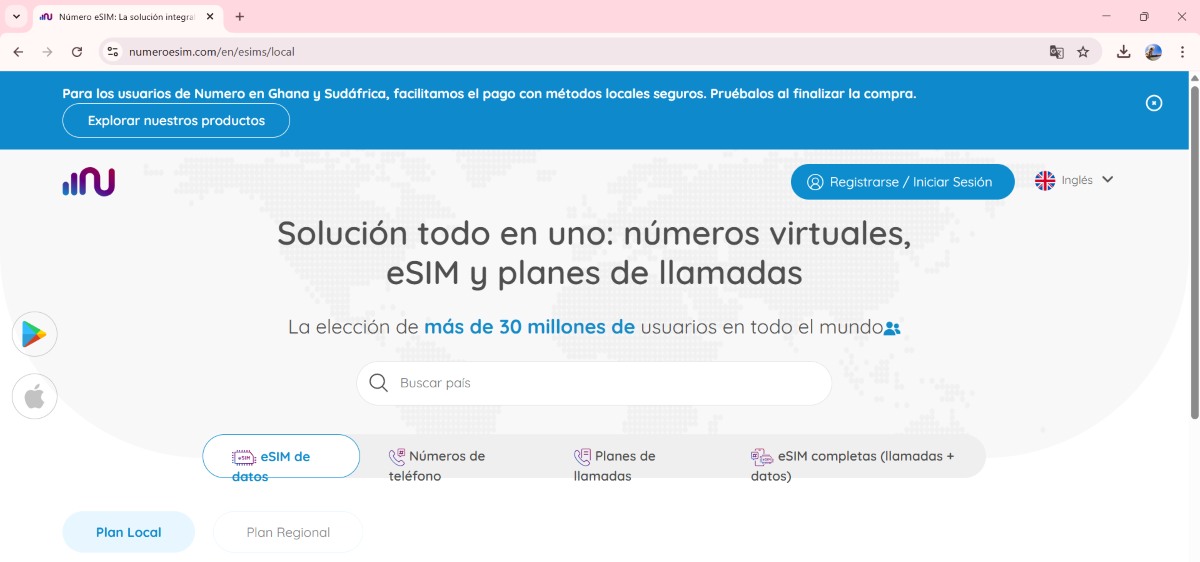
Número eSIM yog lwm qhov zoo tshaj plaws apps rau muaj tus lej thib ob hauv koj lub xov tooj yam tsis muaj SIM ntxiv. Nws muaj rau iOS thiab Android, thiab koj tuaj yeem rub tawm nws dawb hauv koj lub xov tooj. Thaum koj tau teeb tsa lub app hauv koj lub xov tooj, ua raws li cov kauj ruam no: cov kauj ruam kom tau tus lej thib ob nrog nws:
- Qhib eSIM Number app thiab sau koj tus lej xov tooj. Koj yuav tau ua qhov no.
- Ahora selecciona la opción “Números de teléfono”, lub cim nyob rau sab laug sab sauv. (Koj tuaj yeem xaiv tus lej xov tooj hu dawb hauv Teb Chaws Asmeskas, tab sis koj yuav tau saib ntau tshaj tawm lossis rub tawm ua si.)
- Luego, haz clic en la opción “Social Media Numbers" txhawm rau kom tau txais tus lej uas muaj peev xwm tau txais SMS rau kev txheeb xyuas ob-kauj ruam.
- Ua raws li cov kauj ruam ntawm qhov screen thiab xaiv tus lej.
- A continuación, tienes que elegir el plan koj xav them. Koj muaj ob txoj kev xaiv: txhua hli lossis ib xyoos. Yog li, yog tias koj xav tau tus lej rau lub sijhawm tshwj xeeb, peb pom zoo kom siv qhov kev xaiv txhua hli.
- Nrog rau qhov no, koj yuav muaj tus lej virtual. Tam sim no koj yuav tsum xaiv seb qhov ntawd yuav yog tus naj npawb rau koj cov kev sib txuas lus lossis koj yuav txuas ntxiv siv koj li qhov tseem ceeb.
- Thaum kawg, paub meej tias koj tus lej xov tooj thiab koj tus lej tshiab yuav ua haujlwm. Hauv qab ntawm lub app, koj yuav pom cov kev xaiv rau kev hu xov tooj, xa ntawv, suab xa ntawv, thiab ntau dua.
Burner

Tam sim no, yog tias koj xav kom muaj tus xov tooj thib ob ntawm koj lub xov tooj ntawm tes de forma temporal, Burner yog ib qho kev xaiv zoo tshaj plaws. Qhov no app tso cai rau koj los tsim cov lej pov tseg, tso cai rau koj mus yuav txog 200 tus lej ntawm ib lub cuab yeej. Nws yog tsim los tiv thaiv koj tus kheej, piv txwv li, thaum mus yuav khoom lossis mus rau thawj hnub.
Thawj qhov teeb meem koj yuav yog dawb. Thiab koj tuaj yeem siv lub app dawb kiag li rau thawj lub lim tiamKoj siv nws li cas? Thaum koj siv ib qho ntawm lawv tus lej, tib neeg yuav pom tus lej pov tseg, tsis yog koj tus lej thawj. Thiab thaum koj rho tawm lossis "hlawv" cov lej no, lawv tam sim ntawd tawm ntawm kev pabcuam thiab tshem tawm ntawm koj lub xov tooj.
Google Voice apps kom muaj tus lej thib ob
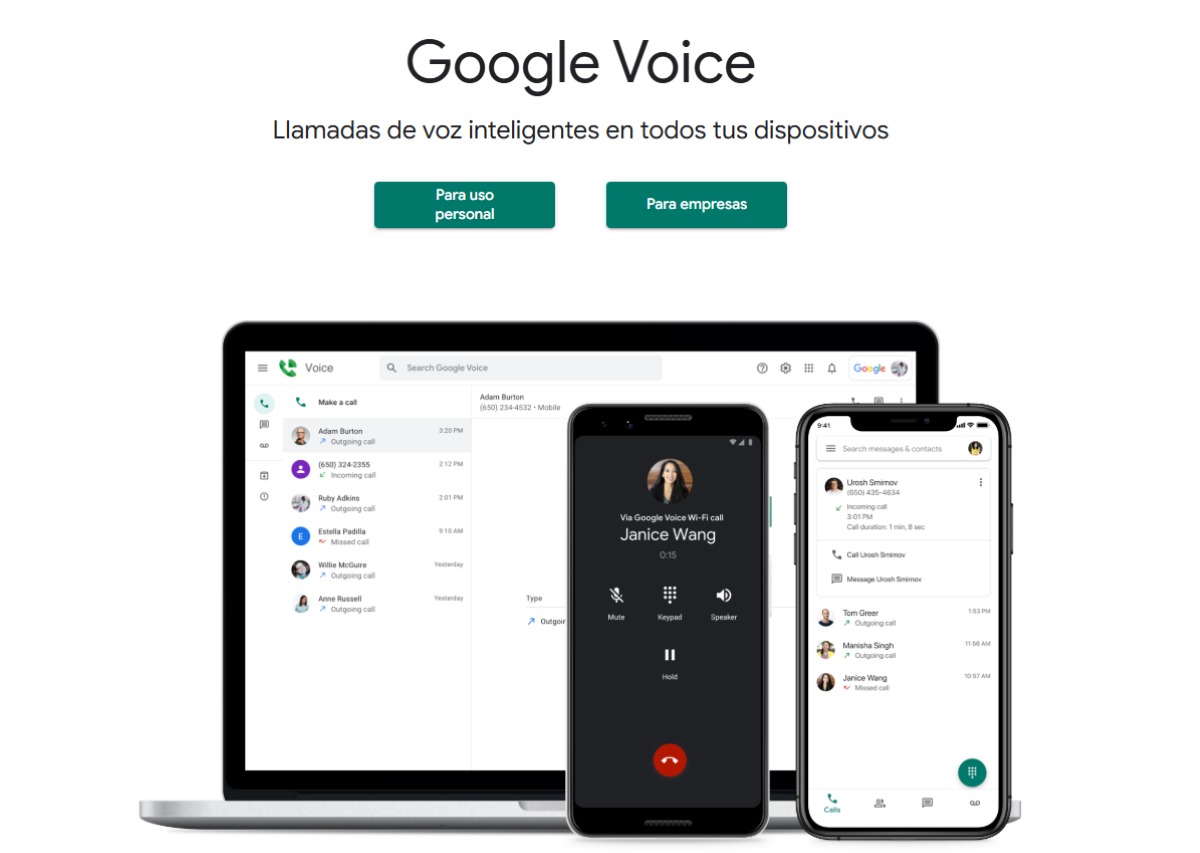
Google Voice yog lwm lub app rau muaj tus lej thib ob ntawm koj lub xov tooj. Nrog nws, koj tuaj yeem Xa ntawv thiab hu rau Android, iOS, thiab txhua lub computer los ntawm kev siv lub vev xaib. Thawj qhov koj yuav tsum tau ua yog nkag mus rau Google Voice lub vev xaib thiab kos npe nrog koj tus account Google. Tom qab ntawd, ua raws li cov kauj ruam no:
- Xaiv koj tus lej virtual: Koj yuav tsum tau tshawb xyuas los ntawm lub nroog lossis cheeb tsam chaws. Tom qab ntawd, koj tuaj yeem xaiv tus lej koj nyiam.
- Xyuas koj tus account: Txhawm rau ua qhov no, koj yuav tsum muab koj tus lej tiag rau kev txheeb xyuas. Sau tus lej uas koj tau txais hauv Google Voice los qhib tus lej.
- Nruab Google Voice app ntawm koj lub xov toojKoj tuaj yeem rub tawm nws los ntawm Google Play lossis lub vev xaib.
- Thaum kawg, txheeb xyuas koj tus lej virtual ua thiab tau txais kev hu los ntawm koj lub xov tooj ntawm tes thiab qhov ntawd yog nws.
eSIM.me
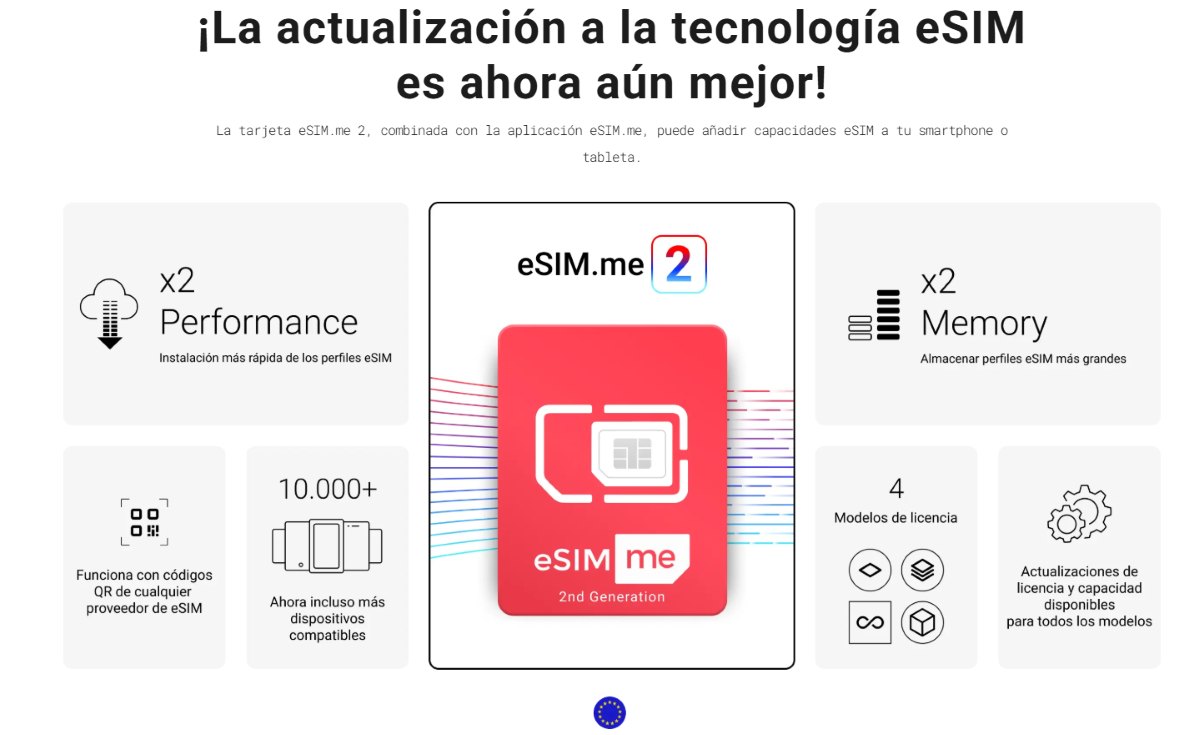
Peb xaus qhov kev tshuaj ntsuam no nrog eSIM.me, uas, txawm hais tias nws tsis yog tus lej virtual, yog a txoj kev daws teeb meem rau cov xov tooj uas Ameslikas tsis muaj tecnología eSIM. Qhov no txhais tau tias nrog eSIM.me koj tuaj yeem ua rau koj lub xov tooj eSIM tau tshaj. Tab sis nws ua haujlwm li cas? Txhawm rau ua qhov no, koj yuav tsum yuav daim npav eSIM.me lub cev ntawm koj lub vev xaib raug cai.
Thaum koj muaj nws, ntxig nws rau hauv koj lub xov tooj SIM qhov. Tom qab ntawd, rub lub app los ntawm Google Play. Nws tseem ceeb heev uas yuav tsum nco ntsoov tias thaum koj yuav daim npav no, koj tsis tau txais eSIM profile. Koj yuav tau mus download tau nws siv tej cab kuj. Nco ntsoov tias qhov kev pabcuam no Nws tsuas yog ua kom muaj peev xwm siv eSIM ntawm koj lub xov tooj ntawm tes.Thaum kawg, koj yuav tsum qhib qhov profile kom hu thiab xa lus los ntawm nws.

Txij thaum kuv tseem hluas, kuv nyiam txhua yam txog kev tshawb fawb thiab thev naus laus zis, tshwj xeeb yog cov kev nce qib uas ua rau peb lub neej yooj yim dua thiab lom zem dua. Kuv nyiam nyob twj ywm txog cov xov xwm tshiab thiab cov qauv tshiab, thiab qhia kuv cov kev paub dhau los, kev xav, thiab cov lus qhia txog cov khoom siv thiab cov khoom siv uas kuv siv. Qhov no ua rau kuv los ua tus kws sau ntawv hauv web me ntsis ntau tshaj tsib xyoos dhau los, tsom mus rau cov khoom siv Android thiab Windows operating systems. Kuv tau kawm piav qhia cov ntsiab lus nyuaj hauv cov lus yooj yim kom kuv cov neeg nyeem tuaj yeem nkag siab lawv yooj yim.