- Choose according to your objective: visibility (management) or efficiency (automation).
- It combines elements: project manager, diagramming, and automation with AI or no-code.
- Prioritize integrations, low-code, approvals, and reports to iterate processes.
¿What are the best tools for creating workflows in 2025? Why stick to spreadsheets when we can orchestrate processes with visuals, automation, and real-time collaboration? Lists are fine in a pinch, but modern teams need clear maps, rules, and automation. that take work off your plate and provide visibility from beginning to end.
The platforms of workflow design and management They combine diagrams, tasks, rules, and approvals to move from theory to practice. They use visual views (such as flowcharts, Kanban, or Gantt charts) and automation recipes that reduce errors, avoid bottlenecks, and free up time for what's important.
What is workflow software and why should you benefit from it?
We're talking about tools that allow model processes with steps, actors, conditions, and approvals; execute those processes consistently; and measure what works and what doesn't. Transparency, accuracy and productivity These are its three main pillars.
With these systems you can Create sequential or parallel flows, use subflows, and share templates to replicate best practices. Furthermore, a good no-code builder with drag and drop democratizes process creation for the entire company.
Automation does the heavy lifting: notifications, reminders, smart assignments, and rules that are triggered by events or timeframes. And all of this with real-time tracking and reports to detect bottlenecks.
How to choose your ideal tool
To get it right, focus on the essentials: advanced task assignment (including approvals and conditions), flow types (sequential and parallel), subflows reusable, sharing/export options and very important, no-code constructor so that anyone can design processes without programming.
Collaboration is key. Seek Simultaneous editing, comments, permission control, and notifications to move work seamlessly. And whether the team lives on Slack, Teams, or email, seamless integrations They will make everything fit together without forcing you to change your habits.
Top software for designing and running workflows
These are the most comprehensive tools for creating, automating, and visualizing processes. We include strengths, limitations, prices, and ratings. as they appear in the sources, rewritten for clarity.
1) ClickUp
An "all-in-one" center with tasks, documents, whiteboards, mind maps, and templates. It allows you to brainstorm on whiteboards, correlate tasks in mind maps, and convert text into actionable tasks.It has predefined and customizable automations.
Better features: editable whiteboards, mind maps with task correlation, collaborative documents with action item assignment, configurable automations.
Prices: Free Forever; Unlimited $7/user/month; Business $12/user/month; Enterprise under contract. ClickUp AI It is added to paid plans for $5/member/month. Annual model.
Ratings: G2 4,7/5 (8.000+); Capterra 4,7/5 (3.000+).
2) Trello
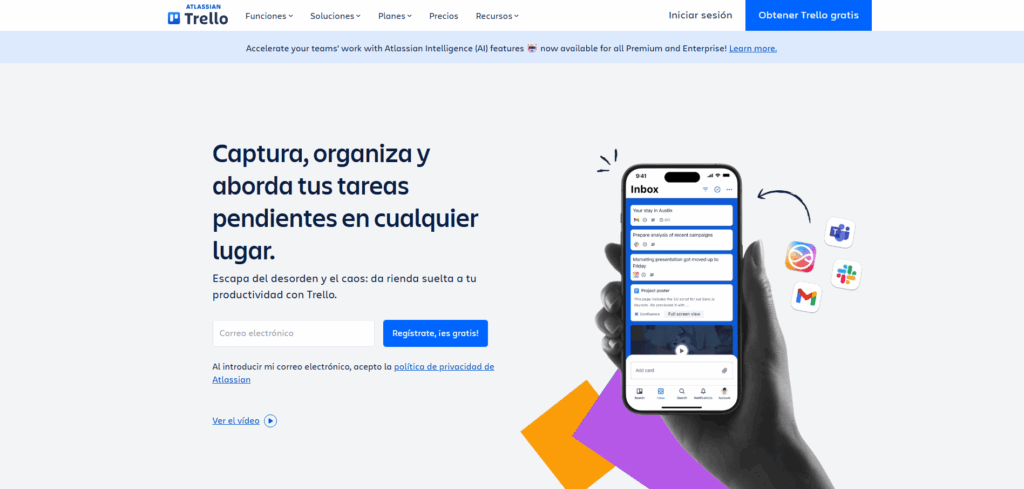
En Trello You will find visual Kanban boards with cards and multiple views (timelines, calendar, tables, maps). Their Butler assistant automates without code using rules and buttons.If you have any questions, we have this guide for you about How to create a board template in Trello?
Pros: 100+ templates, diverse views, integrations (Jira, Slack, Miro), Butler automation. ConsLimited integrated reports and designed for small teams (3–5 people).
Prices: Free; Standard $5/user/month; Premium $10/user/month; Enterprise $17,50/user/month. Annual model. Ratings: G2 4,4/5 (13.000+); Capterra 4,5/5 (22.000+).
3) monday.com
A visual platform for scheduling, tracking progress, and scaling projects. Gantt, Kanban, and Timeline Views; panels for high-level vision and abundant templates.
Pros: adaptable panels, many templates, scalable views, connectors (Trello, Google Drive), automations for reminders and approvals. Cons: longer initial adjustment and flexibility of customization improvable.
Prices: Free; Basic $8/user/month; Standard $10/user/month; Pro $16/user/month; Enterprise under contract. Annual model. Ratings: G2 4,7/5 (8.000+); Capterra 4,6/5 (4.000+).
4) ProcessMaker
Solution business process automation (BPA) and workflow management. Design, implementation, monitoring and improvement of processes with IDP and AI.
ProsIntelligent document processing, natural language search, end to end automationIntegrations with JotForm, Formstack, Typeform. ConsComplex workflows can slow things down, and some recent features require an online connection.
PricesPlatform $1.475/month (unlimited users); Pro/Enterprise upon request. Annual model. Ratings: G2 4,3/5 (250+); Capterra 4,5/5 (150+).
5) Lucidchart
Visual workspace with layout, data visualization and collaborative editing. Extensive template library and real-time collaboration.
ProsGoogle add-ons, varied templates, simultaneous collaboration, AI plugin for generating diagrams. Cons: potential loading issues and learning curve in advanced functions.
Prices: Free; Individual $7,95/user/month; Team $9/user/month; Enterprise under contract. Annual model. Ratings: GetApp 4,5/5 (1.500+); Capterra 4,5/5 (1.500+).
6) Smartsheet
Powerful spreadsheets with code to automate workflowsBridge offers a variety of views, customizable reports and dashboards, and adds automation at scale.
Pros: low-code workflows, sheet sharing, integrations (Google Drive, Jira, Slack), Gantt charts, various widgets. Cons: remarkable learning curve and limited native automation against specific platforms.
Prices: Free; Pro $6/user/month; Business $22/user/month; Enterprise under contract. Annual model. Ratings: G2 4,4/5 (14.500+); Capterra 4,5/5 (3.000+).
7) Creately
Infinite whiteboard for brainstorming, visualization, and strategy. 70 diagramming standards and 1.000+ shapes/connectorsreal-time collaboration.
Prices: Free; Personal $5/user/month; Business $89/user/month; Enterprise under contract. Annual model. Ratings: G2 4,4/5 (1.000+); Capterra 4,3/5 (150+).
8) Cflow
Simple interface for automate repetitive processes with visual flow designer (drag and drop) and pre-made templates.
Pros: visual creator/designer, no-code, integration with Office 365 and G Suite, templates. ConsIt may slow down under heavy loads and initial curve due to an abundance of functions.
Prices: Happy $7/user/month; Joy $11/user/month; Bliss $16/user/month. Annual model. Ratings: G2 5/5 (50+); Capterra 4,9/5 (10+).
9) SmartDraw
Unify diagrams, whiteboards, and data. Automate the routing of shapes and styles, with templates for plans, UML or networks and an AI-powered whiteboard.
ConsRemote collaboration is unavailable and selection of multiple objects improvable. PricesIndividual $9,95/user/month; Team $8,25/user/month (min. 3); Site $2.995/year. Ratings: G2 4,6/5 (200+); Capterra 4,1/5 (100+).
10) Gliffy
Diagramming application designed for Confluence and Jira, with layers, UML, ER and flows, plus mind map templates and organizational charts.
Cons: interface that could be improved and learning curve for beginners. Online pricesProfessional (1–9) $8/user/month; Professional (10–50) $6/user/month; Enterprise under contract. Ratings: G2 4,4/5 (200+); Capterra 4,3/5 (50+).
From managing to automating: the apps that “do” the work
The market has evolved from track tasks (Trello) a manage projects (monday.com, Asana) and now to automate with AIThere are cases where a tool not only alerts you, but also acts on your behalf.
ClickUp It aims to be your all-in-one suite (tasks, docs, whiteboards) with AI for summaries and internal generation, although It does not orchestrate flows outside its ecosystem without integrationsPlans starting at $7/user/month.
Tour It remains the standard in agile development, excellent for sprints, issues and backlogsIts potential is multiplied when combined with a top-tier AI layer for Level 1 IT ticketsStandard plan from $7,53/user/month.
Asana shines in collaboration and workload viewsEarn points with a workflow builder on paid plans. Starting at $10,99/user/month.
Notion It's the "Lego" of knowledge: wikis, databases, and ultra-flexible tasks that you can connect to AI assistants To answer questions in Slack/Teams from your internal content. Starting at $10/user/month.
Wrike It is ideal for companies that require Advanced security and resource planning, with some AI-assisted features. From $10/user/month.
Zapier It connects thousands of apps with "if this, then that" flows. It's fantastic for move data and trigger simple actionsFrom $19,99/month.
Process Street transforms SOPs into interactive checklistsGreat for onboarding, QA, or audits. Starting at $100/month.
Flowchart creators: when you need to map the process
If your priority is to communicate processes clearly, these options focus on diagramming and visual collaboration. They are the perfect complement to flow motors.
EdrawMaxOver 50.000 vector graphics and 280+ diagram types. Multiplatform (Mac, Windows, Linux, Web, iOS, Android). G2 Score 4,6/5. Pricing available for quarterly, annual, and lifetime plans; free trial available.
LucidchartTemplates (500+) and diagram generation from data. Web/Cloud/SaaS. From $9,95/month. G2 4,5/5.
Visio: diagrams connected to real-time data within the Microsoft ecosystem. Windows/Web/Cloud. Starting at $280/user. G2 4,2/5.
SmartDrawAutomatic smart formatting and editing on desktop or web. Windows/Cloud/SaaS/Web. Starting at $5,95/user/month. G2 4,1/5.
Draw.io (diagrams.net)Online creator with extensive libraries and export in multiple formatsWeb. From $5/month. G2 4,6/5.
CreatelyPrecision controls and multi-user collaboration. Mac/Windows/Web. Starting at $6/user/monthCapterra 4,4/5.
VismePowerful templates and multimedia support (audio/video). Web. Starting at $12/user/month. G2 4,5/5.
GliffyBusiness functionality with themes and templates. Mac/Windows/Web. From $10/month. G2 4,3/5.
Cocoacollaborative editing and sharing fasterWeb. Starting at $60/year per user. G2 4,4/5.
Visual Paradigm: ideal in software, with guided alignment and spreadsheet-style editor. Mac/Windows/Web/Cloud/SaaS. From $6/month. G2 4,4/5.
Browser automation, RPA and low-code: filling the gaps
Some processes lack an API or rely on web portals. For these processes, tools exist that... They mimic human interaction in the browser or automate internal systems.
ThunderbitAI-powered web scraper and intelligent autofillIt suggests fields, follows subpages, automatically pages, and schedules extractions. It exports to Sheets, Excel, Airtable, or Notion. Free plan (6 pages/month) and payments from $15/month for 500 rows.
Bardeen, UI.Vision and similar companies: predefined playbooks, visual recorders and automation on any websiteIdeal for prospecting, research, or repetitive tasks without an API. Generous free plans and team options starting at ~$99/month.
ChatGPT OperatorAI navigates, fills out forms, and executes multi-site flow with natural language commands. Included with ChatGPT plans during the preview (reference $20/month); still in early stages, but already operational for bookings and report generation.
UiPath (RPA)Robotic automation for internal applications without API (SAP, ERPs, CRMs). Powerful, scalable, and enterprise-focused. Pro plan starting at $420/month.
Power Automate: the natural choice within Microsoft 365, with native connectors and Microsoft cloud security. 30-day trial; plans starting at $15/user/month.
n8n (open source)Self-hosted workflows, Total flexibility and proprietary connectorsCloud plan from €20/month (up to 5 active flows).
Buyer's guide: features that make the difference
Before deciding, consider whether you need manage work (visibility) o automate it (efficiency)From there, check out these essentials.
- Robust integrationsCRM, support, chat, files, BI… the more connected you are, the less friction there will be.
- Low/no-code platforms: that anyone can design flows reduces dependence on IT.
- Approval workflows: essential for finance, purchasing, legal or compliance.
- Notifications and SLAsTimely alerts and metrics to keep you on track.
- Reports and dashboardsData to identify bottlenecks and continuously improve.
Other notable tools for managing workflows
Integrify: on-premise or cloud, with customizable forms, routing, and self-service portal. Open API for enterprise integrations (ERP/CRM).
JotformPowerful forms and templates approval without codewith tables to analyze data and centralize information.
High Gear: creation of forms and processes, reports and time tracking, with integrations (Oracle, Active Directory, Salesforce, HubSpot…).
Nintex: process mapping, drag and drop, generation of documents and connectors via APIs for HR, IT or CRM.
Orchestral100% cloud for automate and monitor flows, with third-party widgets and custom extensions.
WrikeProject management with customizable workflows; requires technical knowledge to fully exploit; expandable integrations.
AsanaAgile panels and connection with Salesforce, Adobe, Slack, Dropbox and JotformDrag-and-drop workflows and a cloud-based approach.
Kissflow: low code, simple interface and a unified database for flows throughout the organization.
HiveProjects, approvals, timesheets, video calls and collaborative notes; 1.000+ integrations (Marketo, Zoom, Zendesk…).
Use cases and practical decisions
If you like organize and have controlOpt for monday.com, Asana, or Jira. If the critical issue is automateThink of Zapier for simple triggers, in eesel AI for support/ITSM with context, or in Make for advanced logic.
For teams running Microsoft 365, Power Automate gives you native depthIf you work with legacy systems, UiPath will allow you to robotize repetitive tasksAnd if you need to extract/operate on the web, Thunderbit and Bardeen save you hours of browsing time.
Are your main pains... diagrams and communication of processes? Lucidchart, Draw.io or EdrawMax are winning cards to align everyone with the same map.
Frequently asked questions, answered
What is the best workflow management platform? monday.com stands out for its balance between ease of use, automation, and scalabilitywith templates for almost everything.
Which tool best automates workflows? Smartsheet covers low-code internal flows; to connect external apps, Zapier/Make; for IT support with real AI, eesel AI.
Are there any useful free options? Yes: Jira and ClickUp have very capable free plans. Teamwork It offers free forever (limited), and Smartsheet y Make They have generous entry tiers.
Does Jira work as a workflow manager? Absolutely. Their customizable workflows IT templates are ideal for agile development and beyond (marketing, design, finance).
Choosing the right platform involves diagnose where it hurtsIf you're wasting hours moving data, automate; if visibility is lacking, manage it; if explaining the process is a problem, diagram it. With the options above, you can cover everything from ideation and visual design to execution and intelligent automation, avoiding errors and gaining speed without sacrificing control.

Passionate about technology since he was little. I love being up to date in the sector and, above all, communicating it. That is why I have been dedicated to communication on technology and video game websites for many years. You can find me writing about Android, Windows, MacOS, iOS, Nintendo or any other related topic that comes to mind.