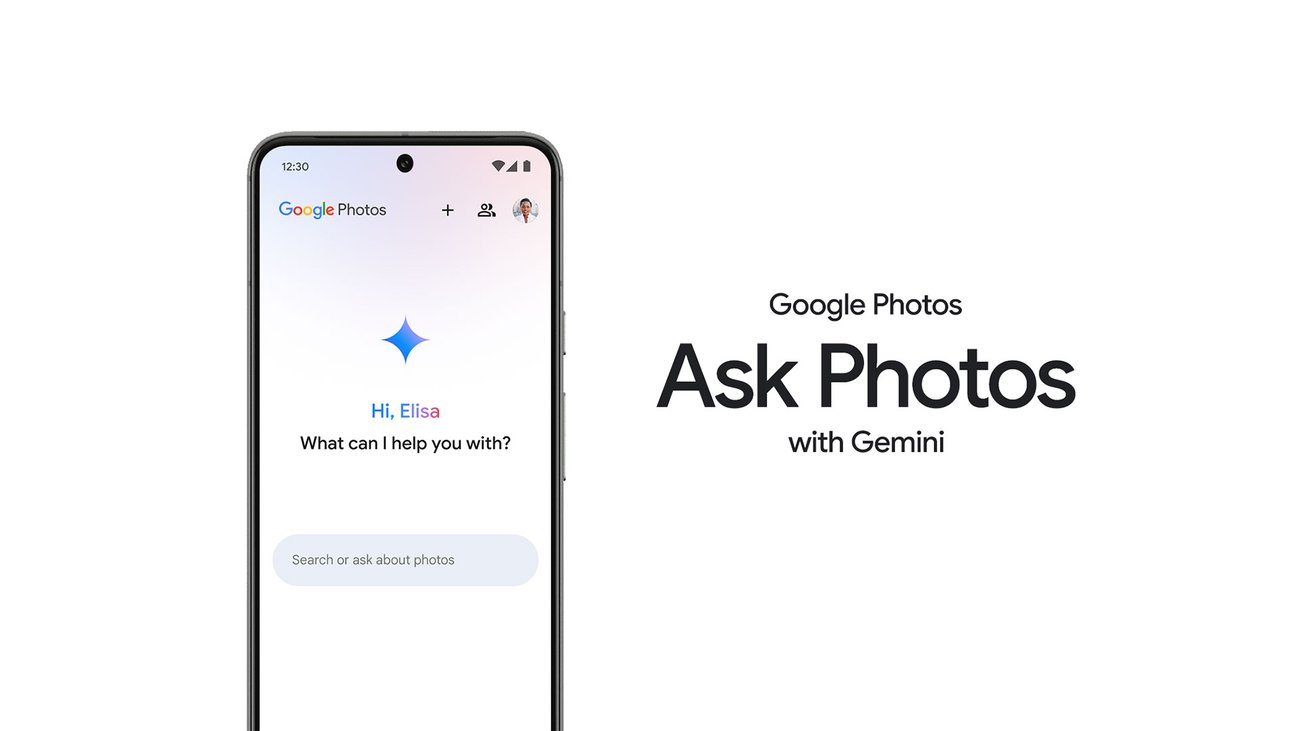
- Google Photos has integrated Ask Photos, an AI-powered search based on Gemini, but many users consider it slower and less accurate than the classic search.
- Complaints on forums like Reddit have led Google to add a visible button that allows users to activate or deactivate AI search directly from the search screen.
- The new switch gives users back control to choose between quick traditional search and AI-powered conversational experience, while also addressing privacy concerns.
- The Google Photos case shows that adding AI doesn't always improve a function and that it's key to offer clear options to use it only when it truly adds value.

The arrival of AI search in Google Photos, driven by Gemini and named as Ask Photos or Ask PhotosOn paper, it looked like a revolution: conversational searches, natural language processing, and "smarter" results within your gallery. However, the reality has been quite different for thousands of users, to the point that Google has been forced to backtrack and offer an alternative. to disable AI search in Google Photos.
This is a clear switch to disable AI-powered search and return to the classic experience. Here we'll explain everything you need to know about it.
What exactly is AI search in Google Photos (Ask Photos)?
Google decided to integrate its Gemini model within Google Photos to create a conversational search system called Ask Photos, which understands requests in natural language.Instead of simply typing "beach" or "cat", the idea is that you can ask complex questions like "show me the photos of the day my daughter learned to ride a bike" and the system will locate that exact moment in your library.
This feature was initially launched in the United States and later expanded to more than one hundred countries and several languagesIt is not yet available in all territories (for example, during its rollout, countries in the European Union were excluded), and Google makes it clear that this is an experimental feature based on Gemini models, so It can produce unexpected, slow, or inaccurate results..
The promise was tempting: ask Google Photos for things like "Emma's first bike ride" and have the app directly find that specific photo, without having to navigate through dates or review dozens of images tagged only as “girl” and “bicycle”In theory, the AI should understand the context, history, and details to be much more accurate.
In addition to the search function, Google has linked it to other Gemini-based features, such as the ability to edit photos simply by describing the changes with words (“make the sky bluer”, “remove the person from the background”, etc.). All this under the promise that you don't need to be an editing expert: you just have to explain to Photos what you want and it will apply it in seconds.
Behind this initiative is also an update to the terms of use: by using Ask Photos you agree that your activity is governed by the Google Terms of Service and Prohibited Uses Policy for Generative AIGoogle insists that privacy remains protected and that the processing of your data complies with its policies, something that has also been closely scrutinized by users concerned about the management of their personal information.
Why classic Google Photos search was already so good
Before the arrival of conversational AI, Google Photos already had a search function that many people considered one of the app's best features. You could locate Photos by date, location, people, objects, or keywords almost instantly, and without needing to manually label anything: the system itself identified faces, places, and elements within the images.
This made searches like "Beach 2021" or "cat photos" work perfectly. You just had to type a word or a couple of terms, and in seconds you'd have results. a very precise filtering of your related photos and videosFor most users, that behavior was more than enough for everyday use, and it was also very predictable: you knew more or less what the app was going to give you back.
The experience was so good that a large part of the community considered the classic Google Photos search to be one of its features. best rated and most polished in the entire Google ecosystemIn practice, many users had the feeling that they were already using “AI”, even though the app did not use that label so aggressively.
That's why, when Ask Photos displaced traditional search as the default or most visible experience, many felt that Google was replacing something that was working perfectly. an artificial intelligence layer that didn't deliver as much as promisedPutting AI on top of something that's already good can turn out great... or it can unnecessarily complicate what was working.
User reviews: slowness, imprecision, and frustration
The big problem with the new AI search in Google Photos is that, in practice, for many people it has been a step backward in speed and accuracyAs soon as it was launched, Reddit and other forums were flooded with complaints from users claiming that Ask Photos took a very long time to deliver results and even failed in searches where the classic search engine was successful without breaking a sweat.
A striking example is that of a user who is an amateur bird photographer, with over 50.000 images uploaded to Google Photos. He explained that before, he could search for "kookaburra" and the application would find the correct photo without any problems, whereas with the new AI layer... That same search no longer returned anything useful.Furthermore, when searching for something as generic as "birds," he only got six photographs, despite having thousands of birds in his library.
Cases like that have been repeated throughout the community: people who saw how AI was less accurate at detecting objects, animals, or people Compared to traditional search, which had been working very smoothly for years, Ask Photos, which was supposed to improve search, actually made it worse in many scenarios.
In addition to the lack of precision, there's the issue of performance. With the "Ask Photos" option, when the app has to process a very large gallery, the system can take a long time. several minutes to analyze the photo library and return resultsThis waiting time completely breaks the sense of speed that has always characterized Google Photos search.
The problem reached such a point that Google was even forced to Temporarily pause the launch of Ask Photos this summer to improve latency and adjust the infrastructure that serves these conversational requests. Despite this, for months the general feeling has been that the AI experience was not up to par with what had been used until now.
Google's change of course: a visible button to turn AI on or off
Faced with a barrage of criticism, Google has acknowledged that users want more control over how they search within their photo gallery. Google Photos head Shimrit Ben-Yair publicly explained on X that they have listened to the feedback and will be introducing a new, clearly visible switch on the Google Photos search screen so you can decide for yourself between classic mode and AI mode.
Until now, there was a way to disable Gemini in Photos, but it was so buried in the settings that most users weren't even aware of it. The new feature is that the control is now a conveniently placed button within the search section itself, making it easy to use. Switch between quick classic search and Ask Photos' smart results without delving into hidden menus.
With this change, Google keeps Ask Photos as the default active option in many cases, but at least it offers a clear path for those who prefer return to the traditional search, which is more direct, faster and more predictableIt's a small gesture, but symbolically powerful: the company admits, albeit implicitly, that replacing a mature feature with an AI-powered version doesn't always improve the experience.
Ben-Yair also commented that, taking advantage of all the opinions and complaints gathered, Google has Improved the quality of the most common searches within PhotosIn other words, they've not only added the button to disable AI, but they've also fine-tuned both the classic search and some aspects of Ask Photos' behavior based on real community feedback.
Another important point is that the new switch is designed so that you can Change your view at any time and find exactly what you need.This is not an irreversible decision: if at any point you want to try making a complex conversational query, you can activate Ask Photos, and if you see that it is slow or doesn't work, you can return to the usual search engine with a tap.
How to disable AI search in Google Photos and use only the classic search
Although the exact location of the options may vary slightly depending on the app version and country, the logic of the new system is that you have a direct control within the Google Photos search screen itselfInstead of hiding the Gemini deactivation option in a submenu of advanced settings, Google places a clearly visible button or switch when you access the search.
In practice, when you enter the search tab or section within Google Photos, you should see a small button or switch that lets you choose between “classic search” and “Ask Photos”By disabling AI mode, new queries are handled with the usual search engine, which is based on keywords and filters for people, places, or objects, without Gemini processing the query conversationally in the background.
Google also maintains a setting in the app's general settings where you can manage the features linked to Gemini. From that menu, you can globally activate or deactivate the Ask Photos experience, in case you prefer that the conversational experience never appears and that all searches are done with the classic, simpler and faster system.
It's worth noting that this feature is still Currently being rolled out and not available in all countriesIn some regions, you won't even see the Ask Photos option, so you'll still have to search using the traditional method. If Ask Photos is enabled for you but the button isn't appearing yet, it's likely just a matter of time before the update reaches your device.
In any case, if you notice that, even with the switch supposedly turned off, the AI experience continues to appear, it may be a occasional synchronization failure of the configuration or a specific version of the appIn these situations, updating Google Photos to the latest version usually helps, or if the problem persists, check Google's official support documentation and community threads, where other users often share temporary solutions.
Privacy, data control, and concerns about AI in personal photos
Beyond speed or accuracy, AI search in Google Photos has reignited concerns about How personal photos are used and processed within AI modelsUltimately, you're allowing a conversational system to analyze your most private images to answer questions in natural language.
Google insists that Ask Photos respects privacy and that the handling of images and queries is governed by the data security and protection than the rest of its services. Furthermore, it emphasizes that the feature is subject to its Terms of Service and the Generative AI Prohibited Uses Policy, designed precisely to limit inappropriate uses of these technologies.
Even so, many users prefer not to add more layers of complexity to an app that already manages a good part of their visual life. For them, having a switch to disable AI search It's not just a matter of usability, but also of peace of mind: the less extra processing done to your photos, the better they feel.
This discussion is part of a much broader debate within the technology sector: any tool that integrates generative AI or advanced models must Clearly explain what data is used, how it is processed, and what actual control the user has over that information.Software development and custom solutions companies are being forced to balance the promise of AI with the need for transparency and respect for privacy.
In this context, Google's decision to allow users to easily turn off Ask Photos is also interpreted as a gesture towards to strengthen user trust and offer them a simple option if they do not want a conversational agent to analyze their memoriesIt's not just about comfort: it's about rights, control, and a sense of security.
AI everywhere: when it really helps and when it gets in the way
The case of Google Photos serves as a fairly clear example of something that many people have been pointing out for some time: Not all functions automatically improve simply by adding generative AISometimes, a conversational layer makes the workflow slower, less straightforward, and more unpredictable than the original tool.
In an ideal scenario, a user looking for a specific photo doesn't want to have a conversation with an AI; what they want is Type two words and get the result immediatelyClassic search covers that scenario perfectly. Ask Photos, on the other hand, is more interesting when you really need to describe a complex situation or retrieve a very specific memory that can't be well expressed with just two or three words.
Google seems to have understood the message: instead of forcing everyone to use the smart layer, it's opting for a hybrid model in which AI is available to anyone who wants it, but it doesn't completely replace the function that already worked.In this way, each user can decide what benefits them most at any given time.
This same dilemma is being seen in many other apps and services: from word processors to productivity tools, to enterprise solutions that integrate AI to automate tasks. The challenge lies in design interfaces where AI adds real value without imposing additional friction to the flows that were already internalized by the users.
Given what happened with Ask Photos, it's clear that listening to community feedback and reacting quickly to performance or accuracy issues is key. And, above all, that offering a clear “exit button” to disable AI features It will become almost mandatory if companies want their users to continue trusting them as they intensify the use of these technologies.
Overall, the Google Photos experience demonstrates that, however ambitious the promise of artificial intelligence may be, people still highly value things that work well, are fast, and behave predictably. Giving users a switch to choose between the traditional search and the new AI-powered search is a step in the right direction toward reconciling innovation and convenience, allowing each person to decide whether they prefer the traditional search or the new AI-powered search today. speed of the classic search engine or the (still imperfect) “intelligence” of Ask Photos.

Index
- 1 What exactly is AI search in Google Photos (Ask Photos)?
- 2 Why classic Google Photos search was already so good
- 3 User reviews: slowness, imprecision, and frustration
- 4 Google's change of course: a visible button to turn AI on or off
- 5 How to disable AI search in Google Photos and use only the classic search
- 6 Privacy, data control, and concerns about AI in personal photos
- 7 AI everywhere: when it really helps and when it gets in the way

Editor specialized in technology and internet issues with more than ten years of experience in different digital media. I have worked as an editor and content creator for e-commerce, communication, online marketing and advertising companies. I have also written on economics, finance and other sectors websites. My work is also my passion. Now, through my articles in Tecnobits, I try to explore all the news and new opportunities that the world of technology offers us every day to improve our lives.