- Edits is a free mobile app from Meta focused on editing and publishing Reels with maximum integration with Instagram.
- It includes five key tabs (Ideas, Inspiration, Projects, Recording, and Insights) to cover your entire creative flow.
- It offers precise timeline editing, a built-in music library, voiceover, and watermark-free export.
- Compared to CapCut, it's lighter and subscription-free for now, although it has less advanced AI and no desktop version.
The app Meta Edits It is the ideal tool for Edit and publish professional-quality Reels from your mobile phoneThe app was clearly inspired by the rise of vertical video-focused editors and integrates seamlessly with Instagram, offering a streamlined, creator-centric workflow.
If you are looking for A quick, easy, and connected tool for your Instagram account to transform ideas into polished videos.Here you'll find a complete explanation of what Edits is and how it works. We also explain how it differs from CapCut and the menu options it offers for editing, exporting, and analyzing the performance of your posts.
What is Edits and why is Meta launching it now?
Meta Edits is a free video editing app for iOS and Android Created with a clear purpose: to facilitate the production of Reels. It's a mobile app, independent but connected, that works with your Instagram account so that the entire process (idea, editing, publishing, and analysis) occurs within the same ecosystem.
Its appearance fits with Meta's strategy of incorporating into its platform the features that are successful in other apps. He feed Reels was launched about five years ago in response to the push of TikTok, and Edits continues that line: offering creators a specialized editor optimized for vertical video.
A key advantage is that Videos processed in Edits are optimized to maintain maximum quality when uploaded to Instagram.This reduces loss of sharpness or compression, which is especially noticeable in scenes with a lot of movement, on-screen text, or transitions.
In addition, various media that have already tried the app highlight its fluidity and ease of use, features that make it lighter than other alternatives loaded with modules and advanced menus that are not always needed for social content.
Getting started: download, login, and first screens
Edits are available for Download for free on the App Store (iOS) and Google Play (Android)You won't have to create a new account or anything like that: when you open it for the first time, you log in with your Instagram profile and that's it.
The app It is designed to create Reels, not for all types of videos.This means that while you can export and publish to other platforms, the most convenient workflow is to work and share directly to Instagram (and also Facebook if you prefer).
From the first start you will see a clear and familiar interface if you've used vertical video editors: Preview at the top and timeline at the bottom, with the main tools accessible at the bottom to keep things quick and straightforward.
The five Edits tabs, one by one
Edits organizes your browsing in five key tabs accessible from the bottom, each designed for a different phase of the creative process.
- Ideas: Here you can write down concepts, save references and access clips that you've marked on Instagram. It's a pre-production space so nothing slips through the net when it comes time to edit.
- Inspiration: You'll see a selection of videos that use trending audio tracks, with a button to use that same music in your Reel. It's a very direct way to stay connected to current trends without leaving the app.
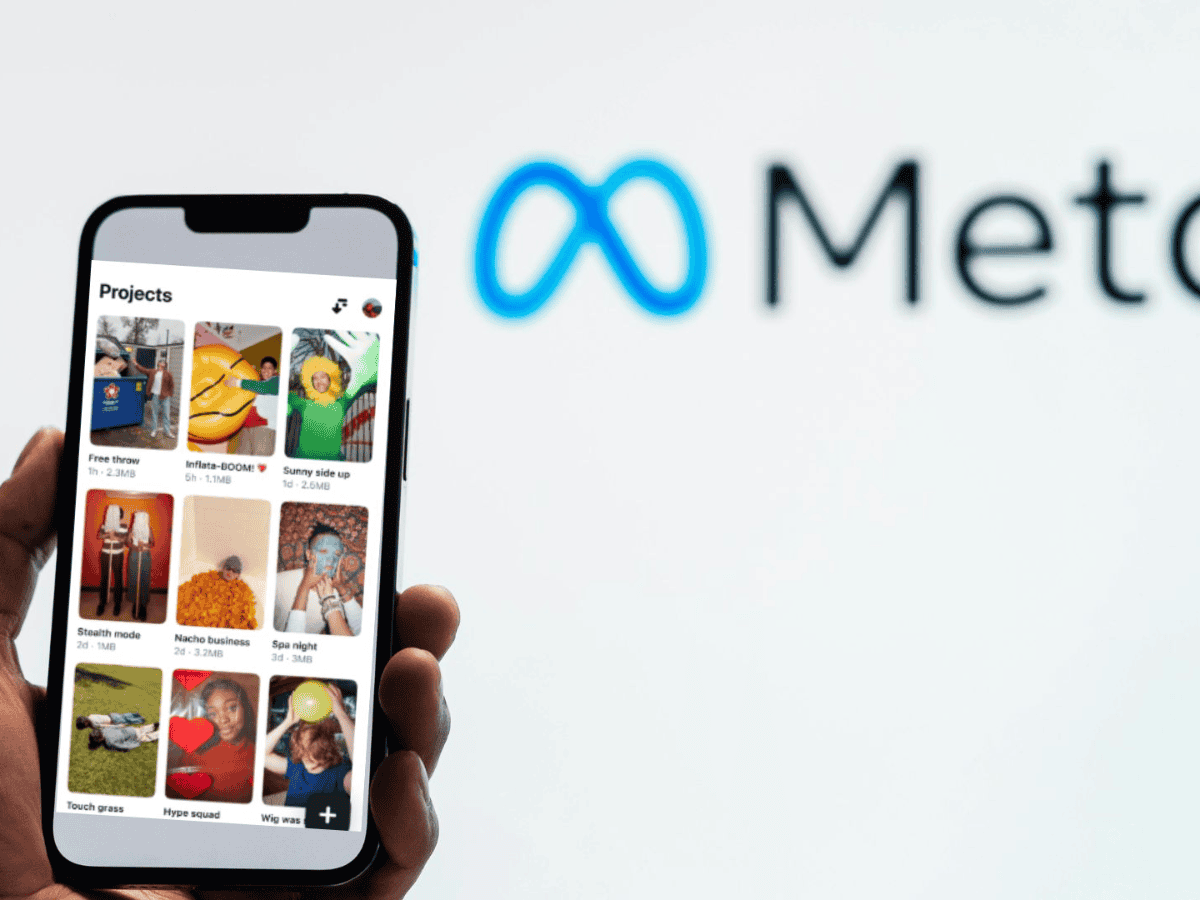
- Projects: This is the heart of the editor. From here you upload clips from your camera roll and manage all your current edits. Perfect for organizing versions or remixing old pieces with new material.
- EngraveIf you prefer to capture footage without leaving Edits, this tab allows you to record directly with your phone's camera. This way, you can keep all your footage in the same flow without relying on the native camera app.
- Insights: The stats panel. It shows you reach and engagement data for Reels in your account, even those you haven't edited with Edits, so you can understand what's working and what to adjust.
Step-by-Step Editing: Timeline, Audio, Voiceovers, and Overlays
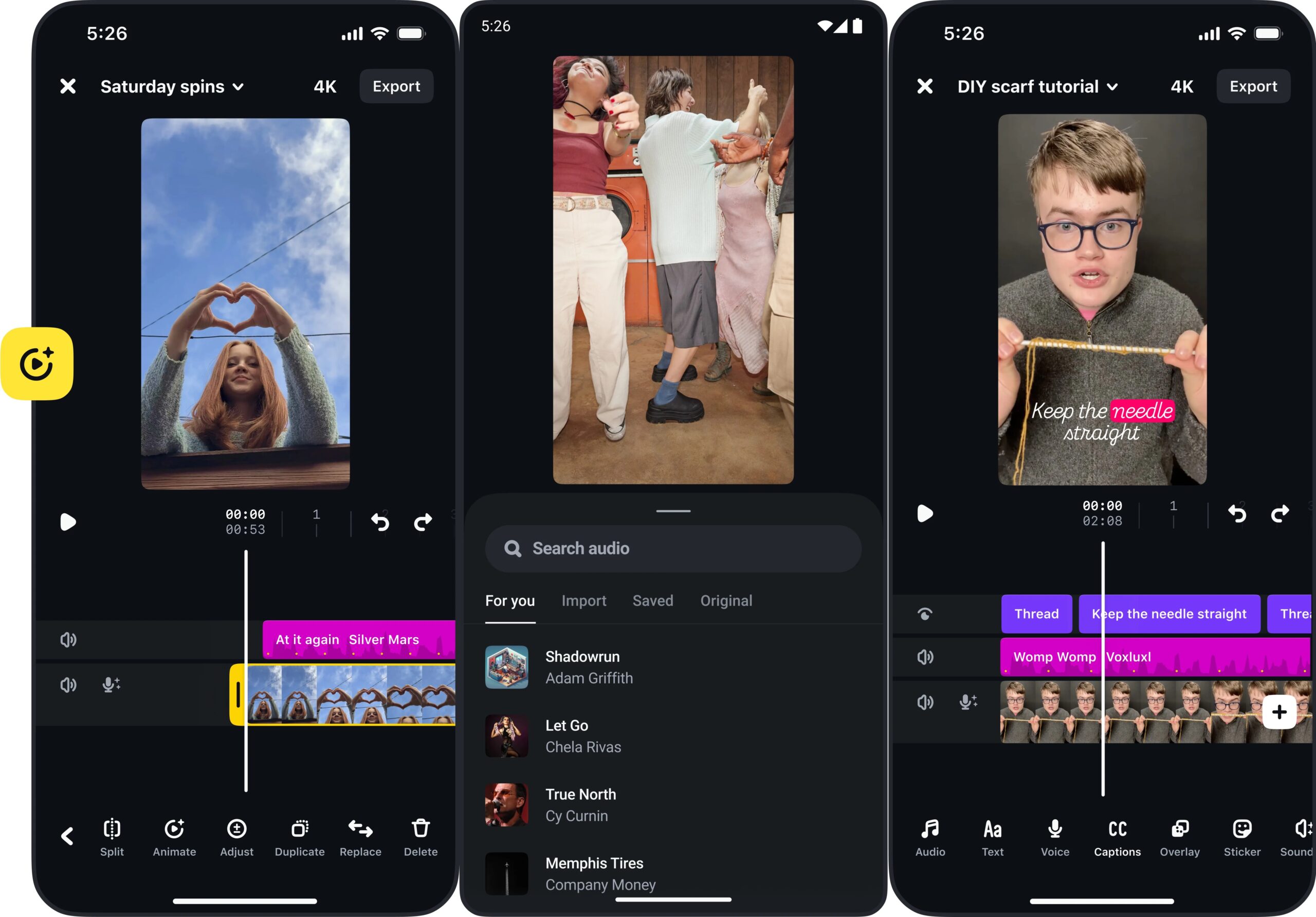
La timeline It's the editing hub of Meta's Edits app. You place your main video and any other clips, images, or elements you want to add to build your story.
- To adjust the length of a clip, tap it and drag the edges inward to trim precisely.If you make a mistake, you can always undo and return to the previous state without losing anything.
- Reordering is as simple as holding down a clip and dragging it. to the desired position. This action helps you try different structures in seconds to see which rhythm works best.
- Audio is managed from the Audio button: you can add music and sound effects and balance levels so everything sounds clean. Plus, you have a built-in music library with licensed content from the Meta ecosystem.
- If you need to narrate, add a voiceover from the Voice option.It's ideal for explaining a process, finishing off a hook, or providing context without cluttering the screen with text.
- Text, stickers, and image overlays are inserted as layers., which you can animate, move, and adjust along the timeline to create rhythmic titles, calls to action, or memes.
- You also have controls to split the clip, adjust volume, modify speed and apply filters or corrections. such as brightness, contrast, warmth or saturation, useful for matching shots recorded under different conditions.
- Automatic subtitles? The app allows you to create and edit subtitles. to improve accessibility and silent consumption, an essential practice in Reels to increase retention.
Export and publish: quality, watermarks and destinations
When you have your Reel ready, click on Export to generate the file on the mobileThe process prepares the video with the highest possible quality, avoiding the degradation that often occurs when sharing from other apps.
From the export screen itself you can post directly to Instagram or Facebook, or save the file to upload to other platforms if you want to distribute it across multiple channels. An important point: Meta Edits export without app watermarks, something that helps maintain a branding clean and consistent when working with clients or building brand image.
If you prefer, you can download the video and publish it manually.This is useful if you need to schedule it with a scheduling tool or add subtitles from your target platform.
Edits vs. CapCut: Key Differences to Help You Choose
Although both apps pursue the same thing (editing short videos quickly), There are nuances that separate them and it is important to know them in order to make decisions according to your needs.
- Edits feel lighter and less overwhelmingThe interface is clean and straightforward, with fewer menus and advanced modules that can be distracting if your focus is on quickly publishing social content.
- Edits currently does not have a subscription level to unlock features., while CapCut does offer a Pro plan with additional tools. However, it's possible that Meta will introduce tiers in the future.
- As for AI, Edits doesn't bombard you with dozens of automatic tools like CapCutThere are smart features (such as effects, cropping, and options like green screen, which some users have found), but the catalog isn't that extensive right now.
- If you're looking for pinpoint control and complex desktop editing, CapCut still offers advantages., especially in its desktop version. Edits, for now, is focused on mobile and integration with Instagram.
Licensed picture, sound and music quality
One of the goals of Edits is Make sure what you export looks and sounds good on Instagram.. The compression treatment and default settings aim to preserve sharpness, fine detail, and legibility of the text.
La integrated music library makes it easy to add licensed audio from Meta's catalog. This reduces copyright friction and allows you to upload content with less risk of copyright blocks or silences.
Combine music with voiceover and subtle effects to build pieces that engage in the first few seconds, something vital in Reels where attention is decided very quickly.
Practical tips: templates, workflow, and best practices
- If you repeat formats, create an editing template With the same intro, fonts, text positions, and scene lengths, you'll save time and strengthen your visual identity.
- Integrate your process into the five tabs: Capture ideas in Ideas, find working audio in Inspiration, sort through your material in Projects, record missing takes in Record, and measure in Insights.
- Think vertically from the script: framing, space for text, and pacing. You'll avoid awkward cuts and overlaps that obscure faces or important actions.
- Use text and subtitles with intentionThe text shouldn't narrate everything, but rather highlight hooks, figures, and calls to action. Subtitles help retain the attention of those watching silently.
- Keep clips short and clean cutsFrame-by-frame editing is your ally for removing silences, gaps, and micro-errors that, combined, reduce retention.
If you create Reels often and want a fast, streamlined, and Instagram-integrated tool, Edits fits like a glove.. It shines in mobile flows and for social content that prioritizes speed and consistency.
With Edits, Meta puts it in your hands A Reels-centric editor that combines agility, good export quality, and integration with statistics; If you combine intelligent use of music, text, and structure, you can produce rhythmic, professional-looking videos from your mobile device without getting lost in endless menus.

Editor specialized in technology and internet issues with more than ten years of experience in different digital media. I have worked as an editor and content creator for e-commerce, communication, online marketing and advertising companies. I have also written on economics, finance and other sectors websites. My work is also my passion. Now, through my articles in Tecnobits, I try to explore all the news and new opportunities that the world of technology offers us every day to improve our lives.