- The RTX Pro 6000 can become unusable if the PCIe module breaks and there are no official replacement parts.
- In Europe, the card costs around €9.000; its weight and modular design require extreme care in handling and transport.
- Some parts appear on the Chinese market for €20–25, but they do not have NVIDIA support.
- Services like NorthridgeFix recommend processing an RMA as the first option in case of damage.

The professional card RTX Pro 6000 It returns to the center of the debate for an unusual reason: its modular PCIe connectorSeveral recent cases have shown that if that part gives way during transport or a sudden movement, The GPU may become completely unusable if there are no official replacement parts..
Beyond performance figures, the The focus is now on repairability and how it affects businesses and studios in Spain and Europe. Repair services such as NorthridgeFix They have documented units that, after the PCIe module is damaged, become little more than a paperweight. even though the rest of the card is in good condition.
What's really wrong: the PCIe module and an unforgiving weight.
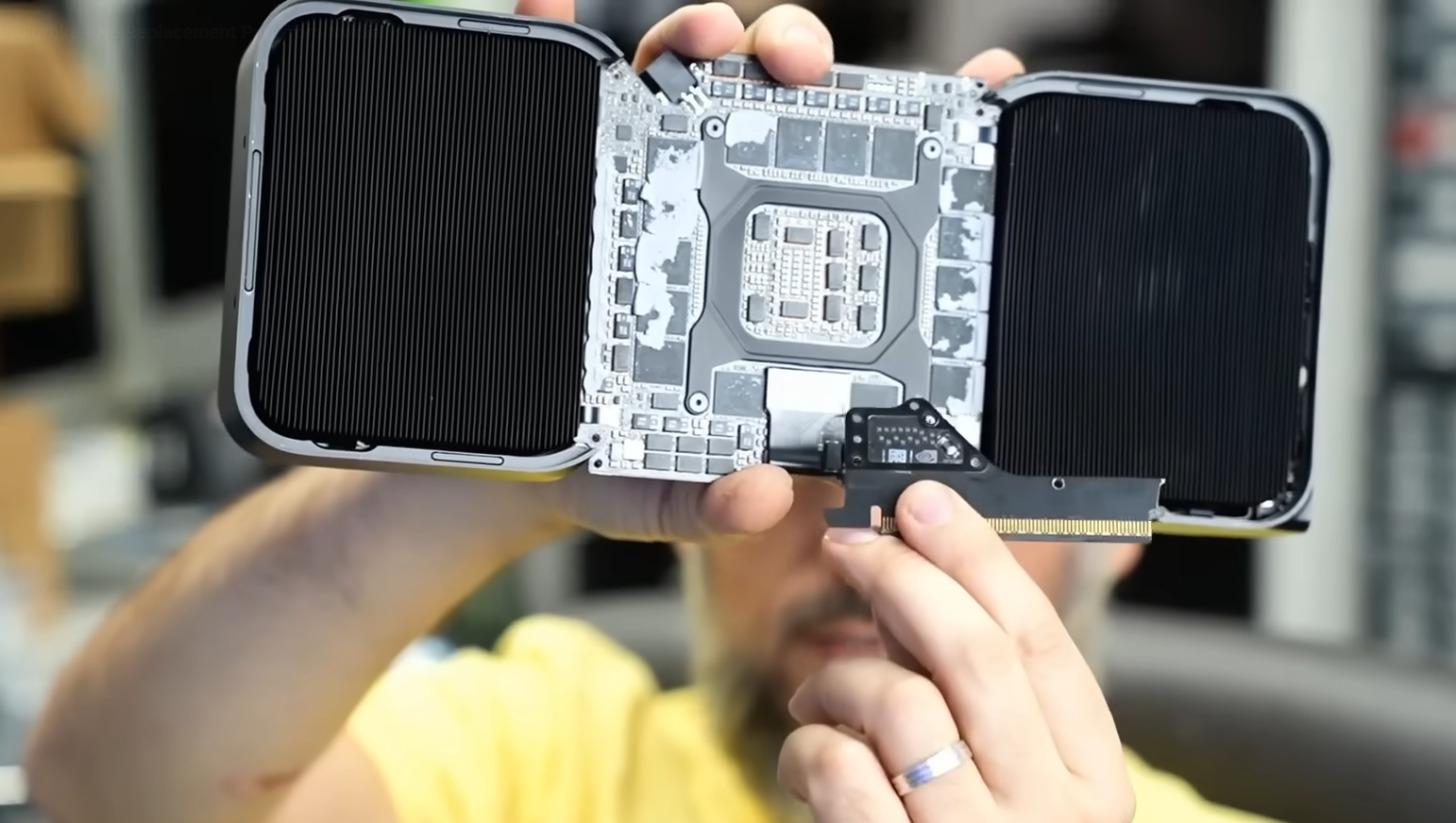
La RTX Pro 6000 round the 1,22 kg, a considerable weight that, if the tower is moved without removing the GPU, can put leverage on the connector and break the PCIe boardIn the cases analyzed, the piece fractured in half during shipping, instantly rendering the card unusable.
The problem is compounded because the connector board is a PCB of between 12 and 15 layerswhich makes its repair almost impossible. Technicians compare it to trying to repair a broken window: although the GPU and main PCB without that module the card cannot initialize or communicate with the system.
Without official replacement parts: RMA as the only clear way
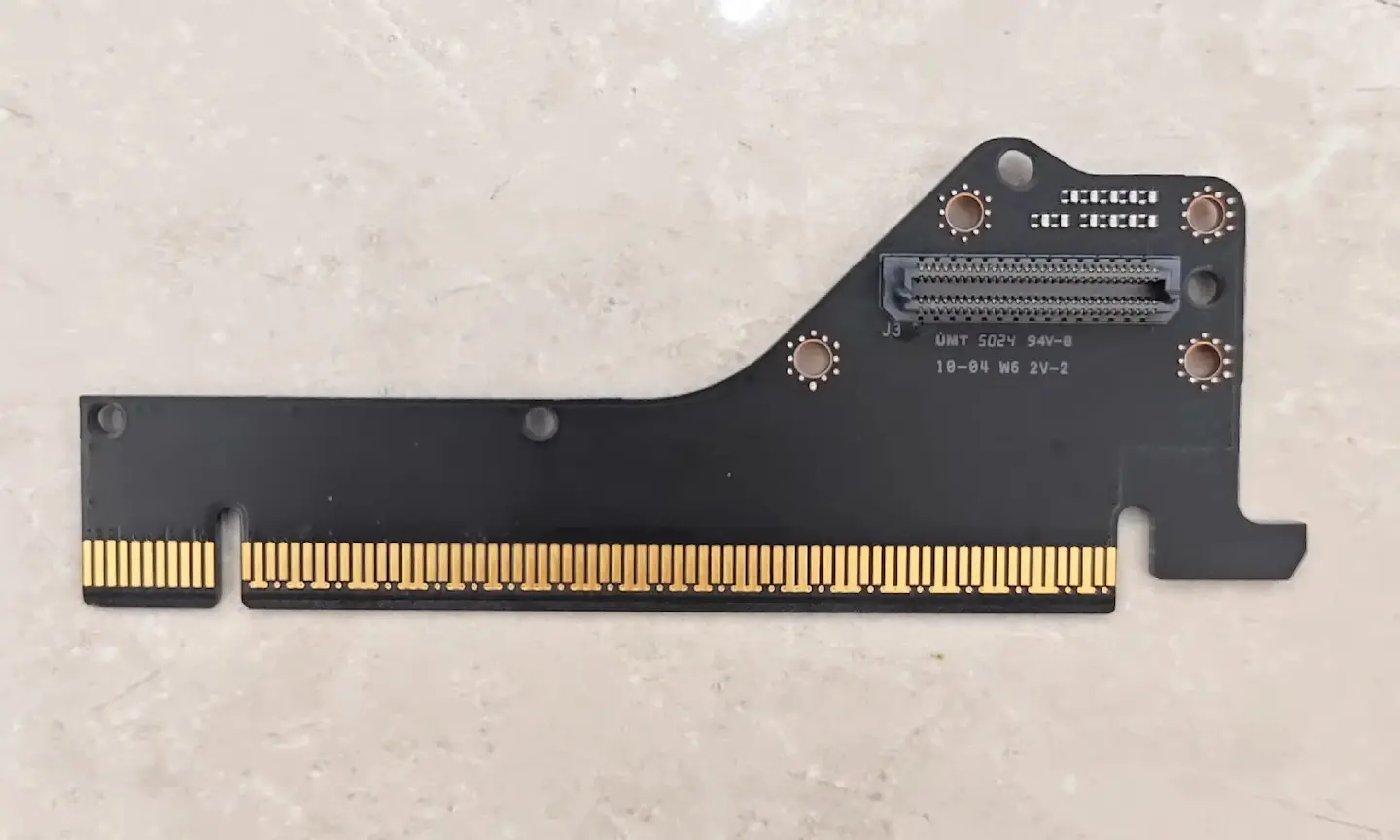
According to specialized repairers, NVIDIA does not sell officially the PCIe module of the RTX Pro 6000, so the most sensible route is to try a RMA with the manufacturer or authorized dealer. In the past, complete replacements have been seen in cases of a RTX 5090 FEBut there are no guarantees that this professional GPU will be treated the same way.
La The situation is delicate in Europe because the product is priced around €9.000 And, since it's professional hardware, support conditions may differ from those for consumer products. In any case, initiating the RMA as soon as possible and documenting the damage with photos and video is usually key.
Parallel market: parts in China for €20-25 (without official support)
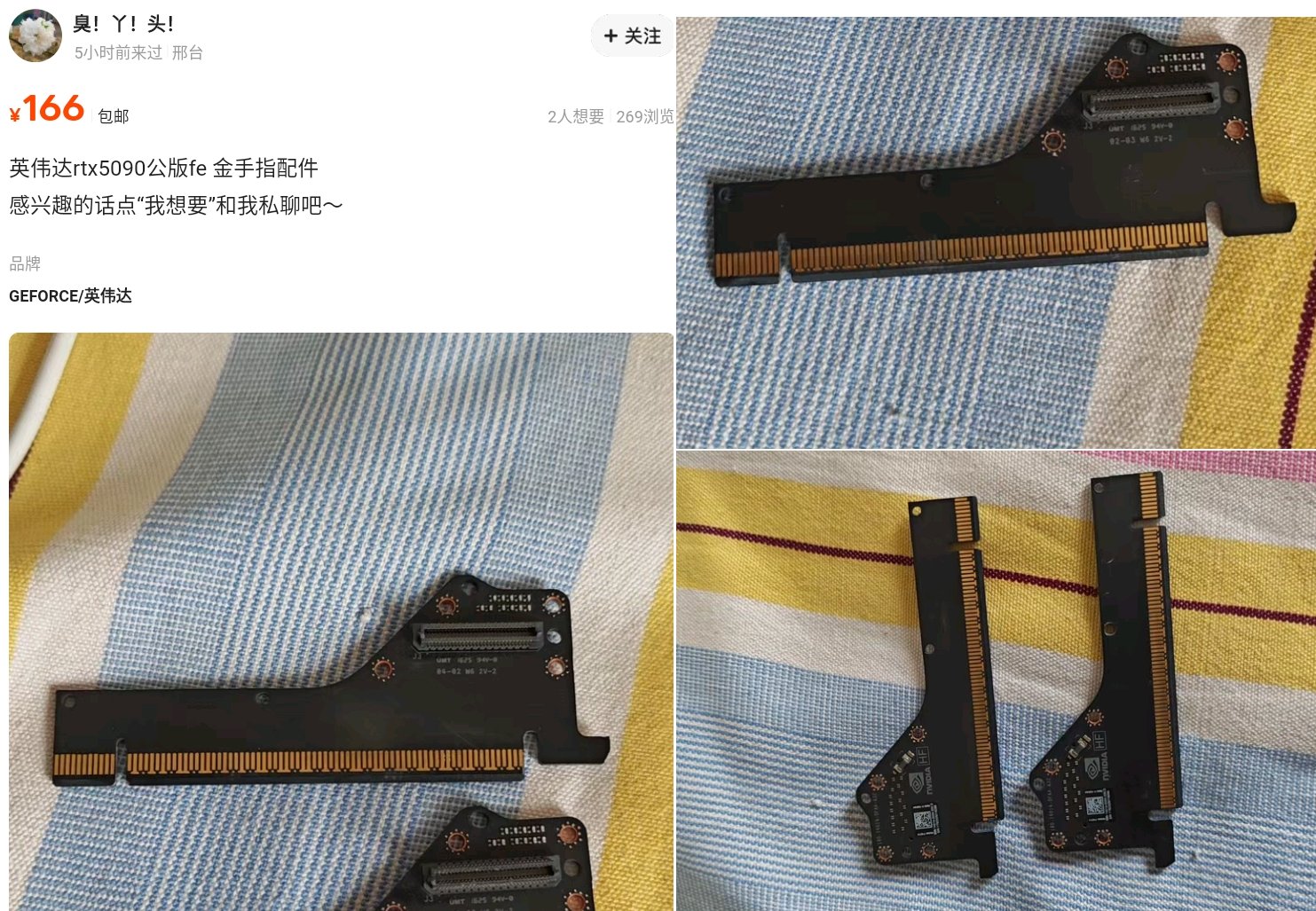
While there are no official spare parts, they have appeared PCIe modules on Chinese platforms like Goofish by a 20-25 dollarsReports indicate that they originated from quartering of cards intended for racks or AI projects, so their origin is "grey market" and without manufacturer guarantees.
Choosing this route can solve the problem in some cases, but it carries risks: compatibility, shipping times, loss of warranty and lack of support. For companies in Spain, the prudent course of action is to Try the RMA first and use third parties only as a last resort, assessing costs and downtime.
Good assembly and transport practices
To reduce the risk of connector breakage, it is advisable to change certain habits in the assembly and movement of workstations with heavy GPUsalso reviewing the fan speed.
- Remove the GPU before transporting the computer; avoid moving the tower with the card installed..
- Usa anti-sag supports o anchors that relieve weight from the PCIe connector in large chassis.
- Sturdy packaging: padding, cable ties, and rigid protection around the GPU area.
- If you are going to install liquid cooling or additional hardware, It works with the card removed. and learn to force the GPU fan.
Furthermore, in environments with frequent travel (filming, post-production, consulting), It might be interesting to plan for systems with racks or chassis designed for heavy GPUs.or resort to vertical configurations that minimize the leverage on the PCIe.
Price and availability in Europe: no AIB models
In the European channel, the RTX Pro 6000 It is usually priced around €9.000 (with references exceeding €7.000 depending on configuration and market). There are no customized AIB versions, therefore The design is NVIDIA's, and chassis and support options should be planned accordingly..
This absence of third-party variants means that There are no alternative designs with different connector reinforcementsAnyone investing in this GPU should consider, from day one, fastening accessories and clear transport protocols to avoid costly surprises.
What the repairers say
The channel NorthridgeFix has shown several units with the PCIe connector split, including the RTX Pro 6000, and Criticism of adopting a modular design without offering spare partsThe workshop itself had previously managed to find a replacement for an RTX 5090 FE, but admits that there will not always be a similar resulteven less so in workstation-oriented cards.
In the documented cases, They are especially frustrating in situations where the GPU and main PCB are fine, but the PCIe module renders the whole assembly unusable.While waiting for NVIDIA to offer parts, the combination of RMA, good packaging, and physical support in the chassis is, for now, the best strategy.
If this episode makes one thing clear, it's that a relatively small part can turn a GPU worth thousands of euros into a useless piece of equipment. Without official spare parts and with parallel modules of variable originTaking extra care in assembly and transport, and prioritizing RMA when possible, makes all the difference for professionals in Spain and the rest of Europe.

I am a technology enthusiast who has turned his "geek" interests into a profession. I have spent more than 10 years of my life using cutting-edge technology and tinkering with all kinds of programs out of pure curiosity. Now I have specialized in computer technology and video games. This is because for more than 5 years I have been writing for various websites on technology and video games, creating articles that seek to give you the information you need in a language that is understandable to everyone.
If you have any questions, my knowledge ranges from everything related to the Windows operating system as well as Android for mobile phones. And my commitment is to you, I am always willing to spend a few minutes and help you resolve any questions you may have in this internet world.