- WhatsApp's multi-device feature allows you to use the same account on up to four devices simultaneously.
- The primary mobile must connect periodically to keep sessions active on the linked devices.
- There are limitations on certain features, especially on secondary devices and WhatsApp Business.
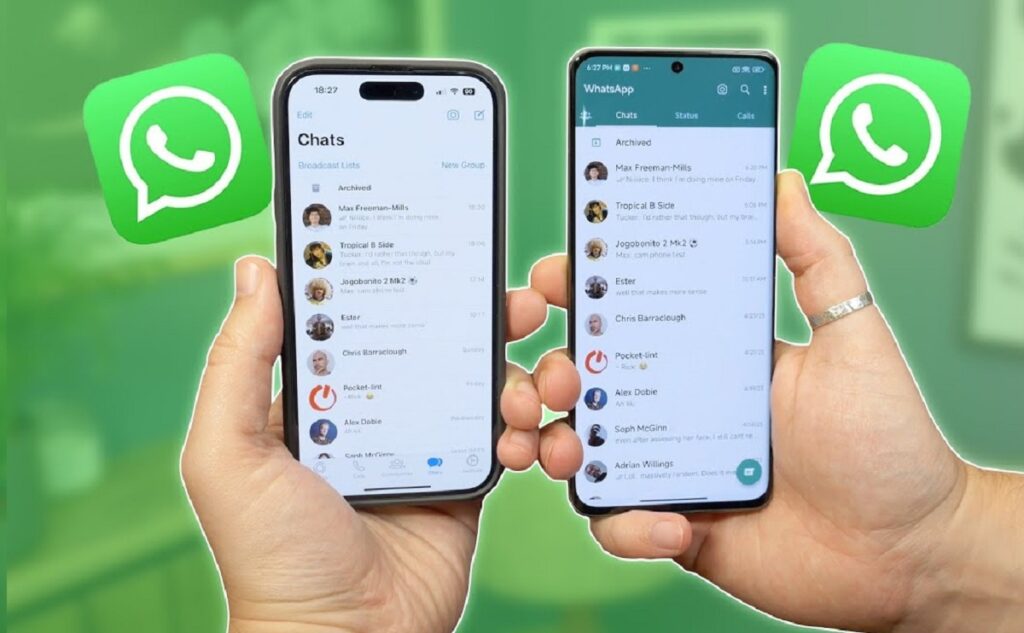
Responding to the demands of so many users, WhatsApp has decided to implement the long-awaited multi-device feature, allowing a single account to be used on multiple devices at the same time. For example, combining use on a phone and a tablet. But use WhatsApp on two devices at the same time It can be confusing.
What problems might arise? For example, you need to know how to configure this feature, what limitations it has, and what advantages this mode actually offers. We'll explain everything in detail here.
What is WhatsApp's multi-device feature?
WhatsApp's multi-device feature is a new feature that has changed the way we communicate across multiple devices. Previously, if you tried to log in on a second phone, you would be automatically logged out on the first phone..
Now, with this mode, you can use WhatsApp on two devices at the same time. Not just two, you can actually activate it. up to four devices simultaneouslys, without having to disconnect any of them.
The operation is similar to that of WhatsApp Web or Desktop: The app links directly to the main device, maintaining end-to-end encryption for all chats and messages. This way, you can spread your WhatsApp activity across multiple devices, which is especially useful if you frequently switch between mobile and tablet or have multiple phones.

On which devices can I use WhatsApp at the same time?
With the multi-device feature active, WhatsApp allows use your main account on up to four additional devicesThis can include a mix of Android phones, iPhones, tablets, or even certain computers using WhatsApp Desktop. It is not necessary for the main mobile to always be connected or turned on, although you will need to open the app at least every 14 days to avoid losing the connection on other devices.
The experience is virtually independent on each device. You will be able to read, send and receive messages, as well as see notifications for all of them.That is, you'll not only see the chats, but you can manage them simultaneously without interruptions.
Key benefits of multi-device functionality
Being able to use WhatsApp on two devices at the same time offers numerous advantages. Here are some of them:
- Flexibility of use: Make it easy to manage your account from different devices without logging out.
- Without permanent dependence on the main mobile: Although you need to plug it in every so often, you can operate the rest even if the main one is off or out of range.
- Ideal for professional environments: It allows multiple people to respond to customers from the same number, which is perfect for businesses that share a support number.
- Manage up to four devices: Including mobile phones, tablets, and computers, which further simplifies personal or team work and productivity.
Current limitations of WhatsApp multi-device
Despite the many facilities it introduces, the multi-device function still has certain restrictions which you should know:
- Maximum of four additional devices linked, in addition to the main phone.
- Not all features are available on paired devicesFor example, you won't be able to clear or delete chats from an added iPhone, view real-time location, create broadcast lists, pin chats, or perform certain actions from WhatsApp Web or Desktop.
- It is essential to have the latest version of WhatsApp to access the feature. If you don't see it available, you'll need to update first.
- If the primary mobile phone is not used for 14 days, all linked sessions will be automatically closed for security.
- Some specific limitations for WhatsApp Business: : Does not allow editing of the company name or labels from additional devices.
How to activate and configure WhatsApp for multiple devices?
The process to enable the multi-device feature is quite simple, but It is essential to follow it correctly to avoid losing messages or accidentally disconnecting.:
- Update WhatsApp on all devices where you want to use the app. Make sure you have the latest version available.
- Open the app on your main phone and access the menu (three vertical dots on Android or the settings wheel on iPhone).
- Select the option "Linked devices" and press on "Link a device".
- On the new device (it can be a mobile phone, tablet or computer), install WhatsApp and choose the option pair device instead of registering the number.
- A will be generated QR code on the secondary device screen. From the main screen, scan this QR code following the on-screen instructions.
- Once the scan is complete, The WhatsApp session will automatically open on the second device and will begin syncing your chats. It may take a few minutes if you have a lot of messages.
Detailed steps to link a secondary mobile phone to your account
If you want to use WhatsApp on two phones at the same time, the process is almost identical:
- On the secondary mobile, install WhatsApp and, when opening the app, choose the option "Link a device" from the three-dot menu (⋮).
- Don't write your phone number, as this would make that phone the primary one and you would log out of the other one.
- Stay on the QR code screen and, from the main phone, go to Linked devices and select Link a device.
- Scan the QR code generated on the second phone and wait for the synchronization to complete.
After these steps, Both phones will display the same chats and receive notifications of new messages.. Remember that if you already have four devices linked, you'll need to unlink one before adding a new one.
Use cases: Who is WhatsApp Multi-Device useful for?
The ability to use WhatsApp on two devices at the same time is particularly advantageous in several contexts:
- Users who switch between multiple phones (personal and professional, for example) and they don't want to have two different accounts or have to log out and back in.
- People who use tablets to read or reply to messages more comfortably, without relying exclusively on your mobile phone.
- Companies or businesses who share the customer service WhatsApp number among several employees, facilitating agile service from different devices at the same time.
- Users who wish keep your WhatsApp available on your computer and across different devices, so you don't miss any messages no matter where you are.
Frequently asked questions about using WhatsApp on multiple devices
- Can I use WhatsApp on two devices at the same time with the same number without logging out?
Yes, the multi-device feature allows this, as long as you follow the QR code pairing process instead of manually entering the number on the second phone. - How many devices can I pair at the same time?
The limit is four additional devices in addition to the primary one. - Can I use WhatsApp on multiple phones, tablets, and computers at the same time?
Yes, you can combine these devices as long as you do not exceed the maximum allowed. - What happens if the main phone is turned off?
The rest of your devices will continue to function normally for 14 days. If you don't open WhatsApp on your primary device during this time, the linked sessions will be closed. - What limitations exist on secondary devices?
Some advanced features may not be available, such as clearing or deleting chats from a linked iPhone, managing broadcast lists, pinning chats, viewing real-time locations, or editing business information on Business devices from non-primary devices.
How can I disable the multi-device feature?
If after trying the multi-device mode and using WhatsApp on two devices at the same time you are not convinced, you can exit beta and disable the feature easily:
- Open WhatsApp on your main phone and access the menu. Linked devices.
- Click on the option «Beta version for several devices».
- Select "Exit beta" and confirms the action.
- This will delete all linked sessions and return WhatsApp to its original state of being used exclusively on a single device.
Being able to use WhatsApp on two devices at the same time opens up a world of possibilities for both individuals and businesses. The multi-device feature has revolutionized instant messaging, making it more flexible and adapted to current needs. Although it still has some limitations and details to be polished, the progress is notable and makes everyday life much easier. If you're looking for convenience, productivity, and more agile communication, taking advantage of this option will likely be a turning point in the way you use WhatsApp, allowing you to always be where you want without missing a single important message.

Editor specialized in technology and internet issues with more than ten years of experience in different digital media. I have worked as an editor and content creator for e-commerce, communication, online marketing and advertising companies. I have also written on economics, finance and other sectors websites. My work is also my passion. Now, through my articles in Tecnobits, I try to explore all the news and new opportunities that the world of technology offers us every day to improve our lives.