- Canceling Microsoft 365 activates a grace period before deleting data
- Files in OneDrive and Outlook can only be downloaded during this period.
- After 90-180 days, all content is permanently deleted.

What happens if I cancel my Microsoft 365 subscription with my storage? Are you considering cancel your Microsoft 365 subscription And you're worried about your files, storage, and access to your data? Many people share this legitimate concern, as we're increasingly managing more important documents and memories in the cloud. Canceling a Microsoft 365 account can mean much more than just stopping paying for Word or Excel; there are several technical and access implications behind it that you should understand in detail.
Throughout this article I explain to you, in a clear and exhaustive manner, all phases, deadlines and consequences associated with canceling a Microsoft 365 subscription—for personal, family, or professional use—as well as the options available to keep or recover your files. If you're looking for complete and up-to-date information to act safely, here's the definitive guide.
How the Microsoft 365 subscription lifecycle works
When you cancel or let your Microsoft 365 subscription expire, not everything is erased immediatelyMicrosoft has established a series of phases or states that mark the transition from when an account is active until all data is permanently deleted. Knowing these states allows you to make informed decisions and avoid irreparable losses.
These stages generally apply to both Microsoft 365 Personal, Family, Business, and EducationOf course, there are slight differences depending on the type of subscription and the contracting method (directly with Microsoft, CSP, volume licensing, etc.).
The main phases of a subscription lifecycle are:
- Asset
- Expired or grace period
- Disabled or inactive
- Deleted
Each of these phases involves different levels of access and risk of data loss, both for users and for administrators or IT managers.
What happens at each stage after canceling or allowing a subscription to lapse?

Next, I will explain in detail what you can and cannot do at each stage of the life cycle from Microsoft 365, and what happens to your stored files, especially on OneDrive and Outlook.
Active Status
While your subscription is valid, everything works normallyYou have full access to Office applications, files saved on OneDrive, Outlook email, and all services linked to your account. You can edit, create, share, and download documents or images without restrictions.
Expired Phase (or grace period)
Once the subscription expires (either because you did not renew, you canceled the automatic renewal, or the contracted period ended), you enter a grace period that It usually lasts between 30 and 90 days, depending on your contract and purchase method. At this stage:
- Your data remains accessible: Both users and administrators can log in to the services and view, download, or back up their files.
- There are no blocked functions: Office and OneDrive apps maintain full capabilities.
- You receive expiration notices on the web and by email, reminding you to renew or back up important information.
For enterprise licenses, this status may last a little longer and is designed to allow you to manage renewal, license assignment, or migration without rushing.
Disabled or Inactive Phase
If you have not renewed or reactivated your subscription during the expired phase, it goes to disabled state (or inactive). This is where the real risk of losing access begins:
- Users lose access to applications and data; Office enters reduced functionality or read-only mode. They will not be able to edit or create files, only view and download.
- Only administrators can access to organization or account data. If you're an administrator, you can still back up data.
- This status lasts 90 days for most cases.
At this point it is crucial to act if you want to save your filesAfter this time, everything gets complicated.
Eliminated Phase
At the end of the disabled stage, if the subscription is not reactivated, the account goes into the disabled state. Deleted:
- All data and files are permanently deleted.
- It is not possible to recover documents, photos or emails stored in Microsoft 365, OneDrive, Outlook, or any associated services.
- You will only be able to manage other subscriptions or purchase new products from the administration panel if you are a global administrator, but everything else is lost forever.
That's why it's so important to pay attention to deadlines and if you don't want to continue, download your files before they are deleted.
Differences depending on the type of subscription (personal, business, volume licensing)

There are some variations in the timeframes depending on whether you have Microsoft 365 Personal, Family, Business, Education, or Open/Enterprise licenses. I'll summarize the main cases:
- Personal and Family: After canceling, you have a standard grace period (30 days) and then 90 days of being disabled. You can download your files and emails during those periods before they are deleted.
- Companies/OrganizationsThe phases are similar, but the timeframes may be slightly longer depending on the contract. Administrators retain access, but users lose functionality after passing the grace period.
- Volume licenses: In Open/Enterprise contracts, the expiration phase can last up to 90 days, facilitating data migration to another solution if necessary.
If you purchased Microsoft 365 through a third party (CSP, reseller, etc.), you should review the specific terms and conditions regarding terms and access, as they may vary slightly.
What happens to OneDrive and Outlook storage when I cancel?
One of the trickiest aspects of canceling Microsoft 365 is what exactly happens to your cloud space, for both documents and emails and photos. Microsoft manages the storage commonly shared between OneDrive (files/photos), Outlook (email), and other services like Notes or Teams.
Free users (no active subscription): After losing your subscription, your Microsoft account remains 5 GB of free basic storage. All your files and photos that fit within that limit will still be accessible, but You will not be able to add or modify documents if you exceed this quota.In Outlook.com, you have 15 GB free for email, but it's a separate, separate storage option.
Microsoft 365 subscribers: While the subscription is active, you have up to 1 TB of storage on OneDrive per user. Upon cancellation, if you have data that exceeds the free limit, you'll still be able to access it during the grace period, but once the subscription is disabled, you'll only be able to download (not edit). If you do not reduce your occupied space to less than 5 GB before deleting, you may lose information. at the end of the maximum period.
Emails and Outlook: Your messages remain accessible while in grace and disabled status, but you will no longer be able to recover them after deletion.Recommendation: Whenever you cancel, download important emails and make a backup in .pst format. to keep them safe.
Data Loss or Recovery: What Are Your Options?
Another frequent doubt is whether there is any form of avoid data loss or recover files after Microsoft 365 cancellation or expiration. The options are:
- During the grace period or disabled: You can download all your content from the cloud. Administrators can make bulk backups.
- Reactivation: If you decide to re-subscribe before the full deletion period has elapsed, You will be able to fully recover your files and restore access.
- After permanent deletion: There is no way to recover the data. Microsoft deletes files following strict security and privacy regulations.
In large organizations, it is advisable schedule backups and notify all users in time, to avoid forgetfulness that could have serious consequences.
Step-by-step procedure to cancel Microsoft 365
The process varies slightly depending on the account type and purchase method, but generally consists of:
- Access your Microsoft 365 dashboard with your user or administrator account.
- Go to the “Services and Subscriptions” section.
- Select the active subscription and look for the option Cancel subscription.
- Follow the steps on the screen until you confirm your cancellation.
For accounts purchased through third parties (operators, distributors, etc.), you must request cancellation from the original provider, reviewing the specific terms and conditions first.
For annual subscriptions, you can simply let them expire by disabling automatic renewal. If the cancellation is made within the trial period (usually 1 month for Microsoft 365), it's a good idea to cancel before the end of the contract to avoid downgrading to a paid subscription. If you cancel within the first 30 days of an annual renewal, you may be eligible for a refund of the remaining amount.
What happens if you delete your Microsoft account completely?
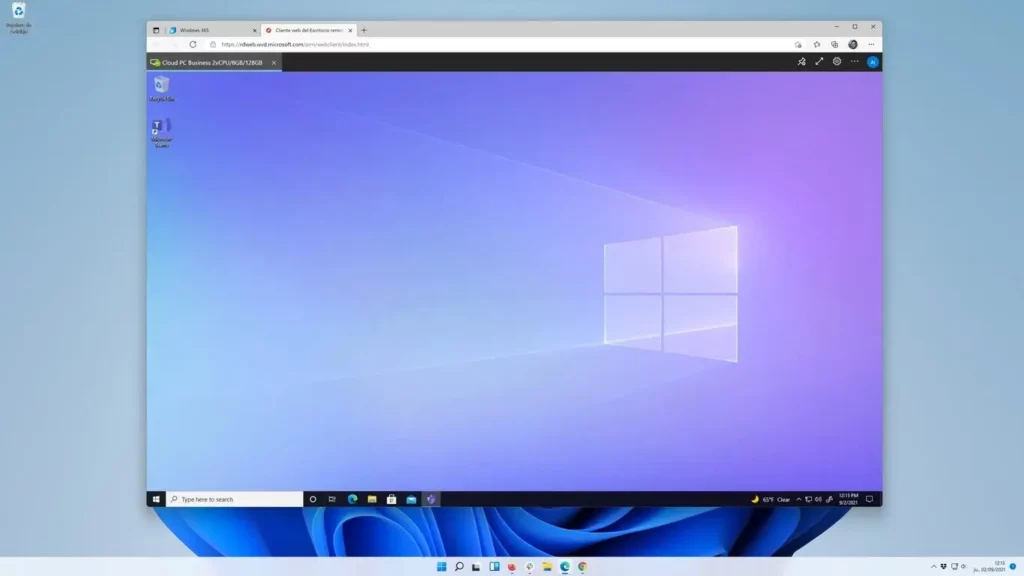
If you cancel only your subscription, your other services and free access to Microsoft remain active (albeit with storage limitations).
However, if you decide Delete your Microsoft account, you will lose absolutely all access:
- Files in OneDrive, emails in Outlook, data in Teams and Skype, purchase history, apps, and settings disappear.
- You have a deadline of 60 days to repent and reactivate the account, but after that period the elimination is irreversible.
So if you just want to stop paying for Microsoft 365, I recommend cancel your subscription and download your files, but do not delete your personal account unless absolutely necessary.
Impact on services and applications after cancellation

After unsubscribing from Microsoft 365:
- Office applications (Word, Excel, PowerPoint, etc.) enter read-only mode. You can open and view documents, print and save them locally, but do not create or edit new files.
- Advanced Outlook.com and OneDrive features are limited due to the reduction in available storage.
- You will lose access to premium features (such as full desktop versions, direct Microsoft support, advanced collaboration tools, etc.).
In enterprise environments, only administrators can access the admin panel and, temporarily, all user data for backups or transition management.
Notifications by email and through the user panel accompany you throughout the process, warning you of the risk of losing access and providing several opportunities to reactivate your subscription.
Practical tips to avoid losing your files and data
To minimize the impact of canceling or expiring your Microsoft 365 subscription, keep the following tips in mind:
- Always do one backup your important files before canceling your subscription or letting the grace period expire.
- Download your relevant Outlook emails in .pst or similar format. Don't assume they'll always be accessible online.
- If you manage multiple user accounts, notify of the cancellation period and coordinates the download of documents so that no one loses information by mistake.
- Reduce your data volume to less than 5 GB on OneDrive if you plan to maintain free access after canceling.
- Please check with your provider for exact terms and conditions for business accounts and volume licensing.
What alternatives are there to Microsoft 365?
If you've decided to move away from Microsoft 365, there are other options for working in the cloud and storing your files:
- Google Workspace: A robust alternative with services like Google Docs, Sheets, Gmail, and Drive storage. It offers personal, business, and educational plans. Plus, Tecnobits We'll leave you one Complete guide to Google WorkSpace.
- Other complete solutions: OpenOffice, LibreOffice, iWork for iCloud, Dropbox Business, OX App Suite. They usually depend on the type of user and the need for online collaboration.
In any case, remember that each platform has its own storage model, access conditions, and data retention periods, so it's a good idea to review their policies first and compare features based on your needs.
It's important to note that canceling your Microsoft 365 subscription doesn't mean you'll lose your files immediately, but it does trigger a period of time to manage and back up your information before it's permanently deleted. With proper planning, you can migrate your data seamlessly and ensure all your documentation is safe.

Passionate about technology since he was little. I love being up to date in the sector and, above all, communicating it. That is why I have been dedicated to communication on technology and video game websites for many years. You can find me writing about Android, Windows, MacOS, iOS, Nintendo or any other related topic that comes to mind.