In this post we are going to talk about Humata AI, a Very useful tool for analyzing complex PDFs without having to read everythingWhether you're a researcher, a student, a legal professional, or just someone who needs to process a lot of content in a short amount of time, you'll love Humata. How does it work? What advantages does it offer? And how do you use it for the first time? Let's take a look.
What is Humata AI?

Among the various applications that artificial intelligence can have is its enormous potential to process large amounts of content. This is particularly useful when it comes to summarize long and complex texts, whether in PDF or DOCX format. Humata AI is a tool that has been facilitating interaction with documents of this type for several years.
Basically, Humata AI is an artificial intelligence-driven platform designed to process and interpret PDF documents conversationallyThe tool allows you to upload a PDF file and then interact with it by asking questions or requesting something. For example, you can ask it to create a summary, analyze a specific section of the document, or find the answer to a specific question.
Like many other AI-powered tools, Humata uses advanced natural language processing (NLP) models similar to ChatGPT. When it analyzes a file, is able to understand his context, identify key concepts and make interpretations and summaries This way, the platform will know whether the uploaded file is a thesis, a user manual, or medical research, and will adapt its response style according to the context.
The problem with long PDFs
If you've ever had to read a long PDF file, you'll understand why tools like Humata are so valuable. PDF format It is one of the most widely used formats for sharing technical content, such as doctoral theses, financial reports, research, manuals, and guidelines. Often, this type of file exceeds 100 pages, which It makes reading it quite complicated, as well as remembering key concepts or making interpretations and summaries..
Before the era of artificial intelligence, analyze a long technical document It involved reading the titles, searching the index, and quickly jumping from one section to another. Commands like Ctrl+F allowed us to perform keyword searches in an attempt to find what we needed, if it was there at all. Finding a table or graph among so many paragraphs was a relief, not to mention the advantage of sections containing summaries and conclusions.
All these methods have two problems: They take time and assume that the reader knows what they are looking for.But that's not always the case, and as a result, hours had to be spent reading the entire document to isolate a few key ideas. Thank goodness we now have tools like Humata AI! Let's take a closer look at how it works.
How Humata AI Works
As we mentioned, Humata uses advanced AI models specialized in document analysis. Its operation is based on three main steps:
- Upload the document, which can be in PDF, DOC, DOCX, and PowerPoint (PPT) presentation formats. Humata supports long-form documents such as technical reports, contracts, academic articles, guidelines, manuals, and more.
- Process the file with AI: The platform reads and structures content using NLP techniques to identify key concepts, sections, headings and paragraphs, as well as tables, figures and conclusions.
- Interact with the user: Once the file is uploaded and processed, the user can ask questions, make requests, or extract specific data.
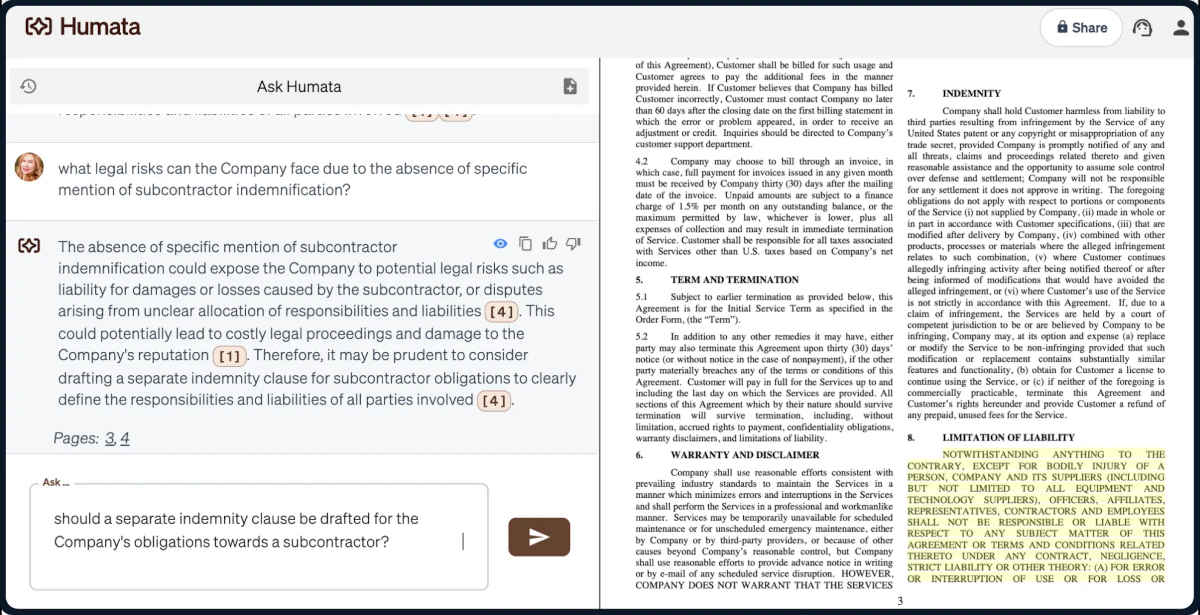
Indeed, Humata AI is ideal for analyzing complex PDFs without having to read the entire document. The interaction between the document and the user is very intuitive. Once you upload the document to the platform, the screen splits into two: on the right side, you'll see the PDF file; on the left, a sort of chat with which you can interact. You can send messages to the archive with your requestsThe responses appear as messages, and on the right you can see the highlighted sections of the file from which they were extracted.
How to use Humata to analyze complex PDFs

Let's say you upload a PDF file of more than 100 pages covering a complex topic (medicine, literature, science, history, etc.). Depending on what you want to know, you can ask different questions to obtain concise and relevant information. This way, you can Ask for a five-paragraph summary, ask for a general conclusion, ask for the meaning of a term or concept, or establish differences or similarities. between two or more points.
For example, instead of reading a 100-page report, you can ask Humata: “Extract the 5 most important points from this document”. Likewise, if you need find a specific piece of data, you just have to ask: “On which page is the term … mentioned?The platform will scan the document and give you the exact answer, saving you hours of manual searching.
If the document is very long, such as a technical report, you may request partial summaries: “Summarize the methodology section"And if you need compare information between multiple documents, you can ask something like: “How do the conclusions of these two studies differ?”. Then, Humata AI will cross-reference the data and give you a comparative analysis.
How to get started with Humata AI?
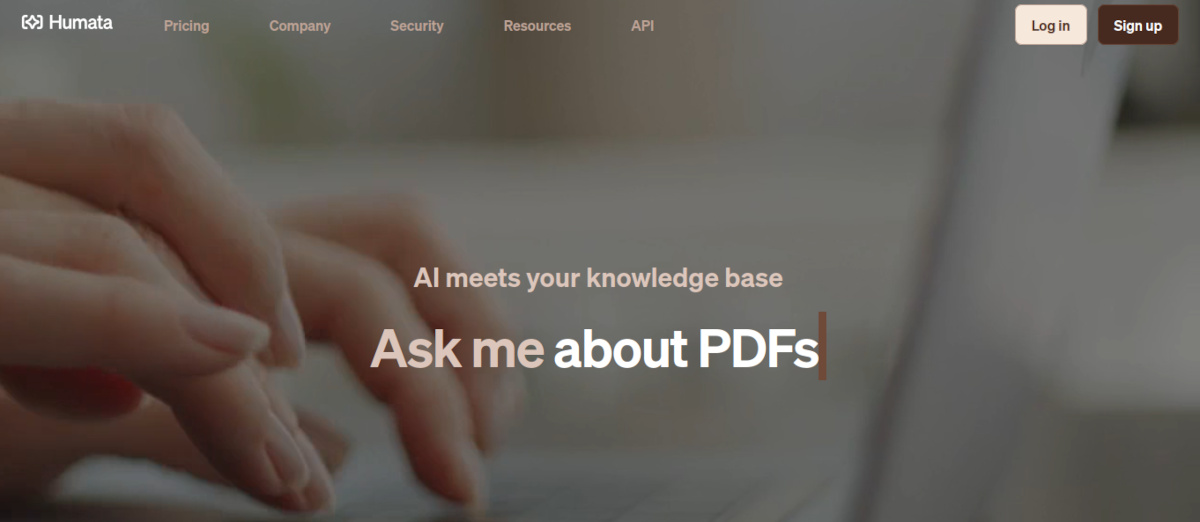
Getting started with Humata AI is very simple. One of its advantages is that you don't need to install anything on your computer. The platform is completely online and everything is done from any web browser., using a computer, tablet, or mobile phone. Simply access the website humata.ai and click Login to register using an email address and password. After verifying your email address, you'll be ready to upload your first document for analysis.
However, Humata has some conditions that you should consider. First of all, You can use the basic features without paying to analyze up to 60 pages per month.If you want more features and options, you'll have to choose between one of the four paid versions aimed at students, professionals, teams, and businesses.
Another detail is that The platform works much better in English, although it supports other languages with a certain level of precision. Speaking of precision, it suffers slightly if the PDF is an image rather than selectable text.
In addition, If the topic to be analyzed is highly complex or specialized, human verification of the generated results will always be necessary.But limitations aside, Humata AI is one of the best tools for analyzing complex PDFs without having to read everything. If you have to digest large amounts of content in a short amount of time, don't hesitate to try it out.

From a young age, I've been fascinated by all things scientific and technological, especially those advancements that make our lives easier and more enjoyable. I love staying up-to-date on the latest news and trends, and sharing my experiences, opinions, and tips about the devices and gadgets I use. This led me to become a web writer a little over five years ago, focusing primarily on Android devices and Windows operating systems. I've learned to explain complex concepts in simple terms so my readers can easily understand them.