- Xiaomi releases an update focused on improving Bluetooth connectivity and fixing recurring bugs.
- Key benefits: increased stability, expanded compatibility, and efficient battery management with Bluetooth devices.
- Easy installation via the settings menu, directly in the Bluetooth section of the phone.
- The update is available for numerous recent models, covering several ranges of the brand.

Many Xiaomi users have noticed occasional issues with their devices' Bluetooth connections, from unexpected dropouts when using headphones to disconnections with wearables. In order to resolve these inconveniences and improve the user experience, the company has rolled out a new software update that focuses on optimizing Bluetooth performance across a large portion of its mobile phone catalog.
The update, which is already being distributed progressively through compatible phones, mainly seeks increase the quality and stability of wireless connections. This translates into a smoother experience when connecting peripherals such as headphones, smartwatches or activity bracelets, avoiding annoying interruptions or signal loss that some models had experienced especially after the deployment of recent versions of its HyperOS system.
Among the most important changes introduced, the following stand out: Greater compatibility with Bluetooth accessories, as well as a substantial improvement in the detection and recognition of third-party devices. The goal is to make pairing much faster and more stable, facilitating the integration of products from both Xiaomi itself and other brands.
Main improvements incorporated in the update
The update not only fixes certain previous failures detected in models such as POCO X5 Pro 5G and Xiaomi 11 Lite 5G NE —where audio dropouts and disconnections while using accessories were quite common—but also adds new software capabilities for the rest of the current range. The most significant improvements in this version are:
- More efficient and faster reconnection: : The speed of pairing a Bluetooth accessory has increased significantly, making it easier to switch between devices or make simultaneous connections.
- Expanded accessory detection: The system is capable of identifying headphones, speakers and other peripherals from a much wider variety of manufacturers.
- Improved energy management: Bluetooth power usage has been optimized, helping to preserve your phone's battery life even during extended sessions with connected devices.
- Renewed security protocols: Internal adjustments are incorporated to strengthen the privacy and protection of wireless connections.
- Minor general performance optimizations: These affect both the fluidity of the system and the multimedia experience (audio, video and streaming with Bluetooth headphones).
How to install the new Bluetooth update on a Xiaomi mobile phone
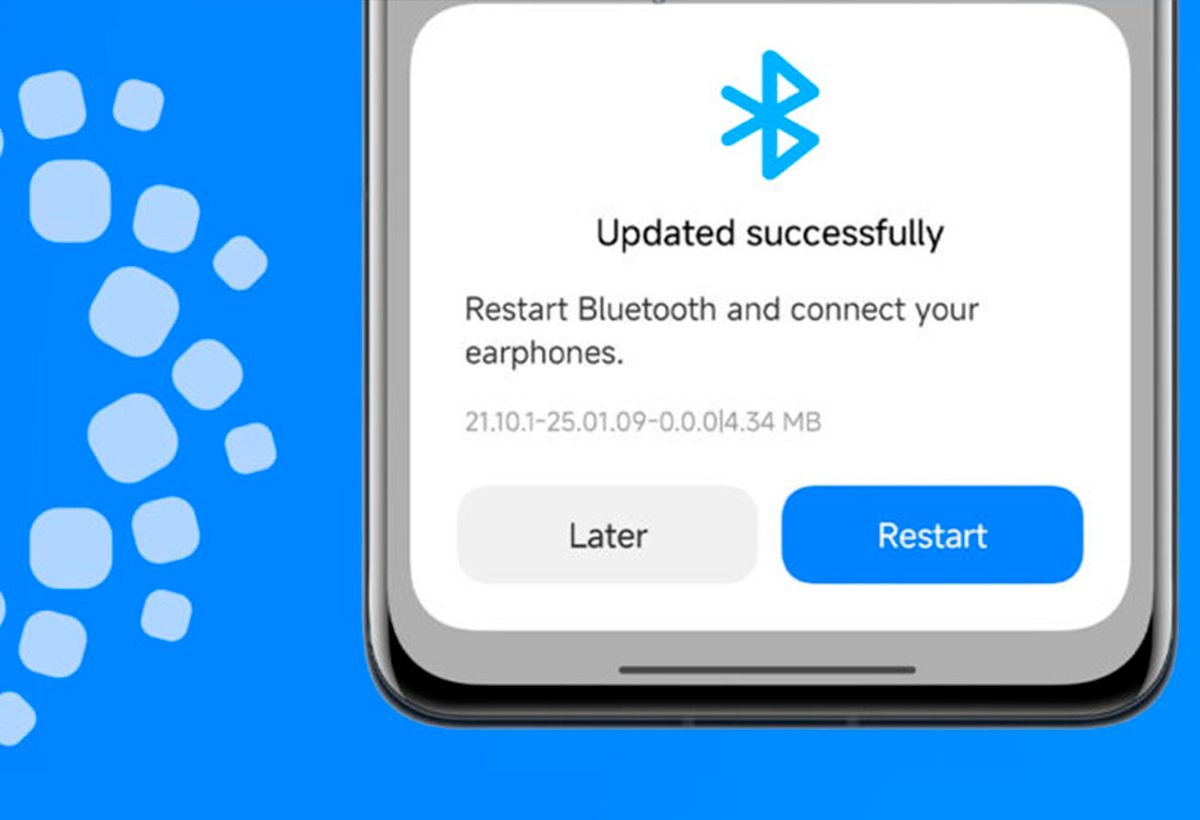
To enjoy these improvements, Xiaomi has opted for a simple update process that can be performed from the phone's own menu. It is not necessary to do a complete reinstallation of the system or download external files: just access the settings section to check if the update is available.
The steps to follow are the following:
- Open the application of Settings on your Xiaomi mobile.
- Go to the section Bluetooth and look for the option related to the installed Bluetooth version.
- If you see a pending update, select it and start the installation process.
- It is important to maintain the mobile phone with sufficient battery and connected to the internet during the operation.
- Once the update is complete, you can check your settings again to verify that the changes have been applied correctly.
For models affected by previous bugs — such as the POCO X5 Pro 5G or Xiaomi 11 Lite 5G NE with specific HyperOS versions — It is recommended to pay special attention to upcoming system notifications, since there are specific patches on the way to resolve the detected issues.
This update reflects Xiaomi's intention to Improve Bluetooth compatibility and functionality on your devices, allowing users to get more out of their favorite wireless accessories with fewer interruptions, greater compatibility, and longer battery life.

I am a technology enthusiast who has turned his "geek" interests into a profession. I have spent more than 10 years of my life using cutting-edge technology and tinkering with all kinds of programs out of pure curiosity. Now I have specialized in computer technology and video games. This is because for more than 5 years I have been writing for various websites on technology and video games, creating articles that seek to give you the information you need in a language that is understandable to everyone.
If you have any questions, my knowledge ranges from everything related to the Windows operating system as well as Android for mobile phones. And my commitment is to you, I am always willing to spend a few minutes and help you resolve any questions you may have in this internet world.