- New AI features in Adobe Acrobat Studio: presentations, podcasts, and chat editing.
- PDF Spaces becomes a collaborative knowledge hub for working with multiple documents.
- AI generates summaries, audio scripts, and slides based on your own PDFs.
- The new features come integrated with Adobe Express and are geared towards professionals, businesses, and education.
The classic document in PDF format It's ceasing to be a simple static file and becoming a much more dynamic workspace. Adobe has taken an important step by integrating artificial intelligence into Acrobat and unifying it under the umbrella of Acrobat Studio with the aim of making working with reports, presentations, contracts or notes more agile and less tedious.
Far from being limited to reading or signing documents, the new functions allow Convert PDFs into interactive presentations, podcasts, and summaries in addition to editing them or convert them to Word through natural language. All of this is supported by Acrobat's AI Assistant and direct integration with Adobe Express, so users can consume and reuse information without having to jump between so many applications.
What is Acrobat Studio and why does it change the way we work with PDFs?
Adobe has begun to group these new features into Acrobat Studio, an environment that brings together Acrobat Pro, the AI Assistant, and Adobe Express The idea is that documents should cease to be mere containers of text and become smart spaces where you can create, analyze and share content In this context, PDFs are not the end of the process, but the starting point for generating new formats such as visual presentations or podcast-type audio.
Within this environment, users can organize their information in what Adobe calls PDF Spaces These are workspaces where various PDF files, links, transcripts, reports, or web pages are grouped, which AI uses as a basis for answer questions, summarize content, and propose new materials All of this is designed to centralize information that was previously scattered across emails, loose documents, or browser tabs.
PDF Spaces: From shared folder to AI-powered knowledge hub
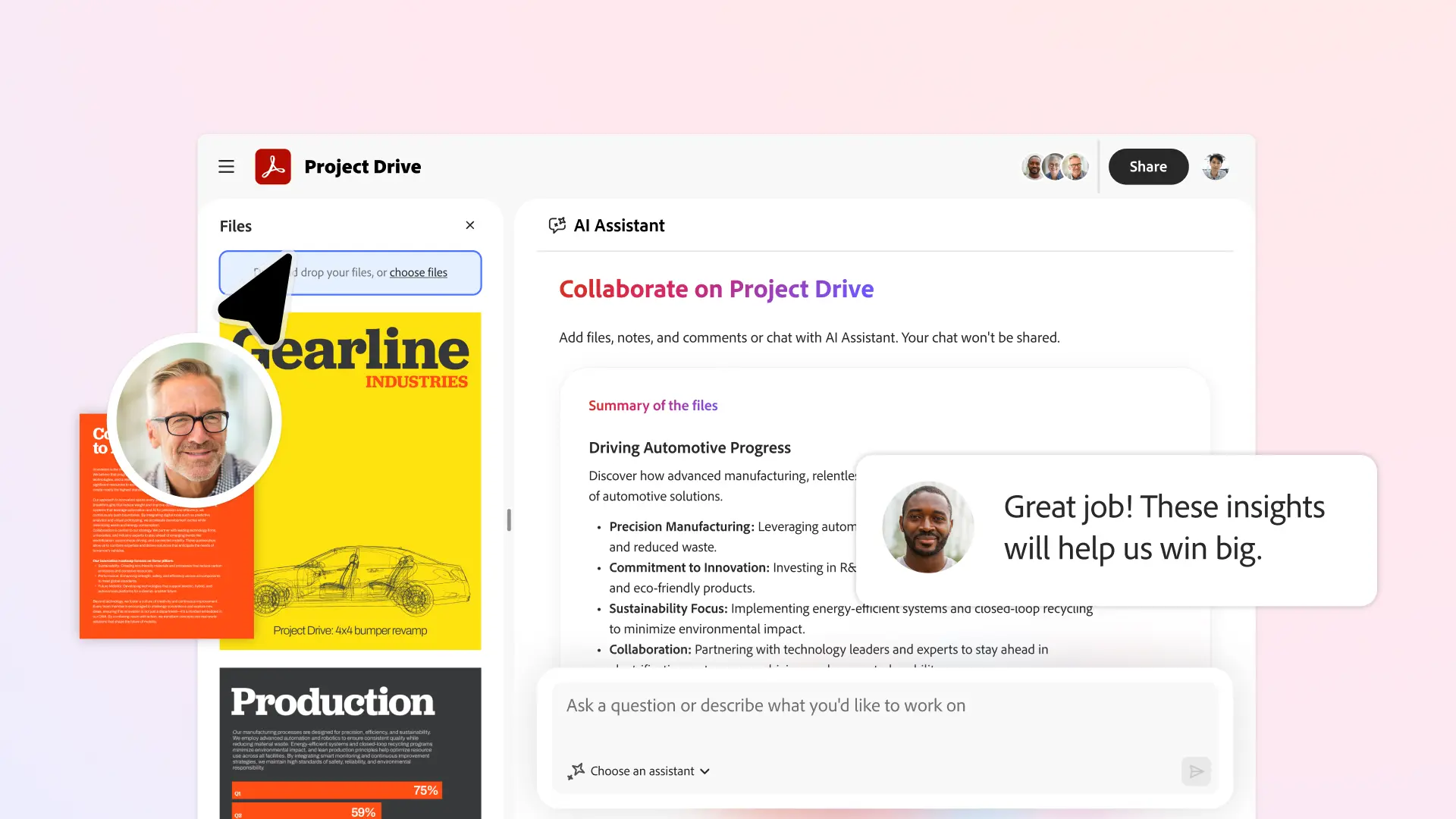
The PDF Spaces are one of the key features of the new Adobe Acrobat features. In practice, they function as a thematic hub where all documents related to a project, client, subject, or work area are gathered. The AI Assistant can then perform contextual searches, extract key ideas, generate summaries, and create new content from this collection of materials without the user having to go through each document individually.
Furthermore, these spaces are designed for work as a team in a more organized way Colleagues, clients, or collaborators can be invited to upload their own files, leave notes, make comments, or review proposals. The goal is to reduce endless email chains and promote a more centralized workflow. AI, for its part, allows adapt the type of response to the context through different profiles or “personalities”, such as a more legal, more commercial or more educational approach.
Another practical use of PDF Spaces is managing information overload. Adobe is promoting the generating summaries of long documents in the form of a podcast script or condensed text. This way, emails, meeting minutes, technical documentation, or lengthy reports can be grouped together, and the assistant can be asked to generate more digestible content that allows them to catch up without having to read everything in detail.
Generate AI-powered presentations from your own PDFs
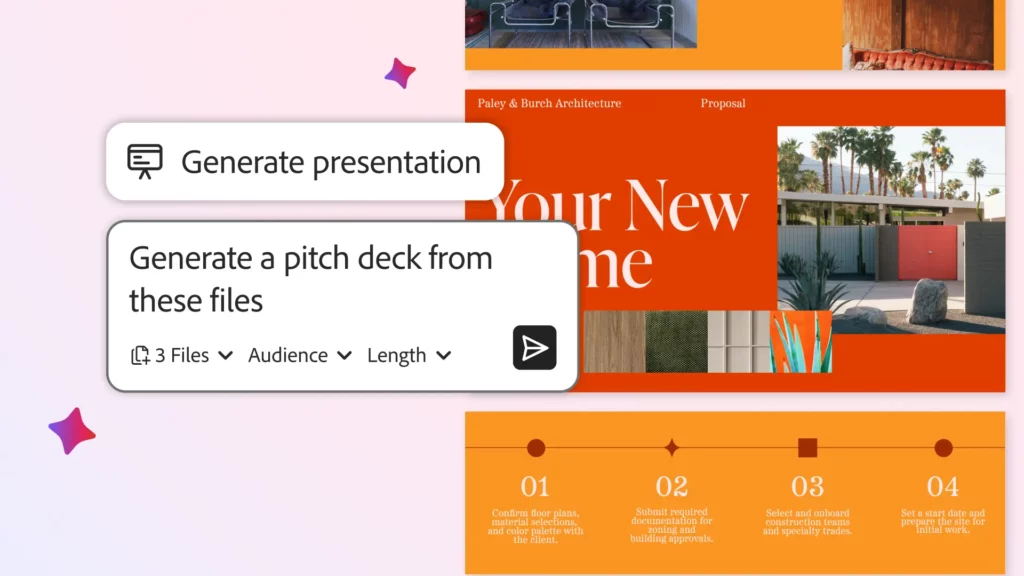
One of the features that is attracting the most attention is that of “Generate presentation” in Adobe Acrobat This tool leverages the AI Assistant and Adobe Express design templates to transform complex documents for professional-looking presentations. Instead of copying and pasting data into PowerPoint or similar applications, simply specify which PDF or set of documents you want to use as a base.
The workflow is relatively simple: they are uploaded to a PDF Space reports, product sheets, market research, websites, or academic notes The AI is then asked to prepare a presentation. The assistant first creates an outline with the main points and then allows you to convert that outline into a set of fully editable slides within the Acrobat Studio environment, using the Express design library.
The tool not only automates the initial part, but also It allows you to adjust the length of the presentation, the tone of the message, and the type of design. The user can request a shorter, more executive version or a more detailed and explanatory one, and then refine the result directly with Express's features: change images for Adobe Stock resources, add videos, modify fonts, incorporate animations in the final slide, or adapt the presentation to the language of a specific audience.
This approach positions Acrobat Studio as a clear competitor to platforms like Canva or Google's own tools But with the unique feature of always working from the original documents. For small businesses, sales teams, or independent professionals in Spain and Europe, this means being able to generate sales presentations, proposals, or executive reports from existing PDFs, saving a good part of the layout time.
Convert PDF to audio: the Generate Podcast feature
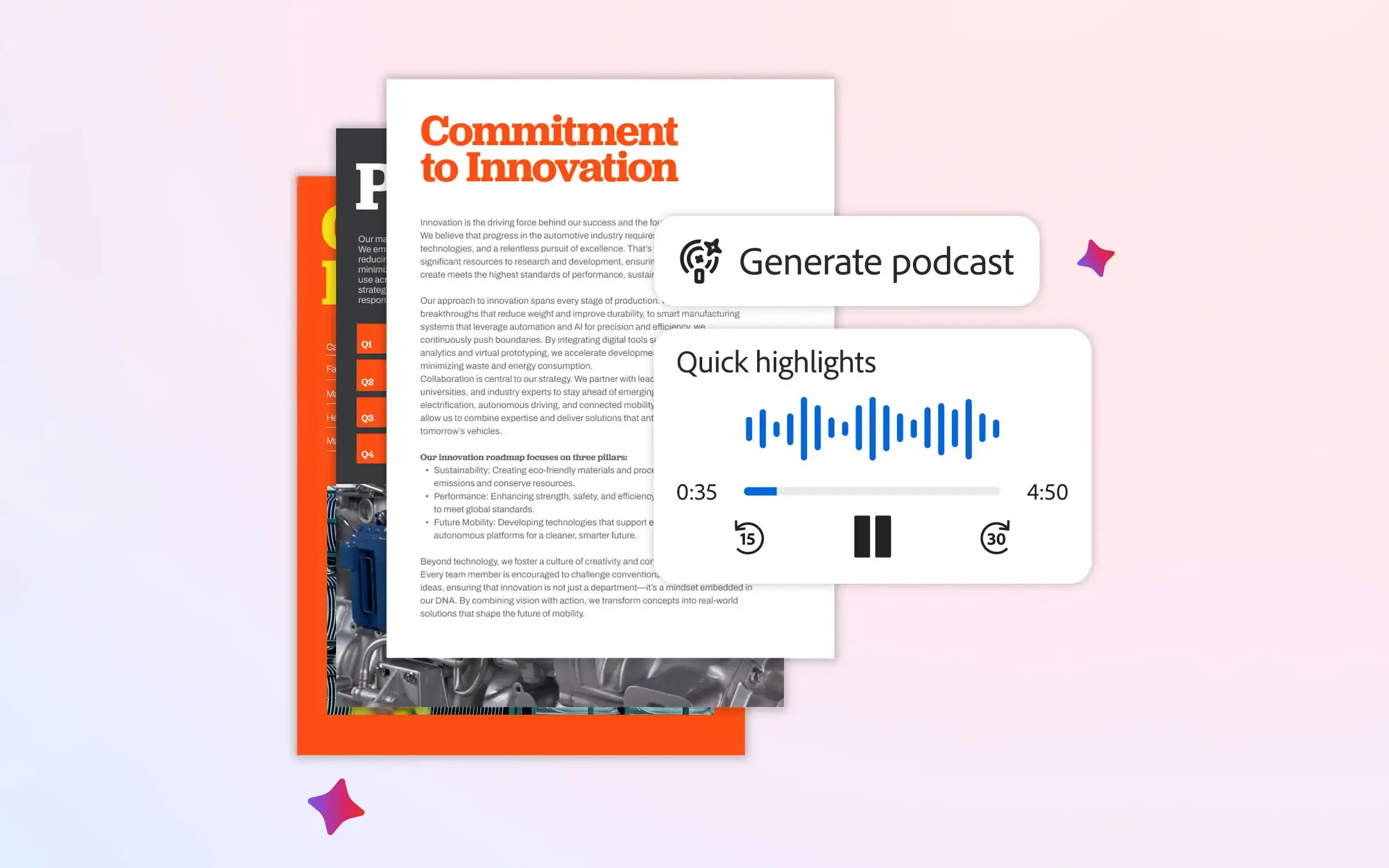
Another major new feature is “Create podcasts” Designed for those who prefer listening to reading lengthy documents. This feature allows Convert PDF documents, notes, or transcripts into audio files formatted for informational programs. , in which two virtual hosts comment on and break down the content as if it were a traditional podcast.
To use it, simply upload the files to a space in Acrobat Studio and ask the AI assistant to summarize the information in audio form. The system offers two modes: one A quick summary of the key points in just a few minutes. or a more extensive and detailed analysis. The result can be reproduced from the computer, the mobile device or any compatible device, allowing you to review documents while traveling, playing sports, or performing other tasks.
This feature is reminiscent of what some AI-based tools focused on studying and reading already offer, but with the advantage of being integrated directly into Acrobat. Adobe presents it as a way to convert dense documents into more easily digestible content From educational guides to current affairs reports, school newsletters, and corporate documents, it effectively transforms downtime into opportunities to catch up on complex topics without having to be in front of a screen.
PDF editing via chat and natural language
Alongside the creation of presentations and podcasts, Adobe has strengthened its capabilities in PDF editing via interactive chat Acrobat's AI Assistant now allows you to write commands in natural language to perform actions that previously required navigating through multiple menus: from deleting pages and correcting text to managing comments, modifying images, or applying security.
The user can write requests such as “delete pages 3 and 4”, “add an electronic signature at the end of the document” or “protect this PDF with a password” The wizard then handles the changes. It's also possible to search for and replace specific terms, reorganize sections, insert annotations, or generate automatic summaries with citations that point to the specific fragment of the file, which is especially useful for collaborative work.
This conversational interface is complemented by a Improved help panel that offers step-by-step instructions and troubleshooting assistance without leaving Acrobat. The goal is to lower the barrier to entry for those who have always seen the advanced PDF editing as something complex, while reducing the time spent on mechanical tasks in legal, financial, human resources or marketing departments.
Use cases in business, education, and everyday life
The new features in Acrobat Studio are designed for a wide variety of users, from freelancers to sales teams, law firms or students In the business world, for example, a sales team can upload product sheets, competitor reports, and previous presentations to a PDF Space and ask the assistant to prepare a new sales pitch and its corresponding presentation for a specific European client.
In it legal sector Law firms can use AI to expedite the reading of lengthy contracts, identify changes between versions, and generate summaries that highlight the most relevant clauses. Compliance or human resources departments can also benefit from this capability. convert internal manuals and corporate policies into audio scripts or more accessible presentations for staff.
In it educational field Students and teachers in Spain and other European countries can centralize scientific articles, notes, and class materials in a single space, generate personalized study guides, and transform written work into presentations for classroom use. The option to listen to podcast-style summaries can be especially useful for those who combine studies with work and need to make the most of any free time.
There are also uses in the domestic environment. Families and individuals can group spaces in PDF format. school documents, activity calendars, authorizations, travel reservations or invoices From there, AI can produce a weekly audio reminder, summaries of important emails, or even short presentations to organize a trip or a family event, without requiring extensive technical knowledge.
Integration with Adobe Express and access model
Many of these new developments are based on the tight integration between Adobe Acrobat and Adobe Express While Acrobat remains the core for reading, organizing, and managing PDFs, Express provides the design engine and library of templates, images, and creative assets. This combination allows you to transform a PDF report into a [specific type of PDF/format] in just a few steps. Visually polished presentation ready to share .
New AI-based capabilities, such as generating presentations and podcasts or advanced editing via chat, are arriving in the Acrobat payment plans, especially Acrobat Pro subscriptions and Creative Cloud options In some markets, an additional cost is expected for the AI Assistant add-on, while certain advanced features are concentrated in the Acrobat Studio offering. Although Adobe has not publicly detailed all the specific conditions by region, the trend suggests that the most powerful tools will be reserved for higher-level plans.
The company is rolling out these features gradually, with the goal of enabling professionals, businesses, and individual users to take advantage of them. experiment with new ways of interacting with your PDFs Between creating automatic presentations, podcast-style audio summaries, collaborating in PDF Spaces, and editing using natural language, Acrobat is moving away from the image of a simple document viewer to become a platform geared towards creating, understanding, and sharing information in a much more flexible way.
[related url="https://tecnobits.com/programas-para-transformar-pdf-en-word/»]

I am a technology enthusiast who has turned his "geek" interests into a profession. I have spent more than 10 years of my life using cutting-edge technology and tinkering with all kinds of programs out of pure curiosity. Now I have specialized in computer technology and video games. This is because for more than 5 years I have been writing for various websites on technology and video games, creating articles that seek to give you the information you need in a language that is understandable to everyone.
If you have any questions, my knowledge ranges from everything related to the Windows operating system as well as Android for mobile phones. And my commitment is to you, I am always willing to spend a few minutes and help you resolve any questions you may have in this internet world.