- Integration of local language models using Ollama and the Dify orchestration platform.
- Implementation of RAG systems to process private documents without relying on the cloud.
- Hardware resource optimization and network configuration in Docker containers.
- Creation of advanced workflows with conditional logic and specialized agents.
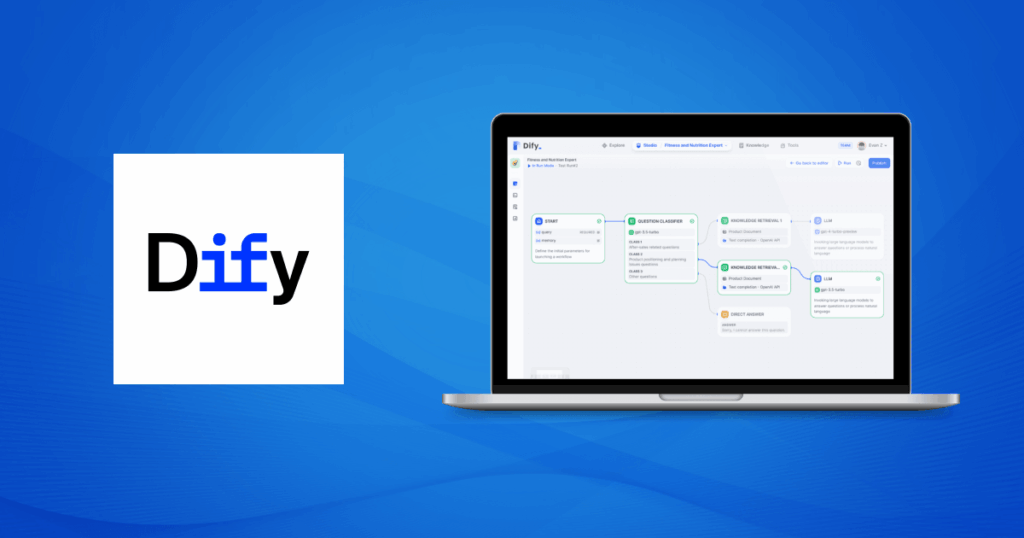
It's tempting Build your own artificial intelligence ecosystemHowever, there is a concern that your data could end up being sent to unknown servers. One way to avoid this is Connect Dify with OllamaThe combination works: Dify is an incredibly flexible LLM application development platform, while Ollama is the standard for running local models.
You don't need to be a programming guru to achieve this, as Dify offers a visual interface that allows you to design complex workflows without touching a single line of code. However, if you enjoy tinkering with software, you'll discover that its ability to export to Python It's a real gem for taking your projects to the next level.
What exactly are Dify and Ollama?
To start connecting Dify with Ollama from scratch, it's important to know what each one is. Dify It is a tool for Open source LLMOps It serves as a command center. It allows you to integrate diverse models, manage knowledge bases, and create agents that actually work. Best of all, it doesn't limit you to a single model; you can mix cloud services with on-premises models as needed.
On the other hand, Ollama It is the part that is responsible for lift the models (like Llama 3, Gemma, or DeepSeek) directly on your computer or server. By running inference locally, you avoid paying monthly fees for each token generated and ensure the security of your company's sensitive information. stay within your network.
Essential steps to connect Dify with Ollama
The first step is to get Llama ready. You should download it from its official website and run your preferred model via the terminal. For example, if you want to try the latest Llama, just run the command ollama run llama3.2It is vital that the Ollama server is listening on all interfaces; to do this, configure the environment variable OLLAMA_HOST=0.0.0.0especially if you're going to use Docker.
For Dify, the easiest way is to use Docker Desktop. You just need to clone the official GitHub repository and navigate to the folder. docker, copy the example file .env.example as .env and execute docker-compose up -dOnce the containers are running, you will be able to access the administration panel through your browser at localhost.
Connection setup: The Base URL trick
This is where many people get stuck when trying to connect Dify with Ollama. Because Dify runs inside a Docker container, it can't directly see the "localhost" of your actual machine. To work around this, in Dify's model providers section, you need to add Ollama and use the address http://host.docker.internal:11434This bridge is what allows the Dify API to communicate with the Ollama engine installed on Windows, Mac or Linux.
When adding the model, remember to specify the exact name from the model you downloaded in Ollama (for example, llama3), adjust the context size and token limit according to your hardware's capabilities to prevent the system from crashing or responding slowly.
RAG Implementation: Your Own Knowledge Base
One of Dify's most powerful features is Recall Augmented Generation (RAG). This allows the AI to not only respond with what it already knows, but also to consult other sources. specific documents that you provide. You can upload manuals in HTML or PDF format, and Dify will take care of breaking them down into manageable chunks called chunks.
These pieces are converted into vectors using a model of embedding (which can also be from Ollama) and are stored in a database like Weaviate. When you ask a question, the system searches your documents for the most relevant information and passes it to the LLM to draft an answer. Based on real events and not in hallucinations.
From a simple chatbot to an advanced workflow
If conventional chat falls short for you, Dify lets you create workflows with visual logic. Imagine a system that first classifies the user's question: if it's a technical question, it sends it to a coding expert; if it's an administrative question, it redirects it to the company's knowledge base. All of this is done through decision nodes (IF/ELSE) and specialized LLM nodes.
This approach is much more precise because you can write specific prompts for each stage of the process. You can configure the model to be concise, include code examples, or allow for throttling if the answer isn't found in the documentation, thus achieving a professional user experience.
Solving common problems and optimization
You may encounter some issues when trying to connect Dify with Ollama. If you receive a "connection refused" error, check that your firewall isn't blocking the port. 11434 and that Ollama is actually active. Regarding performance, if you notice that the AI is moving at a snail's pace, go into the Docker configuration and assign more RAM and CPU (at least 8GB if possible).
Another critical point is the GPU drivers. For Ollama to fly, it needs access to the graphics card. If you're using NVIDIA, make sure you have the updated drivers And, if you run everything in Docker, configure the nvidia-container-runtime in the file daemon.json so that containers can take advantage of the power of the hardware.
What a great idea to connect Dify with Ollama! Integrating these tools allows you to build a robust AI system, where the data privacy This is the priority, and operating costs are minimized. By mastering the connection between Dify's orchestration and Ollama's local power, you have an infrastructure capable of scaling from a simple desktop assistant to a complex knowledge management system for any professional environment.

Editor specialized in technology and internet issues with more than ten years of experience in different digital media. I have worked as an editor and content creator for e-commerce, communication, online marketing and advertising companies. I have also written on economics, finance and other sectors websites. My work is also my passion. Now, through my articles in Tecnobits, I try to explore all the news and new opportunities that the world of technology offers us every day to improve our lives.