With the streaming, more and more people choose to enjoy audiovisual content over the Internet. Platforms like Netflix, HBO Max, Prime Video y Disney+ They have revolutionized the way we consume entertainment. However, thanks to technology IPTV (Internet Protocol Television), it is also possible to watch live television channels and additional content easily. All you need is an application that allows you to manage IPTV channel lists and a stable internet connection.
If you are looking for an effective and free alternative to play IPTV lists and enjoy channels from the DTT (Digital Terrestrial Television) without the need for an antenna, we present to you IPTV Smarters Pro. This app has quickly become a favorite among live TV lovers.
Download and install IPTV Smarters Pro
IPTV Smarters Pro is available for free. free on various platforms:
- Google Play for televisions with Android TV and HDMI players or dongles with this operating system.
- iOS devices
- LG and Samsung televisions
- Windows and Mac
To download the app, simply search for “IPTV Smarters Pro” in your device's app store or use the voice assistant if available.
Getting started with IPTV Smarters Pro
Once the application is downloaded, the first step is to load your list of IPTV channels. IPTV Smarters Pro offers you several options:
- Upload your playlist or M3U file
- Use a list using Xtream codes
- Use Single Stream
To avoid typing the list URL manually with the remote control, we recommend send M3U file to TV using applications such as Send Files to TV.
IPTV Smarters Pro Features
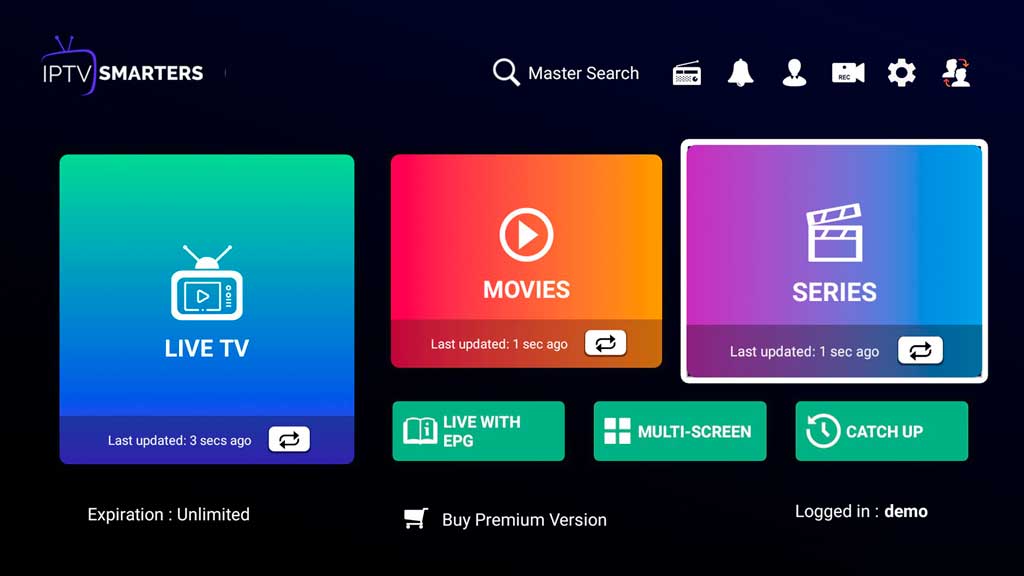
The interface of IPTV Smarters Pro is intuitive and well organized. These are the main sections you will find:
- Live TV: Here are all the channels in your loaded list.
- Cinema y Series: Channels enabled for VOD content will appear in these sections.
- EPG: Allows you to view the programming of each channel (exclusive function for Premium members).
- Multiple screens: Enjoy multiple channels simultaneously in smaller boxes.
In addition, IPTV Smarters Pro offers you the possibility of record content simply by pressing the record button while playing a channel.
Advantages of the Premium version
Although the free version of IPTV Smarters Pro is very complete, the Premium version unlocks additional features:
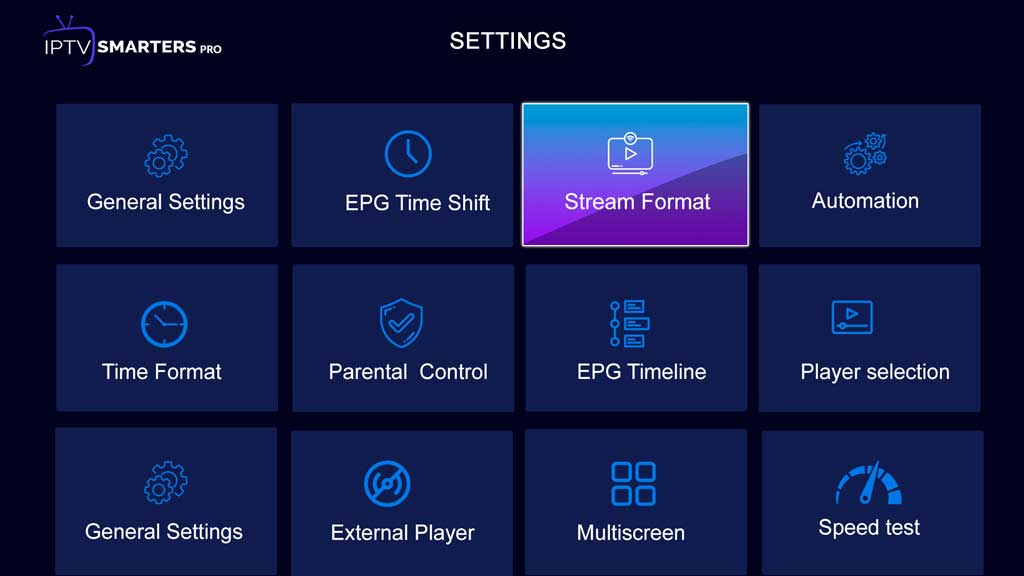
- Access to advanced settings
- EPG function to view channel programming
- Priority technical support
If you are an advanced user or want to get the most out of the app, the Premium version can be a great option.
Alternatives to IPTV Smarters Pro
Although IPTV Smarters Pro stands out for its ease of use and functions, there are other applications that also allow you to play IPTV lists:
- Kodi: A complete multimedia center that supports IPTV lists.
- VLC: The popular media player also supports IPTV.
- TiviMate: Another application specialized in managing IPTV lists.
The choice of application will depend on your preferences and the device you use. Do not hesitate to investigate the options available in the application store of your Smart TV by searching for the term "IPTV".
IPTV Smarters Pro It is presented as a solution efficient y accessible to enjoy live television without the need for an antenna. Its intuitive interface, wide compatibility and additional features make it one of the best options for IPTV lovers. Do you dare to try it and discover a new way of watching television?

I am Sebastián Vidal, a computer engineer passionate about technology and DIY. Furthermore, I am the creator of tecnobits.com, where I share tutorials to make technology more accessible and understandable for everyone.