Linking Discord on the PS5 is the best option for playing with friends. And, if you have a PS5 and you play with friends regularly, you are probably using the in-game chat to communicate with them. The problem is that when you leave the game or leave the lobby in the game, you are left incommunicado.
But so that this does not happen to you, Discord is a very useful application that you can use instead of the in-game chat. However, you should know that It comes already installed on your PS5. Keep reading and I'll tell you how to install Discord or rather, how to link Discord on the PS5.
Discord is already installed on your PS5, you just need an active account
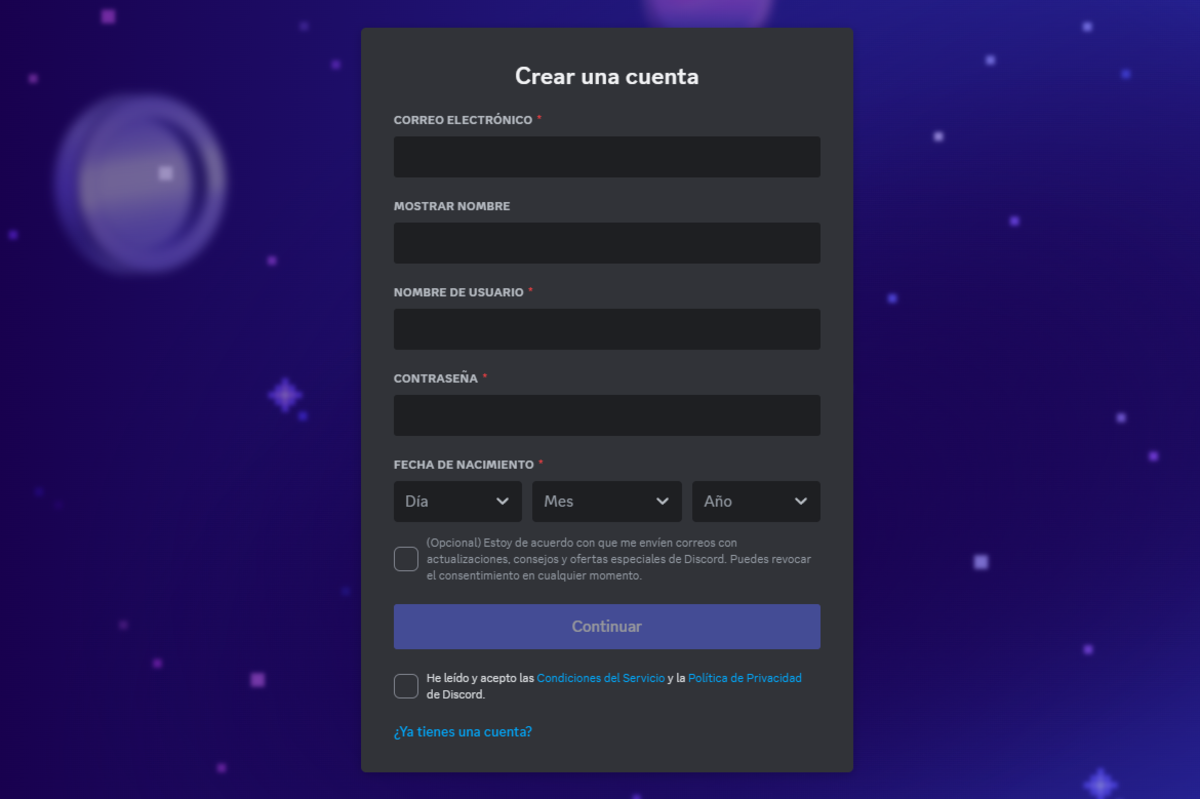
Contrary to what many think, Discord does not have to be installed on the PlayStation 5. This application It is integrated into the most current Sony game console. To use Discord, then, all you have to do is link your account with this platform. To do this you will need to have an active Discord account, nothing more.
Now, creating an account on Discord is simple but it will take you a few minutes. Don't worry because you just have to enter the official website to create a Discord account and fill in your details such as email, the name you will use in the communication app, your password and your date of birth.
Now, to finish creating your account you have to read and accept the terms of service and privacy policy of the platform. Once you have done this, you will receive an email to the email address you entered to verify that you are a new Discord user.
So, now that you have the account created, we are going to take advantage of the microphone on your DualSense controller to talk to your friends while you play and thus prevent your communication from being cut off after each game. Let's see how to link Discord on the PS5.
How to link Discord on the PlayStation 5
Although on many occasions, having bloatware or pre-installed programs on the device is annoying, in the case of Discord it is a positive thing since It is one of the apps most used by gamer communities. And you can not only communicate with friends, actually It's useful for much more than that.
Can find video game communities where you can find tricks, make new friends or simply redeem rewards. But I'll leave that for you to discover for yourself, now let's see how to link Discord on the PS5.
- Start the PS5 and stay in the main menu.
- From there tap on the icon "Configuration" gear-shaped at the top right of the screen.
- Next, press "Users and accounts".
- You'll see an option that says "Link with other services", touch there.
- Now you have a list of services compatible with your console, find and Tap on “Discord”.
- Instructions will appear to link your account (which you created previously), now You can do it in two ways.
- Scan the QR code from the mobile app or enter with your credentials.
And that's it. Once you have completed these steps and your account is linked, you already have everything prepared for Use Discord on your PS5. What does this mean? Well, you can join existing voice chats, make individual calls, send messages, and organize everything you care about right from the console. What is most impressive is that, since the PS5 is so fast in its processes, You can do all this while continuing to play or do anything else on your PS5.
Besides, you won't have to worry about disconnecting your session and reconnect every time you need to communicate with friends. Once your account is linked, You can access Discord at any time and from any game.
Now, if what you are trying to broadcast your game on Discord from the PS5, you should know that it is something that cannot yet be done. We will have to wait for a future update of this app to show our game to our friends on the PS5 through Discord.
But, as I said, keeping in touch with your friends is easier than ever if you have the Discord account connected to the console. So you will always be in touch with your group of friends, regardless of whether you are in or out of a game.

I am a technology enthusiast who has turned his "geek" interests into a profession. I have spent more than 10 years of my life using cutting-edge technology and tinkering with all kinds of programs out of pure curiosity. Now I have specialized in computer technology and video games. This is because for more than 5 years I have been writing for various websites on technology and video games, creating articles that seek to give you the information you need in a language that is understandable to everyone.
If you have any questions, my knowledge ranges from everything related to the Windows operating system as well as Android for mobile phones. And my commitment is to you, I am always willing to spend a few minutes and help you resolve any questions you may have in this internet world.