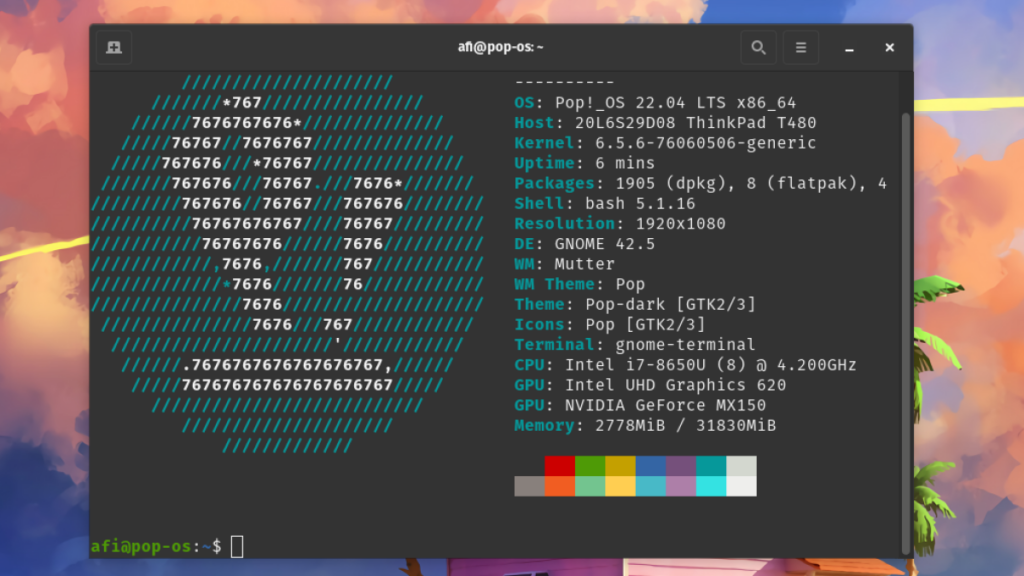
In this article we are going to talk about Neofetch, a command line tool widely used in Linux distributions, although it is also compatible with macOS and other platforms. At least it has been until recently (we explain why later).
The most notable aspect of this tool is its ability to show all system information in a very graphic, practical and elegant way. That is why many developers and system administrators turn to Neofetch when they have to show information about their operating system to third parties, using its visually pleasing aesthetics.
What information does Neofetch display?
We could say, although that would not be entirely correct, that Neofetch is a purely informative tool. The truth is that it is a very effective resource for displaying system data in a clear and summarized way. All the data appears on the screen along with the logo of the operating system used in each case. Basically, this information is as follows:
- Name and version of the Operating System.
- Kernel (system kernel version).
- Installed software packages.
- System usage time.
- Desktop theme and icons.
- Screen resolution.
- RAM memory (the amount used and the total available).
- CPU.
- GPU.
- System temperature.
Practical uses of Neofetch
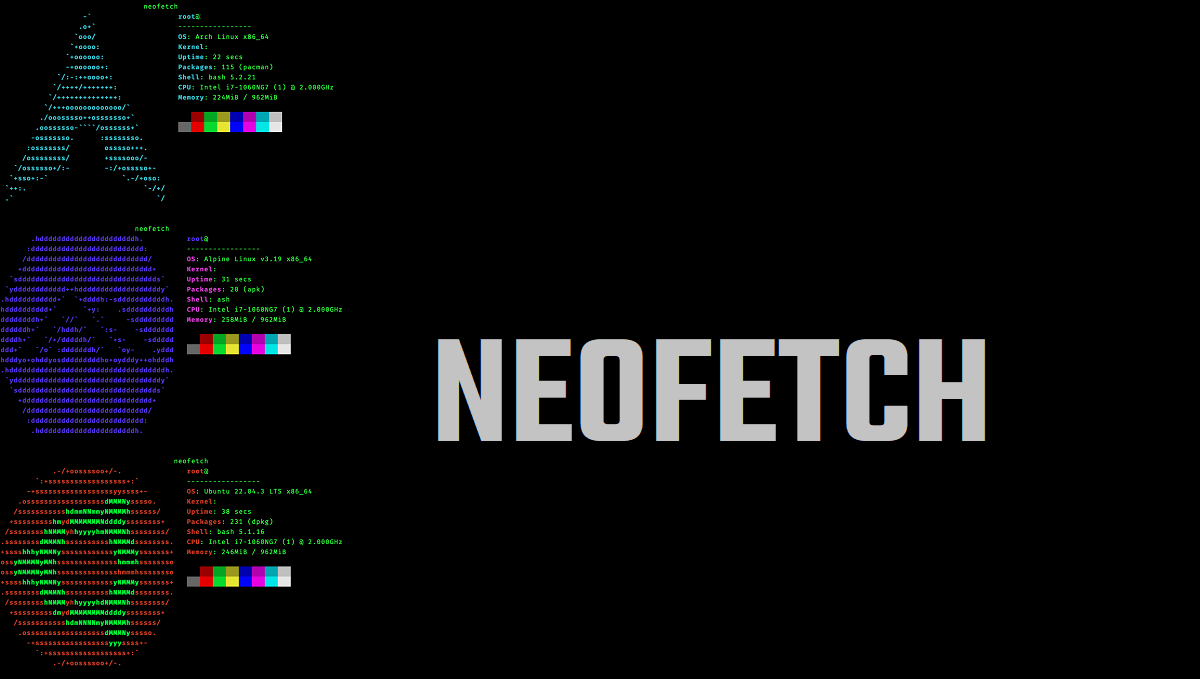
Have all that system information, presented quickly and visually, not only serves to obtain a kind of x-ray of it. And although this is its main task, other aspects must be assessed.
To begin with, we must highlight its aesthetic value. That's one of the things that makes Neofetch so popular among those looking for a greater degree of Linux desktop customization. These users use screenshots with system information plus their custom settings.
On the other hand, it is also a useful quick diagnostic tool. For an advanced user, it is easy to get an idea of your hardware and software in use with a single look. It can also be used to quickly verify specifications and possible system imbalances.
Installation and use
The installation of Neofetch is very simple and can be done easily through the package managers of the different Linux distributions. Here are some examples:
- Arch Linux: sudo pacman -S neofetch
- Debian: sudo apt-get install neofetch
- Fedora: sudo dnf install neofetch
- Ubuntu (version 17.04 or higher): sudo apt install neofetch
Apart from this, it can also be installed on macOS via Homebrew using the command brew install neofetch. Or even in Windows, via WSL or Scoop, with the command scoop install neofetch.
Once installed, to use the tool you just have to execute the command neofetch in the terminal. Immediately, all system information will appear on the screen. Its visual appearance can be customized through different settings, according to the tastes and preferences of each user. These are some basic configuration commands:
- bold on/off- to enable or disable bold text.
- colors xxxxxx- to change the text colors in this order: title, @, underline, subtitle, colon, info.
- disable infoname: to disable a specific line of information.
Alternatives to Neofetch
In early 2024, it was leaked the news that this handy tool was going to stop being developed, which came as a surprise, especially for the thousands of developers around the world who regularly use this tool.
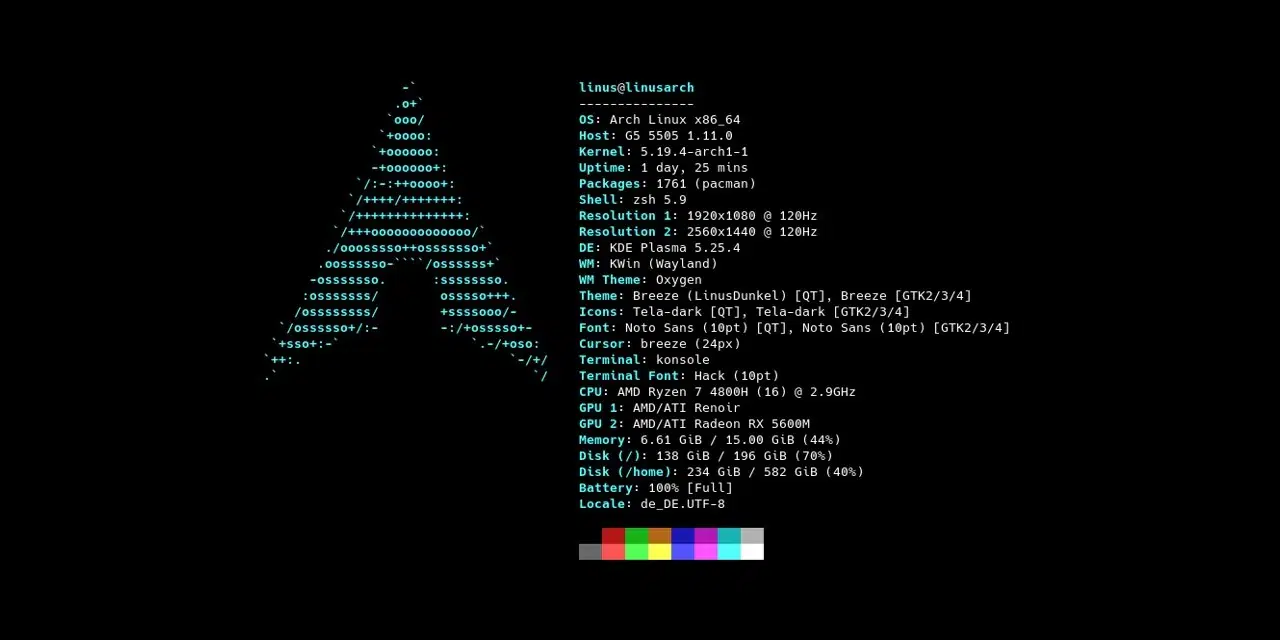
In the face of uncertainty, many have already looked for other alternatives. The list is as long as it is varied, and is made up of names such as Fastfetch (pictured above), Screenfetch, Macchina, Nerdfectch, Archey, Hyfetch, CPUfetch… All of them offer a service similar to Neofetch, although with slight differences.
Despite this, it must be said that it is still available in the repositories of many distributions, so it still has many years of useful life left. And, who knows, maybe in the future someone will be interested in recovering the project and continuing to update it.

Editor specialized in technology and internet issues with more than ten years of experience in different digital media. I have worked as an editor and content creator for e-commerce, communication, online marketing and advertising companies. I have also written on economics, finance and other sectors websites. My work is also my passion. Now, through my articles in Tecnobits, I try to explore all the news and new opportunities that the world of technology offers us every day to improve our lives.