
How many times have you tried to find a television channel and ended up not finding it? From now on it won't happen to you anymore because I'm going to teach you how to use Photocall TV, a directory of all the most searched television channels on the internet. It is the perfect tool for watching TV anywhere, from anywhere. I tell you what you can do with Photocall TV.
The largest catalog of television channels at your fingertips

Photocall TV is a quick solution to the problem that many users have when we want to watch television channels without being glued to the television. This tool is a website that offers instant access to thousands of TV channels from anywhere, both national and international.
In addition to this, just like with TV channels, Photocall TV also offers a wide catalog of radio stations so you don't have to download any app for it. AND It does all this for free and without ads.
Now then, Not all the channels you find on this website are free, if the channel in question requires a subscription, you will need to pay that fee to view the content. For example, if you want to watch the NBA from NBA TV you need to have the paid service purchased.
Besides, you may have to use a proxy to bypass geolocation limitations. This is because many channels require viewing from the specific area where they are broadcast. But as we already know, VPNs act in a way that we can falsify our position and thus see any content in the world.
This is something that the Photocall TV developers have investigated and therefore From their website they offer a series of useful resources to watch television from anywhere.
What functions does Photocall TV have?
From Photocall TV's own website they offer you a series of links to some of the best-known VPNs on the internet. In addition to these resources, some very useful extensions not only to watch Photocall TV but for your browser. Some of the most interesting is the one that allows you to maximize content and adjust it to the screen width or extension you allows you to capture the screen to record your favorite series and movies to watch later.
And if that were not enough, Photocall.TV has a section where you can see the programming guide of some of the most important channels, so you will know when the movie or game you wanted to see is on. But, what channels are there on Photocall.TV?
What channels can I watch on Photocall TV?
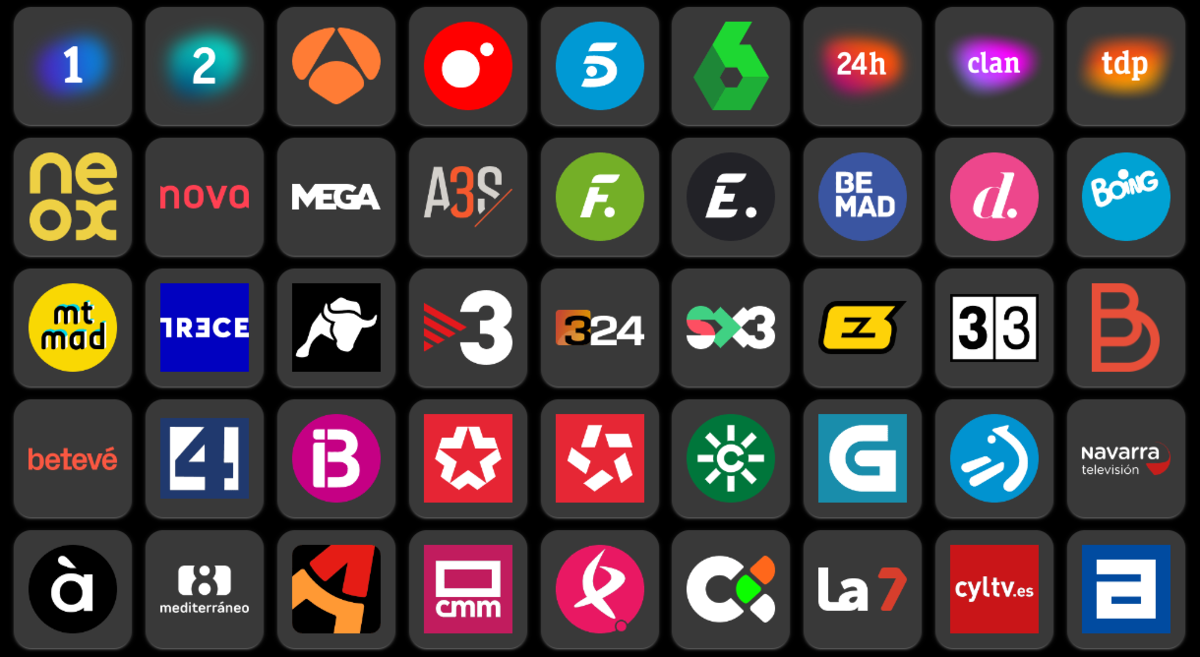
Perhaps the question would be which channels you cannot see on Photocall TV, and that is that The number of channels available from this repository is overwhelming. You have all kinds of channels ranging from entertainment to sports, including news channels or thematic and local channels.
Some of the channels most sought after by the general public are the following.
National
La 1, Antena 3, Telecinco, Cuatro, La Sexta, Teledeporte (TDP), 24h (Canal 24 Horas), Neox, Nova, Mega, Paramount Network, ETB 1, ETB 2, TV3, Canal Sur, Aragón TV, TVG, Telemadrid, Canal Extremadura, La Otra (Telemadrid), RTVC (Canary Islands), Televisión de Galicia (TVG), 7TV (Region of Murcia), CyLTV (Castilla y León), CMM TV (Castilla-La Mancha Media), IB3 (Islands Baleares), Canal 3/24, EITB (Basque Country), Betis TV, Sevilla FC TV, RTVE Play, Gol TV, Barça TV, Real Madrid TV, El Toro TV, Onda Cádiz, Navarra TV, Televisión de Ceuta (RTVCE) , Melilla TV, La 8, Tele Toledano, Television of Asturias (TPA), Television of the Principality of Asturias (TPA), Canal Català, El Punt Avui TV, Esport 3, Fibracat TV, TAC12, 7NN and La Otra.
International
ABC, CBS, CNN, FOX, NBC, BBC, Sky News, EuroNews, RT (Russia Today), BFM TV, i24 News, Al Jazeera, France 24, NHK World, CGTN, TRT, DW (Deutsche Welle), RTP, TVE Internacional, TV5 Monde, Euronews, Univision, Telemundo, Televisa, Caracol, Globo, CBC, Rai, SBS, ITV, RTL, SVT, ORF, ARD, ZDF, RTBF, RTS, RTP, ANT1, MBC, NHK, CCTV, NTV, KBS, SBS, EBS, TVN, Mega, Channel 13, TVP, TV4, YLE, DR, NRK, SRF, RAI, RTVE, Al Arabiya, Al Mayadeen and CNA.
Radio Channels
Los 40, Cadena SER, COPE, Onda Cero, RNE (Spanish National Radio), RAC 1, Kiss FM, Rock FM, Cadena Dial, Europa FM, Radio Marca, Classic Radio, Radio 3, Radio 5, Hit FM, Máxima FM, Flaix FM, Radio TeleTaxi, EsRadio, Melodía FM, Punto Radio, Catalunya Ràdio, RAC 105, Radio Intereconomía, Ràdio Flaixbac, Radio María, Canal Fiesta Radio, Latino FM, Radio Galega and Gum FM.
How to watch television channels with Photocall TV

If you have come this far and want to see for yourself all the channels that this tool offers, I am going to quickly explain how to watch television channels with Photocall TV. It doesn't have much mystery, here we go.
- Open the Photocall TV website.
- Search through all channels available.
- Switch to the tab of "International" u "Other" If you can't find it, or maybe you haven't looked carefully in "Nacional."
- If you cannot find the channel, you can use the search engine that you have above to enter your search.
- When you have found the channel you want to watch tap on it and it will take you to the live page of the television channel you have pressed.
It's that simple to search and watch television channels with Photocall TV. Of course, you should know that once you click on one channel or another, The steps to follow to view the content change depending on each channel. Although as a general rule it always offers you a direct link to the live channel in question.
In case you want to watch these channels on your television connected to your mobile, You have a Chromecast available from the "INFO" section of the top menu. And finally, remember that some of these channels may require a VPN to change your physical internet address and that others require a paid subscription. So you already know, If there is some content that you want to see and you can't find it, it is almost certainly on Photocall TV.
If you have the typical friend who always asks you where you watch the television content that you like so much, Pass him this article so he doesn't ask you again.

I am a technology enthusiast who has turned his "geek" interests into a profession. I have spent more than 10 years of my life using cutting-edge technology and tinkering with all kinds of programs out of pure curiosity. Now I have specialized in computer technology and video games. This is because for more than 5 years I have been writing for various websites on technology and video games, creating articles that seek to give you the information you need in a language that is understandable to everyone.
If you have any questions, my knowledge ranges from everything related to the Windows operating system as well as Android for mobile phones. And my commitment is to you, I am always willing to spend a few minutes and help you resolve any questions you may have in this internet world.