- TL;DV automates meeting recording and transcription in multiple languages
- Offers integration with popular platforms such as Zoom, Google Meet and Teams
- Allows you to summarize, tag, and search for key moments to improve productivity.

Tired of missing key details in virtual meetings? Today, the amount of information managed in video calls, online training sessions, and remote meetings can be overwhelming. Often, taking notes by hand is insufficient: decisions, tasks, and even the best ideas slip through the net. This is where artificial intelligence offers a revolutionary solution to optimize your performance and that of your team.
TL;DV is here to transform the way you participate in and manage your meetings. This tool integrates cutting-edge AI to record, transcribe, summarize, and organize all relevant aspects of your virtual meetings, allowing information to flow and be stored in a clear, organized, and accessible manner. Still not sure if it's right for you? Join me on this tour where we'll take a deep dive into what TL;DV is, how it works, its advantages, features, plans, and reference alternatives. We'll learn What is TL;DV: The AI-powered tool to save time in your meetings.
What is TL;DV and what problems does it solve?
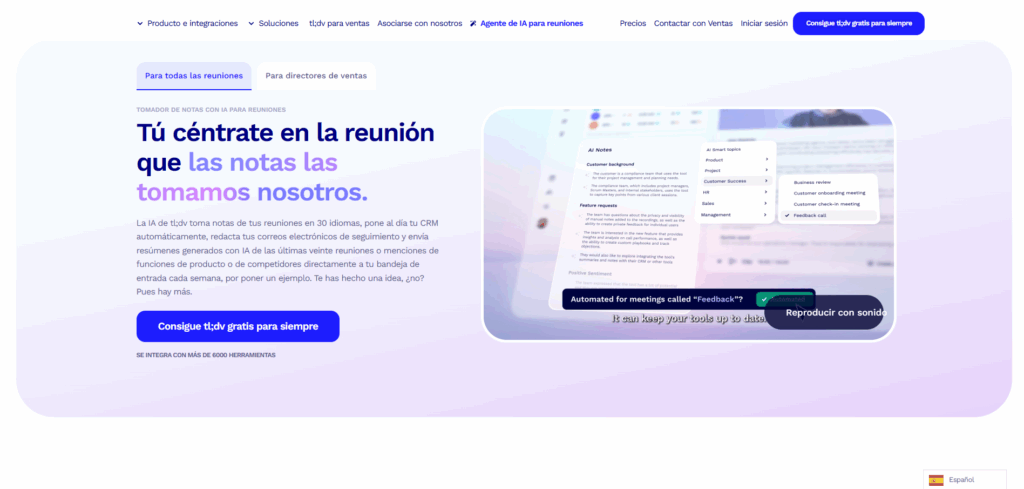
TL;DV (short for "Too Long; Didn't View") is an AI-based virtual assistant Designed to automate information management in your online meetings. It's specifically designed to integrate with popular platforms such as Zoom, Google Meet, and Microsoft Teams. Its main function is to record audio and video, automatically transcribe conversations, generate instant summaries, and highlight key moments. Its capabilities go far beyond this, enabling agile collaboration between remote and asynchronous teams.
The main difficulties that TL;DV solves These issues revolve around information overload, meeting fatigue, the need to take accurate notes, and difficulty sharing key agreements or tasks. It also makes it easier for participants who couldn't attend to access a complete summary and review specific points without wasting time.
Main features of TL;DV
TL;DV's variety of features is one of the reasons for its success among professionals and businesses. These are the most notable tools that set it apart from its competitors:
- One-click meeting recording: Start and end recordings of your Zoom, Google Meet, or Teams sessions directly from TL;DV, without complicated setup.
- Real-time automatic transcription: Get an accurate transcript, even during the meeting itself, in over 30 different languages and dialects.
- Smart summaries: AI processes conversations and extracts the most relevant action items, decisions, and topics within seconds of ending the call.
- Labeling key moments: Mark and highlight key snippets during a conversation for easy review or sharing.
- Creating video clips: Generate short snippets of recordings to share only the essentials with team members or external collaborators.
- Contextual search: Quickly find relevant information by searching for keywords within stored transcripts.
- Multilingual capability: It supports a wide variety of languages and dialects, facilitating global collaboration and the inclusion of multicultural teams.
- Integration with productivity apps: Direct connection to tools like Slack, Notion, Trello, and Google Calendar, centralizing all information automatically.
Also, TL;DV is constantly being updated., incorporating improvements and new features such as transcript editing, CRM integration, and advanced customization.
How to use TL;DV step by step?
Getting started with TL;DV is very simple and suitable for any technical level. The basic setup includes the following steps:
- Install the TL;DV extension in your browser or use the web app. You can do this by visiting their official website and choosing your preferred method.
- Connect your Google or Microsoft account to link the tool directly to your usual meeting platforms.
- Choose your language and job title so that the user experience and summaries are tailored to your needs.
- Follow the guided tutorial that TL;DV is offering for the first time, including the ability to test integration with Google Meet.
- Associate Zoom, Meet, or Teams accounts depending on the platforms you usually use.
All you need to do is press the TL;DV button on your video call interface. to begin recording and transcribing your session. Once finished, you can access the summary, recording, and transcript from the TL;DV website.
Multilingualism and accessibility
One of TL;DV's strengths is its ability to work in international contexts and multilingual teams. The platform supports more than 30 languages and dialects, including German, Catalan, Czech, Mandarin Chinese, Korean, Spanish (both Mexican and Spanish), French, Hindi, Italian, Japanese, Portuguese, Russian, and many others.
Besides, Its interface is translated into seven major languages, offering a more universal and accessible user experience for those who don't speak English. This way, anyone can access the tool's benefits without language barriers.
Highlighted advantages of using TL;DV in your meetings
Incorporating TL;DV into your professional routine represents a qualitative leap in the management of your virtual meetings. These are some of the most notable advantages:
- Eliminating “meeting fatigue”: It allows you to record all relevant content without having to be present at all times, facilitating asynchronous review and avoiding mental overload.
- Reduction in time spent taking minutes: You no longer have to worry about manually writing notes or missing important details.
- Better coordination and task tracking: Thanks to automatic summaries and centralized organization, it's much easier to assign responsibilities and track pending actions.
- Cost savings: The ability to choose from various plans, including a free one, makes the tool accessible to both startups and large companies.
TL;DV Pricing Plans: Options for Everyone
TL;DV offers different subscription options Designed to adapt to the needs of any user. Its most notable options are:
- Free plan: Ideal for small teams or individuals. Includes unlimited recordings and transcriptions, although data storage is limited.
- Pro Plan: Designed for professionals and businesses looking for advanced automations, improved summaries, and full access to integrations.
- Business Plan: Aimed at organizations that require advanced management and extended storage.
- Custom Plan: Customizable for large corporations, with dedicated service and exclusive features tailored to each case.
TL;DV's flexibility allows any team to choose the subscription that best fits their expectations and budget. And if you need more details, you can check out the tool's official website to compare features.
Limitations and aspects to consider
Despite its many advantages, TL;DV has some limitations that should be considered before its implementation:
- Recognition of slang and proper names: While AI is accurate, it can make mistakes when identifying very specific technical terms or uncommon names, sometimes requiring additional review.
- Transcript Editing: It is not possible to edit the text generated during the meeting itself, but only at the end of it.
- Asian Language Support: Particularly in Japanese, the interface and user support are only available in English, which can make it difficult to use for native Japanese speakers.
- Limited storage on the free plan: Those who opt for the free option must manage the recorded data before the allotted retention period expires.
Alternatives to TL;DV: Comparison of the most notable tools
While TL;DV is one of the leading solutions in the industry, The market offers other applications with similar functions which you can also consider depending on your workflow:
- Otter.ai: Especially popular for its real-time transcription, smart search, and the ability to automatically share notes on platforms like Zoom.
- Fireflies.ai: It stands out for its multilingual support (more than 60 languages) and for simplifying the extraction of key elements in large virtual teams.
Advanced AI Features in TL;DV
Artificial intelligence not only produces literal transcriptions, but also provides added value by transforming spoken language into actionable information:
- Automatic correction to conversational style: TL;DV's AI fine-tunes transcripts by removing filler words and adapting text to a more natural and readable format, ideal for sharing minutes.
- Customized summaries: You can choose from multiple templates or customize the style of your notes based on the type of meeting: sales, support, HR, development, research, etc.
- Action Item Detection: AI is able to identify agreements, tasks, and deadlines discussed during the meeting, facilitating subsequent follow-up on each point.
- Smart task assignment: In large teams, TL;DV can automatically distribute responsibilities based on what was agreed upon during the session.
Data privacy and security
Information protection is essential in any digital softwareTL;DV complies with European regulations such as the GDPR and, in the case of the European Union, adjusts its functions to avoid performing sentiment analysis, which is prohibited by the EU AI Law. Data processing, both audio and text, is carried out under strict encryption and secure handling policies.
On more advanced plans, there's the option to host AI privately and enjoy advanced management, providing greater peace of mind for businesses concerned about the confidentiality and integrity of their recordings.
Who is TL;DR for? Recommended use cases
The advantages of TL;DV go far beyond simple note-takingWho especially benefits from this tool?
- Remote and multinational teams: Collaborate seamlessly with multilingual support and calendar and task integrations.
- Startups and SMEs: Saving time and money on administrative tasks and improving internal organization.
- Sales and Support Departments: Precise tracking of customer interactions and automatic deal extraction.
- Researchers and educators: Efficient recording and organization of interviews, group sessions, and online training.
- Recruiters and Human Resources: Automatic interview and meeting summaries for faster decision-making.
The potential of TL;DV is multiplied in any environment where documentation and information management are essential.
What do users think and what are their main ratings?
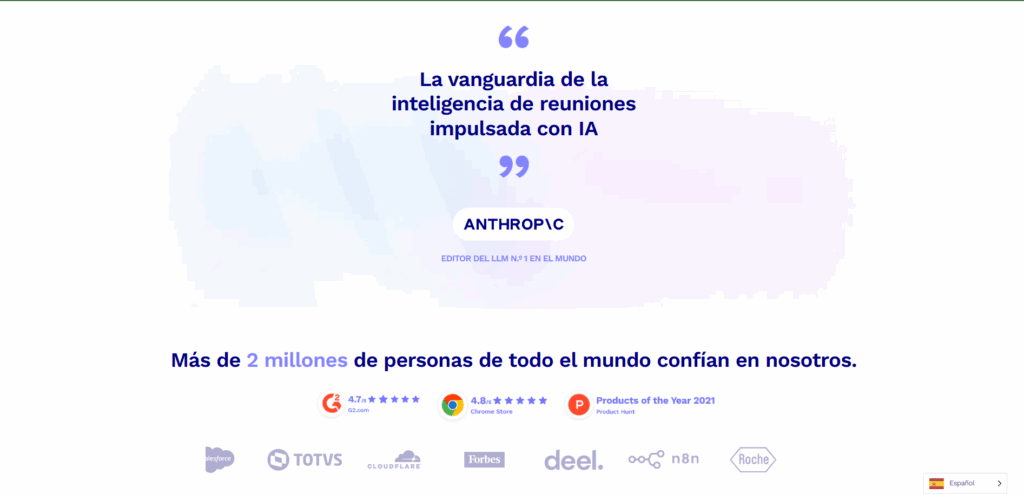
TL;DV users They especially highlight the ease of use, the accuracy of transcriptions, and the ability to retrieve key information with just a few clicks. Professionals across a variety of industries appreciate the time savings, multilingual collaboration, and integration with other apps.
Some users also point out that it would be beneficial to expand the free transcription time, the option to edit in real time during a call, or to make the interface available in more languages.
TL;DV represents a significant advance in the management and documentation of online meetings, Helping to turn long, scattered conversations into useful, accessible, and actionable information, for both individuals and teams of any size. Thanks to its integration with multiple platforms and its ability to transform spoken language into useful data, it's a solid option for improving productivity and not missing important details in virtual meetings. Now you know qWhat is TL;DV: the AI-powered tool to save time in your meetings.

Passionate about technology since he was little. I love being up to date in the sector and, above all, communicating it. That is why I have been dedicated to communication on technology and video game websites for many years. You can find me writing about Android, Windows, MacOS, iOS, Nintendo or any other related topic that comes to mind.