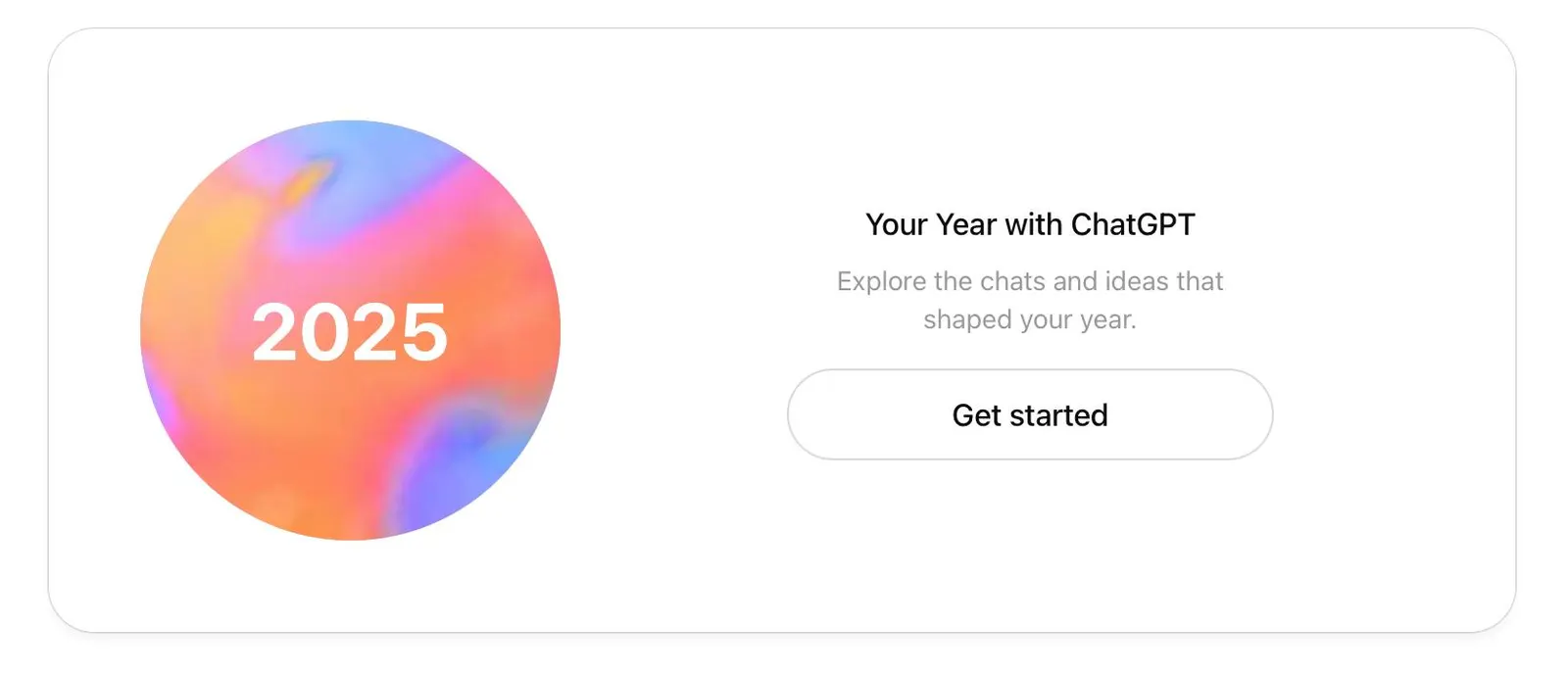
- OpenAI launches “Your Year with ChatGPT”, an annual recap in the style of Spotify Wrapped with statistics, themes and personalized awards.
- The summary only appears if you have history and memory enabled and have used ChatGPT fairly frequently during the year.
- The recap includes a poem, a pixel art image, usage archetypes, and data about your conversation style and habits.
- It is available on the web and mobile app for Free, Plus and Pro accounts in English-speaking markets, with a focus on privacy and user control.

Year-end recaps are no longer exclusive to music or social media. OpenAI has joined the trend with “Your Year with ChatGPT”, an annual recap that turns your conversations with AI into a kind of digital mirrorIt's somewhere between curiosity and a gentle reprimand. The idea is simple: to show you how, when, and why you've used the chatbot throughout the year.
This new ChatGPT recap features statistics, AI-generated images, and even personalized poems which paint a fairly accurate picture of your habits with the tool. It's not just a "see how much you've used the service" kind of picture, but an interactive journey through your favorite topics, your way of expressing yourself, and how often you use artificial intelligence to resolve doubts, work, or simply entertain yourself.
What exactly is “Your Year with ChatGPT”?
“Your Year with ChatGPT” is an interactive annual summary that compiles your messages, topics, and usage patterns. to present them in a slideshow format, with several screens that slide by. The format is clearly reminiscent of proposals such as Spotify Wrapped or summaries on YouTube and other platforms, but here the focus is not on songs or videos, but on how you think and work with an AI by your side.
The tour usually begins with a poem generated by ChatGPT about your yearThis is followed by an analysis of the main topics that have appeared most frequently in your chats: from technical questions and programming to recipes, travel, studies, and creative projects. From there, the system begins to show more specific data about your activity.
The recap works like a visual gallery rather than just a chat windowYou flip through pages that summarize your key statistics, illustrate your interests with pixel art-style images, and assign you different "archetypes" or user types based on how you use the service: from more exploratory profiles to those who use the tool to plan down to the last detail.
This approach makes the experience more reflective than a simple list of numbers. Seeing your queries condensed into themes, styles, and patterns makes visible a usage that is normally invisible and very fragmented., scattered across hundreds of conversations throughout the year.
This is how ChatGPT recap works and what it teaches you
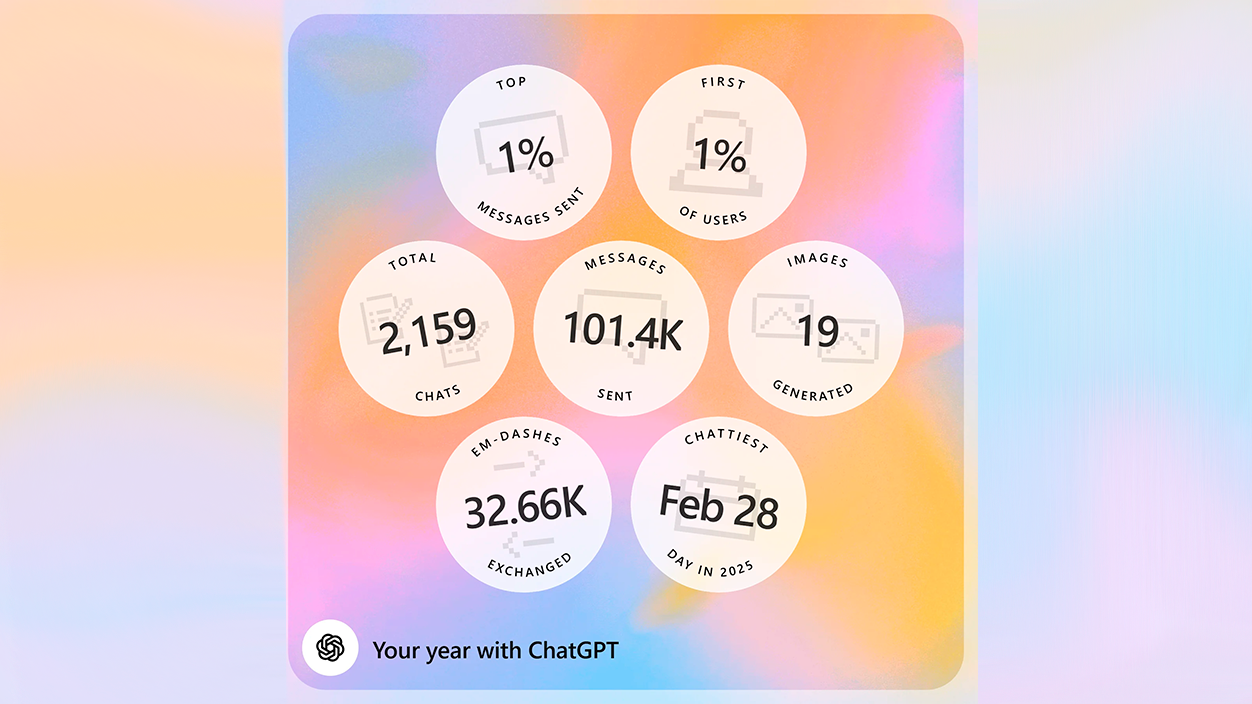
The core of the recap is in the usage statistics and thematic summariesOne of the first screens displays the volume of messages you've sent during the year, the number of chats opened, and your most active day interacting with the AI. For some very intensive users, this data can place them among the highest percentage of people who interact most with the system, adding a rather direct touch of reality.
In addition to the quantity, the system analyzes the big topics that have dominated your conversationsCategories such as “creative worlds,” “hypothetical scenarios,” “problem-solving,” or “meticulous planning” may appear. Specific messages are not shown, but rather the patterns that recur throughout the year.
Another important section of the recap is the one dedicated to conversational styleChatGPT provides a description of your typical speaking style: more casual or formal, ironic, direct, reflective, meticulous, etc. It shows you how AI perceives your way of asking questions, debating, or requesting help—something that often goes unnoticed in everyday life.
In addition to that More curious facts, such as the use of certain punctuation marks —including the famous em dash, which the model itself frequently uses— and other small details that, added together, paint a fairly recognizable picture of your digital habits with the tool.
The tour culminates with personalized rewards and “superlatives”: ironic or descriptive titles that summarize what you have most frequently used AI for, along with a general archetype that groups users into broad behavioral categories.
Archetypes, awards, and pixels: the most visual part of the summary
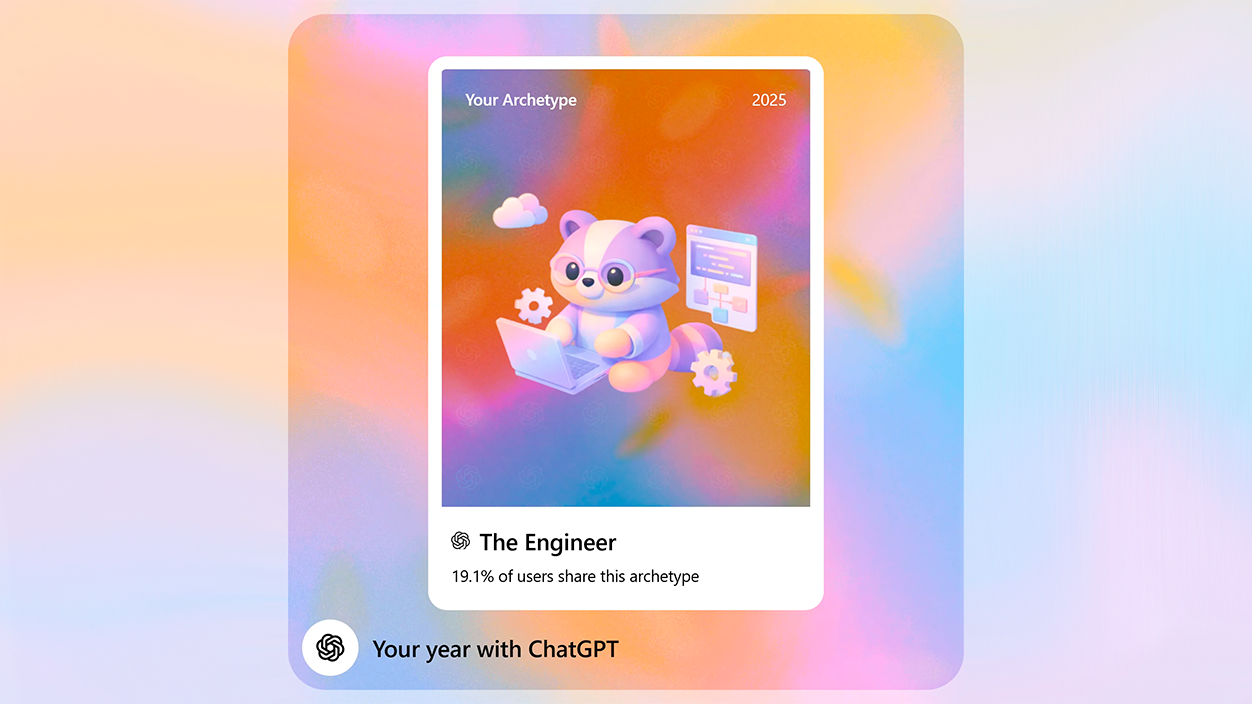
To make the recap more enjoyable, OpenAI has incorporated a system of Archetypes and awards that classify how you use ChatGPTThese archetypes group users into profiles such as "The Navigator", "The Producer", "The Tinkerer", or similar variants that represent different ways of interacting with AI.
Along with these profiles, the system delivers Personalized awards with eye-catching names that reflect your interests or recurring uses. Some examples that have already been seen include distinctions such as “Instant Pot Prodigy” for those who often ask for recipes or cooking, “Creative Debugger” for those who use the tool to refine ideas or solve errors, or recognitions related to travel, studies, or personal projects.
One of the most striking elements is the Image generated in pixel art style It summarizes your main themes for the year. The system creates a scene that can mix objects as diverse as a computer screen, a retro console, kitchen utensils, or decorative items, all inspired by your most frequent queries. It's a way to condense your interests into a single, easily shareable illustration.
The recap also includes lighter interactive elements, such as “predictions” for the following year These are revealed by swiping or "clearing" visual effects, as if you were removing fog or a layer of digital snow. Although they are small jokes or inspirational phrases, they make the experience feel more playful than merely informative.
Taken together, this entire visual and gamification layer transforms the summary into Something that many users will want to share on social mediaJust like other year-end recaps, it also serves as a showcase of the degree of AI integration into daily life.
Who can use recap and under what conditions
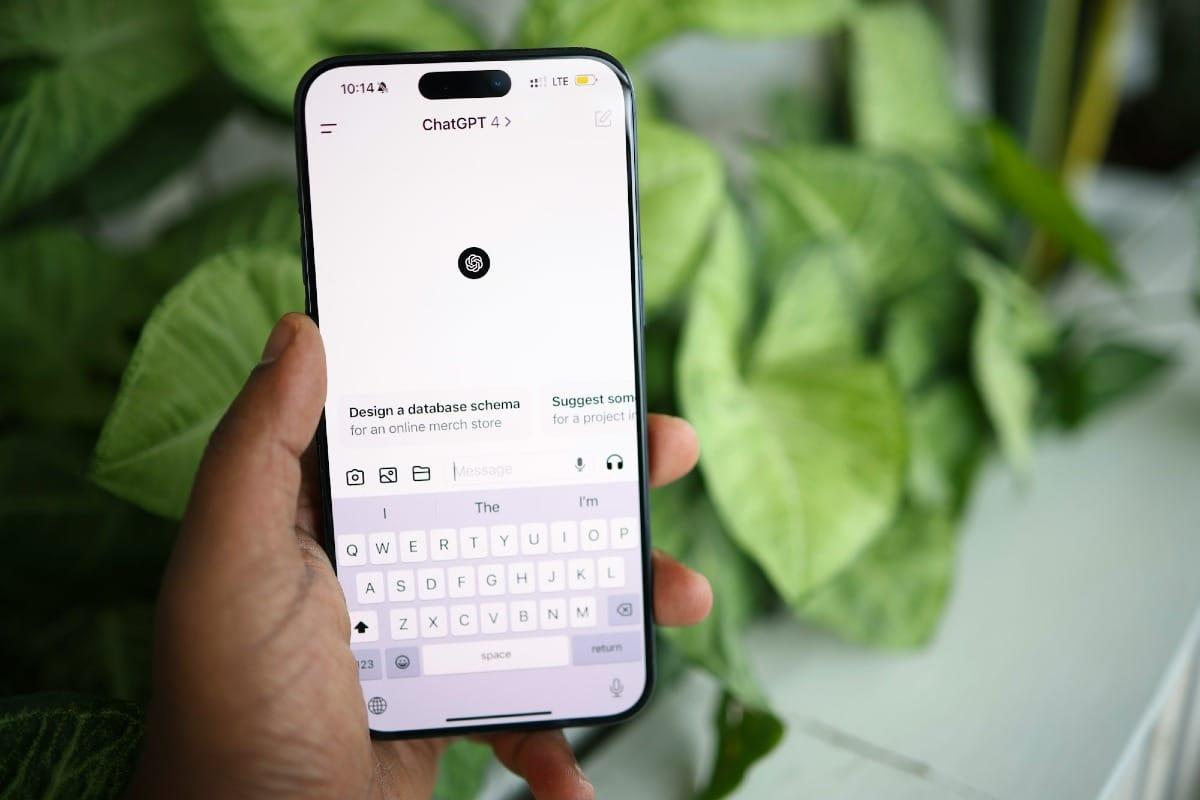
For now, “Your Year with ChatGPT” It has been deployed in English-speaking markets such as the United States, the United Kingdom, Canada, Australia, and New ZealandThe rollout is gradual, so not all users will see it at the same time, although OpenAI aims for broad availability among those who meet the basic activity and configuration requirements.
The feature is available for Free, Plus, and Pro accountsHowever, it is excluded from the versions geared towards organizations: Those who use ChatGPT with Team, Enterprise, or Education accounts do not have access to this annual recapIn work environments, many companies prefer to limit these types of functions for privacy reasons and to prevent indirect data about internal processes from being shared.
To generate the summary, you need to have The options “reference saved memories” and “reference chat history” have been activatedThat is, the system can retain context from your past conversations and preferences.
Access is simple: the recap is usually displayed as a featured option on the app's home screen or the web versionBut you can also activate it by directly typing a request like “show my year in review” or “Your Year with ChatGPT” from within the chatbot itself. Once opened, the summary is saved as another conversation that you can return to whenever you want.
It is worth noting that, although the launch has focused on English-speaking countries, The dynamics fit with a very widespread use also in Europe.where interest in productivity tools and AI assistants continues to grow. When the feature arrives in territories like Spain or other European countries, the behavior is expected to be similar: a mix of curiosity, self-criticism, and a lot of content shared on social media.
Privacy, data and limits of this type of summary
The emergence of a recap based on conversations inevitably raises questions about privacy and information controlOpenAI presents this experience as something “lightweight, focused on the privacy and user controlled”, and emphasizes that the goal is to offer an overview of patterns, not a detailed history of every message sent.
To generate the summary, the system It relies on chat history and saved memoriesBut what it shows are trends, counts, and general categories. It doesn't reveal the full content of your conversations or reconstruct exact dialogues, although it's true that, based on the topics discussed, it can reveal aspects of your personal life, work, or hobbies.
The company reminds that It is possible to disable both the history and memory functions.Organizations using enterprise plans can adjust policies to limit data retention or disable similar features. This is especially relevant in corporate environments, as a recap could reveal activity spikes related to confidential projects or internal processes.
Even with these measures, the basic recommendation is to thoroughly review the settings before sharing recap screenshots on social media. What may be a simple interesting fact to you could reveal sensitive information to others.such as work schedules, personal projects, health problems, financial doubts, or any other topic you usually discuss with AI.
OpenAI also insists that This summary is not intended to be a comprehensive snapshot of your yearbut rather a selection of prominent patterns. This means that not everything you've done with the tool will be reflected, and that sometimes, certain sporadic or one-off uses may go unnoticed compared to the more recurring themes.
A reflection of how we use AI in our daily lives
Beyond the anecdote, “Your Year with ChatGPT” functions as a kind of mirror of the degree of dependence or integration we have of AI in our routineIt's not the same to discover that you've barely used the service to make four specific queries as it is to find out that you're among the 1% of users with the most messages sent throughout the year.
For some, the recap is a pat on the backThis is proof that they have used the tool to learn faster, refine their projects, get better organized, or maintain a study or writing habit. For others, it becomes a a kind of digital consciousness check, by revealing late-night marathons before exams, endless brainstorming sessions just before a deadline, or a progressive shift towards less profitable or more scattered projects.
These effects are consistent with what various studies on technology use have indicated: When our behaviors are visualized on clear and eye-catching panels, it's easier for us to consider changes.Organizations and experts in psychology and digital wellbeing have long recommended feedback systems that help make more conscious decisions about how time and attention are spent.
With a user base that already numbers in the hundreds of millions per week, A recap like this can become a small cultural phenomenonJust like Spotify Wrapped did in its time. Seeing others share their ChatGPT stats—whether with pride or some embarrassment—can help normalize the intensive use of AI, but it can also open up discussions about dependency, healthy boundaries, and responsible use.
In this context, the real usefulness of the recap lies not only in how visually appealing it is, but also in its ability to serve as starting point for adjusting how we use the tool: set time limits, concentrate sessions at certain times, dedicate specific blocks to creative experimentation or, simply, reserve more time to think without technological intermediation.
This new ChatGPT recap isn't just another end-of-year curiosity: it's a compressed X-ray of our everyday relationship with artificial intelligenceBetween lighthearted poems, pixelated images, and clever awards, the underlying question is quite clear: how do we want AI to fit into the way we work, learn, and make decisions from now on?

I am a technology enthusiast who has turned his "geek" interests into a profession. I have spent more than 10 years of my life using cutting-edge technology and tinkering with all kinds of programs out of pure curiosity. Now I have specialized in computer technology and video games. This is because for more than 5 years I have been writing for various websites on technology and video games, creating articles that seek to give you the information you need in a language that is understandable to everyone.
If you have any questions, my knowledge ranges from everything related to the Windows operating system as well as Android for mobile phones. And my commitment is to you, I am always willing to spend a few minutes and help you resolve any questions you may have in this internet world.