- The combination of no-code platforms and AI allows you to create Android and iOS apps without programming, focusing the effort on the idea and the experience.
- Tools like King of App or Appy Pie manage backend, hosting and store publishing, while AI automates workflows and personalizes content.
- Analytics and machine learning optimize sales funnels, push notifications, and UX, improving retention and monetization.
- Success depends on a clear value proposition, constant measurement, and iterative improvements, not just "putting AI in" because it's trendy.
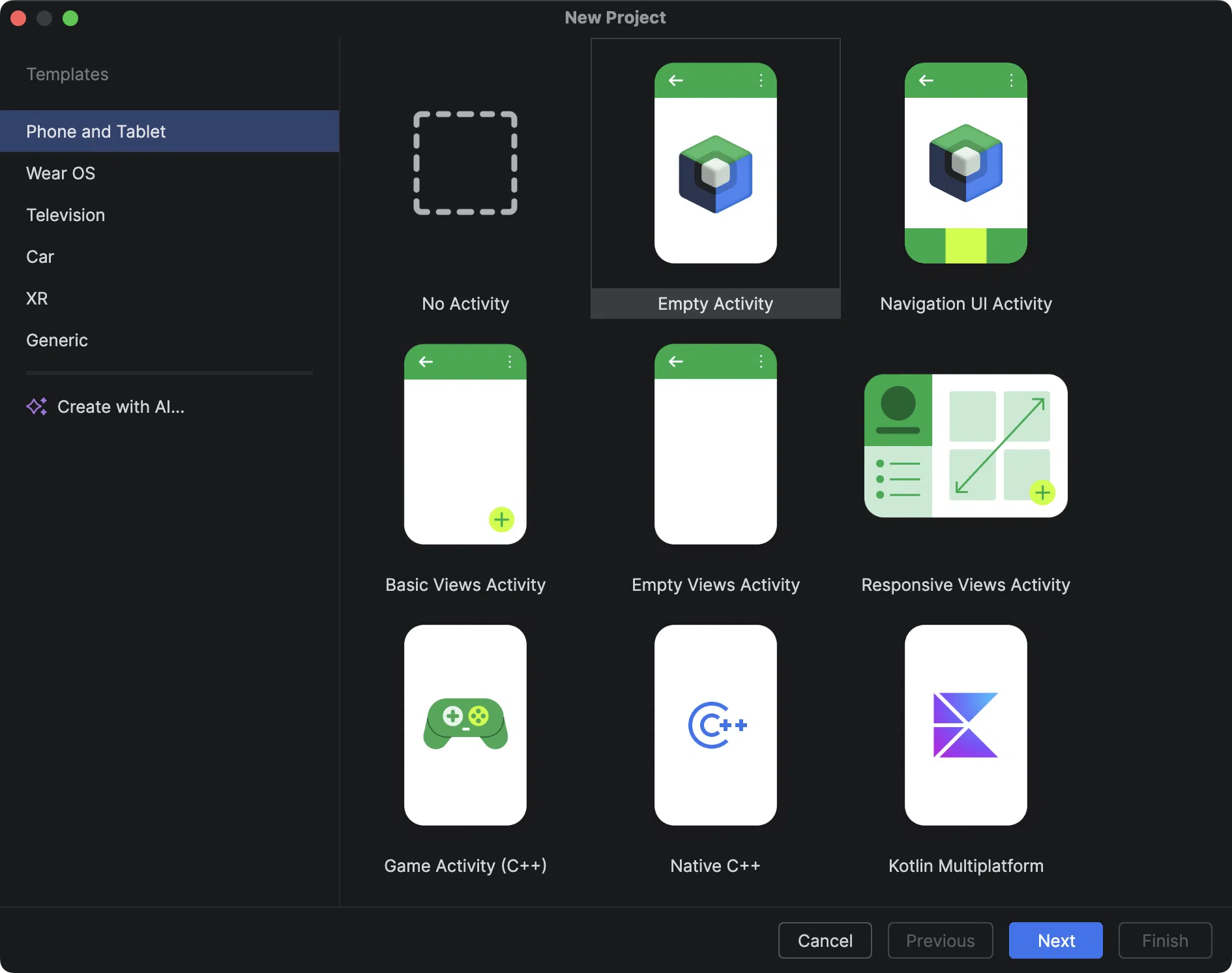
¿How to create Android apps from your mobile device using AI? You've had a brilliant idea for an app while looking at your phone on the sofa or queuing for coffee, but You don't know how to program and you don't want to spend months learningEven so, the idea keeps swirling around in your head, and you know that if you don't turn it into something real, you'll regret it. The good news is that today you can create apps for Android (and iOS too) directly from your mobile device using [tools/tools]. artificial intelligence tools, without having to set up servers, learn strange frameworks, or struggle with Git.
We live in a time when Having a mobile presence is no longer a luxury, it's survival. For businesses, content creators, and entrepreneurs. Your brand needs to be on that screen icon your users look at dozens of times a day. And if your app can also learn from them, personalize content, and automate tasks thanks to AI, the leap is enormous. In this article, we'll look at this calmly and without unnecessary technical jargon. How to integrate AI into your workflow to create Android apps directly from your mobile deviceWhat cross-platform options do you have, and why the "no-code" approach can be your best ally?
What does it mean to create an AI app from a mobile device?
When we talk about “creating mobile apps with AI,” we're not just referring to the final app using advanced algorithms; we're also talking about leverage AI-powered assistants and code generators during development itselfThat is, using models that write code, build screens, or configure flows for you, and platforms that turn your instructions into a functional app without you having to touch a terminal.
There are, in fact, two levels of AI use In this context, AI can be seen, on the one hand, as a development co-pilot: tools that understand your prompts and generate code in React, TypeScript, or other languages. On the other hand, AI can be seen as the engine within the app: chatbots, recommendation engines, content personalization, campaign automation, behavioral analysis, and other "smart" features that users notice in their experience.
Furthermore, it's important to understand the concept of no-code development. This involves visual platforms that allow you to build logic and screens by dragging blocksChoosing modules and filling out forms, without writing Java, Kotlin, Swift, or anything similar. In many cases, these tools already come with ready-to-use AI connectors, so you just decide what you want the app to do and the system takes care of the rest.
From a technical point of view, the apps you create this way still rely on classic technologies: Java, OpenJDK, web engines, API integrations, backend systems, and databasesThe difference is that the platform hides them so you can focus on the product, not the code. It's also important to remember that the content and code snippets you use are often subject to specific licenses, so it's advisable to... review the terms of use of each service.
Vibe coding vs no-code platforms with AI: two different worlds
In recent years, tools based on what some call “vibe coding”You write a prompt like “I want a website to manage restaurant reservations, with a login and admin panel,” and the AI automatically generates a code repository ready for development. Examples of this approach include Lovable, Bolt.new, Base44, and the Replit Agent.
The practical problem is that, even if AI has helped you, You continue to receive code in React, TypeScript, or another stack. which you need to know how to manage: you have to clone the repository, configure environment variables, deploy to services like Vercel or Netlify, prepare a backend and a database (Supabase, PostgreSQL, etc.), and, if you want to reach the native mobile space, add layers like React Native, Capacitor, or similar solutions. For an experienced freelancer or a technical team, it's perfect; for an SME without developers, it's a significant hurdle.
At the opposite end of the spectrum are platforms like Appy Pie or King of App, designed as “WordPress for apps”The idea here is that you describe what you want, select templates and modules, and the platform itself generates a fully functional app within its ecosystem. You don't get a repository to compile, but rather a project that's already hosted, with a backend included, and ready to publish on Google Play and the App Store with the service's help.
The key difference is that, with these systems, Your prompt doesn't end up in a folder full of files, but in a visual app that's ready to use.There's no manual deployment required; you don't configure servers or maintain infrastructure. From the control panel, you can manage content, users, notifications, and often request the platform itself to handle publishing to the stores with just a couple of clicks.
For SMEs and entrepreneurs in Spain and Latin America that do not have an internal technical team, this means that Most of the hard work disappearsThe back office, hosting, engine updates and the process with Apple and Google are delegated, and you focus on the idea, the experience design and the business strategy.
Why an AI-powered app can change your business (even if it doesn't change the world)

Let's be honest: most apps aren't going to "revolutionize the planet," but Yes, they can revolutionize your revenue, your brand, and your customer relationships.Having your own app means controlling the channel: you no longer depend on social media algorithms or third-party platforms, you have direct access to your users' wallets.
In the 2000s, a blog was enough; in the 2010s, setting up an online store was sufficient. Now, gaming has moved to mobile, and more specifically to apps capable of learning from each user's behaviorAn app that collects usage data (responsibly and respecting privacy), adjusts the content it displays, and automates part of the marketing communication has a much greater capacity to retain and convert than a static website.
The combination of embedded AI and no-code development allows for something very appealing: radically reduce the time and cost of going to marketInstead of paying for months of development and testing, you can validate an MVP (minimum viable product) quickly, measure user reaction, and iterate from there. This agility is key if you're building a project with limited resources.
In terms of functionality, an AI-powered app can offer everything from personalized recommendations and smarter search systems to marketing campaign automation, advanced segmentation, and predictive analyticsAll of this, when combined with good UX design, translates into longer usage time, more repeat purchases, and more loyal users.
AI as the “new sex” of mobile marketing
For years, marketing played with more or less implicit promises to capture attention; today the big promise is the personalized experienceWhat really hooks a user is the feeling that an app "understands" them, anticipates their needs, and shows them exactly what's relevant at any given moment.
Thanks to recommendation algorithms, language models, and machine learning systems, AI can analyze the trail that each person leaves in your app: screens visited, time spent on them, actions taken, purchases made, errors committed, etc. With this information, it is possible to reorganize content, adapt navigation, suggest products or services, and deliver messages with a level of precision that was unthinkable years ago.
The interesting thing is that You no longer need to be a large technology company to take advantage of thisPlatforms like King of App and other no-code builders include chatbot modules, recommendation engines, workflow automation, and analytics tools that encapsulate all that complexity. You decide the business rules (“if the user hasn't purchased in 7 days, send them an offer,” “if they visit the same section three times, recommend X”), and the AI takes care of optimizing and learning over time.
The user experiences the feeling of having a "living" app that adapts to their tastes and habits. From your perspective, that same intelligence It allows you to make better marketing and product decisions: which sections work, which conversion funnels fail, what times are best to send notifications, and which user segments have the most monetization potential.
Features that learn from the user: seduction well understood
A static app forces the user to adapt to it; an app supported by machine learning adapts its behavior to the userThis is one of the great advantages of integrating AI into mobile: you not only respond to direct inputs (touching buttons), but you also interpret usage patterns and make fine adjustments that make a difference.
Among the functions that provide the most value are content or product recommendation systems: They analyze which sections are visited, what is discarded, and what is purchased. to fine-tune what's displayed first. In an eCommerce site within your app, this means a greater likelihood that the user will see something they're genuinely interested in; in a training app, it means that the suggested courses will match their level and pace.
Another key aspect is interface customization. With navigation data, your app can Reorganize menus, prioritize shortcuts, and hide irrelevant functionsIf someone always goes to the same section as soon as they open the app, it makes sense to offer it to them more directly. This type of dynamic UX reduces friction and makes everything feel more natural.
Chatbots powered by conversational AI also play a very powerful role: they can act as customer support, app user guide, or even a purchase assistantThe key is to train them with the right context (FAQs, your service documentation, your brand's tone of voice) and let them learn through real interactions. For a small business, this means answering questions 24/7 without a huge team behind them.
No-code platforms like King of App typically offer these elements in the form of modules: you simply decide if you want a chatbot, recommender, predictive notification system, etc., and then activate and configure them. The result is that You can build an app that “looks” like it's from a big tech company. without needing to hire an army of developers or data scientists.
No-code development as an act of rebellion (and common sense)
For a long time, the dominant narrative was that To create software, you absolutely had to know how to program.This excluded many people with good ideas but without technical training. The no-code movement breaks down this barrier: it makes app creation accessible, almost like designing a website with a visual builder or creating a piece in Canva.
Instead of editing code files, you work with a drag-and-drop interface: you choose a template, add modules (blog section, shop, form, chat, etc.), You configure options from graphical panels and connect external services using pre-built integrations.To the end user, the result may be indistinguishable from a hand-developed app, but you've taken days instead of months.
This doesn't mean that traditional developers are no longer needed. What it does mean is that if your goal is to validate an idea, set up a mobile marketing channel, or launch a first version to market, You are no longer required to go through a long and expensive custom development processYou can reserve that effort for later phases, when you have real data that confirms it's worth investing more.
What's interesting is that many professional-level no-code platforms also offer access to the source code or mechanisms to extend the appThis allows for a hybrid approach: you can get started quickly without programming, and if the project grows, a technical team can take over and thoroughly customize what is needed without losing what has already been built.
In this context, AI multiplies the effect: Not only do you simplify the construction of screens and flows, you also automate decisions and tasks within the appInstead of manually coding each business rule, you define conditions in almost natural language and let the system learn and adjust.
King of App as an ecosystem for hybrid and smart apps
Among platforms focused on creating mobile apps without code, King of App stands out for explicitly positioning itself as the “WordPress of applications”Their approach is based on hybrid technologies (for example, on Apache Cordova) that allow generating apps for Android, iOS and also Progressive Web App versions from the same base.
The proposal is that you can, from a web panel accessible even from your mobile phone or tablet, create an app from scratch or convert your existing website into an appTo achieve this, you have design templates, functional modules (blog, store, login, WordPress or WooCommerce integration, etc.), and connectors to external services. From there, you can add layers of AI, push notifications, advanced analytics, and user flow automation.
One strong point is that The platform handles the backend and hostingYou don't need to set up your own server or manage scaling or low-level security. Furthermore, King of App offers options to guide you through the publishing process on Google Play and the App Store, which is often one of the biggest headaches for first-time app launchers: certificates, store policies, reviews, and more.
If at any point you want to go beyond what the visual configuration allows, you have the option to access the project codeThis is interesting for agencies or developers who want to use the platform as a base, but need specific customizations for a client (connections to internal systems, custom modules, etc.).
Along with the builder, training resources, technical documentation, practical examples, and a community are usually offered to help you learn how to take advantage of the entire ecosystem, including artificial intelligence integrations and best practices in UX and mobile marketing.
From your website to an icon on the customer's mobile phone

If you already have a website that works at least minimally, a logical question is: Do I really need an app?The current reality is that many people interact more with installed applications than with web pages, especially in services they frequently consult (repeated purchases, reservations, updated content, communities, etc.).
Transforming your website into a mobile app shouldn't mean throwing away everything you've built. Hybrid platforms allow you to do just that. leverage the content you already have (articles, products, information sections) and integrate it into an app structure with mobile-optimized navigation and design. The difference is that, in addition to presenting the content, you can:
- Send segmented push notifications according to behavior.
- Personalize your home screen based on user history.
- Offer offline features (content available offline).
- Integrate native payments and processes more fluidly.
With AI behind it, that “simple conversion” becomes a evolution of your digital channelYour app can learn which content performs best, which campaigns bring in the most valuable users, when abandonment rates are highest, and at what points in the user flow people get stuck. With this information, you can optimize both the app itself and your external marketing efforts (ads, social media, email, etc.).
The big psychological leap for the user is going from "having to search for you in the browser" to Have your icon always visible on the home screenThis direct access reduces the effort required to return to you and makes it easier to reactivate their interest with a well-timed notification, precisely when it suits you best.
How a smart app transforms your sales funnel
In the classic model, the sales funnel begins with an advertisement, continues with a landing page, becomes more complex with forms, and ends—hopefully—with a purchase. In the mobile world, that model has become somewhat rigid. An AI-powered app allows you to redesign the route in a much more fluid and personalized way.
Imagine someone arrives at your app from a social media campaign. The initial onboarding process may differ depending on the traffic source and what the person declares (interests, goals, etc.). Instead of offering the same experience to everyone, AI adapts the initial content and key messages to what most likely resonates with that segment.
From there, every interaction becomes data to refine the funnel: screens viewed, steps abandoned, time between sessions, responses to notifications… With that information, your app can trigger personalized offers, recover abandoned carts, suggest plan upgrades, or recommend content at the right time.
Platforms like King of App facilitate these types of flows through modules and conditional rules: if the user does X, then Y is triggered; if they haven't logged in for N days, a reminder is sent; if they complete a key action (registration, first purchase, etc.), a loyalty scenario is activated. Automation relies on AI to decide timings and priorities.But you maintain control over the business logic.
The real impact is seen in metrics such as conversion rate, average order value, and usage frequency. Instead of focusing solely on “bringing in more traffic,” You make better use of each user who has already installed the app.which is usually more profitable in the medium term.
Push notifications: talking to your wallet without being annoying
Push notifications are one of the most powerful channels for communicating with your users, but also one of the easiest to misuse. Sending indiscriminate messages often results in silence and uninstalls; Use AI to segment and choose the right time turns pushes into an invaluable resource.
The idea is that artificial intelligence will use behavioral data to make decisions. what message to send, to whom, and when. For example:
- If a user abandons their cart, send them a reminder after a few hours, perhaps with an incentive.
- If they haven't opened the app in a while, suggest new content that matches their past interests.
- If he has just completed an important action, congratulate him and suggest the next logical step.
Tools like King of App incorporate built-in notification engines that allow define these scenarios graphicallyYou set the rules and tone of the messages, and the system adjusts the sending based on aggregated usage patterns. The more the app is used, the more refined the model becomes.
The goal is for the pushes to be perceived as helpful reminders or interesting suggestionsNot as spam. When done correctly, it increases repeat visits, improves the activation of new features, and helps to boost conversions that were about to be lost.
AI-assisted UX: an app that “explains itself”
Most users aren't going to read user guides or elaborate tutorials; they just want to open the app and, simply, Understand what you have to do without overthinking it.This is where both classic UX design (visual hierarchy, clear copy, simple flows) and the dynamic adaptation possibilities offered by AI come into play.
With the data your app collects, you can Simplify navigation for users who get lost, offer shortcuts to those who repeat the same actions, and adjust screen complexity according to experience level.For example, you could hide advanced options for new users and show them later when more expert usage is detected.
AI can also help prioritize which design experiments are worthwhile: changes to menu order, variations in button text, different versions of the home screen… By measuring the impact on key metrics (clicks, conversions, retention), you can iterate on the interface in a more informed waywithout relying solely on hunches.
In a no-code environment, many of these tests become configuration changes: select another template, rearrange modules, modify copy and navigation rulesYou don't need a full design and development team to make continuous improvements; you just need to understand your users and dedicate time to fine-tuning the experience.
When UX is well-designed and supported by AI, the user barely notices the "work" behind it. They simply feel that the app is comfortable, doesn't crash, suggests what they need, and that each update adds something useful instead of complicating things.
Intelligent automation: workflows that take care of the user without overwhelming them
One of the great advantages of combining AI and no-code is the possibility of set up highly sophisticated automated workflows without writing complex logicInstead of manually managing each interaction, you design "choreographies" that accompany the user at different moments of their relationship with your app.
Typical examples of these flows would be:
- Personalized Onboarding according to the information provided by the person when registering.
- Content sequences that are sent based on previous actions (watching a video, completing a course, making a purchase).
- Reactivation campaigns for inactive users, with tailored messages and offers.
- Post-purchase follow-up with surveys, related recommendations, and automated support.
AI comes into play on two levels: it helps to define which conditions make sense (with historical data) already optimize execution (timing of sending, message variant, priority channel). You still control the strategy, but let the algorithms fine-tune the details.
In practice, this reduces the manual workload and makes it each user receives more coherent and consistent treatmentWhether you have 100 users or 10.000, automated workflows scale without needing to increase staff at the same rate.
The important thing is to remember that automation should serve the user experience, not the other way around. Bombarding users with messages because "the flow dictates it" is a bad idea; leveraging real data to decide when to intervene and when to give the user space is where AI truly shines.
What can (and can't) be done today with AI in an app
AI is incredibly powerful, but it's not magic. When planning your project, it's important to be clear about this. which tasks it performs well and where strategy and human judgment remain essential.
Among the things you can do quite successfully are:
- Conversational chatbots that address frequently asked questions, guide processes, and collect information.
- Recommendation systems that display products or content based on previous behavior.
- Flow automation (onboarding, reactivation, post-purchase follow-up, etc.).
- Content personalization and navigation according to user segments.
- Basic predictive analytics (probability of churn, potential customer value, etc.).
On the other hand, you shouldn't expect AI to:
- Fix a bad value propositionIf your app doesn't solve a real problem, no matter how smart it is, it won't work.
- Replace human empathy in contexts where personal interaction is key (for example, certain health or therapeutic services).
- Design your business strategyIt can give you data and suggestions, but you define the vision and priorities.
Platforms like King of App offer modules and connectors for many of the "can-do" features. What they provide is a solid foundation for you to build upon. a product consistent with your brand, your audience, and your objectivesYour intelligence is still the most important; AI is a tool to amplify it.
Typical mistakes when creating an AI app (and how to avoid them)
When you start tinkering with these technologies, it's easy to get carried away by the excitement and making mistakes that later cost time and moneySome of the most frequent mistakes are quite predictable, so it's worth reviewing them.
One very common one is to think that “implementing AI” fixes everythingAdding a chatbot or recommendation system doesn't automatically make your app a success. If you're not clear on what problem you're solving, for whom, and how AI fits into that process, you'll end up with "cool" features that nobody uses.
Another mistake is overload the app with featuresIt's tempting to activate all the modules the platform offers: chat, store, forums, gamification, recommendations, etc. The result is usually a chaotic experience where the user doesn't know where to begin. It's better to focus on a handful of very clear use cases and do them really well.
There is also a lot of falling into not measuring from the beginningLaunching an app without active analytics is like flying blind: you won't know which screens are working, where people are going, or which messages convert best. AI thrives on data; if you don't collect it from day one, you lose weeks or months of invaluable learning.
Finally, the importance of user experience is often underestimated. No algorithm can save a bad UX.Tedious forms, long loading times, confusing messages, or unintuitive navigation are reasons for immediate abandonment, no matter how sophisticated the underlying technology may be.
Real-life examples: when a simple idea becomes a business
Beyond theory, it's helpful to see how real people and businesses have Leveraging the no-code + AI combination to launch profitable apps without having a strong technical background.
A typical example is a restaurant or hospitality business that wants to manage orders and reservations from a mobile device. This involves leveraging shop modules, forms, and notifications, combined with... meal recommendations based on consumption habits and automatic remindersA significant increase in recurring orders can be achieved without complicating daily operations.
Another example is that of service professionals (coaches, therapists, trainers) who use an app to centralize content, offer personalized tracking, and automate certain interactionsAI helps recommend resources based on the user's status or progress and keeps the relationship alive between sessions.
There are also creators and artists who have decided not to rely solely on platforms like Instagram or TikTok and have launched their own app: there they can showcase your catalog, sell digital products, offer exclusive access and use AI to suggest content to fans based on what they consume most.
In all these cases, the pattern is repeated: a well-defined need, intelligent use of no-code modules, a few well-designed AI layers, and above all, an iterative approach based on measuring and continuously improvingThere's no need to reinvent the wheel; we just need to make it roll with purpose.
Monetizing without overwhelming: AI-powered revenue models
When you start thinking about money, it's easy to fall into the temptation of filling the app with ads and pop-ups asking people to pay. What usually works best is treat monetization as a natural part of the experience, leveraging AI to choose the right time and proposal and respect privacy.
A common strategy is to use the information provided by AI to launch personalized offersIt's not the same for someone who logs in once a month as for someone who uses the app daily: you can adjust discounts, product bundles, or subscription suggestions based on their profile and actual behavior.
Subscription models also benefit from this intelligence: you can detect “danger” signs (decreased usage, less interaction) and activate specific campaigns to retain those users, offering a more tailored plan, additional benefits, or even temporary pauses before they unsubscribe.
If you integrate advertising, AI can help you ads should be more relevant to each segmentThis improves both the user experience (they don't see things they're not interested in) and the financial results (better click-through and conversion rates). The balance between revenue and user experience is delicate here, but much more manageable with intelligent segmentation.
Another way is to use the app as direct sales channel for products or services (reservations, courses, premium content, etc.). AI takes care of showing the options that are most likely to interest each person, so you don't have to "force" the sale: you simply put front and center what best suits each user.
Keeping the app alive after launch
Publishing the app on Google Play and the App Store is just the beginning. The real challenge is to make people use it regularly and not forget about it in any folder on your phone. Here again, the combination of analytics, AI, and constant adjustments is what makes the difference.
The first thing is to make sure that the intelligence you have integrated He continues training with recent dataIf recommendations, flows, and notifications are based on outdated patterns, the user experience suffers. Regularly reviewing usage metrics, conversion funnels, and campaign response allows you to identify when recalibration is necessary.
Introducing new features regularly, even small ones, creates a sense of dynamism: new sections, design improvements, additional functionalities, or integrations with other services. AI can help you with this. decide which users to show these new features to first (for example, the most active ones or a test group) and collect their reaction.
In addition to quantitative data, it is vital listen to qualitative feedbackReviews in stores, in-app surveys, messages received through other channels. This human feedback perfectly complements the data and helps to fine-tune both the product and the algorithms that support it.
Leveraging training, support, and community resources (like those offered by many no-code platforms) makes it easier to keep your approach up-to-date: new best practices, changes in store policies, UX trends, original use cases… Everything adds up to ensure your app doesn't get stuck on version 1.0 while the world keeps moving.
In short, today you have at your disposal a set of tools that a few years ago was reserved for large companies: Visual builders, ready-to-integrate AI engines, guided store publishing, and advanced analyticsIf you combine them with a clear idea, a desire to experiment, and a minimum of discipline to measure and improve, creating Android (and multiplatform) apps from your own mobile phone with the help of artificial intelligence ceases to be a complicated dream and becomes a totally achievable project.
Index
- 1 What does it mean to create an AI app from a mobile device?
- 2 Vibe coding vs no-code platforms with AI: two different worlds
- 3 Why an AI-powered app can change your business (even if it doesn't change the world)
- 4 AI as the “new sex” of mobile marketing
- 5 Features that learn from the user: seduction well understood
- 6 No-code development as an act of rebellion (and common sense)
- 7 King of App as an ecosystem for hybrid and smart apps
- 8 From your website to an icon on the customer's mobile phone
- 9 How a smart app transforms your sales funnel
- 10 Push notifications: talking to your wallet without being annoying
- 11 AI-assisted UX: an app that “explains itself”
- 12 Intelligent automation: workflows that take care of the user without overwhelming them
- 13 What can (and can't) be done today with AI in an app
- 14 Typical mistakes when creating an AI app (and how to avoid them)
- 15 Real-life examples: when a simple idea becomes a business
- 16 Monetizing without overwhelming: AI-powered revenue models
- 17 Keeping the app alive after launch
