- Gemini is only available on watches with Wear OS 4 or higher and replaces the old Google Assistant.
- The update is being rolled out gradually via Google Play to models from brands like Google, Samsung, and other manufacturers.
- Gemini improves the experience with more natural responses, contextual memory, and deep integration with Google apps.
- The new assistant enhances everyday uses on the wrist, from sports and health to email, calendar and music.
¿How do I know if my Wear OS watch is compatible with Gemini? If you have a Wear OS watch and you're wondering How to know if you are compatible with GeminiYou've come to the right place. The arrival of Google's new AI-powered assistant is revolutionizing smartwatches, but not all models will receive it, nor will they receive it in the same way.
In recent weeks Google has begun to roll out Gemini for Wear OS globallyIt's gradually replacing the classic Google Assistant that's been on our wrists for years. This transition brings a new app, changes to how you invoke the assistant, more smart features, and, above all, questions about which watches support it, how to activate it, and what you can do with it on a daily basis.
What is Gemini in Wear OS and why does it matter?
Gemini is the Google's new intelligent assistant based on advanced language models It's here to replace the old Google Assistant on Wear OS watches. It's not just a name change: it represents a significant leap forward in understanding, response quality, and integration with the apps you already use on your watch and phone.
In smartwatches, Gemini is integrated as standalone app on the Wear OS Google Play StoreThis means that, instead of waiting for the system to enable it silently, you can now go to the watch's store, search for the corresponding app (Gemini or the new Assistant for Wear OS) and update or install it like any other application.
Google is positioning Gemini as the natural evolution of voice assistants on the wristAccording to specialized media such as 9to5Google, this is the biggest change to assistants for Wear OS since the platform's inception, as it relies on generative AI to provide more useful, natural, and contextual answers.
In practice, the idea is that you stop feeling like you're talking to a limited answering machine and start interacting with an assistant that remembers things, better understands what you ask of it, and integrates with your Google apps much more deeply.
Basic requirements: Wear OS version and compatible models
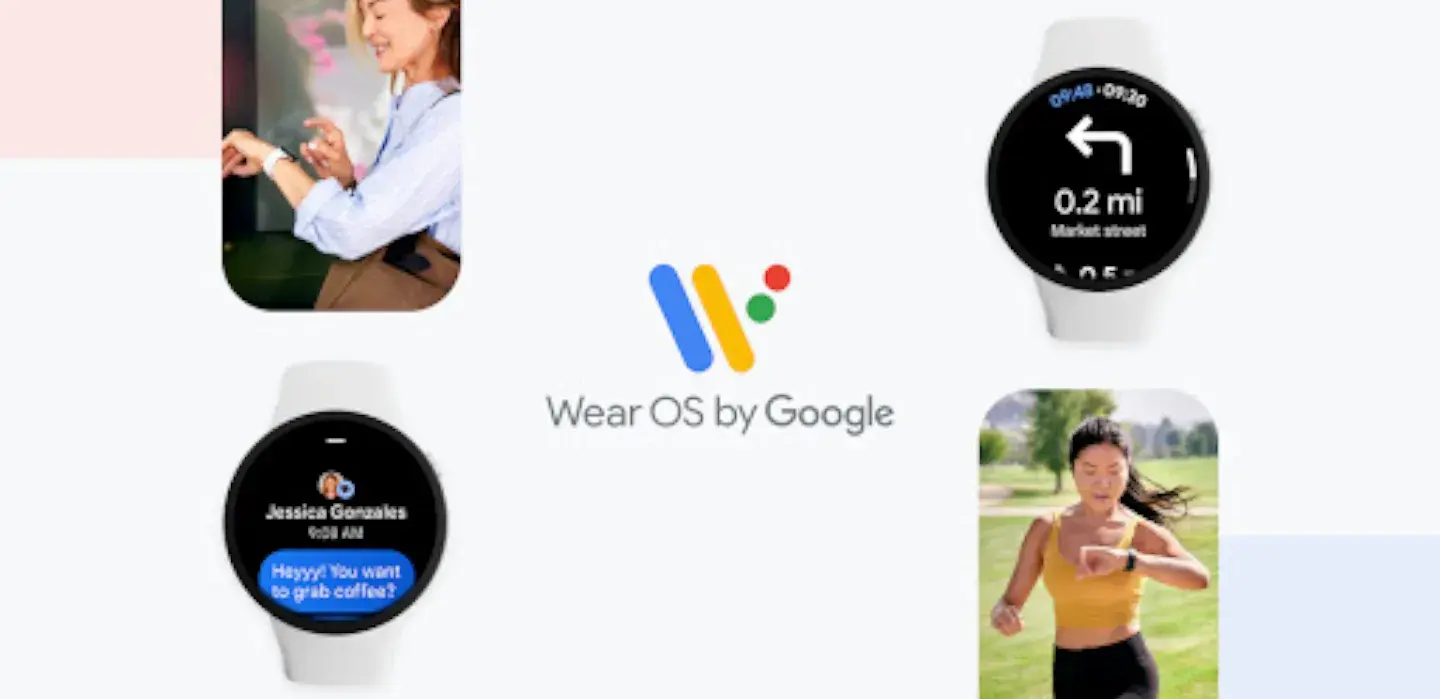
The first filter to find out if your watch can use Gemini is the version of Wear OS that it has installedGoogle has made it clear that the new assistant experience is only available on watches running Wear OS 4 or higher. Devices still running Wear OS 3 or earlier versions will not receive this update.
To check it from your wrist, go to the Clock settings, look for the System and Information section And check the Wear OS version number. If it says Wear OS 4 (or a later version), your watch is potentially compatible, and compatibility will depend solely on the manufacturer and Google's rollout schedule.
At the brand level, the company has confirmed that the entire range of watches with Wear OS 4 or higher You will be able to receive Gemini. This includes not only Google's Pixel Watch, but also models from Samsung, OPPO, OnePlus, Xiaomi, and other manufacturers that support the platform.
In the Galaxy ecosystem, Samsung was one of the first to jump on the bandwagon. The Galaxy Watch 8 and Galaxy Watch 8 Classic families. It comes with Gemini as standard, factory-installed.This is the first generation to directly adopt the new assistant instead of Google Assistant. But the good news is that it doesn't stop there.
- Samsung Galaxy Watch 4
- Samsung Galaxy Watch 4 Classic
- Samsung Galaxy Watch 5
- Samsung Galaxy Watch 5 Pro
- Samsung Galaxy Watch 6
- Samsung Galaxy Watch 6 Classic
- Samsung Galaxy Watch 7 (planned, although not yet officially announced)
- Samsung Galaxy Watch Ultra
- Samsung Galaxy Watch 8 / 8 Classic (with Gemini pre-installed)
Outside of Samsung, Google is expanding compatibility to Pixel Watch and other certified Wear OS watchesThe Pixel Watch 2, for example, can already run Gemini both through the official update and, for the more impatient, through manual installation of the APK using wireless debugging, as demonstrated by more than one advanced user by downloading the file from repositories such as APKMirror.
Criteria to determine if your Wear OS watch is compatible with Gemini
Beyond simply listing models, you can follow a sort of mental checklist to determine if your watch is ready to make the leap to the new assistant. The first criterion is obvious: wear Wear OS 4 or laterWithout that requirement, there's nothing to be done, no matter how new the watch is.
The second point is to check if the device It has access to the Google Play Store directly from the wristIf your watch opens the app store, you can check for the Gemini app or the Google Assistant update for Wear OS. If you find it, you're just a couple of taps away from installing it.
Another very clear indication is that the side button that used to open Google Assistant Your watch may start displaying a different interface after a recent update. If you see a new screen with Gemini branding and options to reply, rate the response, or interact more visually, your watch has already made the transition, even if you haven't manually forced it.
On watches like the latest generation Galaxy Watch or the Pixel Watch, you can also notice the compatibility if New spheres appear with specific shortcuts to GeminiGoogle is adding watch faces with integrated buttons that launch the assistant directly from the watch face, designed for those who use it all the time.
Finally, if your watch is on the list of models that manufacturers like Samsung have announced as compatible, and also receives frequent software updatesGemini will most likely arrive eventually, even if you don't see it active yet. Google has clarified that the rollout is gradual and may take several weeks to reach everyone.
How to activate or install Gemini on your Wear OS watch
Once compatibility has been verified, it's time for the practical part: activate Gemini on your smartwatchThere are two main ways: the official method through Google Play and, for advanced users, manual installation of the APK. It's recommended to stick to the standard method unless you're very familiar with what you're doing.
If you're still seeing Google Assistant on your watch, the first step is Open Google Play Store from your wristScroll down to the Application Management or "Manage apps" section and locate the Google Assistant app for Wear OS. In many cases, you'll see an Update button associated with the new version integrated into Gemini.
After tapping Update, the watch will download the new version, and when the installation is complete, a [unclear - possibly "update" or "update"] should appear. notification indicating that Gemini has been integrated into Wear OSFrom that moment on, calls to the assistant will no longer use the old engine, but the new AI model.
You can also search for Gemini directly in the Play Store on your watch or access it from the mobile device linked to your smartwatch using a link to the app's page on Google Play. When you tap "Install" on your phone, the download will automatically be sent to your watch, provided both devices are properly paired.
For those who do not want to wait for the official rollout, there is the option of manually install the Gemini APK for Wear OSThis is usually done by enabling wireless debugging on the watch and using ADB tools to send the downloaded file from repositories like APKMirror (for example, the com.google.android.wearable.assistant.wear.os package). It's a more technical process, intended for users already familiar with installing apps from outside the store.
Set Gemini as the default assistant
To take full advantage of the new assistant, it is recommended Set Gemini as your default digital assistant on your Android phone as well.By doing so, you ensure a more consistent experience between phone and watch, with the same AI engine on both devices.
On your smartphone, go to the System settings, go to Apps, then to Default apps Look for the Digital Assistant app option or something similar. Within that menu, you can select Gemini as your default assistant app, replacing the old Google Assistant.
Having done this on the mobile device, it's time to take the next step on the wrist. On the watch, Wake up the screen with a touch or by pressing the power button. Then go to the applications menu. Look for the Digital Assistant icon and tap the Get started option to begin setup.
At that point, the watch usually displays a notification to you Continue the process from the paired mobile deviceYou'll see a guided setup screen on your phone, where you grant permissions to access your microphone, notifications, email, calendar, and other key elements so that Gemini can provide contextual responses.
Once the setup wizard is complete, you can start talking to Gemini from the watch using your voice, a physical button, or system icons. From here on, you don't need to adjust anything unless you want to review the permissions granted or change the default assistant again.
Ways to summon Gemini on your Wear OS watch
Once activated, Gemini can be invoked in several ways, very similar to those you had with Google Assistant, but with a revamped interface and responses. The quickest way is press and hold the side button on the watch that used to open the old assistant. Now that gesture directly launches the new Gemini experience.
If you prefer to use your voice, the classic command still works. "Hey Google" to wake up the assistantThis option is especially practical when your hands are busy, whether cooking, exercising, or driving, because it prevents you from having to touch the screen or the physical button.
Google is also adding system icons and shortcuts in the interface These features allow you to open Gemini with a single tap. This includes shortcuts visible in some quick menus or quick settings that you can access from the watch face.
Another interesting avenue is the specific watch faces with a dedicated Gemini buttonBy choosing this type of watch face, you'll have a permanent icon on your screen that, when tapped, opens the assistant without going through any menus. It's a convenient way to integrate it into your daily routine if you use it frequently.
Finally, you can always cast Gemini as standalone application from the app drawerJust like you would with any other app installed on the watch. It's not the fastest way, but it can be useful if you want to explore its options or change some settings related to the assistant.
What changes with Gemini compared to Google Assistant
The change is not just a facelift. Gemini introduces a completely revamped and richer interfaceThis departs from the minimalist and somewhat robotic design of the old Google Assistant on Wear OS. Now, responses can be displayed as text, images, or even audio, depending on your question and what the system deems most useful at any given time.
Each time you interact with the assistant, they appear Buttons to rate if the answer was helpful or not. This feedback helps Google to better adjust the system's behavior and refine the answers it provides, although it also means that your interactions help train the model.
One of the star features is the contextual memory capacityGemini can remember relevant aspects of your daily life, such as where you parked your car, what reminders you have pending, or what calendar events are coming up. This memory allows them to respond in a more personalized way in future inquiries.
In addition, the assistant now maintains more fluid and natural conversationsYou can link related questions without having to repeat the entire context each time, and the system understands nuances of everyday language better, something that is very noticeable when you make more open or unstructured queries.
On the other hand, with the arrival of new versions of Wear OS, such as the upcoming Wear OS 6, it is expected that Gemini will be able to interact directly with each manufacturer's appsSamsung has already shown examples of integration with health and fitness features from the Galaxy ecosystem, which points to a future where the assistant becomes a unified layer on top of many applications.
Gemini integration with Google apps and the ecosystem
Gemini doesn't live isolated by the clock: it relies deeply on the ecosystem of Google apps and services to offer relevant information in context. One of the key elements is Google Search, which now better understands the thread of your questions and is able to string together several queries without losing sight of the main topic.
In navigation, integration with Google Maps allows you to receive directions using more natural voice commands.You can ask it to take you to a specific place, tell you how long it will take to get there, or find places near you without being extremely precise with your words, and the system will know how to interpret what you need.
Gmail and Google Calendar also benefit from this new AI layer. From your wrist, you can manage emails and appointments without taking your mobile phone out of your pocket: ask Gemini to read you the latest relevant messages, summarize a long email, or remind you what meetings you have throughout the day.
In the realm of entertainment, YouTube Music adds interesting features, such as the possibility of create playlists tailored to your exercise paceYou can tell it that you're going to run at a certain pace (for example, ten minutes per mile) and the assistant generates a playlist with songs suitable for that type of workout.
Integration with health services like Fitbit gives you the option to control complete workouts using your voiceYou can start sessions, check your heart rate, or review your steps simply by speaking to the watch, without having to navigate through small menus while you're in the middle of physical activity.
Practical examples of using Gemini on the wrist
In everyday life, Gemini is designed to Answer quick inquiries and solve small tasks that arise at any time. For example, if you're about to leave home, you can ask it something as simple as "should I take an umbrella today?" and the assistant will return the updated weather forecast for your location.
While cooking, it's very useful to be able to ask questions like "How long do I have to roast cut vegetables and at what temperature?"The assistant can give you a practical answer with approximate times and recommended temperature ranges, without you needing to pick up your phone and manually search for recipes.
In a professional setting, you can ask him to Summarize the last email you received about a specific projectFor example, "summarize X's latest email about project Y." Gemini will analyze that person's recent messages and show you a summary of the most important points—ideal when you're in a rush before a meeting.
During training, you can ask it questions related to the sport you're doing, such as ask for basic guidelines for a strength training session or tips for stretching properly after running. While it's not a substitute for a professional trainer, it can give you quick general guidance without interrupting your activity.
You can also use its memory for small, everyday things, like asking it to remember where you parked the car or jot down quick ideasLater, simply ask and the assistant will return that information without you having to search through scattered notes or reminders.
Limitations, warnings, and the future of Gemini on Wear OS
Although Gemini represents a considerable leap forward, it's important to be aware of some limitations. Google explicitly warns that The assistant may make occasional mistakes.Therefore, it is not a good idea to rely 100% on their answers for critical decisions or very sensitive information without verifying it first.
Additionally, watches with Wear OS 3 or older versions They will not receive this update.In other words, if your smartwatch is stuck on a previous version and the manufacturer has no plans to update it to Wear OS 4, there will be no official way to install Gemini unless you resort to unsupported methods that may compromise the stability and security of the device.
Another point to consider is that the Gemini's deployment is progressive and in wavesEven if your watch is officially compatible, the update may take weeks to appear in the watch's Play Store or system menus. Patience is key, especially for models from brands other than Google or Samsung.
Looking ahead, Google is aligning the evolution of Wear OS with Gemini, including design changes such as Material 3 Expressive and battery and interface improvements designed to work seamlessly with artificial intelligence functions. This means that future watches will come increasingly equipped from the factory to take full advantage of this assistant.
The gradual withdrawal of Google Assistant from the smartwatch ecosystem has been anticipated for some time, with clear signs since the beginning of the year. The arrival of Gemini marks the beginning of... a new stage in which conversations with your watch will be more naturalwith an assistant that better understands what you want, integrates with your apps, and remembers useful details of your routine.
If your watch meets the Wear OS version requirements, appears in the models supported by your manufacturer, and you receive the update through Google Play, you're in a very good position to notice the leap in quality: The options for use multiply and the experience goes from being a curious extra to becoming a truly useful tool on the wrist.

Index
- 1 What is Gemini in Wear OS and why does it matter?
- 2 Basic requirements: Wear OS version and compatible models
- 3 Criteria to determine if your Wear OS watch is compatible with Gemini
- 4 How to activate or install Gemini on your Wear OS watch
- 5 Set Gemini as the default assistant
- 6 Ways to summon Gemini on your Wear OS watch
- 7 What changes with Gemini compared to Google Assistant
- 8 Gemini integration with Google apps and the ecosystem
- 9 Practical examples of using Gemini on the wrist
- 10 Limitations, warnings, and the future of Gemini on Wear OS
