- The chipset acts as the motherboard's communications hub and sets the real ceiling for your PC's performance, connectivity, and expansion.
- Choosing a basic chipset can create bottlenecks and severe future limitations, even when using a powerful CPU and GPU.
- Chipset drivers are key to system stability, compatibility, and minor performance refinements.
- Knowing your chipset and keeping it updated helps you plan upgrades and make better use of the hardware you already have.
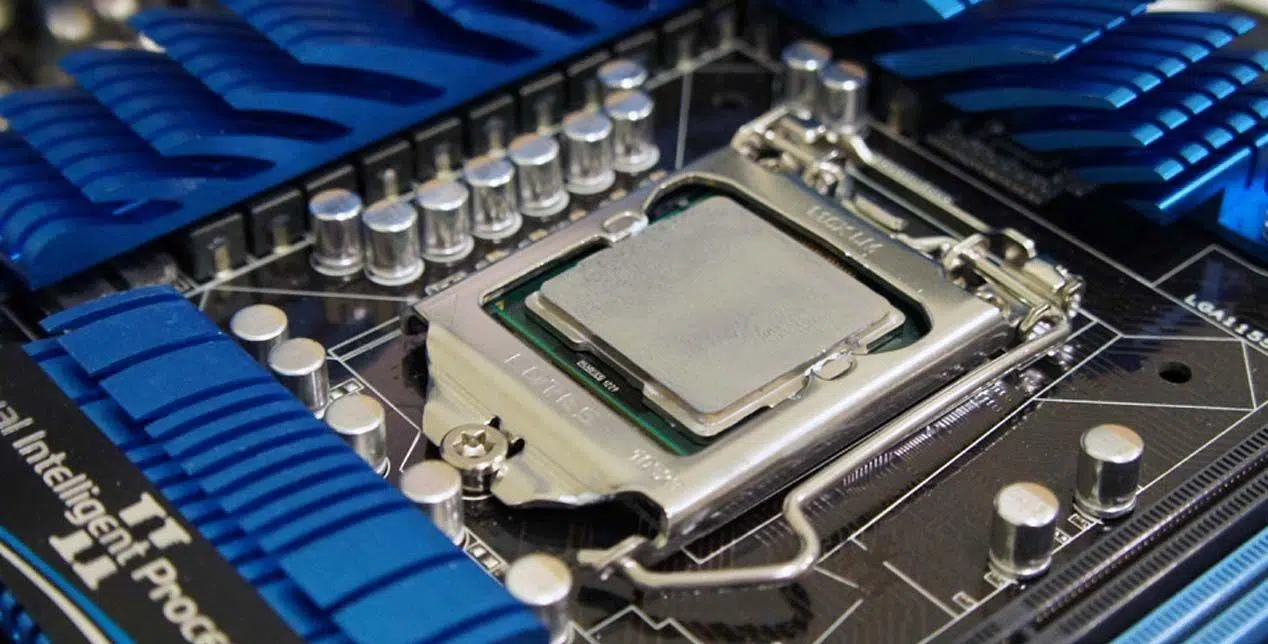
When we build or buy a computer, we usually focus mainly on the CPU, graphics card, RAM, or storage type. However, there's a component that often goes unnoticed and yet can severely hinder everything else: the motherboard chipsetIf you're wondering why two PCs with the same processor and graphics card perform differently, one of the answers is almost always there.
This article delves into the role of the chipset, how it influences the actual performance of your computer, what the differences are between them, and why even their controllers or drivers They can make a difference in stability, compatibility, and FPS in games. The idea is to explain it in clear language, without sacrificing technical rigor, so you can make better decisions when choosing a motherboard, upgrading your PC, or getting the most out of the hardware you already have. Let's get started with a guide on whether The chipset matters more than you think: how it limits your PC's performance.
What exactly is the chipset and what does it look like in your PC?
In simple terms, a chipset is a integrated circuit set It's mounted on the motherboard and is responsible for coordinating communication between the CPU, memory, storage, graphics card, and other peripherals. You can think of it as the control center or nervous system of the motherboard: virtually all the data traffic of the computer passes through it.
Although sometimes people talk about "the chip" of the chipset, it is actually made up of various electronic components that work together. Their main function is to control the flow of information between the CPU and elements such as RAM, SSD and HDD drives, USB ports, PCIe expansion cards, network interfaces, integrated audio, and a long list of other devices that coexist in your PC.
For years, people talked about two distinct parts of the chipset: the Northbridge and SouthbridgeThe Northbridge was responsible for high-speed communication (CPU, RAM, GPU on the main PCIe port), while the Southbridge handled lower-speed tasks (SATA, USB, audio, network, etc.). In modern Intel and AMD designs, many of these Northbridge functions have been integrated into the CPU itself, but the concept of the chipset as a communication hub remains entirely valid.
In practice, the chipset decides critical things such as how many PCIe lanes What you have available, what version of PCIe your system supports, what type and maximum amount of RAM you can install, how many SATA and M.2 ports the motherboard has, and what speed the USB ports reach. All of this directly affects what you can install today and what you'll be able to expand tomorrow.
Therefore, although the chipset is a discreet component and often covered by a small heatsink, its impact on overall performance is enormous: It sets the limit of what your PC can perform. even before you start thinking about overclocking or changing your graphics card.
Key chipset functions: much more than just an intermediary
The chipset's first major mission is to act as nerve center of informationAll data that needs to move between the CPU and devices passes through routes controlled by the chipset via buses (PCIe, DMI, USB, SATA, etc.). If these channels are fast, wide, and well-managed, the system feels responsive; otherwise, a bottleneck appears.
Another essential function is the memory management and interfacesThe chipset plays a role in determining which memory technologies are compatible (DDR4, DDR5), the official operating frequencies, the number of memory modules the motherboard supports, and the configurations (single/dual channel). It also governs much of the logic related to USB ports, power on/off, power management, and interaction with other internal buses.
He also has a lot to say in the section on expansions and connectivityDepending on the chipset chosen, a motherboard may offer more or fewer PCIe slots for sound cards, capture cards, dedicated network cards, etc., as well as more high-speed M.2 NVMe sockets or SATA ports for additional drives. Two motherboards with the same processor can offer radically different expansion possibilities simply because they use different chipsets.
Finally, modern chipsets integrate support for advanced features such as RAID, storage caching technologies Intel Optane or AMD alternatives, features specifically for content creators, CPU and memory overclocking, and other power settings which influence both the consumption and the temperatures of the equipment.
All these functions translate into one simple idea: the chipset defines how much real benefit can you get from your processor and graphics card?You can install a high-end CPU on a very basic platform, but if the chipset isn't up to par, you'll never see its full potential.
Chipset and performance: how it can limit (or unlock) your PC
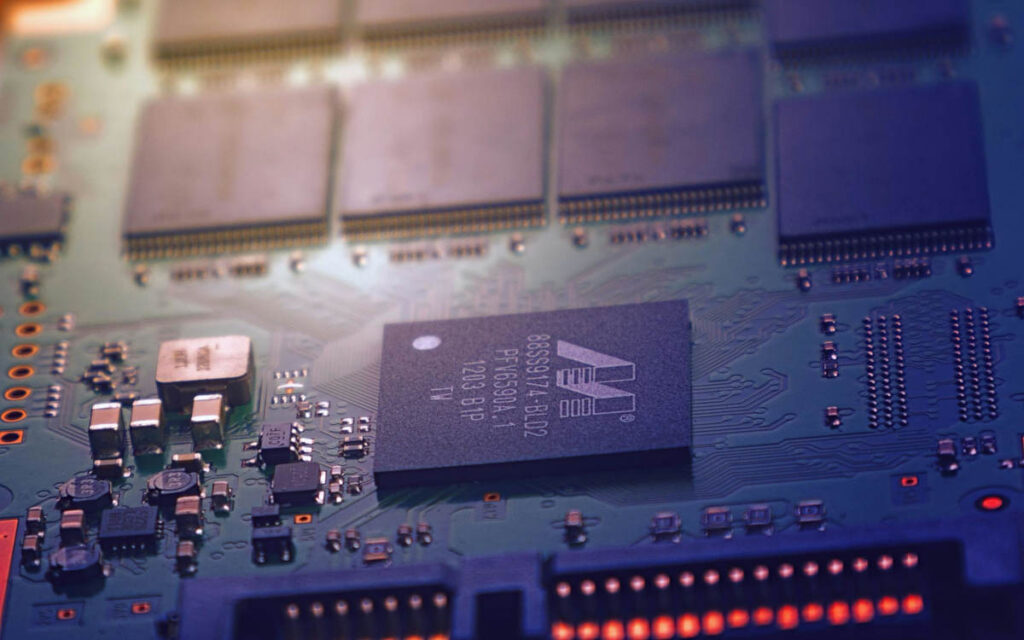
One of the most common questions is to what extent the chipset can affect real-world performance, especially in games. The short answer is that a poor chipset can cause invisible bottlenecks which translate into lower FPS, more stuttering, longer loading times, and worse overall system response.
For example, if you choose an entry-level motherboard with a heavily cut-down chipset, you might have fewer PCIe lanes available for the graphics card or your NVMe SSDs. This can mean that some slots operate at less bandwidth than ideal, or that occupying certain ports disables others. In a computer designed for gaming or content creation, these kinds of limitations are more noticeable than they might seem on paper.
The chipset's ability to properly handle the dual-channel RAM and relatively high speeds. A chipset that only supports very basic configurations, or that doesn't allow for stable use of XMP/DOCP profiles, can hinder CPU performance in tasks where memory latency is key, such as many competitive games.
Another key point is the support for overclocking and fine-tuningIn high-end Intel (like Z690 or Z790) and AMD (like X670E or B650E) motherboards, the chipset allows you to adjust the CPU, RAM, and even bus frequencies, provided the processor also supports it. However, in more modest chipsets, these options are locked or severely limited, meaning you won't be able to squeeze out that extra performance boost even if your cooling system and CPU can handle it without issue.
Finally, the chipset sets the level of stability and multitasking capability This is what the system can offer when everything is fully loaded: CPU at 100%, GPU pushing itself to its limits in a game, an SSD transferring data at maximum speed, USB peripherals in use, etc. A solid and well-designed chipset handles that load without flinching; a heavily cut-down one can start to show micro-stuttering, higher latencies, and small, difficult-to-diagnose glitches.
Real example: B660 vs H610 with an Intel Core i5-12400F
Imagine you want to build a tower to play with a Intel Core i5-12400FIt comes with an RTX 3060 Ti, 16GB of DDR4 RAM, and an M.2 SSD. At your local store, a mid-range B660 chipset (for example, an MSI B660 PRO) costs more than the processor itself, while a motherboard with an H610 chipset (like the ASUS H610M-A) is literally half the price. The temptation to go for the cheapest option is huge.
In the short term, if you're not going to overclock and you're happy with a single M.2 drive and few extras, it might seem like a The H610 motherboard does the trick.You'll be able to play games, install your graphics card, add your RAM and SSD, and the system will work. However, the H610 chipset is a very limited model: fewer PCIe lanes, fewer SATA ports, fewer USB ports, no real possibility of advanced memory tuning, and very limited expansion options.
In day-to-day terms, this means that an equivalent system mounted on B660 chipset It can offer better memory options (higher, more stable frequencies), more M.2 NVMe ports without sacrificing PCIe slots, more high-speed USB ports, and generally more room for growth. Furthermore, the quality of the VRM and other components typically associated with a higher-end chipset is usually better, which helps maintain stability under heavy load.
Are you noticing extra FPS just by changing chipsets? In many games, the direct difference might be small if the rest of the hardware is the same, but small advantages accumulate: Less stuttering when there is a high CPU load, better handling of background devices, more consistent loading times… and, of course, a much longer lifespan if you want to add more SSDs, more RAM or expansion cards in the future.
Therefore, although it may seem that the chipset only influences "connector things", the reality is that a more capable chipset like B660 versus an entry-level model like H610 It can make the difference between a PC that becomes obsolete after a few years and one that continues to have a long lifespan without needing to replace half the equipment.
Major families of current Intel and AMD chipsets
Both Intel and AMD offer a fairly wide range of chipsets, geared towards everything from office equipment to workstations and high-end gaming PCs. Each family represents a different level of performance. features, compatibility and expansion possibilities.
In the case of Intel, for recent desktop computers we find the 600 and 700 series chipsetsWithin this range, the Z models (such as the Z690 or Z790) sit at the top: they allow CPU and RAM overclocking, offer numerous PCIe lanes, multiple M.2 ports, and a large number of next-generation USB ports. They are designed for enthusiast users and high-performance configurations, with processors such as the 12th and 13th generation Intel Core.
Below these are chipsets such as H670, B660 or B760, geared towards mid-range equipmentThey still allow for the installation of very capable CPUs, but with slightly less room for customization and, in general, with more limited connectivity. At the base of the range are models like the H610, designed for office work and basic PCs, where price is the priority rather than expandability or extreme performance.
On the AMD side, for the AM5 socket, the main offering consists of chipsets. X670E, X670, B650E, B650 and A620The X670E and X670 are high-end motherboards, ideal for powerful Ryzen 7000 processors, with abundant PCIe 5.0 lanes, advanced memory options, and extensive overclocking support. The B650E and B650 are aimed at mid-range/high-end systems, well-balanced for gaming and work without reaching the incredible connectivity levels of the X670.
Closing the line is the chipset A620This chipset significantly reduces ports, PCIe lanes, and configuration options, and is primarily aimed at entry-level systems. As with Intel, installing a powerful Ryzen 7000 series processor in an A620 chipset is possible, but you'll be wasting some of the performance and upgrade potential of that processor.
How to find out which chipset your motherboard has
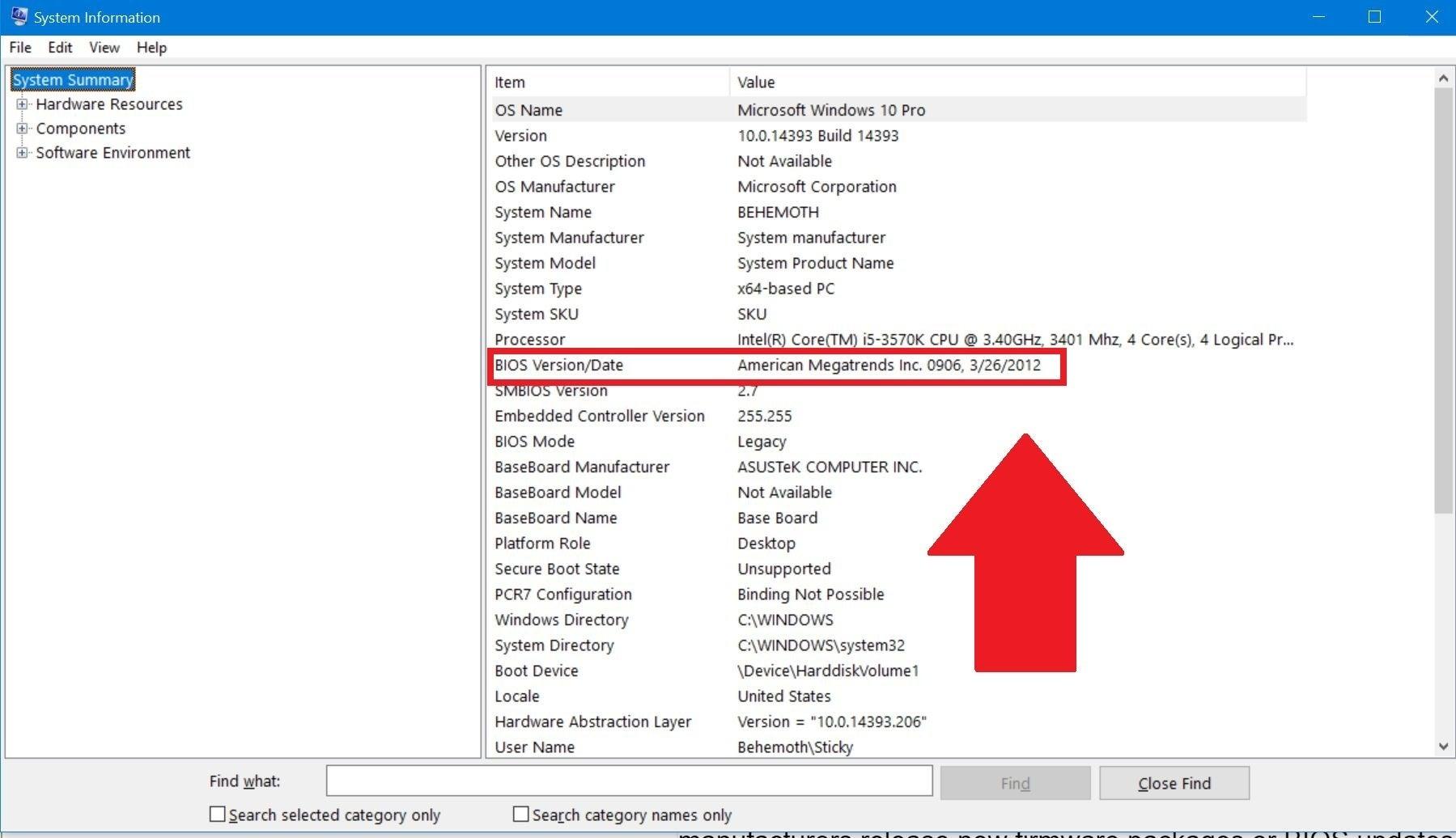
If you already have a PC built and want to find out what chipset you have without opening the case or rummaging through boxes, the easiest way is to use a tool like CPU-ZIt's very lightweight and free. After installing and running it, simply go to the tab dedicated to the motherboard (often labeled "Mainboard" or similar) to see the motherboard model and associated chipset.
This information is especially useful when you are valuing upgrade the RAM, add an NVMe SSD, or change the CPU.Knowing the chipset allows you to check the motherboard manufacturer's website for official compatibility information (supported processor types, recommended RAM frequencies, maximum number of devices, etc.). This helps you avoid buying components that may not work or may perform unstably.
Another option is to consult the operating system directly: in Windows, you can check Device Manager to get an idea of the chipset family, although the information is usually less clear than with specialized tools. In any case, the definitive reference will always be the motherboard documentation and the manufacturer's support page.
Knowing which chipset you're using is also essential for downloading the correct driversYou can find the correct drivers on the Intel or AMD website, as well as on the motherboard manufacturer's website. Installing incorrect or generic drivers can reduce performance and even cause stability problems that are difficult to track down.
What are chipset drivers and why should you update them?
The chipset controllers are the software that acts as a bridge between the operating system (Windows, for example) and the motherboard's chipset itself. Without these drivers, the operating system wouldn't be able to properly utilize many of the chipset's functions or communicate optimally with the various PC components.
Just like with graphics card drivers, these drivers are updated periodically to Fix bugs, improve compatibility with new hardware and, sometimes, to squeeze a little more performance out of the system. Intel, AMD, and motherboard manufacturers release new versions when they detect bugs or want to add support for new features.
Among their tasks, chipset controllers are responsible for ensuring the overall system stabilityThey help ensure smooth communication between the CPU, memory, storage, and peripherals, minimizing crashes and blue screens. A poor installation or outdated drivers can lead to occasional freezes, USB device errors, unexpected disk drive disconnections, and other annoying problems.
These drivers also enable proper support for various hardware components Connected to the motherboard: USB 3.x ports, SATA controllers, integrated audio chips, Ethernet or Wi-Fi network ports, among others. Without the correct drivers, some devices may not function at their full capacity or may not even be recognized by the operating system.
Finally, many chipset driver versions include performance optimizations and power management: improved handling of low-power CPU states, adjustments to interrupt scheduling, refinements to storage data paths, etc. While these improvements don't always translate into a significant increase in FPS, they can offer a smoother experience and more consistent performance under varying workloads.
Does updating chipset drivers improve gaming performance?
A recurring question among players is whether it's worth updating the chipset drivers frequently Or is it enough to just install the factory drivers and forget about it, while only updating the GPU drivers? The reality is that, although the graphics card has a greater impact on FPS, the chipset also influences how the system performs when a game pushes the CPU, RAM, and storage to their limits.
If it's been many months since you last updated your chipset drivers (for example, since November of last year) and in the meantime you've only been updating your GPU drivers, you might be missing out. Bug fixes and minor improvements which affect overall stability. Especially when new versions of Windows, new games, or new firmware for the motherboard and graphics card are released, manufacturers often launch chipset updates to better adapt.
That said, a chipset driver update alone won't usually give you a large and direct FPS increase. What it can do is reduce micro-outages, improve device management while playing (for example, that there are no strange behaviors with disks or USB) and minimize conflicts with other drivers, including the GPU driver.
Regarding specific problems with graphics driver packages, such as certain software versions AMD Adrenalin (for example, 24.1.1)Updating the chipset can help stabilize the platform in some cases, but it's not a guaranteed solution. It's more of a piece of the puzzle: it's advisable to have the motherboard BIOS, chipset drivers, and GPU drivers all in relatively recent and compatible versions.
A good practice is to periodically check (for example, every few months or when you notice strange behavior) the support page for your motherboard or chipset manufacturer, and download the latest stable version Update your drivers. There's no need to obsess over installing every little update, but it's also not a good idea to stick indefinitely with the original drivers if they're years old.
Chipset, compatibility and future expansions
Beyond immediate performance, the chipset largely defines What can you do with your PC in the future?If you choose a very basic chipset, it might meet your needs today, but when you want to upgrade your system you may encounter a wall of limitations that are difficult to overcome without also changing the motherboard.
For example, the chipset determines which processors are compatible With your motherboard, both now and for future generations within the same socket. There are cases where a motherboard with a more complete chipset receives support for more modern CPUs through BIOS updates, while one with a limited chipset is left out of the official compatibility list.
The same applies to memory: the chipset influences the maximum RAM capacity which you can install, the number of available slots, and the frequencies that can be maintained stably. If you're thinking about upgrading your RAM for video editing, virtual machines, or increasingly demanding games, a mid-range or high-end chipset usually offers much more headroom.
Storage is also affected. A more capable chipset will allow you to mount several high-speed NVMe M.2 SSDs without sacrificing SATA ports for additional mechanical drives or SSDs, whereas basic chipsets often force a choice: if you use a certain M.2 socket, you lose one or more SATA ports. In the long run, this limits the amount of internal storage you can have without resorting to external solutions.
Finally, it's worth considering the number of PCIe slots available for expansion cardsDedicated sound cards, streaming capture cards, advanced network cards, additional controllers, etc. If the chipset doesn't offer enough PCIe lanes or limits them to very low speeds, you'll have fewer options to customize and upgrade your PC over time.
Chipset, cooling and basic maintenance
The chipset, by handling the movement and coordination of a huge volume of data at high speed, generates constant heatThat's why you'll see a small metal heatsink on virtually all modern motherboards, and some high-end models even have more elaborate cooling systems to keep their temperature under control.
Although it doesn't require direct maintenance as such (you're not going to be disassembling and cleaning the chipset every so often), it is important to ensure that it has a decent airflow in the caseA tower with poor ventilation can cause both the chipset and the motherboard's VRM to overheat, which can ultimately affect stability under load.
If you notice that the chipset area is getting too hot (some monitoring programs allow you to see its approximate temperature), it might be a good idea improve fan configuration or check if the heatsink is securely attached. On very old motherboards, where a chipset fan was common, it's also worth checking that this fan is still working correctly and isn't making any unusual noises.
In general, by keeping the tower relatively dust-free and ensuring sufficient airflow, the The chipset will operate within a safe temperature range. And you won't have to worry too much. However, if you're building a high-performance PC with multiple graphics cards and SSDs, it's worth planning the ventilation carefully from the start.
With all of the above in mind, it is clear that the chipset is not a mere technical detail lost in the fine print of the motherboard specifications, but a component that defines the character and real possibilities of the computer. Choosing the right chipset for your needsKeeping your drivers reasonably up-to-date and understanding their limitations is key to avoiding silent bottlenecks. extend the lifespan of the PC and make sure that your processor, graphics card, and memory can perform as well as they promise on paper.

Passionate about technology since he was little. I love being up to date in the sector and, above all, communicating it. That is why I have been dedicated to communication on technology and video game websites for many years. You can find me writing about Android, Windows, MacOS, iOS, Nintendo or any other related topic that comes to mind.