We're going to talk about how to convert .OGG files when they won't open on your PC. Among the options for doing so are the following: online converters and some players and editors with conversion functionsIn other cases, it's best to install the appropriate codecs so you don't have to convert the file, but can play it without problems. Let's get down to business.
How to convert .OGG files when they won't open on your PC
If the MP3 format is the standard for licensed software, the OGG format is the standard for open-source software. It was created by the Xiph.Org Foundation as a A free and open alternative to proprietary formats like MP3The audio in many video games (voices, background music, sound effects), Spotify music, and WhatsApp voice notes come in this format or some of its variations.
Actually, .OGG is a container file that can hold compressed audio using codecs. Opus and Vorbis (the most popular). It can also contain uncompressed audio or even video, although the latter is less common. It is preferred not only because it is free and open source, but also because It allows you to package high-quality audio into files the same size as, or smaller than, .mp3 files..
Naturally, The OGG format is very popular in Linux environments.However, this isn't the case on Windows and macOS computers. Windows Media Player, for example, doesn't natively support it. This is where knowing how to convert .OGG files to other compatible formats becomes essential. If you've received a file in this format and urgently need to play it, you can try one of these suggestions.
Before converting, try opening it with a compatible player.
Before converting .OGG files when they won't open on your PC, why not try use a compatible playerMany media players support this format natively and offer more and better features than native players. Here are some of the best alternatives:
- VLC Media Player, the classic open-source player compatible with virtually any format.
- Foobar2000 It is a lightweight, fast and very flexible player, ideal for playing OGG files.
- AIMP It is very popular for its customization options, and is available for Windows, Linux, and Android.
If the file opens correctly with any of these players, then the problem is with your default player, not the file. But, If it still doesn't open, then it's time to convert it..
If you urgently need to convert .OGG files, try these converters
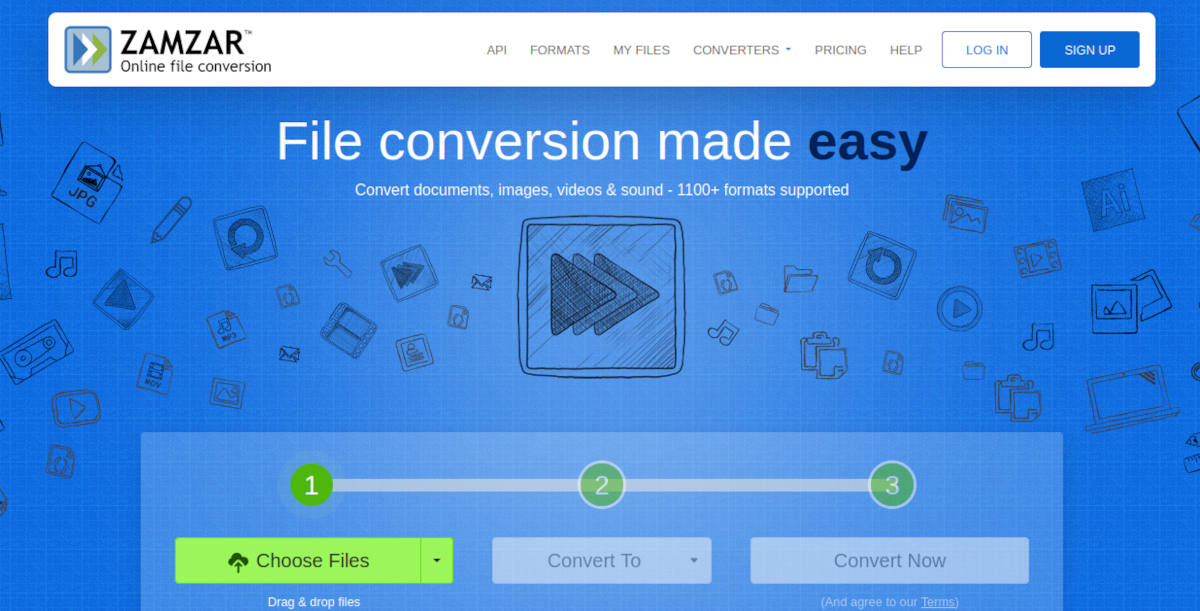
There are different tools for converting .OGG files when they won't open on your PC. One of them is... online convertersThese are perfect if you have a good internet connection and only need to convert a few files. And on the other hand, you have available installable programs that convert audio files and even players with conversion options.
Starting with the online convertersTwo of the best available options are Zamzar y CloudConvert. Both platforms are the Swiss Army knives of conversion: they allow you to convert almost any type of file, including the OGG format. They're also very intuitive and don't consume many of your PC's resources. However, if converting .OGG files is something you do regularly, you'll need local processing power.
VLC Media Player to convert .OGG files

You probably already have VLC installed on your computer. Many people use it to play videos, but few know that it's an incredibly effective file converter. If VLC can't play that .OGG file, Perhaps I can convert it to a more popular formatas MP3. The procedure is easy:
- Open VLC Media Player and go to the menu Media – Convert / Save.
- Click on Add and select your .OGG file.
- Press the button Convert / Save at the bottom.
- En Profile, Choose the output format. For maximum compatibility, select Audio – MP3.
- En Destination file, click on Examine to choose where to save the new file and give it a name.
- Click on Start And that's it.
Convert .OGG files with Audacity
Audacity is a very popular free audio editor that includes features such as cut, adjust volume or remove noise in audio files. If you have to do all this in addition to converting, Audacity is your best option. Download it from its official website and follow these steps:
- Open Audacity and drag the .OGG file directly into the program window.
- If you just want to convert it, go to Archive – Export – Export as MP3 (or the format you prefer).
- Audacity may ask you to download the LAME bookstore for MP3 the first time. This is an automatic and free process.
- Adjust the output quality (192 kbps or 256 kbps for a good balance between quality and size) and save.
Format Factory – Free Bulk Converter
A third and powerful option for converting .OGG files when they won't open on your PC is Format Factory. It's a classic in the world of conversion: free, it supports virtually any audio, video, or image format, and It allows you to process hundreds of files at once.. Can Download it from their official website.
Furthermore, his The interface is very easy to use.Simply select the output format (MP3, for example), add all your OGG files, configure the destination folder, and click OK. This is very useful if you need to convert entire libraries at once.
To avoid converting and instead play the codecs, install them.
But why convert .OGG files when they actually offer excellent audio quality? Often, the need to do so disappears once you install the appropriate codecs. If you have Windows, You can install the K-Lite Codec Pack package.In its most basic (free) version, it includes support for OGG. This means that Windows Media Player or other native Windows media players can play .OGG files without needing to convert them.
To be honest, converting .OGG files to other formats, such as MP3, involves recompression with the risk of losing quality. Therefore, If the original OGG file was high quality, try exporting the MP3 at 320 kbps to maintain it.And if you're looking for quality identical to the original, it's best to convert to WAV or FLAC. But the truly optimal option is to play the file in its original format.
Remember that OGG is an excellent format. In fact, if you use Spotify, the tracks you listen to are in OGG Vorbis format, in case you didn't know. So don't rule it out completely; Convert it whenever you need compatibility and it is strictly necessaryAt least you now know the best alternatives for doing it.

From a young age, I've been fascinated by all things scientific and technological, especially those advancements that make our lives easier and more enjoyable. I love staying up-to-date on the latest news and trends, and sharing my experiences, opinions, and tips about the devices and gadgets I use. This led me to become a web writer a little over five years ago, focusing primarily on Android devices and Windows operating systems. I've learned to explain complex concepts in simple terms so my readers can easily understand them.