- Paradise Taxi and RydeMe allow you to skip routes by paying a supplement of one hundred dollars per trip.
- Taxis use cash, while RydeMe charges your bank account for transportation.
- Request the vehicle from an accessible location and check the driver's menu instructions.
- Automatic driving saves you from driving the vehicle, but keeps the entire journey in real time.

To use the fast travel in GTA 6Request a Paradise Taxi or a RydeMe vehicle, select your destination, and get in as a passenger. During the ride, keep L2 on PS5 or LT on Xbox Series X|S to interact with the driver and select the option to skip the trip with Triangle or Y.
Skipping the tour costs $100 additional to the transportation fareYou can save on that surcharge by letting the driver complete the journey, although you'll have to wait. The services also need a location accessible by car.
How fast travel works in GTA 6
Fast travel is used from telephone transportation services. Paradise Taxi is available after Gone FishingRydeMe, while RydeMe requires progressing to obtain BuckMe's bank account.
These services allow you to travel as a passenger or pay to skip the journey. Autopilot is another option, but travel the route in real time and it does not replace the taxi fare.
| Service | How to apply | Method of payment |
|---|---|---|
| Paradise Taxi | Phone contacts | Cash |
| RydeMe | Phone app | BuckMe bank balance |
Before confirming, check the fee displayed on the screen. Having money in the bank is not the same as carrying cash, and it's advisable to verify that you have sufficient funds in the corresponding payment method.
How to order a Paradise Taxi and skip the ride
Paradise Taxi is the first option for getting around without driving. To request one:
- Press Up on the cross to open the phone.
- Enter Contacts > All contacts > Paradise Taxi.
- Wait in an accessible location, preferably next to a road.
- Look for the white car icon on the minimap. If it's hidden, press Down on the D-pad to show it.
- Select your destination and confirm the fare by following the on-screen instructions.
- Once inside and underway, keep L2 or LT to open the driver's options.
- Select Skip trip and hold the indicated button: Triangle on PS5 or Y on Xbox.
The surcharge for skipping a leg of the journey is fixed, regardless of the distance. For example, if the fare shown is $70, skipping a leg will cost you a total of $170provided you don't add other services.
Ask the driver to accelerate
You can also pay $5 to make him drive faster and another 5 to increase the speed again. This keeps the journey in real time and is not the same as skipping it.
Use the option that appears in the driver menu. In the documented PS5 diagram, Circle corresponds to requesting more speedThe Square button allows you to reduce it later. If you have changed the controls, follow the instructions displayed in your game.
How to unlock and use RydeMe
RydeMe needs a bank accountwhich you obtain through the Buck Me mission. Once the app is available, you'll be able to request transportation directly from your mobile device.
- Open your phone and select RydeMe.
- Choose one of the available destinations or mark a location on the map.
- Check the price and confirm the request.
- Wait for the driver and locate their vehicle on the minimap.
- Get on board and choose between completing the journey or paying to skip it.
The fare depends on the route and BuckMe is loadedDuring the journey, you may use your phone or interact with the driver. If you choose not to, the corresponding surcharge will apply.
If a request is canceled because the vehicle can't reach you, change your location before requesting it again. Being closer to a road is more effective than requesting multiple cars from an inaccessible spot.
What to do if you don't have money to travel
To save money, you can drive yourself or use the automatic driving with a vehicle and a set destination:
- Get into a vehicle and set a route on the map.
- Position yourself on a road.
- Keep Down at the cross and press Options on PS5 or Menu on Xbox to enter cinematic mode.
- Activate automatic driving using the indication that appears on the screen.
The character will follow the path without you constantly controlling the direction, but the route is not omittedTo regain control, use the indicated deactivation option. It is not advisable to rely on this system during a pursuit or in a dangerous situation.
Request your own vehicle
If the problem is that you've left your car far away, you can use a delivery service. In Chapter 1, Joey lets you recover your personal vehicle after unlocking their service through history.
Starting in Chapter 2, after completing Moses' mission, you can request your vehicles from Scooter BrosThis service has its own costs: it delivers the car to your location, but does not transport you to your destination.
Common limitations and problems of fast travel
Taxis and other vehicles in RydeMe need access to both the pickup point and the destination. An island without road access or a deep swamp area doesn't function like a street in Vice City.
- The driver is not present: Check the minimap and look for a more accessible pickup location.
- You cannot pay: Check your cash balance for Paradise Taxi and your BuckMe balance for RydeMe.
- You cannot skip the route: Check that you have sufficient funds for the supplement and that you are using the driver's menu.
- The destination remains undiscovered: The fog on the map doesn't prevent it on its own, as long as the service can reach that area.
Avoid thinking of fast travel as a guaranteed way to escape the police. If you're in a dangerous situation, resolve it before arranging a safe trip.
Before embarking on a long exploration, you can also keep a backup by following our guide on How to save your game in GTA 6.
Don't confuse these services with those of GTA Online
GTA Online guides may mention Downtown Cab Co., the Kosatka, properties, or session changes. Those instructions are for a different game. and they don't work to activate fast travel in GTA 6.
To get around Leonida, use the services available on your phone and check the options that appear when you board as a passenger. If you want to save money, complete the trip; if you need to get there faster, select the skip option.
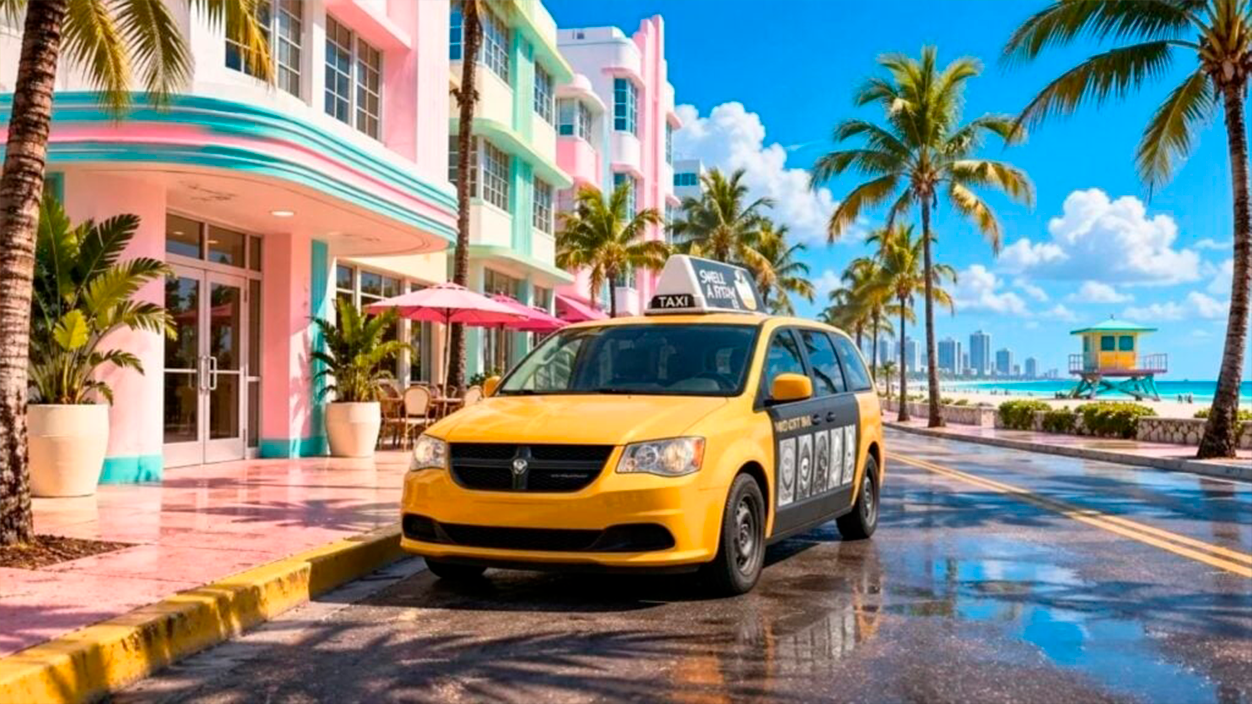
The photographs are for illustrative purposes and do not correspond to screenshots from GTA 6.
Frequently Asked Questions
How can I fast travel in GTA 6?
To travel fast in GTA 6 you have to order a Paradise Taxi from your mobile phone or use the RydeMe app, mark a destination accessible by road and then pay $100 to skip the trip.
How much does it cost to skip the trip in GTA 6?
Skipping the ride costs $100, whether you use Paradise Taxi or RydeMe. This fee is added to the fare and allows you to arrive instantly.
What is the difference between Paradise Taxi and RydeMe?
Paradise Taxi is paid for in cash and is available from the start, while RydeMe requires a bank account and is unlocked later in the story.
Can I fast travel to any location on the map?
Fast travel is only available to destinations accessible by car. Isolated locations such as remote keys or deep swamps are not served.
What happens if I don't have money for a taxi in GTA 6?
If you run out of money, in Chapter 1 you can call Joey from Coastal Auto Care to bring you a registered vehicle. In Chapter 2 you can use Scooter Bros, though you'll have to pay.
Is it possible to fast travel for free in GTA 6?
In GTA 6, fast travel always has a cost, either the price of the trip itself or $100 to skip it. The only free way is to let Jason or Lucia drive automatically to your destination.
How do you unlock RydeMe in GTA 6?
RydeMe is unlocked after completing the Buck Me mission, which involves opening a mobile bank account after being rejected by Fleeca Bank. From then on, the app automatically appears on your phone.
Is there fast travel in GTA Online?
In GTA Online, there are other methods for fast travel, such as ordering a taxi to a fixed destination, using the yacht, the Kosatka submarine, or changing your spawn point. Some cheats, like those for Rockstar-created races, also work.
Index
