- The iPhone automatically switches between lenses to optimize focus and activate macro mode when it detects nearby objects.
- The ultra-wide-angle lens is responsible for macro shots on compatible models.
- The macro control allows you to deactivate the function once it has been activated, but it does not prevent the initial jump from happening automatically.
- Using active zoom while recording video often causes abrupt and visible lens changes.
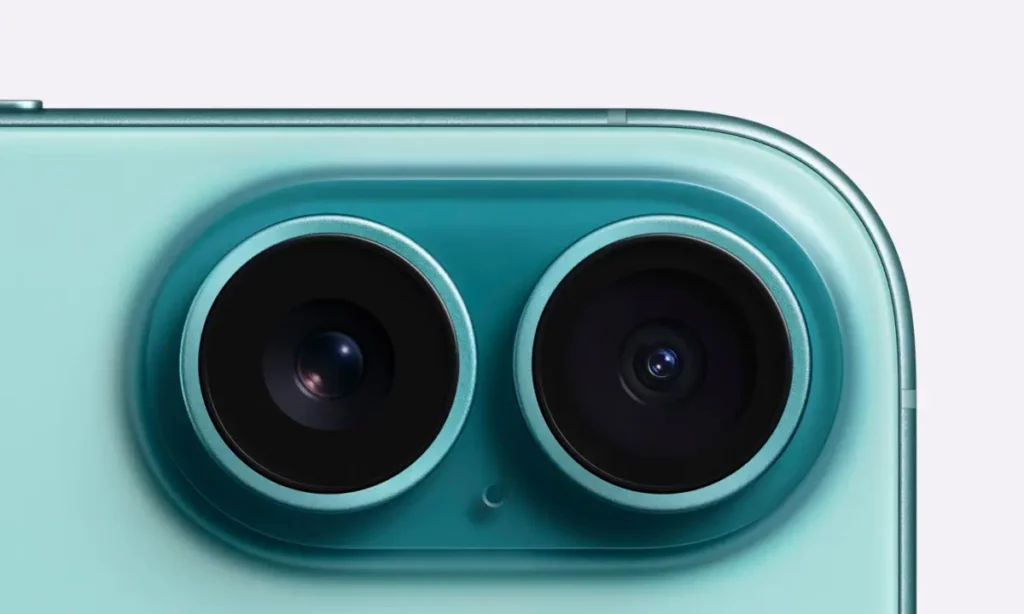
I'm sure it's happened to you: you're trying to take a spectacular photo of a very small detail and, suddenly, you notice a sudden jump in the image: The iPhone camera changes lenses as you get closerThis annoying effect occurs because Apple's camera system automatically switches lenses when it detects that the object is too close, always seeking the best possible focus.
Although it may seem like a flaw, it's a feature designed to take advantage of the macro photographyHowever, it can sometimes be frustrating if you want to have total control of the shot or if you are recording a video and the change is noticeable as a small visual jump that breaks the fluidity of the scene.
The operation of the camera system in standard models
On devices like the iPhone 16 and 16 PlusThe system manages the capture using a combination of lenses. 48-megapixel main camera It is responsible for most of the photos, but thanks to its resolution, it can simulate a 2x optical zoom by grouping pixels, allowing you to zoom in without losing too much quality.
However, when you need to capture landscapes or subjects very close up, the following comes into play: ultra wide-angle lensThis camera, with an f/2.2 aperture, is what allows for those wide angles and is the key tool for the device to focus on objects just a few centimeters away, thus activating macro mode. That's why the iPhone camera switches lenses when you get closer.

The power of the Pro range and the advanced Macro mode
If we jump to the Pro and Pro Max modelsThings get more serious. Here we have a triple-camera system where the 48-megapixel ultra-wide-angle lens It has been specifically optimized to make macro photos almost microscopic, allowing you to capture details of just a few millimeters.
Furthermore, these models integrate a 5x optical zoom telephoto lens Based on a tetraprism design, this means the phone has much more flexibility in choosing which lens to use depending on the distance, making the system more likely to switch between wide-angle and telephoto lenses if the software determines it will produce a sharper image.
How to manage automatic lens changes
What to do when your iPhone camera switches lenses as you get closer without you touching anything? Many users get frustrated because, when they approach an object, the camera switches on its own, resulting in a jarring jump, especially in video. To try and mitigate this, Apple has included a feature... macro control which appears as a yellow icon on the screen when the mode is activated.
The truth is that this option doesn't prevent the phone from changing lenses on its own, but rather It allows you to disable macro mode Once it jumps, the iPhone is forced to keep the main lens on even if the focus isn't perfect. To avoid these unsightly jumps in recordings, it's best to avoid actively zooming while recording or to maintain a constant distance.

Innovations in capture control
With the arrival of the new versions, the following has been implemented: camera control buttonThis physical element is wonderful because it greatly facilitates lens management, allowing you to zoom in or change camera settings without constantly touching the screen, giving a more professional touch to the workflow.
From 4K video recording at 120Hz in the Pro models to the Fusion system in the 16e model, which combines the functions of two cameras into a single 48-megapixel camera, Apple aims to ensure users don't have to worry about the technical aspects, although for the most demanding users, the manual distance control It remains the best way to avoid unexpected lens changes.
In short: when the iPhone camera switches lenses as you zoom in, there's a reason. And, more importantly, a solution. The iPhone camera system is designed to optimize quality by automatically switching between the main lens, the ultra-wide lens for macro shots, and the telephoto lens for long distances. While macro control allows for some adjustments, software automation remains the norm, requiring users to be strategic with distance and zoom to avoid visual jumps, especially in videos, taking advantage of the high resolutions of today's sensors.

Frequently Asked Questions
Why does my iPhone only switch cameras when I get close to something?
The system automatically activates the ultra-wide-angle lens to focus on objects at very short distances using the macro photography function.
How to prevent my iPhone from automatically switching to the macro lens?
You can't turn off automatic detection, but you can tap the yellow macro control icon that appears on the screen to return to the main lens.
Why is there a sudden jump when I zoom in while recording a video?
This occurs because the software physically switches from one lens to another to maintain optical quality, resulting in an abrupt transition in the image.
What is the difference between the main camera and the macro camera?
The main one is the highest resolution for general use, while the macro uses the ultra-wide-angle lens to capture minute details at a few centimeters.
Do all iPhone models have the macro lens switching feature?
This capability is present in the Pro models and in some recent standard versions that have a compatible ultra-wide-angle lens.
Does the camera control button help prevent lens jumps?
This button facilitates manual zoom and lens changes, allowing for faster management than the touch screen, although it does not cancel the system's automation.
Index